
A real frustration that keeps coming up:
PS4 is still alive, busy, and honestly, not going anywhere soon. Plenty of players still use it for GTA Online, FIFA, COD, Fortnite, Apex, Minecraft, streaming apps, regional game stores, and secondary accounts. The problem is that PS4 networking can feel unpredictable.
One day your connection feels clean. The next day, downloads crawl, matchmaking throws you into bad regions, or a game service blocks access because your IP looks suspicious. That is where proxies enter the conversation.
But let’s be clear. A proxy is not magic. It will not turn a poor WiFi connection into fiber. It will not fix bad Sony server routing every time. It also should not be used to abuse games, evade enforcement, or break platform rules. What it can do is help with privacy, region testing, account separation, geo access, QA work, and sometimes cleaner routing when your ISP path is messy.
For PS4 users, the best proxy is usually residential, ISP, or static residential, not a random free datacenter IP from the internet.
What Makes a Proxy Work Well on PS4?
A good PS4 proxy needs five things:
- Stable IP reputation
Residential and ISP proxies look more natural than overused datacenter IPs. - Low latency
For gaming, ping matters more than raw bandwidth. A proxy far from your location can make lag worse. - Sticky sessions
PSN logins, store access, and account sessions work better when the IP does not rotate every few seconds. - Country or city targeting
Useful for accessing regional stores, testing game content, or checking localized availability. - SOCKS5 or HTTP support
PS4 itself does not offer advanced proxy controls, so many users configure proxies through a router, PC hotspot, or network bridge.
Pro Tip: For PS4, avoid aggressive rotating proxies for account logins. Use sticky residential or ISP proxies where the IP can remain stable for longer sessions.
9 Best Proxies for PS4 in 2026
#1 — Oxylabs: Best Overall PS4 Proxy
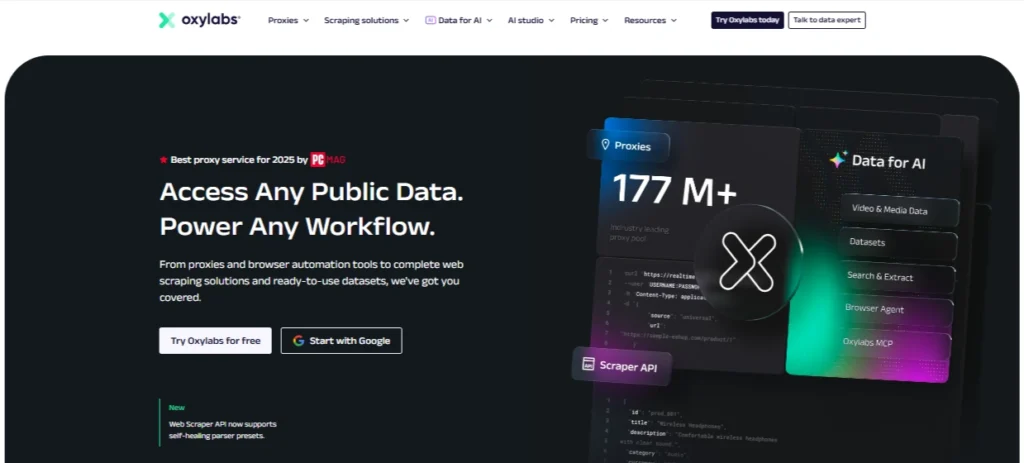
Oxylabs is the premium option for users who want strong IP quality, large-scale coverage, and reliable infrastructure. It offers a massive residential proxy pool, city-level targeting, and SOCKS5 support on residential and dedicated datacenter proxies.
For PS4, Oxylabs makes the most sense for serious users, studios, testers, agencies, and people managing multiple geo-testing workflows. It is not the cheapest proxy provider, but it is one of the strongest if you care about reliability.
The residential pool is useful when you need IPs that look closer to real household connections. That matters for PSN access, regional testing, and avoiding the weak reputation that often comes with cheap shared datacenter proxies.
Best for: Premium PS4 proxy use, regional testing, QA teams, cleaner residential IPs
Proxy types: Residential, datacenter, ISP-style options, SOCKS5 support
Main weakness: Pricing can be high for casual gamers
Pro Tip: Pick a proxy location close to your gaming server or PSN region. A “better” proxy in the wrong country can still give you worse ping.
#2 — Decodo: Best Value PS4 Proxy

Decodo, formerly Smartproxy, is one of the most balanced providers for PS4 users who want good proxy quality without jumping straight into enterprise-level pricing. It offers residential, static residential, mobile, and datacenter proxies, with residential coverage across many locations.
For PS4, Decodo’s static residential and residential proxies are the most relevant. Static residential proxies are especially useful when you want a stable IP for PSN sessions, store access, or gaming account management.
The dashboard is easier to use than many enterprise proxy platforms, which makes Decodo a good fit for users who are technical enough to configure proxies through a router or hotspot but do not want a complicated setup.
Best for: Value, ease of use, residential stability
Proxy types: Residential, static residential, mobile, datacenter
Main weakness: Heavy usage can still become expensive
Pro Tip: Use static residential proxies for account logins and rotating residential proxies only for testing or browsing tasks.
#3 — Webshare: Best Free PS4 Proxy Tier

Webshare is popular because it gives users a low-risk way to test proxies. It offers 10 free proxies after signup, and its pricing is usually friendly for beginners.
For PS4, the free tier is better for learning setup than serious gaming. Free datacenter proxies are often shared, limited, and more likely to have reputation issues. That does not mean they are useless. They can help you understand how proxy routing works before paying for residential or static residential IPs.
Paid Webshare plans are more useful if you need affordable datacenter, residential, or static residential proxies. For basic regional browsing, testing, or light PS4 network experiments, Webshare is a solid entry point.
Best for: Beginners, free testing, low-cost proxy experiments
Proxy types: Free proxies, datacenter, residential, static residential
Main weakness: Free proxies are not ideal for PSN account safety
Pro Tip: Do not use free shared proxies for important PSN accounts. Use them only for testing setup or non-sensitive browsing.
#4 — IPRoyal: Best Budget PS4 Proxy

IPRoyal is one of the better budget-friendly providers for users who want residential proxies without paying premium enterprise prices. Its residential proxy pool covers many countries and supports rotating and sticky sessions.
The biggest advantage for PS4 users is flexibility. You can use sticky sessions when you need a stable identity and rotating sessions when you are doing broader testing. IPRoyal also promotes non-expiring traffic, which is useful if you do not burn bandwidth every day.
For casual PS4 users, IPRoyal is often easier to justify than Oxylabs or Bright Data. It gives you enough control without forcing you into a heavy business-grade setup.
Best for: Budget residential proxies, sticky sessions, light PS4 use
Proxy types: Residential, ISP, datacenter, mobile
Main weakness: Smaller enterprise toolkit than premium providers
Pro Tip: Choose sticky sessions for PSN and regional store access. Constant IP changes can trigger extra verification.
#5 — SOAX: Best PS4 Proxy for Clean IP Quality

SOAX is a strong choice for users who care about clean residential IPs, targeting, and stable sessions. It offers a large residential proxy network, automatic IP rotation, sticky sessions, and uptime-focused infrastructure.
For PS4, SOAX fits users who need better IP quality than bargain providers but do not want the complexity of larger enterprise platforms. It is especially useful for geo-targeting and testing localized content.
SOAX also works well for people who need more control over location matching. That matters when testing PS4 game stores, regional pricing, app availability, or content access.
Best for: Clean residential IPs, geo-targeting, stable sessions
Proxy types: Residential, mobile, US datacenter
Main weakness: Not the cheapest for light users
Pro Tip: Match the proxy country with your PSN account region. Mixing regions too often can cause friction with account verification.
#6 — Proxy-Cheap: Best Entry-Level PS4 Proxy

Proxy-Cheap is built around affordability. It offers static residential, rotating residential, datacenter IPv4, datacenter IPv6, and mobile proxy options.
For PS4 users, Proxy-Cheap is best for entry-level testing and lower-budget regional access. Static residential proxies are the most useful option if you want a consistent IP. Rotating residential proxies are better for browsing or testing, not long PSN sessions.
This is a good provider if you are still figuring out whether proxies actually help your PS4 setup. It gives you room to test without starting with a large monthly commitment.
Best for: Budget testing, beginners, low-cost static residential proxies
Proxy types: Static residential, rotating residential, datacenter, mobile
Main weakness: Quality may vary more than premium providers
Pro Tip: For PS4, cheaper is not always better. A poor IP can create more login checks than no proxy at all.
#7 — Bright Data: Best PS4 Proxy for Studios and QA Teams

Bright Data is one of the largest and most advanced proxy platforms available. Its residential network is huge, with targeting across countries, cities, carriers, and ASN options.
For regular PS4 users, Bright Data may feel like too much. For studios, QA teams, gaming researchers, ad verification teams, or companies testing regional access, it is one of the strongest choices.
Bright Data is less about casual “make my PS4 faster” use and more about professional infrastructure. If you need controlled testing across multiple regions, reliable residential IP access, and compliance-focused tooling, it belongs near the top.
Best for: Studios, QA teams, regional testing, professional workflows
Proxy types: Residential, ISP, datacenter, mobile
Main weakness: Overkill for casual gamers
Pro Tip: Bright Data is best when you have a real testing workflow. For one PS4 account, a simpler provider may be easier and cheaper.
#8 — ProxyEmpire: Best PS4 Proxy for Cost-Efficient Regional Access
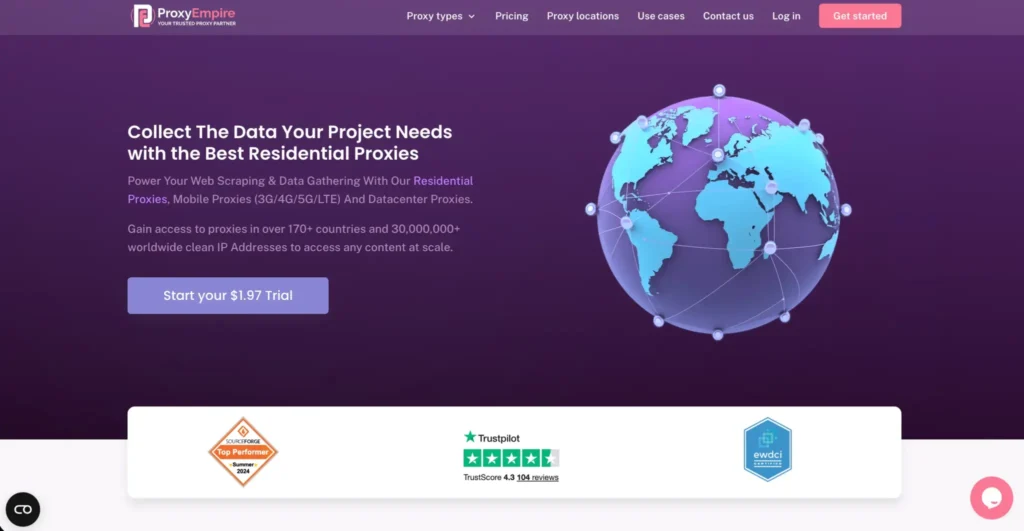
ProxyEmpire focuses on residential and mobile proxy access with flexible regional coverage. It is useful for users who want location access without jumping into the most expensive platforms.
For PS4, ProxyEmpire works best for regional browsing, store testing, and account separation where you need specific country-level access. Its residential proxy options are more relevant than datacenter proxies for PSN-related activity.
It is not as widely known as Oxylabs or Bright Data, but it offers a practical middle ground for users who need regional coverage and flexible usage.
Best for: Regional access, budget-conscious residential proxy use
Proxy types: Residential, mobile, datacenter
Main weakness: Less brand recognition than top-tier providers
Pro Tip: Use country-level targeting first. City-level targeting is useful, but it may not always improve PS4 gaming performance.
#9 — Rayobyte: Best PS4 Proxy for Account Safety

Rayobyte offers residential, ISP, and datacenter proxy products. Its residential pool includes sticky sessions, city or country targeting, and ethically sourced IPs.
For PS4, Rayobyte is a good fit when account stability matters more than constant rotation. Its ISP and residential options are better suited for long sessions than cheap rotating IPs.
Rayobyte is also known in the proxy space for long-running infrastructure and business-focused proxy products. It is not always the cheapest, but it is a stable pick for users who want safer proxy behavior.
Best for: Stable PS4 sessions, account safety, residential and ISP proxies
Proxy types: Residential, ISP, datacenter
Main weakness: May feel business-focused for casual users
Pro Tip: For account safety, consistency matters. Avoid switching IP countries repeatedly on the same PSN account.
Best Proxies for PS4 2026: Quick Comparison Table
| Rank | Provider | Best For | Recommended Proxy Type for PS4 | Strength | Weak Point |
| 1 | Oxylabs | Best overall | Residential or SOCKS5 residential | Huge pool, premium quality | Expensive for casual users |
| 2 | Decodo | Best value | Static residential | Easy dashboard, strong balance | Can cost more with heavy usage |
| 3 | Webshare | Best free tier | Paid static residential or datacenter for testing | Free proxies available | Free tier not ideal for PSN |
| 4 | IPRoyal | Best budget option | Sticky residential | Affordable, flexible sessions | Smaller toolkit than premium providers |
| 5 | SOAX | Clean IP quality | Residential sticky sessions | Strong targeting, clean pool | Not the cheapest |
| 6 | Proxy-Cheap | Entry-level users | Static residential | Low starting cost | Quality may vary |
| 7 | Bright Data | Studios and QA teams | Residential or ISP | Advanced targeting, huge network | Too advanced for casual users |
| 8 | ProxyEmpire | Regional access | Residential | Flexible regional options | Less mainstream |
| 9 | Rayobyte | Account safety | ISP or residential | Stable sessions, business-grade setup | Not always beginner-focused |
How to Choose the Best PS4 Proxy
Choose Residential or ISP Proxies First
For PS4, residential and ISP proxies usually make the most sense. They look closer to normal home internet connections. Datacenter proxies can be fast, but many are overused and easier to flag.
Prioritize Sticky Sessions
A sticky session keeps the same IP for a set period. This is important for PSN login, store browsing, and account stability. If your IP changes every minute, your account activity can look unusual.
Pick the Right Location
Do not choose a random country just because it sounds useful. Pick a proxy location based on your goal:
| Goal | Best Proxy Location |
| Lower ping | Close to your game server or real location |
| Regional PS Store access | Same country as the store |
| Testing content availability | Target country or city |
| Account stability | Same region consistently |
Avoid Free Public Proxy Lists
Free public proxies are often slow, abused, and unsafe. Some can log traffic or fail randomly. Webshare’s free tier is different because it comes from a real provider account, but random free proxy lists from Google are not suitable for PS4 accounts.
Understand Proxy vs VPN
A proxy routes traffic through another IP. A VPN encrypts the full connection and is often easier to use on routers. For PS4, a VPN may be simpler for casual geo access, while proxies give more control for testing, account separation, and specific IP targeting.
FAQs: Best Proxies for PS4 in 2026
Can I use a proxy on PS4?
Yes, but setup is not as flexible as on a PC. PS4 has basic proxy settings under network setup, but many users get better control by configuring the proxy through a router, PC hotspot, or network bridge.
What type of proxy works best on PS4?
Residential and ISP proxies usually work best. They offer better IP reputation than cheap datacenter proxies and are more suitable for PSN sessions, regional access, and account stability.
Will a proxy make my PS4 faster?
Sometimes, but not always. A proxy can improve routing in rare cases, but it can also increase latency if the server is far away. For gaming, your ISP, router, NAT type, WiFi quality, and distance to the game server matter more.
Can PSN detect proxies?
PSN and game platforms can detect suspicious IP behavior, especially shared, abused, or rapidly rotating IPs. That is why sticky residential or ISP proxies are safer than free public proxies.
Which provider is best for accessing geo-locked PS4 content?
Oxylabs, Decodo, SOAX, Bright Data, and IPRoyal are strong choices for geo-targeted residential proxies. For most users, Decodo or IPRoyal offers a better price-to-performance balance.
Are free proxies safe for PS4?
Most free public proxies are not safe for important accounts. They can be slow, unstable, or already abused. Use free proxies only for basic testing, never for your main PSN login.
Should I use SOCKS5 or HTTP proxies for PS4?
SOCKS5 is usually preferred for gaming-style traffic because it is flexible and handles different traffic types well. HTTP proxies can work for basic web traffic, but they are less ideal for gaming-related setups.
Can proxies help with PS4 bans?
A proxy should not be used to evade platform enforcement or break game rules. It can help with privacy, regional testing, and account separation, but it will not safely “undo” a legitimate ban.
Conclusion | Best Proxies for PS4 in 2026
The best PS4 proxy depends on your goal.
Choose Oxylabs if you want the strongest overall proxy quality. Pick Decodo if you want the best balance of price, usability, and performance. Go with IPRoyal if you need a budget-friendly residential proxy. Use Bright Data if you are running professional QA or regional testing at scale.
For most PS4 users, the safest setup is simple: use a sticky residential or ISP proxy, keep the location consistent, avoid free public proxies, and do not expect a proxy to fix every lag problem.
A good proxy can help with regional access, privacy, account separation, and cleaner testing. A bad proxy can create more problems than it solves.