
Streaming looks simple from the outside. Open Netflix, Hulu, Prime Video, BBC iPlayer, Disney Plus, ESPN, DAZN, or YouTube TV, press play, and enjoy. But once you start dealing with regional libraries, account travel, multiple devices, streaming research, ad verification, or testing how content appears in different countries, things get messy fast.
The main issue is not just location. Streaming platforms look at IP reputation, DNS behavior, ASN type, device fingerprint, session consistency, connection speed, and whether hundreds of users are hitting the same service from the same IP range.
That is why the “best proxy for streaming” is rarely the cheapest random proxy you can buy. You need clean residential or ISP IPs, stable sessions, enough bandwidth, and location targeting that does not fall apart after two hours.
Before choosing any provider, remember one thing: using proxies may violate the terms of some streaming platforms. Use them responsibly, legally, and mainly for privacy, testing, travel access, research, or business verification.
A pattern worth noting:
Most people make the same mistake when buying streaming proxies. They choose based on IP pool size alone.
A large pool sounds impressive, but streaming success depends more on IP quality, ISP trust, session stability, and bandwidth control. A provider with 40 million clean, well-managed IPs can outperform a huge pool full of abused addresses. Also, datacenter proxies may work for basic browsing, but they are usually weaker for streaming platforms because their IP ranges are easier to detect.
For streaming, the safest order is usually:
- ISP proxies for stable, long sessions
- Residential proxies for geo flexibility
- Mobile proxies for high trust but expensive bandwidth
- Datacenter proxies only for lightweight testing, not serious streaming
Now let’s look at the strongest options.
9 Best Proxies for Streaming in 2026
#1 — Oxylabs: Best Overall Streaming Proxy
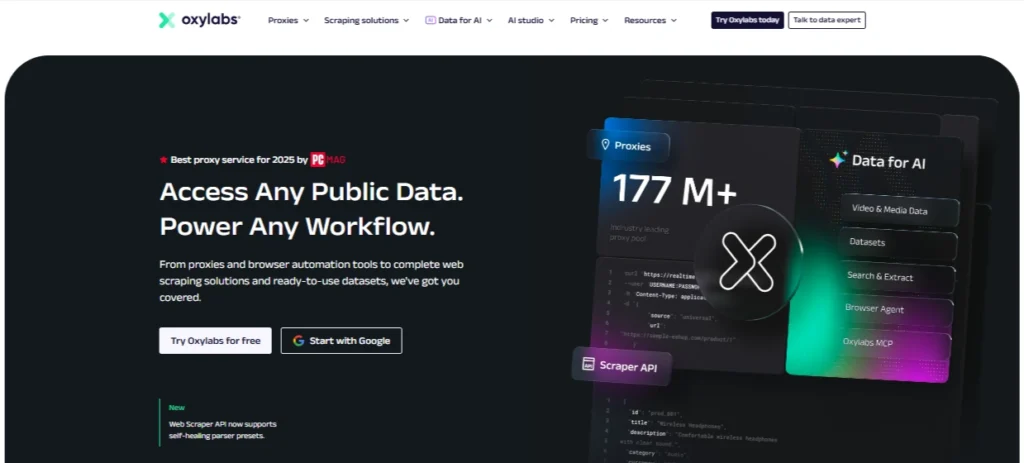
Oxylabs is the strongest overall pick if you want reliability, strong location coverage, and premium proxy infrastructure. Its residential proxy plans start from 5GB, with listed monthly pricing beginning at $30 for the starter plan, and it offers IPv4/IPv6 selection, flexible OS settings, support, and account management on higher tiers.
For streaming, Oxylabs makes sense when your priority is clean routing and fewer random failures. It is not the cheapest option, but it feels built for users who care more about success rate than shaving a few dollars from the bill.
The residential pool is useful for testing how content libraries appear across different countries, checking regional ad delivery, or managing streaming access while traveling. Sticky sessions help when you need the same IP to hold for a viewing session instead of rotating every few minutes.
Best for: Agencies, streaming testers, ad verification teams, researchers, and serious users who need dependable access.
Pros
- Strong residential network
- Good session control
- Reliable for multi-location testing
- Better suited for business use than cheap proxy panels
Cons
- More expensive than budget providers
- May be overkill for casual users
Pro Tip: For streaming, avoid aggressive rotation. Start with sticky sessions of 10 to 30 minutes, then increase if the platform keeps asking you to re-authenticate.
#2 — Decodo: Best Value Streaming Proxy

Decodo, formerly Smartproxy, is one of the best value picks in this category. Its residential proxy pricing starts from low entry plans, with official pricing showing residential plans from $3.75/GB on smaller monthly packages and lower per-GB rates as traffic increases. Decodo also states that residential plans include access to a large IP pool, advanced geo-targeting, and unlimited concurrent sessions.
For streaming, Decodo is attractive because it balances price, scale, and usability. The dashboard is beginner-friendly, and the service is easier to set up than many enterprise-first providers.
It is a strong choice if you want residential IPs for Netflix library checks, YouTube region testing, Hulu research, Disney Plus availability checks, or platform monitoring across countries.
Best for: Users who want premium-style performance without Bright Data or Oxylabs-level complexity.
Pros
- Good price-to-performance ratio
- Large residential pool
- Easy dashboard
- Useful geo-targeting options
Cons
- Heavy streaming can still become costly
- Not always as enterprise-customizable as Bright Data or Oxylabs
Pro Tip: Use Decodo residential proxies for discovery and testing, then switch to ISP proxies when you need longer viewing sessions from one location.
#3 — Webshare: Best Free Streaming Proxy Tier

Webshare is the easiest recommendation for users who want to test proxies before spending money. It offers a free proxy option with 10 proxies and up to 1GB per month, with no credit card required. Its paid pricing page lists residential proxies starting from $1.40/GB and datacenter proxy servers from $0.05/IP.
For streaming, the free plan is not enough for daily Netflix or Hulu viewing. One gigabyte disappears quickly. But it is useful for testing setup, checking browser routing, or seeing whether your target platform behaves differently from another region.
Webshare is also a good fit for beginners because the interface is clean and the pricing is transparent.
Best for: Beginners, small tests, low-cost proxy experiments, and users who want a free starting point.
Pros
- Free proxy tier available
- Simple dashboard
- Low-cost residential pricing
- Good for testing before scaling
Cons
- Free bandwidth is too small for real streaming
- Advanced enterprise tools are limited
Pro Tip: Do not judge streaming performance from Webshare’s free proxies alone. Free proxies often have heavier usage. Use a small paid residential plan for a fairer test.
#4 — SOAX: Best Streaming Proxy for Platform Reliability

SOAX is a strong pick for users who care about filtering and connection quality. Its pricing page shows bundled plans where credits can be used across proxy types, including residential, mobile, ISP, and datacenter proxies, with starter pricing listed at $3.60/GB for 25GB included.
SOAX works well for streaming-related research because you can test different IP types without building separate setups for every use case. Residential proxies help with geo checks, mobile proxies can be useful for mobile-first streaming apps, and ISP proxies are better for stable sessions.
The platform feels more controlled than cheap proxy tools. You get better filtering, more predictable sessions, and stronger targeting options.
Best for: Users who need reliable location testing across multiple streaming platforms.
Pros
- Access to multiple proxy types
- Strong filtering options
- Good for mobile and residential testing
- Better control than many budget providers
Cons
- Starter plans may feel expensive for casual use
- Requires some testing to find the best proxy type for each platform
Pro Tip: If a platform keeps disconnecting on residential IPs, test ISP proxies before blaming the provider. Streaming services often prefer stable IP behavior.
#5 — IPRoyal: Best Budget Streaming Proxy

IPRoyal is one of the better budget-friendly proxy providers. Its official homepage lists residential proxies from $1.75/GB, ISP proxies from $2.00/proxy, datacenter proxies from $1.39/proxy, and mobile proxies from $4.00/GB.
For streaming, IPRoyal is a good choice if you want affordable residential or ISP proxies without entering enterprise pricing. Its residential proxy pricing page also shows smaller packages starting higher per GB, with discounts as traffic volume increases.
The biggest advantage is flexibility. You can start small, test several regions, then scale only if the platform performs well.
Best for: Budget users, small agencies, affiliate testers, and users who need flexible proxy spending.
Pros
- Affordable starting options
- Residential, ISP, datacenter, and mobile proxies available
- Good for small-to-medium streaming tests
- Simple buying process
Cons
- Smaller pool than some premium competitors
- May need more manual testing by country
Pro Tip: For streaming, IPRoyal ISP proxies can be a better option than rotating residential proxies when you need stable playback for long sessions.
#6 — Proxy-Cheap: Best Entry-Level Streaming Proxy

Proxy-Cheap is built around affordability. Its site lists rotating residential proxies from $4.99/GB and static residential options from around $2.12 per month, depending on offer and plan type. It also promotes residential coverage across 195+ countries with SOCKS5/HTTPS support and high uptime claims.
For streaming, Proxy-Cheap is best treated as an entry-level option. It can work well for basic geo-testing, checking content availability, or small-scale streaming access. It is not the first provider I would choose for high-volume agency workflows, but it gives beginners a low-cost way to start.
Best for: Entry-level users who want affordable residential proxies for light streaming tests.
Pros
- Budget-friendly plans
- Residential and static residential options
- Supports HTTPS and SOCKS5
- Easy to start
Cons
- Not as polished as premium platforms
- Streaming performance may vary by location
Pro Tip: Buy a small amount of bandwidth first and test your exact platform. Streaming proxy quality can vary heavily between countries.
#7 — Bright Data: Best Streaming Proxy for Enterprise-Scale Multi-Platform Access

Bright Data is the enterprise-heavy option. Its residential proxy page says it offers over 400M monthly ethical residential IPs across 195 countries, with sticky and rotating sessions, free geo-targeting, and listed performance claims. Its pricing page lists residential proxies starting from $5.88/GB.
Bright Data is not the cheapest choice, but it is one of the most complete. It is better suited for companies testing content, ads, app behavior, regional access, and large-scale web data workflows.
For streaming use cases, Bright Data makes the most sense when you need multi-country control, compliance, reporting, and strong infrastructure.
Best for: Enterprise teams, streaming intelligence, ad verification, and large-scale regional testing.
Pros
- Huge residential network
- Strong geo-targeting
- Enterprise-grade tools
- Good for multi-platform workflows
Cons
- Expensive for casual users
- Setup can feel complex for beginners
Pro Tip: Bright Data is best when you need structured testing across many regions, not just one personal streaming setup.
#8 — ProxyEmpire: Best Streaming Proxy with Data Rollover
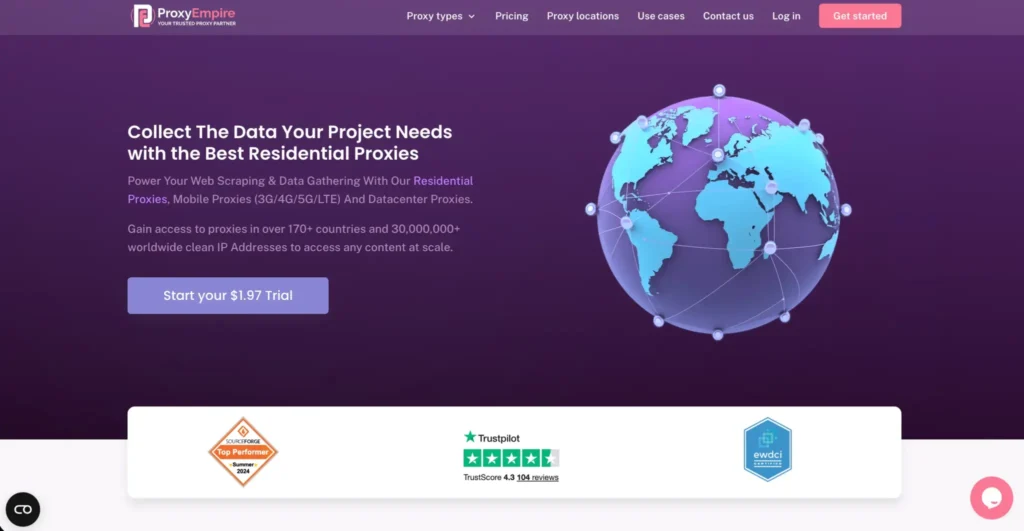
ProxyEmpire is useful for users who hate losing unused bandwidth. Its site lists residential, static residential, mobile, and datacenter proxy options, with pricing shown from low per-GB starting points depending on proxy type.
The main appeal is rollover-style usage. If your streaming tests are irregular, this can be helpful. Many providers force you into monthly bandwidth cycles, which is annoying if you only test platforms a few times per month.
For streaming, ProxyEmpire is best for users who want flexibility more than raw enterprise power.
Best for: Users with irregular streaming tests, occasional geo-checking, or lower monthly usage.
Pros
- Flexible proxy options
- Useful for users who do not stream daily
- Residential and mobile options available
- Good for controlled testing
Cons
- Not as widely benchmarked as bigger names
- Pricing and performance should be tested by target country
Pro Tip: ProxyEmpire makes more sense when your bandwidth usage is uneven. Heavy daily streaming may still be cheaper elsewhere.
#9 — Rayobyte: Best Streaming Proxy for Ethically-Sourced US Coverage

Rayobyte stands out for ethical sourcing and US-focused infrastructure. Its residential proxy page states that it has 40M+ residential proxies, city, region, or country geo-targeting, sticky sessions, unlimited threads and sessions, and full end-user consent.
Rayobyte is especially interesting if your streaming needs are US-heavy. Its homepage also positions the company as having a large US-based proxy network, with 40M+ residential IPs and 400K+ static IPs.
For streaming, Rayobyte is a good choice when you need cleaner sourcing, stable US coverage, and predictable proxy behavior.
Best for: US streaming research, ethically sourced proxy needs, and stable residential sessions.
Pros
- Strong US positioning
- Ethical sourcing focus
- Sticky sessions
- Residential and ISP-style options
Cons
- Global streaming users may prefer Bright Data, Oxylabs, or Decodo
- Pricing varies by plan and traffic needs
Pro Tip: If most of your use case is US streaming, do not overpay for a massive global network you will barely use.
Best Proxies for Streaming in 2026: Quick Comparison Table
| Rank | Provider | Best For | Proxy Types | Starting Price Snapshot | Strong Point | Watch Out For |
| 1 | Oxylabs | Best overall | Residential, ISP, datacenter, mobile | Residential from $30/month starter | Premium reliability | Higher cost |
| 2 | Decodo | Best value | Residential, ISP, mobile, datacenter | Residential from around $3.75/GB on small plans | Great balance of price and quality | Heavy usage adds up |
| 3 | Webshare | Best free tier | Residential, static residential, datacenter | Free 10 proxies, paid residential from $1.40/GB | Easy testing | Free bandwidth is limited |
| 4 | SOAX | Platform reliability | Residential, mobile, ISP, datacenter | Starter around $3.60/GB | Strong filtering | Higher entry cost |
| 5 | IPRoyal | Budget pick | Residential, ISP, mobile, datacenter | Residential from $1.75/GB at scale | Affordable flexibility | Smaller than premium pools |
| 6 | Proxy-Cheap | Entry-level users | Residential, static residential, datacenter, mobile | Rotating residential from $4.99/GB | Low-cost start | Performance varies |
| 7 | Bright Data | Enterprise streaming access | Residential, ISP, mobile, datacenter | Residential from $5.88/GB | Huge network | Complex and costly |
| 8 | ProxyEmpire | Data rollover | Residential, mobile, datacenter | Varies by proxy type | Flexible usage | Needs testing by region |
| 9 | Rayobyte | Ethical US coverage | Residential, ISP, datacenter | Residential pricing varies by traffic | Strong US network | Less ideal if you need many rare regions |
How to Choose the Best Proxy for Streaming
1. Choose the right proxy type first
For streaming, proxy type matters more than brand name.
Residential proxies are best for region testing because they use real user-style IPs.
ISP proxies are better for stable playback because they look residential but behave more like datacenter connections.
Mobile proxies have high trust but expensive bandwidth.
Datacenter proxies are fast and cheap, but streaming platforms often detect them faster.
2. Check location depth, not just country count
A provider saying “195 countries” sounds great, but streaming platforms often care about more specific locations. For example, a US IP from New York may behave differently from a US IP in Dallas or Los Angeles.
Look for:
- Country targeting
- State targeting
- City targeting
- ASN or ISP filtering
- Sticky session support
3. Prioritize sticky sessions
Streaming does not like unstable identity. If your IP changes every request, the platform may log you out, ask for verification, or block playback.
For streaming, use sticky sessions when possible. A good starting point is 10 to 30 minutes. For full movies or sports events, longer ISP sessions are better.
4. Watch bandwidth carefully
Streaming burns bandwidth quickly. A single hour of HD video can use multiple gigabytes depending on compression and quality. 4K can be much heavier.
If you only need to check whether a show is available in a region, residential bandwidth is fine. If you plan to stream for hours, ISP proxies or a VPN may be more practical.
5. Test your exact streaming platform
There is no universal winner for Netflix, Hulu, BBC iPlayer, Disney Plus, DAZN, ESPN, YouTube TV, and Prime Video. One provider may work well on YouTube TV but struggle with BBC iPlayer. Another may perform beautifully in the US but fail in Germany.
Always test:
- Target country
- Target platform
- Device type
- Browser or app
- Playback duration
- Login stability
FAQs: Best Proxies for Streaming in 2026
Which proxy type works best for streaming?
ISP proxies usually work best for long streaming sessions because they offer stable IPs with better trust than normal datacenter proxies. Residential proxies are better for geo-location testing and accessing different regional libraries. Mobile proxies are trusted but expensive, while datacenter proxies are fast but often easier for streaming platforms to detect.
Do streaming proxies work on smart TVs?
Sometimes, but setup is harder. Most smart TVs do not let you add proxy settings directly. You may need to configure the proxy on your router, use a proxy-supported DNS setup, or route traffic through a device that supports proxy configuration. For most users, browser-based streaming is easier to manage.
How much bandwidth does streaming use through a proxy?
It depends on video quality. Low-quality streaming may use under 1GB per hour, HD can use a few GB per hour, and 4K can use much more. If your proxy charges per GB, streaming can become expensive quickly. That is why residential proxies are better for testing and ISP proxies are better for longer playback.
Why does streaming keep disconnecting through a proxy?
The most common reasons are unstable IP rotation, poor IP reputation, overloaded proxy nodes, DNS mismatch, weak location targeting, or the platform detecting unusual login behavior. Use sticky sessions, choose a cleaner residential or ISP IP, and avoid switching regions too often.
Are free proxies good for streaming?
Free proxies are not ideal for streaming. They are often slow, abused, blocked, or unsafe. Webshare’s free tier is useful for testing proxy setup, but serious streaming needs paid residential or ISP proxies with clean IPs and enough bandwidth.
Are residential proxies better than VPNs for streaming?
Residential proxies are better for testing and region-specific workflows. VPNs are usually simpler for personal streaming because they are easier to install on phones, TVs, and routers. For business testing, proxies give more control. For casual viewing, VPNs are often easier.
Can proxies unblock Netflix, Hulu, or BBC iPlayer?
They can sometimes help with regional access, but results vary. Streaming platforms actively detect proxies, VPNs, datacenter IPs, DNS mismatches, and unusual account behavior. The safest option is a high-quality residential or ISP proxy with sticky sessions and strong location targeting.
What is the best cheap proxy for streaming?
IPRoyal, Webshare, and Proxy-Cheap are the strongest budget options. Webshare is best for testing, IPRoyal is better for flexible residential and ISP usage, and Proxy-Cheap is useful for entry-level users who want affordable access.
What is the best premium proxy for streaming?
Oxylabs is the best overall premium choice, while Bright Data is better for enterprise-scale testing across many regions and platforms. Decodo sits in the middle as the best value option for most serious users.
Conclusion | Best Proxies for Streaming 2026
The best streaming proxy depends on what you are actually trying to do.
- Choose Oxylabs if you want the best overall balance of quality, reliability, and professional infrastructure.
- Choose Decodo if you want strong value without going too cheap.
- Choose Webshare if you need a free or low-cost starting point.
- Choose SOAX if filtering and platform reliability matter.
- Choose IPRoyal if budget matters most.
- Choose Bright Data if you need enterprise-grade control.
- Choose Rayobyte if ethical US coverage is your priority.
For most users, the smartest starting setup is simple: test Decodo or IPRoyal residential proxies first, then move to Oxylabs, SOAX, or Bright Data if your streaming workflow needs higher reliability.