
Xbox players usually do not search for proxies because everything is working perfectly. They search because something is annoying them.
Maybe Xbox Live keeps throwing connection errors. Maybe a game server works better in another region. Maybe the Microsoft Store shows different availability by country. Maybe a household has multiple Xbox accounts and the same IP keeps triggering checks. Or maybe the real issue is not the Xbox at all, but a messy network setup, strict NAT type, ISP throttling, or unstable routing.
A good Xbox proxy can help in specific cases, but it is not magic. It will not turn a bad internet line into fiber. It will not always reduce ping. And it will not make unsafe account behavior invisible.
What it can do is give you a cleaner network route, a more suitable regional IP, better privacy, and more control over how your Xbox traffic appears online.
Below is a practical buyer’s guide to the 9 best proxies for Xbox in 2026, based on IP quality, proxy types, pricing, rotation options, stability, geo coverage, and real usefulness for gaming related use cases.
What the community is actually dealing with:
Most Xbox proxy use cases fall into a few buckets.
Players want to access region specific Xbox content, test store availability, stabilize connections, manage multiple accounts, protect their home IP, or route console traffic through a country where a game or service is available.
The biggest misunderstanding is that a proxy automatically improves gaming ping. It does not. Ping depends on physical distance, routing, ISP quality, server load, and network congestion. A proxy can help only when the proxy route is better than your default ISP route. For pure latency, a gaming VPN or optimized routing service often makes more sense than a rotating residential proxy.
For Xbox, the best proxy type is usually:
- Static residential proxy for stable identity and region based access
- ISP proxy for speed plus residential style trust
- Datacenter proxy for testing, downloads, or low cost setups
- Mobile proxy only when you need high trust mobile carrier IPs
Rotating residential proxies are useful for testing and multi account workflows, but they are not ideal for real time gaming because changing IPs mid session can break connections.
What Makes a Proxy Work Well on Xbox?
A strong Xbox proxy needs more than a big IP pool.
The first thing to check is session stability. Xbox Live, Game Pass, Microsoft Store, and multiplayer games do not like sudden IP changes. A proxy that rotates every few minutes may work for web scraping, but it can cause sign in issues or dropped sessions on console.
Second, look at location targeting. If your goal is region access, you need country level targeting at minimum. City level targeting is better, but not always necessary for Xbox.
Third, check protocol support. Xbox does not have a simple native proxy settings page like a browser. Most users route Xbox traffic through a router, PC hotspot, proxy configured VPN client, or a third party tool. SOCKS5 support is useful because it handles more traffic types than basic HTTP proxies.
Fourth, choose clean IPs. Shared, abused, or recycled proxy IPs can create login friction. For Xbox, clean static IPs are often better than massive rotating pools.
Pro Tip: For Xbox gaming, avoid aggressive IP rotation. Use sticky residential, ISP, or static residential proxies whenever account stability matters.
9 Best Proxies for Xbox in 2026
#1 — Oxylabs: Best Overall Xbox Proxy
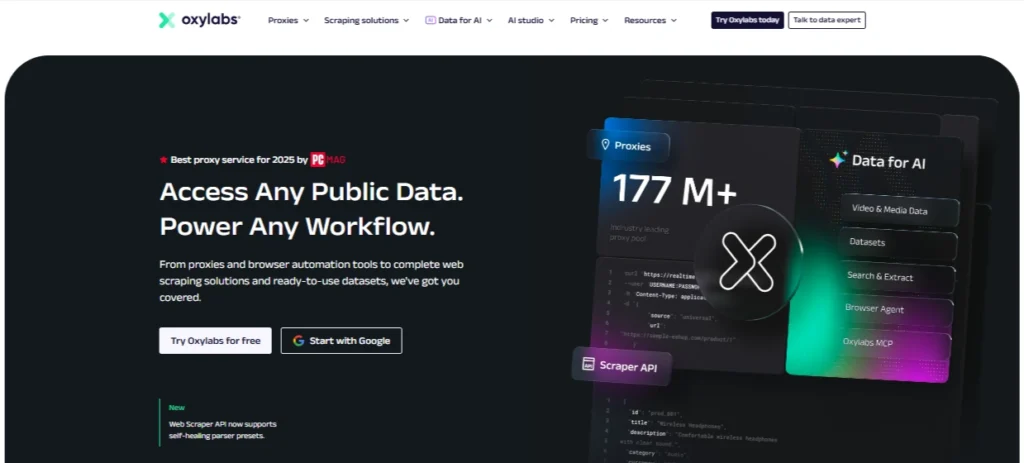
Oxylabs is the strongest overall pick for serious users who want premium IP quality, broad location coverage, and multiple proxy types under one roof.
Its residential proxy network is large, with 175M plus residential IPs and global targeting across 195 locations, according to its official pricing and product pages. It also offers ISP proxies, datacenter proxies, and mobile proxies, which gives Xbox users flexibility depending on their use case.
For Xbox, the most useful Oxylabs products are ISP proxies and static residential style setups. ISP proxies are fast, stable, and less suspicious than normal datacenter IPs. Oxylabs lists ISP proxy pricing from around $1.60 per IP on starter plans, while datacenter proxies start around $1.20 per IP with a free tier available for testing.
Oxylabs is not the cheapest option here, but it is one of the safest bets if you care about uptime, clean IPs, documentation, and support.
Best for: Serious Xbox users, geo testing, stable connections, premium IP quality
Avoid if: You only need a cheap proxy for casual use
#2 — Decodo: Best Value Xbox Proxy

Decodo, formerly Smartproxy, is one of the best value choices for Xbox users who want good residential and mobile proxy coverage without enterprise level pricing.
Its residential proxies start from around $2 per GB, with smaller plans available, and Decodo claims 115M plus IPs across 195 plus locations with high uptime. Its mobile proxies start from around $2.25 per GB, depending on plan size.
For Xbox, Decodo works best when you need residential IPs for region based access, testing Xbox Store pages, or account workflows where a normal datacenter IP may look suspicious. The dashboard is easier than most premium providers, which makes it friendly for users who do not want to spend hours configuring endpoints.
Decodo is also a good middle ground between Oxylabs and budget providers. You get strong infrastructure without paying Bright Data level pricing.
Best for: Best mix of price, usability, and IP quality
Avoid if: You need dedicated static IPs for long term console use
#3 — Webshare: Best Free Xbox Proxy Tier

Webshare is the best option if you want to test proxy routing before paying.
It offers 10 free proxies with up to 1GB per month, and its paid pricing starts low, with datacenter proxies from around $0.05 per IP and residential proxies from around $1.40 per GB.
For Xbox, Webshare is not the premium choice for high trust residential gaming setups, but it is excellent for testing. You can experiment with router level proxy routing, PC hotspot routing, and basic region checks without risking a big subscription.
The free plan is useful, but do not expect miracles. Free or low cost datacenter IPs are more likely to be flagged by sensitive services. For Xbox Store browsing or simple network testing, Webshare is fine. For long term account use, upgrade to better residential or static options.
Best for: Beginners, testing, low budget setups
Avoid if: You need premium residential IP trust
#4 — IPRoyal: Best Budget Xbox Proxy

IPRoyal is a strong budget pick because it offers residential, ISP, datacenter, and mobile proxies at relatively accessible prices.
Its general pricing page lists residential proxies from around $1.75 per GB, ISP proxies from around $2.40 per proxy, and mobile proxies with a large mobile IP pool and rotation features.
For Xbox, IPRoyal’s biggest advantage is flexibility. You can start small, test different proxy types, and avoid heavy monthly commitments. The residential proxies are useful for region based access, while ISP proxies are better for stable sessions.
IPRoyal is especially good for users who want something better than random cheap proxies but do not want Oxylabs or Bright Data pricing.
Best for: Budget users who still want real residential options
Avoid if: You need advanced enterprise tools or huge team workflows
#5 — SOAX: Best Xbox Proxy for Multi Account Management

SOAX is a strong choice for users who need clean rotation control, location targeting, and multiple proxy types from one plan.
SOAX offers residential, mobile, ISP, datacenter proxies, and Web Data API access under bundled pricing. Its starter plan is listed around $3.60 per GB with 25GB included, billed monthly.
For Xbox, SOAX is best suited for multi account management, regional testing, and situations where you want to control IP behavior carefully. The important part is not just rotation, but controlled rotation. You want sticky sessions, not random IP changes during account activity.
SOAX also has strong location filtering, which helps when testing how Xbox content appears in different countries or markets.
Best for: Multi account users, controlled rotation, regional testing
Avoid if: You only need one cheap static proxy
#6 — Proxy-Cheap: Best Entry-Level Xbox Proxy

Proxy-Cheap is built for users who want affordable proxies without overthinking the setup.
Its current site lists static residential, rotating residential, datacenter IPv4, datacenter IPv6, and static mobile proxies. Pricing examples include rotating residential from around $4.99 per GB, datacenter IPv4 from around $1.49 per month, and static mobile proxies from around $9 per proxy.
For Xbox, Proxy-Cheap works best for entry level users who want to test static residential or datacenter routes. It is not as polished as Oxylabs or Bright Data, but the pricing is approachable.
Use it for light gaming related testing, store access checks, or simple privacy routing. For competitive gaming, choose carefully and test ping before committing.
Best for: Entry level proxy users, low cost experiments
Avoid if: You need premium support or enterprise reliability
#7 — Bright Data: Best Xbox Proxy for Enterprise Testing

Bright Data is one of the most advanced proxy platforms on the market. It is not the first choice for casual Xbox players, but it is excellent for companies, QA teams, market researchers, and large scale testing workflows.
Bright Data lists residential proxy pricing from around $5.88 per GB, and its ISP proxy page mentions 1.3M plus static residential proxies across 195 countries with pay per IP or bandwidth based models.
For Xbox use cases, Bright Data makes the most sense if you are testing Xbox Store availability, regional pricing, game access, app behavior, or ad verification at scale. It is overkill for someone who just wants to play from a different region.
The platform has strong compliance controls, documentation, targeting, and enterprise tools, but the learning curve and cost are higher.
Best for: Enterprise testing, QA teams, regional market research
Avoid if: You want a simple personal Xbox proxy
#8 — ProxyEmpire: Best Xbox Proxy for Seasonal Gamers
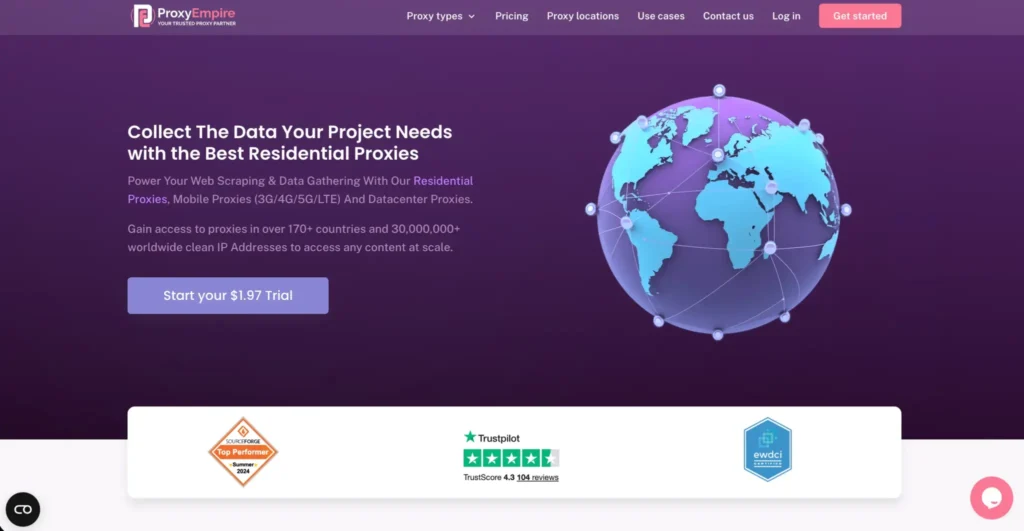
ProxyEmpire is useful for users who need proxies only during certain periods, such as game launches, seasonal discounts, region specific campaigns, or short term testing.
Its website lists residential proxies from around $0.75, mobile proxies from around $1.25, and datacenter proxies from around $0.35, depending on product and plan. Its pricing table also shows static residential and rotating mobile options with trial access.
For Xbox, ProxyEmpire is attractive because you can test without locking yourself into a large monthly enterprise plan. Static residential proxies are better for stable console related activity, while mobile proxies are useful only when you specifically need carrier grade IPs.
Best for: Short term Xbox proxy needs, seasonal campaigns, flexible testing
Avoid if: You need the most polished enterprise dashboard
#9 — Rayobyte: Best Xbox Proxy for Ethically Clean Console IPs
Rayobyte is a good fit for users who care about ethical sourcing, stable proxy infrastructure, and predictable pricing.
Its pricing page lists datacenter and ISP proxy options, with ISP static proxies starting around $5 per IP on starter tiers and lower rates at higher volumes. Rayobyte also lists bandwidth based pricing for some products.
For Xbox, Rayobyte makes sense when you want cleaner, more stable IPs instead of cheap shared proxies. ISP proxies are the most relevant option because they can offer better trust than datacenter proxies while keeping more stable performance than rotating residential pools.
Best for: Clean IP sourcing, ISP proxies, stable sessions
Avoid if: You want the lowest possible cost per proxy
Best Proxies for Xbox in 2026: Quick Comparison Table
| Rank | Provider | Best For | Recommended Proxy Type for Xbox | Starting Price Snapshot | Main Strength |
| 1 | Oxylabs | Best overall | ISP, residential, datacenter | ISP from about $1.60/IP | Premium IP quality and scale |
| 2 | Decodo | Best value | Residential, mobile | Residential from about $2/GB | Great balance of price and quality |
| 3 | Webshare | Free testing | Datacenter, residential | 10 free proxies, residential from about $1.40/GB | Best starter option |
| 4 | IPRoyal | Budget users | Residential, ISP | Residential from about $1.75/GB | Affordable and flexible |
| 5 | SOAX | Multi account workflows | Residential, mobile, ISP | Starter around $3.60/GB | Strong targeting and rotation control |
| 6 | Proxy-Cheap | Entry level users | Static residential, datacenter | Datacenter from about $1.49/month | Cheap and simple |
| 7 | Bright Data | Enterprise testing | ISP, residential | Residential from about $5.88/GB | Advanced targeting and compliance |
| 8 | ProxyEmpire | Seasonal gamers | Static residential, mobile | Residential from about $0.75 | Flexible short term use |
| 9 | Rayobyte | Clean ISP proxies | ISP, datacenter | ISP from about $5/IP | Ethical sourcing and stability |
How to Choose the Best Xbox Proxy
1. Choose static over rotating for real gaming
For actual Xbox gameplay, rotating proxies are risky. If your IP changes during matchmaking, login, store checkout, or game launch, your session may fail.
Use:
- Static residential proxies
- ISP proxies
- Sticky residential sessions
- Datacenter proxies only for low risk testing
2. Do not buy only because the IP pool is huge
A provider with 175M IPs is impressive, but your Xbox only needs one good IP at a time. For console use, IP cleanliness and session stability matter more than raw pool size.
3. Check NAT and router setup first
Many Xbox issues come from NAT type, not IP reputation. Before buying proxies, check:
- NAT type
- UPnP settings
- Port forwarding
- Router firewall
- ISP level CGNAT
- WiFi stability
- Packet loss
A proxy will not fix every local network issue.
4. Use SOCKS5 when possible
SOCKS5 is generally more flexible than HTTP proxies because it can handle more traffic types. Since Xbox does not support direct proxy entry in the same way browsers do, you may need to configure the proxy through:
- Router firmware
- A Windows PC hotspot
- A proxy client
- A travel router
- A VPN client that supports proxy upstream routing
5. Match the proxy to the use case
- For region access, use residential or ISP proxies in the target country.
- For privacy, use ISP or datacenter proxies from a trusted provider.
- For multi account work, use sticky residential sessions and keep one account tied to one IP.
- For low cost testing, start with Webshare, IPRoyal, or Proxy-Cheap.
- For enterprise QA, choose Oxylabs or Bright Data.
FAQs: Best Proxies for Xbox in 2026
How do I set up a proxy on Xbox?
Xbox does not offer a simple full proxy setup field for all traffic. Most users route Xbox traffic through a router, PC hotspot, travel router, or network device that supports proxy configuration. The easiest method is usually sharing a proxied connection from a computer or configuring the proxy at router level.
Will a proxy improve my Xbox ping?
Sometimes, but not always. A proxy can improve ping only if it gives you a better route to the game server than your ISP. In many cases, it can make ping worse because traffic takes an extra hop.
Can Xbox Live detect proxies?
Xbox Live and Microsoft services can detect suspicious IP behavior, especially if the IP is abused, shared, rotating too often, or linked to unusual login patterns. Clean static residential or ISP proxies are safer than free public proxies.
Which provider is best for Xbox geo unlocking?
For geo unlocking, Oxylabs, Decodo, SOAX, and Bright Data are the strongest options because they offer broad location coverage and residential IPs. For casual testing, Webshare or IPRoyal may be enough.
Are free proxies safe for Xbox?
Free public proxies are not recommended for Xbox accounts. They are often slow, abused, unstable, and risky for logins. Webshare’s free tier is safer than random public proxy lists because it comes from a known provider, but it is still better for testing than long term account use.
What is the best proxy type for Xbox?
The best proxy type for Xbox is usually an ISP proxy or static residential proxy. These offer a better mix of trust, speed, and stability than rotating residential or cheap datacenter proxies.
Can I use a proxy to avoid Xbox bans?
No proxy can guarantee ban protection. If an account violates platform rules, a proxy will not make it safe. Use proxies for privacy, routing, testing, and legitimate regional access, not for abuse.
Is a VPN better than a proxy for Xbox?
For most casual players, yes. A VPN is often easier to set up on a router and better suited for full device traffic. A proxy is better when you need IP control, testing, specific locations, or account level separation.
Which Xbox proxy is best for beginners?
Webshare is best for free testing. IPRoyal and Proxy-Cheap are better for budget paid use. Decodo is the best beginner friendly premium option.
Conclusion | Best Proxies for Xbox in 2026
The best Xbox proxy depends on what you are trying to fix.
If you want the strongest overall provider, choose Oxylabs. If you want the best balance of price and quality, choose Decodo. If you want to test without spending much, start with Webshare. For budget residential and ISP options, IPRoyal is a smart pick. For multi account control, SOAX is better. For enterprise level testing, Bright Data is the heavyweight.
For most Xbox users, the safest setup is simple: use a clean static residential or ISP proxy, avoid rapid rotation, test ping before long sessions, and do not expect a proxy to fix problems caused by bad WiFi, strict NAT, or a weak ISP route.