
Discord is no longer just a chat app for gamers. It is where SaaS communities, crypto projects, AI tool builders, course creators, gaming clans, customer support teams, and private paid groups run daily conversations. That also means Discord activity now gets watched more closely than it used to.
If you are running official Discord bots, managing community operations, testing geo-based access, moderating several workspaces, or handling automation through approved bot accounts, your proxy choice matters. A weak proxy can trigger login challenges, failed sessions, account locks, or unstable bot connections.
Before getting into the list, one important note: Discord does not allow self-bots or spam automation. Discord’s guidelines specifically warn against self-bots, user-bots, unsolicited bulk messages, spam tools, and platform manipulation. So use proxies for legitimate privacy, testing, community management, security, and compliant bot infrastructure, not ban evasion or spam.
What Makes a Proxy Great for Discord?
A good Discord proxy is not just “fast.” Speed matters, but Discord is session-sensitive. It looks at login behavior, IP consistency, device trust, rate patterns, and whether your activity looks normal.
For Discord, the best proxy usually has these qualities:
Residential or ISP IPs: These look more natural than cheap datacenter IPs because they are tied to real internet service providers.
Sticky sessions: You do not want your IP changing every 30 seconds during a logged-in Discord session. For account management, sticky sessions are usually better than aggressive rotation.
SOCKS5 support: SOCKS5 is useful for bot clients, browser profiles, and apps that need more flexible traffic handling.
Clean IP pool: A cheap proxy with abused IPs can create more problems than it solves.
City or country targeting: Useful when you want consistent login geography.
Reliable uptime: Discord bots and moderation systems need stable connectivity, not random downtime.
Clear usage controls: Bandwidth tracking, rotation settings, session duration, and API access make a big difference when scaling.
9 Best Proxies For Discord in 2026
1. Oxylabs: Best Premium Discord Proxy
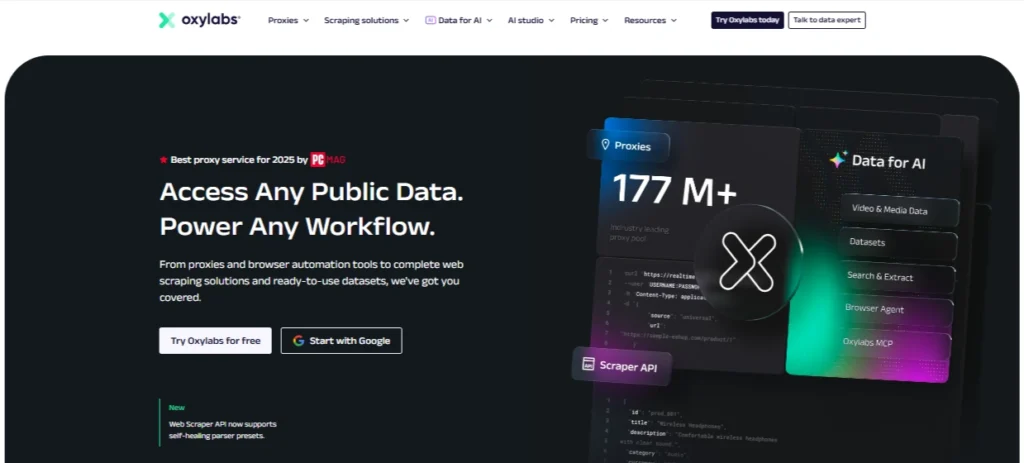
Oxylabs is the provider I would place at the top for teams that want stability, scale, and premium IP quality over the cheapest possible price. It offers residential, mobile, datacenter, and ISP proxies, with a very large global IP network and enterprise-grade infrastructure. Its residential plans currently show pricing from $6 per GB on the starter tier, while ISP proxies start around $1.60 per IP on the entry plan.
For Discord, Oxylabs makes the most sense if you are running serious community operations, developer testing, moderation tooling, or approved bot infrastructure where downtime is expensive. The ISP proxies are especially useful because they combine datacenter-like speed with residential-style trust.
The biggest advantage is consistency. Oxylabs is not the cheapest option, but it gives you better control over session quality, location choice, and IP reputation. That matters if you are managing Discord activity across multiple team members or environments.
Best for: premium Discord operations, large teams, stable bot hosting, high-trust IP needs
Proxy types: residential, ISP, datacenter, mobile
Main strength: strong infrastructure and IP quality
Main drawback: pricing may be high for beginners
Pro Tip: For Discord accounts, avoid rotating IPs too aggressively. Use sticky residential or ISP sessions so each account keeps a stable IP identity.
2. Decodo: Best Value Discord Proxy

Decodo, formerly Smartproxy, is one of the strongest value picks in the proxy market. The company says it provides access to 125M+ IPs, 195+ locations, and 99.99% uptime.
For Discord, Decodo works well because it balances quality, ease of use, and pricing. It is not as enterprise-heavy as Bright Data or Oxylabs, but it is much easier for smaller teams, solo operators, community managers, and developers to start using.
Decodo is a smart choice if you want residential proxies for Discord testing, account separation, or bot-related workflows without overpaying for enterprise tools you may not need. The dashboard is beginner-friendly, and the proxy setup process is simpler than many premium providers.
Best for: value-focused Discord proxy users
Proxy types: residential, datacenter, mobile, ISP
Main strength: strong mix of price, usability, and IP pool size
Main drawback: advanced enterprise controls are not as deep as Bright Data
Pro Tip: Use Decodo residential proxies for account-level work and datacenter proxies only for low-risk testing or non-login tasks.
3. Webshare: Best Free Discord Proxy Tier

Webshare is popular because it gives users a real free starting point. Its free proxy server plan includes 10 proxies with up to 1GB per month, and its paid datacenter proxies start from very low per-IP pricing. Webshare also lists residential pricing from around $1.40 per GB.
For Discord, Webshare is best for testing, small projects, and users who want to understand proxy setup before buying a larger plan. It is not the provider I would pick for serious multi-account Discord management, but it is excellent for learning, experiments, and lightweight tasks.
The dashboard is clean, the pricing is transparent, and the free tier gives it an edge over providers that force you into paid plans from day one.
Best for: beginners and testing
Proxy types: datacenter, static residential, rotating residential
Main strength: free tier and low entry cost
Main drawback: free and cheap datacenter IPs may be easier to flag
Pro Tip: Do not use free shared proxies for important Discord accounts. Use them only for basic testing.
4. DataImpulse: Best Budget Discord Proxy
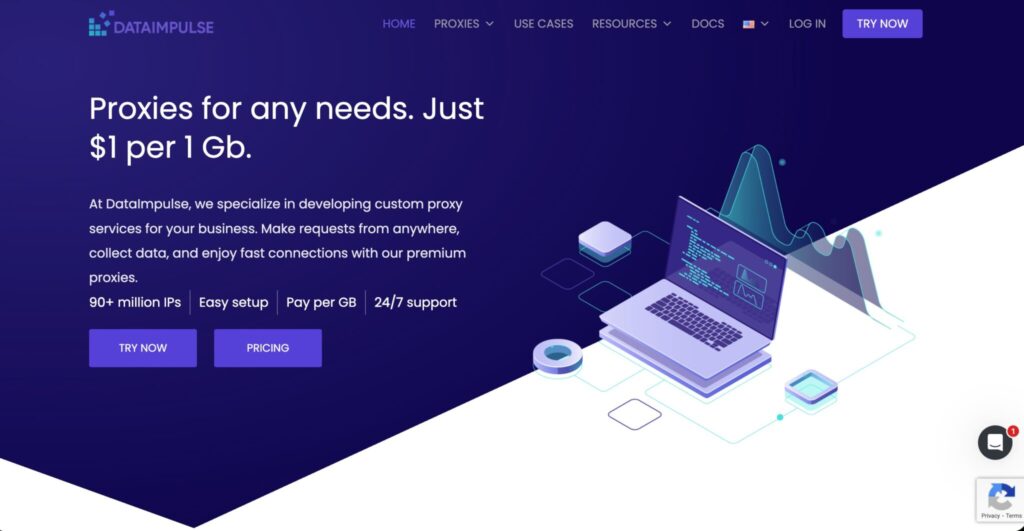
DataImpulse is one of the best low-cost residential proxy providers in 2026. It advertises 90M+ residential IPs, coverage across 195 countries, and pricing starting from $1 per GB.
That pricing makes it attractive for Discord users who need residential proxies but do not want to pay premium rates. If you are testing Discord bots, monitoring community access, or running basic account separation workflows, DataImpulse gives you a cost-friendly way to start.
The tradeoff is that budget providers usually require more testing. You may need to check IP quality, session stability, and location consistency before using it for important accounts.
Best for: budget residential proxy users
Proxy types: residential, mobile, datacenter
Main strength: very low residential pricing
Main drawback: may need more manual testing for sensitive use cases
Pro Tip: Buy a small amount of traffic first and test login stability before scaling.
5. SOAX: Best Discord Proxy for Clean IP Quality

SOAX is a strong choice when IP quality and targeting matter more than rock-bottom pricing. Its residential proxy page lists access to 155M+ IPs across 195+ locations, with bundled pricing shown from $3.60 per GB on the starter tier.
For Discord, SOAX is useful if you need clean residential IPs, good geo-targeting, and stable sessions. It is a good fit for community management, market research, moderation testing, and legitimate multi-region workflows.
SOAX also offers a small paid trial, which is helpful because Discord use cases can be sensitive. You should always test how a proxy behaves with your exact setup before committing.
Best for: clean IP quality and targeting
Proxy types: residential, mobile, datacenter
Main strength: strong residential pool and location controls
Main drawback: not the cheapest option for casual users
Pro Tip: If you manage Discord communities in specific countries, choose city or country targeting instead of random global rotation.
6. NodeMaven: Best Discord Proxy for Multi-Account Management
NodeMaven is built around IP quality filtering, which makes it interesting for Discord workflows. It advertises 30M+ residential IPs, 250K mobile IPs, sticky sessions up to 7 days, traffic rollover, country, city, and ISP targeting, plus an IP quality filter.
For Discord, that long sticky session feature is the headline. If you are managing multiple legitimate workspaces, testing accounts, or browser profiles, you want each profile to behave consistently. A 7-day sticky session can reduce random login friction compared with fast-rotating residential proxies.
NodeMaven is not as famous as Oxylabs or Bright Data, but its feature set is very practical for account-based use cases.
Best for: multi-account Discord workflows
Proxy types: residential, mobile, ISP
Main strength: sticky sessions and IP quality filtering
Main drawback: smaller brand compared with older enterprise providers
Pro Tip: Pair one Discord profile with one stable proxy. Avoid logging the same account from many proxy locations.
7. IPRoyal: Best Budget Discord Proxy with Non-Expiring Bandwidth

IPRoyal is a strong pick for users who hate wasting unused bandwidth. Its residential proxy plans include non-expiring traffic, and pricing starts from $7 per GB with bulk discounts that can go as low as $1.75 per GB. IPRoyal also lists a 32M+ residential proxy pool.
For Discord, IPRoyal is good for small teams, freelancers, and community managers who need occasional proxy use rather than heavy daily traffic. Since the bandwidth does not expire, you can buy traffic and use it gradually.
That makes it more flexible than monthly plans where unused data disappears.
Best for: occasional Discord proxy users
Proxy types: residential, ISP, mobile, datacenter
Main strength: non-expiring residential traffic
Main drawback: smaller IP pool than premium giants
Pro Tip: IPRoyal is useful if your Discord proxy usage is inconsistent. Buy traffic once, then use it across multiple testing sessions.
8. Bright Data: Best Discord Proxy for Large-Scale Bot Infrastructure

Bright Data is one of the most advanced proxy platforms available. It offers residential, datacenter, ISP, and mobile proxies, plus scraping and data tools. Bright Data lists residential pricing from $5.88 per GB, while outside reviews describe it as a premium platform designed for high-volume users.
For Discord, Bright Data is best suited for technical teams, agencies, and developers running approved infrastructure at scale. It is not the easiest provider for beginners, and it may feel expensive if you only need a few proxies.
Where it shines is control. You get advanced targeting, strong documentation, large IP coverage, and enterprise-grade management tools.
Best for: large-scale technical teams
Proxy types: residential, mobile, ISP, datacenter
Main strength: advanced infrastructure and targeting
Main drawback: expensive and more complex than beginner tools
Pro Tip: Bright Data is overkill for casual Discord use, but excellent for teams that need compliance, logs, control, and scale.
9. ProxyEmpire: Best Discord Proxy for Rollover Flexibility
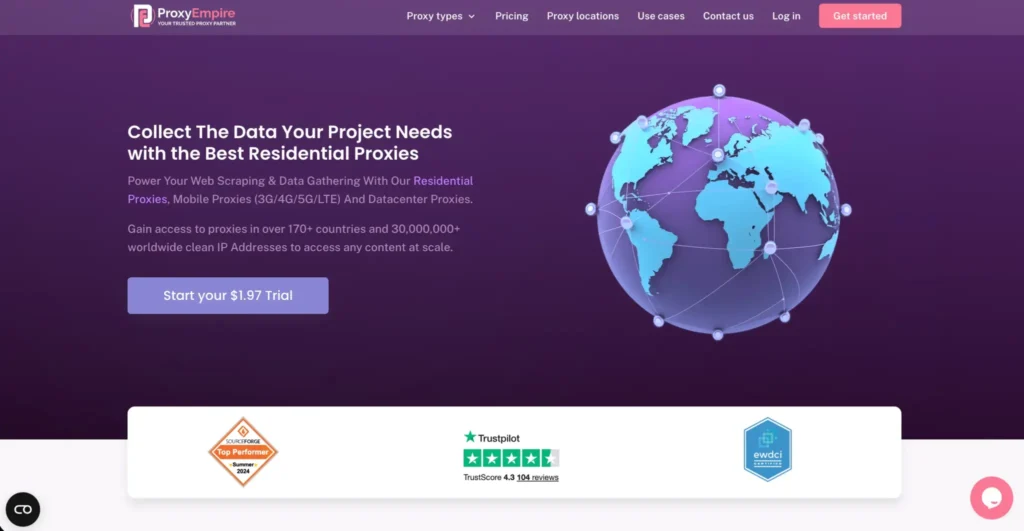
ProxyEmpire is a flexible proxy provider with residential, mobile, datacenter, and static residential options. Its site highlights 30M+ clean IPs, 99.9% uptime, 24/7 support, and residential proxy access options.
The key reason ProxyEmpire belongs on this list is rollover flexibility. Its pricing table shows different residential, mobile, and datacenter plans, and several third-party reviews highlight bandwidth rollover as one of its standout benefits.
For Discord, ProxyEmpire is useful if you do not consume bandwidth evenly each month. Community managers, bot developers, and testers often have uneven usage. Some weeks are quiet, then launch week burns through traffic quickly. Rollover bandwidth can help control costs.
Best for: flexible monthly proxy usage
Proxy types: residential, mobile, datacenter, static residential
Main strength: rollover-style flexibility
Main drawback: pricing can vary by plan and promo
Pro Tip: Choose static residential or sticky residential sessions for Discord accounts. Use rotating residential only for testing and non-login workflows.
Quick Comparison for Discord Proxies
| Provider | Best For | Proxy Types | Starting Price Reference | Best Discord Use Case | Main Limitation |
| Oxylabs | Premium reliability | Residential, ISP, mobile, datacenter | Residential from $6 per GB, ISP from $1.60 per IP | Stable bots, team workflows, premium account separation | Higher cost |
| Decodo | Best value | Residential, mobile, ISP, datacenter | Varies by plan | Small teams and reliable residential use | Less enterprise control than Bright Data |
| Webshare | Free testing | Datacenter, static residential, residential | 10 free proxies, residential from $1.40 per GB | Learning, testing, small projects | Free proxies are not ideal for important accounts |
| DataImpulse | Budget residential | Residential, mobile, datacenter | From $1 per GB | Low-cost residential testing | Needs quality testing before scale |
| SOAX | Clean IP quality | Residential, mobile, datacenter | From $3.60 per GB on listed starter plan | Geo-targeted Discord work | Not the cheapest |
| NodeMaven | Multi-account management | Residential, mobile, ISP | Usage-based plans | Sticky sessions and profile consistency | Smaller brand recognition |
| IPRoyal | Non-expiring bandwidth | Residential, ISP, mobile, datacenter | From $7 per GB, bulk from $1.75 per GB | Occasional usage and small teams | Smaller pool than top enterprise providers |
| Bright Data | Large-scale infrastructure | Residential, mobile, ISP, datacenter | Residential from $5.88 per GB | Advanced bot infrastructure and enterprise control | Expensive and complex |
| ProxyEmpire | Rollover flexibility | Residential, mobile, datacenter, static residential | Plan-based pricing | Uneven monthly usage | Pricing needs careful review |
How to Choose the Best Proxy for Discord
1. Choose Residential or ISP Proxies for Accounts
If you are logging into Discord accounts, residential and ISP proxies are usually safer than datacenter proxies. Datacenter IPs are fast and cheap, but they are easier for platforms to classify as proxy or hosting traffic.
Use datacenter proxies for low-risk testing. Use residential or ISP proxies for actual account sessions.
2. Use Sticky Sessions, Not Constant Rotation
Discord sessions need consistency. If your IP changes every few minutes, that can look suspicious. For most Discord use cases, sticky sessions between 30 minutes and several days are better.
NodeMaven’s sticky sessions up to 7 days, Oxylabs ISP proxies with long sessions, and SOAX targeting controls are all useful here.
3. Match Proxy Location to Account Behavior
Do not log into one Discord account from India in the morning, Germany in the afternoon, and the United States at night. That pattern can create friction.
Pick one country or city per account and keep it consistent.
4. Prefer SOCKS5 for Bot and App-Level Use
HTTP proxies work for browser traffic, but SOCKS5 is usually more flexible for apps, scripts, and bot environments. If you are running approved Discord bots, SOCKS5 support can make setup cleaner.
5. Avoid Free Public Proxies
Free public proxies are often abused, slow, overloaded, and risky. They may work for a test, but they are not suitable for real Discord account management.
Webshare’s free tier is better than random public proxy lists because it comes from an actual provider, but even then, use it for testing only.
6. Do Not Use Proxies for Spam or Ban Evasion
This matters. Discord bans self-bots, spam automation, platform abuse, and tools that enable unsolicited bulk activity. Proxies should not be used to bypass bans or hide harmful automation.
Legitimate uses include:
| Safe Use Case | Risky Use Case |
| Approved Discord bot hosting | Self-botting user accounts |
| Community testing | Spam messaging |
| Geo-based QA | Ban evasion |
| Privacy and account separation | Mass account creation |
| Moderation workflow testing | Raid automation |
FAQs: Best Proxies for Discord 2026
What type of proxy is best for Discord bots?
For approved Discord bots, ISP or residential proxies are usually the best choice when you need IP trust and stable sessions. Datacenter proxies can work for basic bot hosting, but they may be easier to flag if heavily abused.
Can Discord ban you for using proxies?
Discord can take action if proxy use is connected to spam, self-bots, ban evasion, platform abuse, suspicious logins, or violations of its rules. Discord’s guidelines clearly prohibit self-bots and unsolicited bulk messaging.
How many Discord accounts can I run per proxy?
For safer account separation, use one proxy per important account or profile. Some users place multiple low-risk accounts on one proxy, but that increases link risk. For serious work, one account, one browser profile, and one sticky proxy is cleaner.
Are residential proxies better than datacenter proxies for Discord?
Yes, for account-based activity. Residential proxies look more natural because they come from real ISP networks. Datacenter proxies are cheaper and faster, but they are easier to detect as server traffic.
Is SOCKS5 better for Discord?
SOCKS5 is often better for Discord-related tools because it supports more traffic types and works well with apps, browsers, and bot environments. HTTP proxies are fine for simple browser use.
Are free Discord proxies safe?
Random free public proxies are not safe for important Discord accounts. They can be slow, abused, logged, or already blocked. Use a reputable provider with a controlled free tier if you only need testing.
Which proxy is best for Discord multi-account management?
NodeMaven is one of the strongest choices because of sticky sessions, IP quality filtering, and targeting controls. Oxylabs, SOAX, and Decodo are also strong options depending on budget.
Which Discord proxy is best for beginners?
Webshare and Decodo are the easiest starting points. Webshare is better for testing because of its free tier, while Decodo is better for users who want reliable residential proxies without enterprise complexity.
Best Proxies for Discord 2026: Final Verdict
If you want the best premium Discord proxy, choose Oxylabs. If you want the best value, go with Decodo. If you are testing on a tight budget, Webshare or DataImpulse makes sense. For multi-account workflows, NodeMaven is one of the most practical choices. For enterprise-scale bot infrastructure, Bright Data is the strongest technical platform.
For most users, the best setup is simple: use clean residential or ISP proxies, keep sessions sticky, avoid suspicious location jumps, and stay within Discord’s rules.