
Best Proxies For Netflix.
Netflix is not easy on proxy traffic anymore. If a server looks shared, abused, automated, or linked to a known proxy network, Netflix can restrict the library, show a proxy warning, or block playback. Netflix’s own help pages state that VPNs and proxies can change or hide your internet location, and if detected, Netflix may ask you to turn them off.
On VPN connections, Netflix may only show titles it has worldwide rights for.That is why choosing a Netflix proxy in 2026 is less about buying the cheapest IP and more about choosing the right type of IP, location control, session stability, rotation rules, and provider reputation.
What people are dealing with in 2026:
People using proxies for Netflix usually run into four problems:
- Netflix proxy error
The common message says you seem to be using a VPN or proxy. Netflix explains this happens when your device or network connects through a VPN or proxy service. - Wrong regional library
Even when playback works, you may only see global titles if Netflix detects location masking. - Slow streaming and buffering
Cheap shared datacenter proxies often struggle with HD and 4K playback because the same IPs are used by many people. - IP burnout
If too many users stream from the same proxy subnet, Netflix can flag the IP range quickly.
What Makes a Proxy Work for Netflix?
A good Netflix proxy needs more than a long country list. You want IPs that look natural, stay stable during a session, and do not rotate every few minutes while a stream is running.
For Netflix, the best proxy types are usually:
| Proxy Type | Netflix Usefulness | Why It Matters |
| Residential proxies | High | Uses real residential IPs, which often look more natural than datacenter IPs |
| ISP proxies | Very High | Static, fast, and ISP issued, making them better for stable streaming |
| Mobile proxies | Medium to High | High trust, but usually expensive and not always ideal for long streaming sessions |
| Datacenter proxies | Low to Medium | Fast, but easier to detect because many users share similar server ranges |
The sweet spot is usually ISP proxies or sticky residential proxies. ISP proxies are often faster and more stable, while residential proxies give you wider location coverage.
9 Best Proxies For Netflix in 2026
1. Oxylabs: Best Overall Netflix Proxy

Oxylabs is the strongest option if you want premium infrastructure, cleaner IP pools, and serious geo targeting. Its residential proxy plans currently start at 5GB for $30, which works out to $6 per GB, while larger plans reduce the per GB cost. Oxylabs also lists ISP proxies starting at 10 IPs for $16 monthly.
For Netflix, Oxylabs makes the most sense if you care about reliability more than saving a few dollars. It has residential, ISP, mobile, and datacenter proxy options, so you can test multiple setups instead of locking yourself into one type.
Best for: serious users, agencies, QA teams, and anyone testing streaming access across regions.
Pro Tip: Start with ISP proxies for stable playback. Use residential proxies only when you need broader country coverage.
2. Decodo: Best Value Netflix Proxy

Decodo, formerly Smartproxy, is one of the best balanced options for Netflix proxy use. Its residential proxy pricing starts from $3.75 per GB on the 3GB plan and drops as you buy more bandwidth. Decodo says its residential plans include access to its full IP pool, advanced geo targeting, and unlimited concurrent sessions.
This makes Decodo a strong pick for people who want good performance without going into enterprise pricing. It also offers ISP proxies, which are useful when you want a more stable IP for longer watch sessions.
Best for: users who want strong quality without Oxylabs or Bright Data pricing.
Pro Tip: Use sticky sessions when streaming. Fast rotation is useful for scraping, not for Netflix playback.
3. Webshare: Best Free Netflix Proxy Tier

Webshare is popular because it offers a very accessible entry point. Its site lists 10 free proxies with no credit card required, plus rotating residential proxies starting at $1.40 per GB.
The free tier is useful for basic testing, but do not expect free proxies to perform well with Netflix. Free IPs are usually shared heavily, and shared proxy IPs get flagged faster. Webshare becomes more interesting when you move into static residential or rotating residential plans.
Best for: beginners, testing, low budget users, and people who want a simple dashboard.
Pro Tip: Do not judge Netflix performance from free proxies alone. Test paid residential or static residential IPs before deciding.
4. IPRoyal: Best Budget Netflix Proxy

IPRoyal is a strong budget option. Its residential proxy pricing currently lists 1GB at $7 per GB, 10GB at $5.25 per GB, and larger packages with lower rates. IPRoyal also promotes residential proxies from $1.75 per GB on larger/custom packages.
The biggest reason to consider IPRoyal is flexibility. You can start small, test different regions, and avoid large monthly commitments. For Netflix, it is better suited for casual usage and testing rather than heavy daily streaming.
Best for: budget users, small teams, and people testing multiple proxy markets.
Pro Tip: Avoid over rotating. Pick one clean location, keep the same session, and test playback stability before scaling.
5. SOAX: Best Netflix Proxy for IP Cleanliness

SOAX is a strong mid market proxy provider with residential, mobile, ISP, and datacenter access bundled into flexible plans. Its current pricing page shows plans starting at $90 monthly for 25GB, equal to $3.60 per GB, with larger plans reducing the per GB cost.
SOAX is useful when IP quality matters. It offers granular targeting and supports multiple proxy types, which helps when Netflix behaves differently across countries or networks.
Best for: users who care about clean residential IPs and flexible proxy testing.
Pro Tip: Test residential and ISP routes separately. The best Netflix setup is often not the same as the best scraping setup.
6. Proxy Cheap: Best Entry Level Netflix Proxy

Proxy Cheap is a beginner friendly option for users who want simple proxy access without enterprise tools. It is not as advanced as Oxylabs, Bright Data, or Decodo, but it can work for light testing and basic location based browsing.
For Netflix, Proxy Cheap should be treated as an entry level option. It may work in some locations and fail in others. That is normal with streaming platforms because proxy detection changes constantly.
Best for: entry level buyers and users testing proxies for the first time.
Pro Tip: Choose residential or ISP style IPs where available. Avoid basic shared datacenter proxies for Netflix.
7. Bright Data: Best Netflix Proxy for Enterprise Testing

Bright Data is one of the largest premium proxy platforms. Its residential proxy pricing page lists plans starting from $5.88 per GB, while its residential proxy product page mentions 400M+ monthly ethical residential IPs from 195 countries.
Bright Data is not the cheapest option. It is best for businesses, streaming QA teams, data teams, and enterprise users who need large scale location testing. If your goal is simply to watch Netflix from another region, Bright Data may be overkill. If your goal is to test Netflix availability, localization, ad behavior, or app experience across regions, it becomes much more relevant.
Best for: enterprise teams, QA workflows, and large scale region testing.
Pro Tip: Use Bright Data when accuracy matters more than price. It is a professional tool, not a casual streaming shortcut.
8. ProxyEmpire: Best Netflix Proxy for Flexible Bandwidth
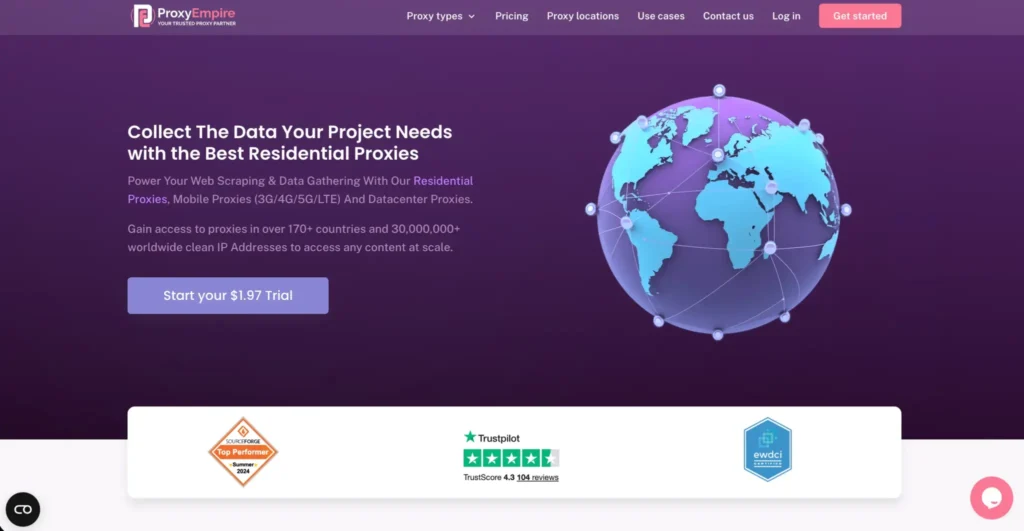
ProxyEmpire is appealing because of its flexible pricing and multiple proxy types. Its site lists residential proxies from $0.75 per GB and a $1.97 trial, while its pricing table includes rotating residential, static residential, mobile, and datacenter options.
For Netflix, ProxyEmpire is worth testing if you want flexibility without committing to a large monthly plan. Static residential proxies are especially interesting because Netflix streaming works better when the IP does not change mid session.
Best for: users who want flexible bandwidth and multiple proxy types.
Pro Tip: Static residential is usually better than aggressive rotating residential for streaming.
9. Rayobyte: Best Netflix Proxy for US Content Access

Rayobyte is well known in the SEO and proxy space. Its residential proxy page lists pay as you go pricing from $3.50 per GB for 1GB to 49GB, with lower rates at higher volumes. It also mentions a 40M+ IP pool, unlimited threads, geo targeting, and sticky sessions.
Rayobyte is especially attractive for US focused use cases because it has a strong reputation around US proxy infrastructure. For Netflix, its ISP and residential options are more relevant than its basic datacenter proxies.
Best for: US content testing, SEO users, and buyers who want practical proxy options without enterprise complexity.
Pro Tip: For Netflix US, test ISP proxies first. They are usually faster and more stable than rotating residential IPs.
Best Proxies For Netflix in 2026: Quick Comparison Table
| Rank | Provider | Best For | Recommended Proxy Type | Starting Price Mentioned | Main Strength |
| 1 | Oxylabs | Best overall | ISP or Residential | Residential from $6/GB, ISP from $1.60/IP | Premium quality and support |
| 2 | Decodo | Best value | Residential or ISP | Residential from $3.75/GB | Strong balance of price and quality |
| 3 | Webshare | Free testing | Static Residential | Free 10 proxies, residential from $1.40/GB | Easy entry point |
| 4 | IPRoyal | Budget users | Residential | From $7/GB on small plan, lower on volume | Low commitment testing |
| 5 | SOAX | Clean IPs | Residential or ISP | From $3.60/GB on starter plan | Strong targeting and IP quality |
| 6 | Proxy Cheap | Beginners | Residential | Varies by plan | Simple entry level setup |
| 7 | Bright Data | Enterprise testing | Residential or ISP | Residential from $5.88/GB | Huge proxy network |
| 8 | ProxyEmpire | Flexible bandwidth | Static Residential | From $0.75/GB listed | Flexible plans and trial |
| 9 | Rayobyte | US access testing | ISP or Residential | Residential from $3.50/GB | US focused proxy options |
How To Choose the Best Netflix Proxy in 2026
1. Choose ISP Proxies for Stable Streaming
If your goal is smooth playback, ISP proxies are often the safest starting point. They combine the stability of datacenter style infrastructure with IPs that are issued through internet service providers.
That matters because Netflix streaming is session based. You do not want your IP changing every few minutes while you are watching.
2. Use Residential Proxies for Region Coverage
Residential proxies are useful when you need more country and city options. They are better for testing different Netflix libraries, but they can be slower than ISP proxies depending on the provider, country, and routing.
3. Avoid Free Shared Proxies for Serious Streaming
Free proxies are fine for basic testing, but they are usually bad for Netflix. Too many users share them, and streaming platforms can detect abused IP ranges quickly.
4. Look for Sticky Sessions
A sticky session keeps the same IP for a set period. For Netflix, this is important because sudden IP changes can trigger account checks, playback problems, or location mismatches.
5. Check Location Accuracy
A proxy may say “US,” but Netflix may read the IP as another country or mark it as proxy traffic. Always test the region inside Netflix, not just through an IP lookup tool.
6. Prioritize Clean IP Pools
The cleaner the IP pool, the better your odds. Providers like Oxylabs, Bright Data, Decodo, SOAX, and Rayobyte are stronger here because they invest more into proxy sourcing and infrastructure.
7. Do Not Expect 100 Percent Success
Netflix actively restricts proxy and VPN traffic. Even premium proxies can fail depending on the region, IP history, account plan, and device. Netflix also states that VPN use may limit the catalog to worldwide titles.
FAQs: Best Proxies For Netflix in 2026
Can Netflix detect proxies in 2026?
Yes. Netflix can detect many proxy and VPN connections. Its help center says the proxy warning appears when your device or network connects through a VPN or proxy service.
Why does Netflix show the proxy error?
Netflix shows the proxy error when it believes your connection is using a VPN, proxy, or similar location masking service. Netflix says users should turn off active VPNs or proxies to continue watching normally.
Is using a proxy to access Netflix legal?
In most places, using a proxy itself is not illegal. The real issue is Netflix’s terms and content licensing rules. Netflix may restrict access, show fewer titles, or block playback when it detects VPN or proxy usage.
Which proxy type works best for Netflix?
ISP proxies usually work best for stable streaming. Residential proxies are better for broader region testing. Datacenter proxies are fast but easier to detect.
Are free proxies good for Netflix?
Usually no. Free proxies are heavily shared, slower, and more likely to be flagged. Webshare’s free proxy tier is useful for testing, but paid residential or ISP proxies are more realistic for Netflix.
Can I use rotating proxies for Netflix?
Yes, but only if you use sticky sessions. Fast rotation is bad for streaming because Netflix may see sudden location changes during playback.
Which provider is best overall?
Oxylabs is the best overall choice because it offers premium residential and ISP proxy options, strong support, and reliable infrastructure. Decodo is the better value pick for most users.
Conclusion | Best Proxies For Netflix 2026
The best proxy for Netflix in 2026 is not the cheapest proxy. It is the proxy that gives you clean IPs, stable sessions, accurate geo targeting, and enough speed for HD or 4K playback.
- If you want the strongest overall option, go with Oxylabs.
- If you want the best value, choose Decodo.
- If you want a low cost starting point, try Webshare or IPRoyal.
- If you need enterprise grade testing, Bright Data is the premium pick.
For most users, the best setup is simple: start with an ISP proxy, test the exact Netflix region you need, keep sessions sticky, and avoid cheap shared IPs. That gives you the best chance of stable streaming without constant proxy errors.