
What people are actually saying:
PS5 players usually look for proxies for four reasons: better access, cleaner routing, account protection, and regional testing. Some want to access region-specific PlayStation Store pages. Some want to reduce connection issues caused by ISP routing. Others manage multiple PSN accounts for testing, game marketing, or esports operations.
A proxy will not magically turn a bad internet line into fiber. It also will not fix every ping issue. For PS5, the best proxy is usually the one that gives you stable IP quality, low packet loss, clean reputation, and proper geo-targeting.
Sony’s own PS5 network settings include proxy configuration under advanced internet settings, along with IP address, DHCP, DNS, MTU, and proxy options.
What Makes a Proxy Work Well on PS5?
A good PS5 proxy needs four things:
| Factor | Why It Matters |
| Clean IP reputation | Reduces login flags and suspicious activity checks |
| Low latency | Helps avoid lag, slow downloads, and unstable matchmaking |
| Sticky sessions | Keeps the same IP during login or store browsing |
| Geo-targeting | Helps test regional access, pricing, and content availability |
For casual gaming, ISP proxies or static residential proxies are usually the safest choice because they offer stable sessions. For region testing or short-term access, rotating residential proxies can work well, but only when rotation is controlled.
9 Best Proxies for PS5 in 2026
#1. Oxylabs: Best Overall PS5 Proxy
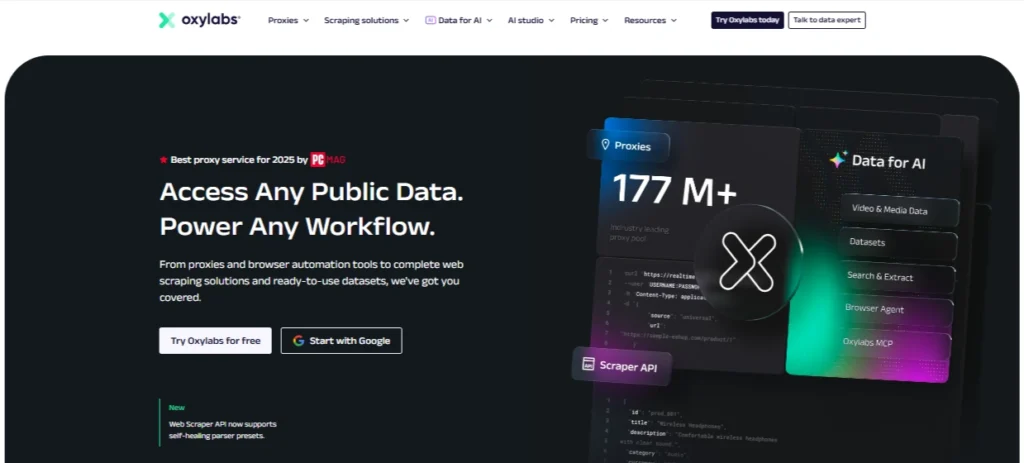
Oxylabs is the strongest pick if you want premium proxy quality, large IP coverage, and reliable residential targeting. Its residential proxy plans currently start around $6/GB, with a starter plan listed at 5GB for $30/month.
For PS5 use, Oxylabs makes sense if you care about clean residential IPs, stable routing, and account-sensitive tasks. It is not the cheapest provider, but it is one of the most dependable.
Best for: serious PSN testing, regional access checks, gaming businesses, and high-trust use cases.
Pro Tip: Use sticky residential sessions instead of rapid rotation when logging into PSN.
#2. Decodo: Best Value PS5 Proxy

Decodo, formerly Smartproxy, is one of the best value choices because it balances pricing, usability, and proxy quality. Its residential plans start from around $3.75/GB on small monthly plans, with pay-as-you-go listed around $4/GB.
For PS5, Decodo works well for users who want clean residential IPs without jumping straight into enterprise-level pricing.
Best for: regular PS5 users, affiliate testers, game marketers, and regional PS Store checks.
Pro Tip: Pick a proxy location close to your real gaming server region if your goal is speed, not region unlocking.
#3. Webshare: Best Free PS5 Proxy Tier

Webshare is popular because it gives users an easy entry point. It offers 10 free proxies, and its residential pricing starts from around $1.40/GB.
For PS5, Webshare is better for testing than long-term account-sensitive use. Free proxies can be useful for checking setup, but paid private or residential options are safer for serious usage.
Best for: beginners, proxy setup testing, and budget-conscious users.
Pro Tip: Do not use random public free proxies for PSN login. Use a provider-controlled free tier instead.
#4. SOAX: Best PS5 Proxy for Clean IP Quality

SOAX is a strong option for users who care about IP cleanliness and precise targeting. Its bundled proxy plans currently start around $3.60/GB, with a 25GB starter plan listed at $90/month.
SOAX is especially useful when you need residential, mobile, ISP, or datacenter options under one platform. For PS5, that flexibility helps you test which IP type works best for login stability and region-based browsing.
Best for: clean residential IPs, location testing, and controlled sessions.
Pro Tip: Use SOAX when you need more location precision, not just the cheapest bandwidth.
#5. IPRoyal: Best Budget PS5 Proxy

IPRoyal is a budget-friendly option with residential proxies listed from around $1.75/GB and a residential pool of over 32 million IPs.
Its biggest appeal is price flexibility. If you only need occasional PS5 proxy access, IPRoyal can be more practical than expensive monthly plans.
Best for: budget users, light PSN testing, and occasional regional access.
Pro Tip: Choose ISP proxies when you want a more stable login identity over time.
#6. Proxy-Cheap: Best Entry-Level PS5 Proxy

Proxy-Cheap is built for users who want affordable access without complex onboarding. Its rotating residential proxy pricing is listed from around $4.99/GB, while datacenter IPv4 plans start around $1.49/month after discount.
For PS5, Proxy-Cheap is good if you are testing proxy setups, checking regional access, or need a low-cost backup provider.
Best for: entry-level users, backup proxy setups, and simple region checks.
Pro Tip: Avoid ultra-cheap shared datacenter IPs for PSN login. They are faster, but easier to flag.
#7. Bright Data: Best PS5 Proxy for Launch Day Testing

Bright Data is a premium proxy platform with a huge residential network. Its residential proxy page lists 400M+ monthly residential IPs across 195 countries, with sticky and rotating sessions.
For PS5, Bright Data is overkill for casual users but excellent for launch day testing, regional monitoring, game store research, and large-scale QA.
Best for: agencies, gaming companies, market researchers, and launch monitoring.
Pro Tip: Use Bright Data when accuracy and coverage matter more than saving a few dollars.
#8. ProxyEmpire: Best PS5 Proxy for Event-Based Gaming
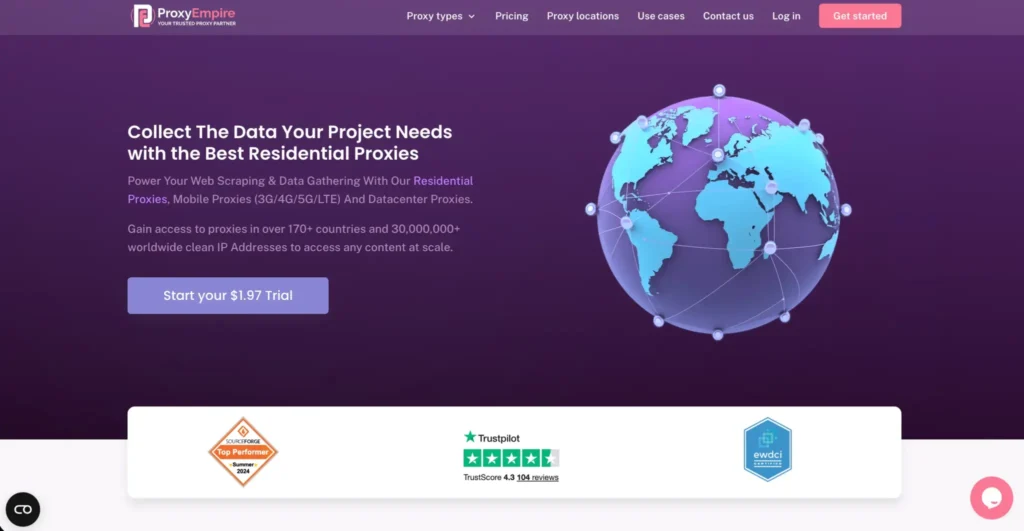
ProxyEmpire is useful for event-based gaming needs because it offers rotating residential, static residential, mobile, and datacenter proxy options. Its pricing page highlights a low-cost trial and multiple proxy categories.
For PS5, ProxyEmpire is a good fit when you need proxies occasionally, such as for game launches, beta access testing, or limited-time regional store checks.
Best for: short-term campaigns, event testing, and flexible proxy usage.
Pro Tip: For temporary campaigns, buy only the bandwidth you need. Gaming-related proxy traffic can burn data faster than expected.
#9. Rayobyte: Best PS5 Proxy for Clean PSN Access

Rayobyte offers residential, ISP, datacenter, and rotating proxy products. Its residential proxies are listed from around $3.50/GB, with access to 40M+ IPs, sticky sessions, geo-targeting, and unlimited threads.
For PS5, Rayobyte is a strong option if you want clean static or residential options without jumping into the most expensive enterprise tools.
Best for: clean PSN access, stable sessions, and long-term proxy setups.
Pro Tip: If you are mainly logging into one PSN account, prioritize static ISP or sticky residential over rotating residential.
Best Proxies for PS5 in 2026: Quick Comparison Table
| Rank | Provider | Best For | Proxy Types | Starting Price Mentioned | PS5 Suitability |
| 1 | Oxylabs | Best overall | Residential, datacenter, ISP, mobile | From $6/GB | Excellent |
| 2 | Decodo | Best value | Residential, ISP, mobile, datacenter | From $3.75/GB | Excellent |
| 3 | Webshare | Free tier | Datacenter, residential, static residential | 10 free proxies, residential from $1.40/GB | Good |
| 4 | SOAX | Clean IP quality | Residential, mobile, ISP, datacenter | From $3.60/GB | Excellent |
| 5 | IPRoyal | Budget users | Residential, ISP, mobile, datacenter | From $1.75/GB | Good |
| 6 | Proxy-Cheap | Entry-level use | Residential, mobile, datacenter | Residential from $4.99/GB | Good |
| 7 | Bright Data | Launch testing | Residential, ISP, mobile, datacenter | From $5.88/GB residential | Excellent |
| 8 | ProxyEmpire | Event-based gaming | Residential, mobile, datacenter | Trial available | Good |
| 9 | Rayobyte | Clean PSN access | Residential, ISP, datacenter | Residential from $3.50/GB | Very good |
How to Choose the Best PS5 Proxy
1. Choose the Right Proxy Type
For PS5, proxy type matters more than hype.
Residential proxies are best for region access and trusted browsing.
ISP proxies are best for stable PSN logins and long sessions.
Datacenter proxies are fast and cheap, but not ideal for sensitive account activity.
Mobile proxies are trusted, but usually too expensive and unnecessary for normal PS5 use.
2. Look for Sticky Sessions
A rotating proxy that changes IP every few minutes can create login issues. PSN may see that as suspicious. A sticky session keeps the same IP for a fixed period, which feels more natural.
3. Pick the Right Location
If you want faster downloads, choose a nearby proxy location. If you want to test another PlayStation Store region, choose a proxy in that country.
4. Avoid Public Free Proxies
Public free proxies are risky. They may be slow, abused, blacklisted, or insecure. If you want a free option, use a provider like Webshare that offers a controlled free tier.
5. Check Bandwidth Costs
Game downloads are huge. A 100GB game can burn through paid residential bandwidth quickly. For downloads, a VPN or better DNS routing may be cheaper. Use proxies mainly for account access, testing, store browsing, and controlled routing.
FAQs: Best Proxies for PS5 in 2026
How do I set up a proxy on PS5?
Go to Settings > Network > Settings > Set Up Internet Connection. Choose your Wi-Fi or LAN connection, open Advanced Settings, then add the proxy server IP and port. Sony lists proxy as one of the adjustable advanced network settings on PS5.
What proxy type is best for PS5?
For most users, ISP proxies or sticky residential proxies are best. They offer better stability than rotating datacenter proxies.
Does using a proxy on PS5 violate PSN terms?
It depends on how you use it. Using proxies for fraud, abuse, ban evasion, or suspicious account activity can create serious account risk. For normal privacy, testing, or routing, use caution and follow Sony’s rules.
Will a PS5 proxy reduce my download speed?
Yes, it can. A proxy adds another server between your console and the internet. If the proxy is far away or overloaded, downloads may slow down.
Can I use a free proxy on PS5?
You can, but random public free proxies are not recommended. They are often slow and risky. A controlled free tier from a known provider is safer.
Are proxies better than VPNs for PS5?
For full-device privacy, a VPN is usually easier. For specific IP routing, regional testing, or controlled sessions, proxies give more control.
Which PS5 proxy is best overall?
Oxylabs is the best overall premium choice. Decodo is the best value pick. Webshare is best for beginners who want a free starting point.
Conclusion | Best Proxies for PS5 in 2026
The best PS5 proxy depends on what you are trying to do.
Choose Oxylabs if you want the strongest overall proxy quality. Pick Decodo if you want value without sacrificing reliability. Try Webshare if you need a free starting point. Use SOAX if clean IP quality and targeting matter. Go with IPRoyal or Proxy-Cheap if budget is your main concern.
Choose Bright Data for serious launch testing, ProxyEmpire for short-term gaming events, and Rayobyte for stable clean PSN access.
For most PS5 users, the safest setup is simple: use a sticky residential or ISP proxy, choose a nearby location, avoid aggressive rotation, and never rely on random public proxies for PSN login.