
Best Proxies For Web Data Pipelines.
A web data pipeline looks simple from the outside. Send requests, collect pages, parse the data, clean it, push it into a warehouse, and let analysts or AI systems use it.
Then reality shows up.
One target starts returning CAPTCHAs. Another blocks your cloud IPs. A regional price page loads different content by city. Your crawler works during testing but fails at scale. Suddenly, the proxy layer is not just a technical add-on. It becomes the foundation of the entire pipeline.
The best proxies for web data pipelines should do more than rotate IPs. They should support clean session control, geo-targeting, stable uptime, predictable billing, API access, and enough IP diversity to keep large crawlers moving without constant manual fixes.
Below is a practical buyer’s guide built for teams running scraping jobs, price intelligence systems, SERP trackers, market research crawlers, AI data collection workflows, and public web monitoring pipelines.
Quick Comparison Table: Best Proxies For Web Data Pipelines
| Proxy Provider | Best For | Proxy Types | Rotation Control | IP Pool Strength | Key Advantage |
|---|---|---|---|---|---|
| Bright Data | Enterprise data pipelines | Residential, ISP, datacenter, mobile | Advanced rotation and session rules | Very large global pool | Strong tooling, compliance, and scraping infrastructure |
| Oxylabs | Large-scale structured scraping | Residential, mobile, datacenter, ISP | Rotating and sticky sessions | Enterprise-grade global pool | High reliability for demanding data operations |
| Decodo | Mid-market scraping teams | Residential, ISP, datacenter, mobile | Rotating and sticky sessions | Large global network | Strong balance of price, speed, and usability |
| SOAX | Geo-targeted pipelines | Residential, mobile, ISP, datacenter | Flexible rotation and sticky sessions | Strong location coverage | Excellent targeting by country, city, ASN, and carrier |
| NetNut | High-concurrency pipelines | Residential, static residential, mobile, datacenter | Rotating and static options | Large global pool | Direct ISP connectivity and unlimited concurrency |
| IPRoyal | Budget-conscious teams | Residential, ISP, mobile, datacenter | Sticky, random, and interval rotation | Solid global pool | Affordable, simple, and beginner-friendly |
| Webshare | Low-cost scalable proxy access | Residential, static residential, datacenter | Rotating endpoints | Large residential pool | Transparent pricing and easy setup |
| DataImpulse | Cost-efficient data collection | Residential, mobile, datacenter | Rotating and sticky sessions | Large pool for the price | Low entry cost and pay-as-you-go flexibility |
1. Bright Data: Best Overall for Enterprise Web Data Pipelines

Bright Data is the provider I would look at first when the pipeline is business-critical and failure costs more than proxy spend. It offers residential, ISP, datacenter, and mobile proxies, along with scraping APIs, datasets, browser tools, and compliance controls.
For data engineering teams, the real value is control. You can rotate IPs, target specific countries, work with sticky sessions, and build flows around different proxy types. That matters when one pipeline needs fast datacenter IPs for simple pages, while another needs residential IPs for localized content.
Bright Data is not the cheapest option. It is better suited for companies that care about uptime, governance, scale, and support. If you are feeding pricing dashboards, AI datasets, market intelligence systems, or fraud-monitoring tools, the extra cost may make sense.
Pro-Tip: Use Bright Data when your pipeline has multiple targets with different difficulty levels. Do not push everything through residential proxies. Mix datacenter, ISP, and residential routes to control cost.
2. Oxylabs: Best for Large-Scale Structured Scraping

Oxylabs is another premium choice for serious web data operations. It is especially strong for teams that need stable infrastructure, large proxy pools, and reliable performance across many countries.
Its residential proxy network supports city-level targeting, SOCKS5, and large-scale request handling. Oxylabs also offers mobile proxies and scraping-focused products, which makes it useful when you want more than raw proxy endpoints.
For web data pipelines, Oxylabs fits well when you are collecting product data, travel prices, public SERP data, review data, or competitive intelligence at scale. It has a polished enterprise feel, but smaller teams may find the pricing heavier than leaner providers.
Pro-Tip: Oxylabs works best when you already understand your target behavior. Map which targets need sticky sessions and which can use rotation per request before scaling traffic.
3. Decodo: Best Balance of Performance, Price, and Usability

Decodo, formerly Smartproxy, is one of the strongest middle-ground choices. It gives you a large IP network, residential proxies, ISP proxies, mobile proxies, datacenter proxies, scraping APIs, and a dashboard that does not feel painful to use.
For data pipelines, Decodo is attractive because it keeps setup simple while still offering enough control for serious workflows. You can use rotating sessions for high-volume crawling or sticky sessions when a website expects session continuity.
It is a good pick for SEO tools, price monitoring systems, regional testing, lead enrichment, and public web data extraction. It may not have the same enterprise-heavy compliance layer as Bright Data, but it offers a strong mix of coverage, speed, and cost efficiency.
Pro-Tip: If you are building your first production-grade data pipeline, Decodo is a smart starting point. It gives you enough room to scale without forcing you into enterprise complexity too early.
4. SOAX: Best for Geo-Targeted Data Pipelines

SOAX stands out when location accuracy matters. It offers residential, mobile, ISP, and datacenter proxies with detailed targeting options. For pipelines that depend on region-specific results, that is a major advantage.
Think of travel fares, ecommerce pricing, local SERPs, ad verification, marketplace listings, and regional availability checks. In these cases, collecting data from the wrong location can corrupt the output.
SOAX supports automatic IP rotation and sticky sessions, which makes it useful for both broad crawls and session-based workflows. The dashboard is also friendly enough for non-engineers, which helps when marketing, SEO, or research teams need access.
Pro-Tip: Use SOAX when your data quality depends on location precision. Do not only check country-level targeting. Test city, ASN, and carrier-level results where available.
5. NetNut: Best for High-Concurrency Data Collection

NetNut is built for teams that care about concurrency and stable performance. Its rotating residential proxies cover a wide global footprint, and its static residential proxies use direct ISP connectivity, which can offer better consistency than peer-to-peer residential networks.
That makes NetNut useful for large web data pipelines where speed and stability matter. If your crawler runs thousands of requests across multiple workers, proxy reliability becomes more important than a pretty dashboard.
NetNut supports HTTP, HTTPS, and SOCKS5, and it is often used for data collection, ad verification, price comparison, and SEO monitoring. The onboarding can feel more sales-driven than self-serve tools, but that may suit teams that want managed support.
Pro-Tip: NetNut is a good fit for pipelines with high parallel request volume. Monitor success rate by target domain, not just total bandwidth used.
6. IPRoyal: Best Budget-Friendly Proxy Option

IPRoyal is a strong choice for smaller teams, solo developers, and businesses that want residential proxies without enterprise pricing. It offers residential, ISP, mobile, and datacenter proxies with flexible plans.
Its rotation controls are simple but useful. You can use sticky sessions, random rotation, or interval-based rotation depending on the workflow. This is helpful for smaller data pipelines where you need control but do not want a steep learning curve.
IPRoyal may not be the first choice for massive enterprise crawlers, but it is practical for lead research, SEO checks, marketplace monitoring, localized testing, and smaller scraping workloads.
Pro-Tip: Start with IPRoyal when you are validating a pipeline idea. Once targets, request rates, and data quality rules are proven, you can decide whether a premium provider is necessary.
7. Webshare: Best for Affordable Scale

Webshare is popular because it keeps proxy buying simple. You get access to rotating residential proxies, static residential proxies, and datacenter proxies with clear pricing and a clean dashboard.
For web data pipelines, Webshare is useful when your target sites are not extremely protected and you want predictable proxy costs. Its rotating residential network can support broad collection jobs, while datacenter proxies are useful for speed-focused tasks.
It does not offer the same advanced scraping ecosystem as Bright Data or Oxylabs, but not every team needs that. Sometimes you just need a cost-effective proxy layer that plugs into your scraper and works.
Pro-Tip: Webshare is best for pipelines where volume matters more than heavy anti-blocking features. Test it first on easy and medium-difficulty targets.
8. DataImpulse: Best Low-Cost Pay-As-You-Go Option
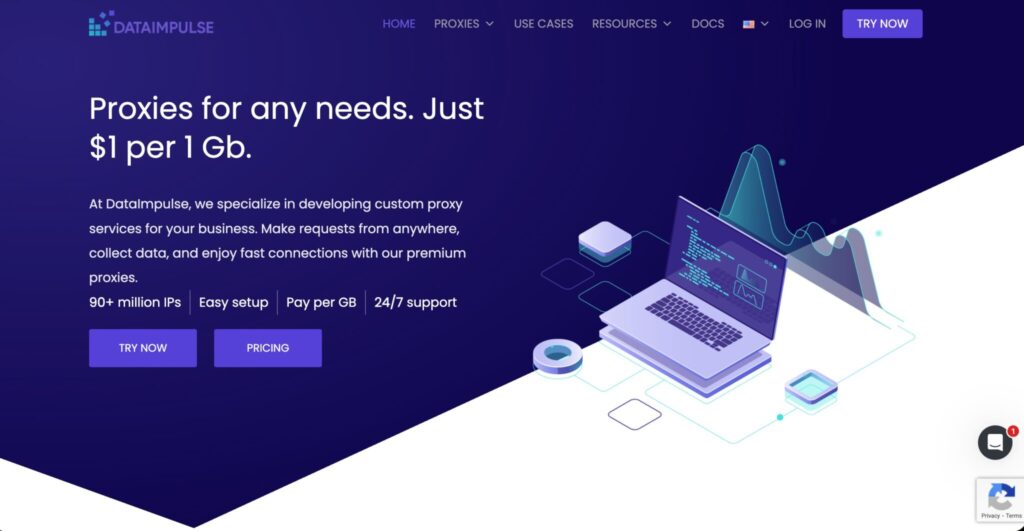
DataImpulse is a strong fit for teams that want cheap bandwidth and simple proxy access. Its pay-as-you-go pricing makes it attractive for unpredictable data workloads, weekend crawls, experiments, and startup pipelines.
It offers residential proxies with rotating and sticky session options, plus support for HTTP(S) and SOCKS5. The main appeal is cost flexibility. You are not forced into a large monthly commitment before you know how much data your pipeline will actually consume.
That said, budget providers should always be tested carefully. Run trials across your real targets, track error rates, measure latency, and compare the cost per successful record instead of only looking at cost per GB.
Pro-Tip: With low-cost proxy providers, calculate the real price by successful extraction, not listed bandwidth cost.
How to Choose Proxies for Web Data Pipelines
Check IP Pool Quality, Not Just Pool Size
A huge IP pool looks impressive, but quality matters more. For pipelines, you need fresh IPs, clean reputation, wide location coverage, and enough diversity across ISPs and regions.
A small but clean pool can beat a huge recycled pool if your target sites flag abused IP ranges. Always test against your own target list.
Match Proxy Type to Pipeline Difficulty
Use datacenter proxies for fast, low-risk pages. Use ISP proxies when you need more trust and stable sessions. Use residential proxies for localized or harder targets. Use mobile proxies only when mobile-specific results matter because they are usually more expensive.
The best pipelines do not use one proxy type for everything. They route requests based on target difficulty.
Understand Rotation Protocols
Rotation per request works well for broad crawling where each request is independent. Sticky sessions work better when the target expects continuity, such as search flows, pagination, carts, filters, or account-like browsing patterns.
Bad rotation breaks sessions. No rotation burns IPs. Good rotation sits between both.
Measure Success Rate by Target
Do not judge a proxy provider by dashboard uptime alone. Track HTTP status codes, CAPTCHA frequency, timeout rate, average response time, retry count, and final extraction success.
The only metric that really matters is clean data delivered to your pipeline.
Review Compliance and Data Ethics
A proxy is not permission to scrape anything without limits. Respect public data boundaries, robots.txt where applicable, website terms, rate limits, privacy rules, and sensitive data restrictions.
Good proxy strategy reduces technical friction. It should not create legal or reputational risk.
FAQs: Best Proxies For Web Data Pipelines
1. What are the best proxies for web data pipelines?
Bright Data and Oxylabs are best for enterprise-scale pipelines. Decodo and SOAX are strong for growing teams. IPRoyal, Webshare, and DataImpulse are better for budget-conscious users.
2. Are residential proxies better than datacenter proxies?
Residential proxies are better for harder targets and localized data. Datacenter proxies are faster and cheaper for simple pages. Most serious pipelines use both.
3. What is proxy rotation in data pipelines?
Proxy rotation means changing the IP address used for requests. It can happen on every request, after a time interval, or when a session ends.
4. Should I use sticky sessions or rotating sessions?
Use sticky sessions for workflows that need continuity, such as pagination or filtered searches. Use rotating sessions for independent requests at scale.
5. Which proxy type is cheapest for web scraping?
Datacenter proxies are usually the cheapest. Residential proxies cost more but work better for location-sensitive or harder-to-access public pages.
6. How do I reduce proxy costs in a pipeline?
Route easy targets through datacenter proxies, reserve residential IPs for harder pages, cache repeated requests, reduce retries, and monitor cost per successful record.
7. Are proxies legal for web data collection?
Proxies are legal tools, but usage matters. Collect public data responsibly, avoid restricted or private data, follow applicable laws, and respect target-site rules.
8. What is the biggest mistake when choosing a proxy provider?
The biggest mistake is buying based on pool size alone. Test real targets, real traffic patterns, real geo needs, and real success rates before committing.
Final Verdict
For enterprise-grade web data pipelines, Bright Data and Oxylabs are the strongest choices. For growing teams that want a practical mix of price, coverage, and usability, Decodo and SOAX are excellent options. NetNut is strong for high-concurrency workloads, while IPRoyal, Webshare, and DataImpulse make sense for leaner teams or testing-stage projects.
The right proxy provider is not always the one with the biggest IP pool. It is the one that gives your pipeline clean data, stable sessions, predictable costs, and enough control to adapt when target sites change.