
Best Proxies For Public Web Crawling.
Public web crawling sounds simple until your crawler starts hitting rate limits, duplicate pages, geo-specific results, soft blocks, and endless retries. A basic script can collect a few pages. A serious crawling setup needs stable IP infrastructure, smart rotation, clean sessions, and enough control to avoid wasting bandwidth on failed requests.
The best proxies for public web crawling are not always the biggest or most expensive providers. The right choice depends on your target websites, request volume, geographic needs, tolerance for failed requests, and whether you want raw proxies or a managed scraping layer.
For public crawling, you should also stay responsible. Respect robots.txt, avoid private or gated content, follow site terms, and throttle requests so your crawler behaves like a careful data collection system, not a noisy botnet. Good proxy infrastructure helps with reliability. It does not replace responsible crawling practices.
Quick Comparison Table
| Proxy Provider | Best For | Proxy Types | Approx. Network Size | Rotation Control | Protocols | Key Strength | Watch Out For |
|---|---|---|---|---|---|---|---|
| Bright Data | Enterprise crawling teams | Residential, datacenter, ISP, mobile | 400M+ monthly residential IPs | Advanced sticky and rotating sessions | HTTP, HTTPS, SOCKS5 | Huge pool and strong tooling | Premium pricing |
| Oxylabs | Large-scale public data collection | Residential, datacenter, ISP, mobile | 175M+ residential IPs | Strong session and API controls | HTTP, HTTPS, SOCKS5 | Enterprise-grade reliability | May be overkill for small crawlers |
| Decodo | Balanced crawling at scale | Residential, ISP, mobile, datacenter | 125M+ IPs | Flexible rotating and sticky sessions | HTTP, HTTPS, SOCKS5 | Good mix of usability and scale | Higher volume gives better value |
| SOAX | Geo-targeted crawling | Residential, mobile, ISP, datacenter | 155M+ residential IPs | Granular location targeting | HTTP, HTTPS, SOCKS5, UDP/QUIC | Precise targeting and clean dashboard | Not always the cheapest |
| NetNut | Stable, high-volume crawling | Residential, rotating residential, mobile, datacenter | 85M+ IPs | Good session persistence | HTTP, HTTPS, SOCKS5 | Strong for long-running jobs | Better suited to serious teams |
| Webshare | Budget and developer testing | Datacenter, ISP, rotating residential | Large global coverage | Basic to moderate controls | HTTP, SOCKS5 | Affordable and easy to start | Fewer advanced scraping tools |
| IPRoyal | Small teams and low-cost crawling | Residential, ISP, mobile, datacenter | 32M+ residential IPs | Flexible rotation | HTTP, HTTPS, SOCKS5 | Non-expiring traffic options | Smaller pool than enterprise providers |
| DataImpulse | Cost-conscious public crawling | Residential, datacenter, mobile | 90M+ IPs | Rotating and sticky sessions | HTTP, HTTPS, SOCKS5 | Very low entry pricing | Less enterprise polish |
1. Bright Data

Bright Data is the heavyweight option for teams that treat public web crawling as infrastructure, not a side script. Its residential pool is one of the largest in the market, and it also offers datacenter, ISP, and mobile proxies, which makes it easier to match proxy type with target difficulty.
For crawling public websites at scale, Bright Data works well when you need high success rates, city-level targeting, session control, and strong operational tools. You can rotate IPs per request for broad crawling, or use sticky sessions when a target requires continuity across several page loads.
The real value is control. You can tune locations, session behavior, proxy type, and request handling instead of throwing random IPs at a crawler and hoping for the best. That matters when failed requests cost more than the proxy bill.
Pro-Tip: Use datacenter proxies first for simple public pages. Move to ISP or residential only when you see high block rates, inconsistent HTML, or region-specific content.
2. Oxylabs

Oxylabs is built for teams that need predictable performance across large crawling workloads. It offers a large residential network, datacenter proxies, ISP proxies, and managed scraping products for teams that want less maintenance.
For public web crawling, Oxylabs is especially useful when you need enterprise support, clean documentation, reliable uptime, and strong compliance processes. Its infrastructure suits price monitoring, search result collection, market research, brand monitoring, and large content discovery projects.
Oxylabs is not the cheapest route, but it usually makes sense when uptime and success rate matter more than saving a few dollars per gigabyte. If your crawler feeds a business-critical data pipeline, this is the kind of provider you shortlist early.
Best fit: Enterprise data teams, SaaS platforms, market intelligence companies, and agencies handling demanding public data jobs.
3. Decodo

Decodo, formerly Smartproxy, sits in a practical middle ground. It gives you a large proxy pool, clean dashboard, solid documentation, and flexible products without feeling as heavy as some enterprise-first providers.
For public web crawling, Decodo works well if you want rotating residential proxies, ISP proxies, datacenter proxies, and scraping APIs under one roof. Its setup process is friendly for developers, and the provider has enough scale for serious crawling projects.
The biggest advantage is usability. Smaller teams can start quickly, while larger teams can still build more structured crawling workflows. Rotation settings, geo-targeting, and session controls are simple enough to manage without weeks of onboarding.
Pro-Tip: Decodo is a strong choice when you are moving from small scraper tests to recurring production crawls and need fewer failed requests without jumping straight into enterprise pricing.
4. SOAX

SOAX is a strong pick when location accuracy matters. Public web crawling often depends on geography. Product pages, travel fares, SERPs, marketplace listings, and local directories can change based on country, city, ISP, or even connection type.
SOAX gives you residential proxies with detailed targeting and support for modern protocols. That makes it useful for crawling projects where you need region-specific snapshots instead of generic global pages.
Its dashboard is clean, and the provider puts noticeable focus on ethical sourcing. That matters more than many buyers think. Poorly sourced residential networks can create legal, security, and reliability risks. For a professional crawler, IP quality is not just a performance issue. It is a risk issue.
Best fit: Localized crawling, price comparison, geo-testing, travel data, ecommerce monitoring, and projects that need consistent regional accuracy.
5. NetNut

NetNut is built for high-volume proxy users who want stability and speed. Its network focuses on residential and rotating residential proxies, with options suitable for large public crawling jobs.
The provider is useful when you need long-running crawls across many targets and want fewer surprises during production runs. It supports session persistence, broad country coverage, and traffic-heavy use cases like ad verification, public data collection, and market monitoring.
NetNut may not be the first choice for a hobby crawler or tiny test project. It shines when crawling volume becomes serious and you need infrastructure that can keep up.
Pro-Tip: Use NetNut when your crawl has predictable recurring volume. It is easier to justify premium proxy costs when the same data feeds reports, dashboards, or client deliverables.
6. Webshare

Webshare is one of the most approachable options for developers who want affordable proxies without a complex buying process. It offers datacenter proxies, static residential proxies, and rotating residential proxies.
For public web crawling, Webshare is a good starting point when your targets are not heavily protected. Datacenter proxies can handle many simple crawling tasks at a lower cost. Static residential proxies are useful when you need more trust and consistent sessions.
The trade-off is that Webshare does not offer the same depth of managed scraping tools as some larger providers. That is fine if you already have your crawler, queue system, retry logic, parser, and monitoring in place.
Best fit: Developers, startups, SEO crawlers, QA checks, basic public page monitoring, and budget-sensitive teams.
7. IPRoyal

IPRoyal is a cost-friendly provider with residential, ISP, mobile, and datacenter proxies. Its residential pool is smaller than Bright Data or Oxylabs, but it is still large enough for many public crawling projects.
One useful angle is flexible pricing and non-expiring traffic on some plans. That helps smaller teams that do not crawl at the same volume every month. You can buy traffic and use it as needed instead of forcing every project into a monthly usage cycle.
IPRoyal is a sensible option for niche crawlers, side projects, smaller SEO tools, and agencies that need proxy coverage without committing to enterprise spend.
Pro-Tip: Track cost per successful page, not cost per gigabyte. A cheaper provider is only cheaper if your retry rate stays low.
8. DataImpulse
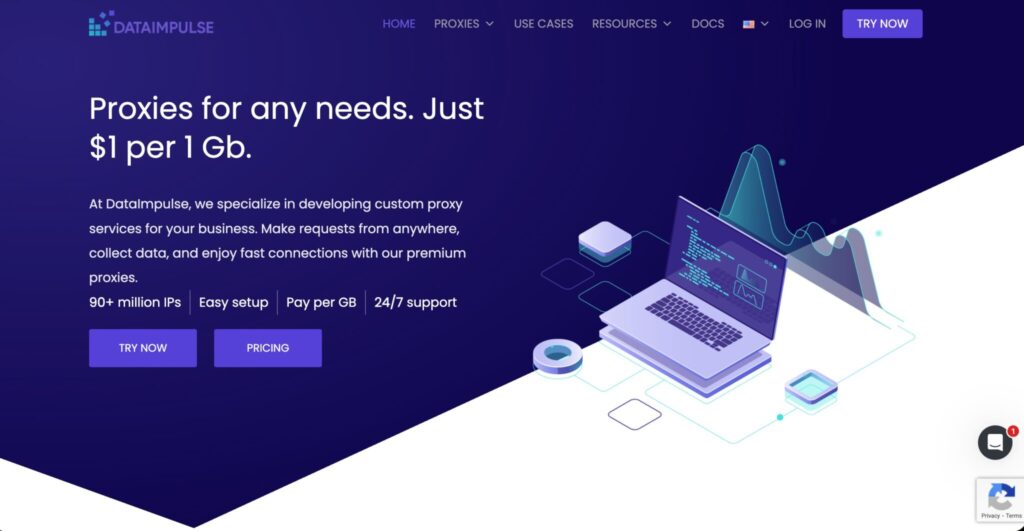
DataImpulse has become popular with buyers who want low-cost residential traffic for public web crawling. Its pricing is simple, and the provider offers residential, datacenter, mobile, and premium residential options.
For crawling public websites, DataImpulse makes sense when you need to test ideas, run budget-sensitive crawls, or collect data from targets that do not require the most advanced proxy infrastructure.
The main appeal is value. If your crawler is efficient and your target sites are not extremely strict, DataImpulse can reduce proxy costs dramatically. Still, you should test success rates before moving large production jobs over.
Best fit: Budget crawling, startup data projects, MVPs, non-critical crawls, and teams that want pay-as-you-go simplicity.
How To Choose Proxies For Public Web Crawling
Start With Target Difficulty
Not every public website needs residential proxies. A simple blog, directory, or documentation site may crawl fine with datacenter proxies if you respect rate limits. Ecommerce, travel, search, and local listing sites often require better IP diversity because pages change by region and request pattern.
Use this basic ladder:
| Target Type | Suggested Proxy Type |
|---|---|
| Static public pages | Datacenter |
| Public directories | Datacenter or ISP |
| Ecommerce listings | Residential or ISP |
| Travel fare pages | Residential |
| Search results | Residential or mobile |
| Localized pages | Residential with geo-targeting |
| Long sessions | ISP or sticky residential |
Understand IP Pool Quality
A big pool looks impressive, but quality matters more than raw size. You want clean IPs, wide ASN diversity, real location coverage, low failure rates, and stable performance during peak hours.
A million poor IPs will not beat a smaller, cleaner pool. Ask providers about sourcing standards, replacement policies, location accuracy, and whether IPs are shared or dedicated.
Pick The Right Rotation Protocol
Rotation is where many crawlers fail. Rotating every request sounds safe, but it can break workflows that require cookies or session continuity. Sticky sessions help when you need to load multiple pages from the same region and identity.
Use per-request rotation for broad discovery crawls. Use sticky sessions for pagination, carts, logged-out preference flows, and websites that expect consistent navigation behavior. Use ISP proxies when you need static identity and residential trust.
Watch Bandwidth Waste
Public crawling can burn bandwidth quickly. Images, scripts, fonts, and unnecessary assets should be blocked unless needed. A headless browser can easily cost 10x more bandwidth than a clean HTTP crawler.
Use lightweight requests where possible. Parse HTML directly. Only use browser rendering when JavaScript is required.
Measure Cost Per Successful URL
Do not compare providers only by price per GB. Compare:
- Success rate
- Average response time
- Retry count
- Bandwidth per successful page
- Geo accuracy
- Ban rate
- Support response time
A $6/GB proxy with a 95% success rate can be cheaper than a $1/GB proxy with endless retries.
FAQs
What are the best proxies for public web crawling?
Bright Data and Oxylabs are strong for enterprise crawling. Decodo and SOAX are excellent balanced options. Webshare, IPRoyal, and DataImpulse work well for budget-conscious teams and smaller crawlers.
Are residential proxies better than datacenter proxies?
Residential proxies are better for difficult targets, geo-specific pages, and websites with strict traffic filtering. Datacenter proxies are faster and cheaper for simple public pages.
Should I rotate proxies on every request?
Not always. Rotate per request for broad crawling. Use sticky sessions when the website expects continuity across multiple pages.
Are proxies legal for public web crawling?
Proxies are legal tools, but how you use them matters. Crawl public pages responsibly, respect robots.txt, avoid private content, and follow applicable laws and site terms.
How many proxies do I need for crawling?
It depends on request volume, target sensitivity, and crawl speed. A small crawler may need only a few datacenter IPs. A large ecommerce or SERP crawler may need thousands of rotating residential IPs.
What is the cheapest proxy provider for public crawling?
DataImpulse and IPRoyal are strong low-cost options. Webshare is also affordable, especially for datacenter and static residential proxies.
What is the safest proxy type for long-running crawls?
ISP proxies and sticky residential sessions are usually better for long-running crawls because they offer consistency without looking like random traffic from a new IP every second.
Do I need SOCKS5 for web crawling?
Most web crawling works fine with HTTP or HTTPS proxies. SOCKS5 is useful when you need broader protocol support or more flexible traffic handling.
Final Verdict
The best proxy for public web crawling depends on your crawl maturity. If you run enterprise data pipelines, start with Bright Data or Oxylabs. If you want a strong balance of scale, usability, and price, Decodo and SOAX are smart picks. If budget is the main concern, test Webshare, IPRoyal, or DataImpulse.
The smartest approach is not picking one provider forever. Start with datacenter proxies for easy targets, upgrade to ISP or residential for harder sites, and measure everything by successful pages collected. That is how professional crawling teams keep costs under control without sacrificing data quality.