
Best Proxies For Anonymous Surfing.
Anonymous surfing sounds simple until you try to do it properly. You do not just need “a proxy.” You need the right type of proxy, from the right pool, with the right rotation setup, clean IP history, stable sessions, and enough location control to avoid looking suspicious.
A weak proxy can leak your real pattern. A cheap public proxy can slow you down, expose your traffic, or get blocked before the page even loads.
A good proxy, on the other hand, lets you mask your IP, test websites from different regions, reduce tracking, manage research workflows, and browse with more control.
This guide focuses on paid proxy services built for privacy-conscious browsing, market research, ad verification, SEO checks, account separation, geo-testing, and professional web access.
I am not covering free proxy lists because most of them are unreliable, overloaded, and risky.
Best Proxies For Anonymous Surfing: Quick Comparison
| Proxy Provider | Best For | Proxy Types | IP Pool Strength | Rotation Control | Sticky Sessions | Protocols | Best Fit |
|---|---|---|---|---|---|---|---|
| Bright Data | Enterprise-grade anonymity | Residential, ISP, datacenter, mobile | Very large global pool | Advanced | Yes | HTTP, HTTPS, SOCKS5 | Teams needing compliance and scale |
| Oxylabs | High-success browsing and data tasks | Residential, ISP, datacenter, mobile | 175M+ residential IPs | Advanced | Yes | HTTP, HTTPS, SOCKS5 | Businesses and technical users |
| Decodo | Balanced value and usability | Residential, ISP, mobile, datacenter | 125M+ IPs | Flexible | Yes | HTTP, HTTPS, SOCKS5 | Marketers, SEO teams, agencies |
| SOAX | Geo-targeted anonymous browsing | Residential, mobile, ISP, datacenter | 191M+ total IPs | Strong | Yes | HTTP, HTTPS, SOCKS5 | Location-sensitive use cases |
| NetNut | Stable residential access | Residential, ISP, mobile, datacenter | 85M+ residential IPs | Good | Yes | HTTP, HTTPS, SOCKS5 | Long sessions and stable routing |
| IPRoyal | Affordable residential proxies | Residential, ISP, mobile, datacenter | 34M+ IPs | Basic to good | Yes | HTTP, HTTPS, SOCKS5 | Beginners and budget users |
| Webshare | Low-cost proxy control | Residential, static residential, datacenter | 80M+ residential IPs | Good | Yes | HTTP, SOCKS5 | Developers and small teams |
| Rayobyte | Ethical datacenter and ISP proxies | Residential, ISP, datacenter, mobile | Smaller but curated | Good | Yes | HTTP, HTTPS, SOCKS5 | Speed-focused workflows |
| ProxyEmpire | Flexible residential and mobile access | Residential, static residential, mobile, datacenter | Broad global pool | Good | Yes | HTTP, SOCKS5 | Users needing rollover-style pricing |
1. Bright Data

Bright Data is one of the strongest names in the proxy industry, especially when anonymity needs to be paired with scale, targeting, and compliance. It offers residential, ISP, datacenter, and mobile proxies, which means you can build a setup around almost any browsing need.
For anonymous surfing, Bright Data’s residential and ISP proxies are the most useful. Residential IPs help your traffic look like it is coming from real consumer internet connections, while ISP proxies give you more stability and speed with a residential-like trust profile.
The dashboard is technical, but powerful. You can control location, session behavior, rotation rules, and proxy zones. That matters if you are testing search results, checking regional landing pages, or keeping different browsing profiles separated.
Pro-Tip: Use rotating residential proxies for short, broad browsing sessions. Use ISP proxies when you need the same IP to stay stable across logins, dashboards, or multi-page journeys.
Best for: Enterprise users, agencies, compliance-heavy teams, and advanced proxy buyers.
2. Oxylabs

Oxylabs is built for users who care about quality, reliability, and strong infrastructure. It offers a huge residential proxy network, plus mobile, ISP, and datacenter proxies. The platform feels more business-focused than hobby-focused, but that is not a bad thing if anonymous browsing is part of a serious workflow.
For private browsing, Oxylabs residential proxies are the safest general choice. They work well when you need real-user IPs, country or city targeting, and steady success rates. If you need speed, ISP proxies are often the better pick.
Oxylabs also supports SOCKS5, which gives more flexibility for tools beyond simple browser traffic. That makes it useful for developers, researchers, and teams running multi-app setups.
Pro-Tip: If you are browsing sensitive dashboards or platforms that dislike constant IP changes, do not rotate too aggressively. A sticky residential or ISP session often looks more natural.
Best for: Businesses, technical users, and teams that want strong performance with clean infrastructure.
3. Decodo

Decodo, formerly known as Smartproxy, is one of the easiest proxy providers to recommend for users who want a balance between power and simplicity. It has a large residential pool, good location coverage, browser-friendly setup, and enough rotation control for professional anonymous surfing.
The best part is usability. You do not need to be a network engineer to get started. You can set up residential proxies, choose locations, manage sessions, and integrate with anti-detect browsers or SEO tools without much friction.
For anonymous browsing, Decodo works well for SEO checks, ad verification, competitor research, social research, and regional testing. It may not feel as enterprise-heavy as Bright Data or Oxylabs, but that is exactly why many agencies like it.
Pro-Tip: For browsing profiles, match the proxy country with the browser timezone, language, and cookies. A clean proxy cannot fix a mismatched fingerprint.
Best for: SEO teams, affiliate marketers, agencies, and users who want strong proxies without a steep learning curve.
4. SOAX

SOAX is a strong choice when location accuracy matters. Its residential and mobile proxy pools are built for granular targeting, which makes it useful for anonymous surfing across different countries, cities, and network environments.
You can rotate IPs on every request or keep the same IP for longer sessions. That flexibility is important because anonymous browsing is not always about changing IPs fast. Sometimes, changing too fast creates the exact pattern you are trying to avoid.
SOAX is especially useful for checking localized content, browsing region-specific offers, testing ads, and verifying how websites behave in different markets. Its mobile proxies are also valuable for mobile-first platforms where residential IPs may not be enough.
Pro-Tip: Use mobile proxies only when the target environment justifies the cost. They are powerful, but overkill for basic anonymous browsing.
Best for: Geo-targeted browsing, ad checks, mobile testing, and regional research.
5. NetNut

NetNut stands out for stable residential and ISP-style connectivity. Instead of relying only on peer-to-peer residential routing, NetNut promotes direct ISP connectivity in parts of its network. That can help with speed and session consistency.
For anonymous surfing, NetNut is a good option when you want residential trust without constant connection drops. It is useful for research workflows, ad verification, price monitoring, and browsing sessions where stability matters more than the cheapest possible bandwidth.
Its rotating residential proxies are suitable for broader anonymous access, while static residential proxies are better when you need persistent identity across a session.
Pro-Tip: If your task includes logging into accounts, avoid rapid rotation. Keep one IP per account environment wherever possible.
Best for: Users who need stable residential sessions and reliable browsing performance.
6. IPRoyal

IPRoyal is a budget-friendly provider with residential, ISP, mobile, and datacenter proxies. It is not as large or feature-heavy as the premium enterprise vendors, but it offers good value for users who want anonymous browsing without a huge monthly commitment.
The residential proxies are the best place to start. They give you real-user IP coverage, location options, and flexible usage. ISP proxies are useful when you want better speed and a fixed IP.
IPRoyal works well for beginners, freelancers, small affiliate teams, and users testing proxies for the first time. The dashboard is simple, pricing is approachable, and the learning curve is low.
Pro-Tip: Start with a small residential plan before buying bulk bandwidth. Test speed, block rate, and session quality on your actual target sites first.
Best for: Beginners, small teams, budget-conscious users, and light anonymous browsing.
7. Webshare

Webshare is popular with developers and budget-focused users because it gives strong control at a low entry cost. It offers datacenter proxies, rotating residential proxies, and static residential proxies.
For anonymous surfing, Webshare’s rotating residential proxies are the better choice when you need IP diversity. Its datacenter proxies are faster and cheaper, but they are easier for websites to detect. Static residential proxies are useful for stable sessions.
The platform is clean and practical. You can manage proxy lists, authentication, bandwidth, and API access without dealing with too much complexity.
Pro-Tip: Use datacenter proxies only for low-risk browsing or tasks where speed matters more than trust. For higher anonymity, residential usually wins.
Best for: Developers, small teams, testing environments, and users who want affordable proxy control.
8. Rayobyte

Rayobyte has a long-standing reputation around ethically sourced proxies, especially datacenter and ISP products. It offers rotating datacenter, rotating ISP, static datacenter, static ISP, residential, and mobile proxies.
For anonymous surfing, Rayobyte is a good fit when speed is a priority. Rotating datacenter proxies can be useful for low-friction browsing and testing, while ISP proxies provide a better balance between speed and trust.
Rayobyte may not have the largest pool compared with giant residential networks, but its products are organized well for users who know what they need.
Pro-Tip: If websites keep challenging your datacenter IPs, move to ISP proxies before jumping straight to expensive mobile proxies.
Best for: Speed-focused users, ethical sourcing priorities, and ISP proxy workflows.
9. ProxyEmpire
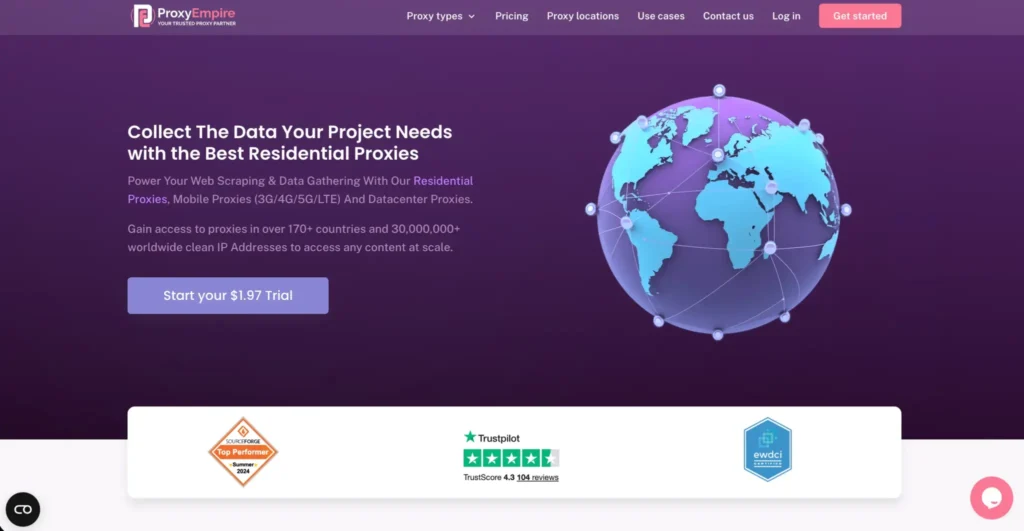
ProxyEmpire is useful for buyers who want flexible residential, static residential, mobile, and datacenter proxy options. It is often considered by users who care about bandwidth flexibility and location coverage.
For anonymous surfing, rotating residential proxies are the most practical starting point. Static residential proxies are better when you need consistent identity. Mobile proxies are useful for mobile-specific browsing or app testing.
The service is a good fit for users who want more flexibility than basic proxy sellers provide, but do not need the full enterprise stack of Bright Data or Oxylabs.
Pro-Tip: Check whether unused bandwidth carries over before buying a larger plan. That can change the real monthly value a lot.
Best for: Flexible residential browsing, mobile use cases, and users who want adjustable plans.
How To Choose Proxies For Anonymous Surfing
1. Start With The Right Proxy Type
Residential proxies are the safest default for anonymous surfing because they use IPs associated with real internet connections. They are harder to flag than datacenter proxies.
ISP proxies are great when you want speed and stable sessions. They look more trusted than normal datacenter IPs but usually perform faster than peer-based residential proxies.
Mobile proxies are powerful for mobile-first platforms, but they are expensive. Use them only when your browsing needs mobile carrier IPs.
Datacenter proxies are fast and cheap, but they are easier to detect. Use them for simple browsing, testing, or low-risk tasks.
2. Look Beyond Pool Size
A massive IP pool sounds impressive, but quality matters more than raw numbers. You want clean IPs, diverse subnets, strong uptime, accurate geo-targeting, and low abuse history.
A smaller clean pool can outperform a huge burned-out pool. Before committing, test your main websites, not just speed-test tools.
3. Understand Rotation Protocols
Rotation controls how often your IP changes. There are three common setups.
Per-request rotation changes the IP on every request. It works well for large-scale browsing or scraping-like workflows.
Timed rotation changes the IP after a set period, such as 5, 10, or 30 minutes. It is useful for browsing sessions that need some consistency.
Sticky sessions keep the same IP for a longer time. This is best for logins, dashboards, carts, and multi-step browsing.
For anonymous surfing, sticky sessions often look more human than constant rotation.
4. Match Proxy Behavior With Browser Fingerprint
Your IP is only one part of anonymity. Websites also read timezone, language, screen size, cookies, WebRTC, DNS behavior, and browser fingerprint.
If your proxy is in Germany but your browser timezone is India, that mismatch can raise suspicion. Pair your proxy with a clean browser profile and realistic settings.
5. Check Protocol Support
HTTP and HTTPS proxies work well for browser traffic. SOCKS5 is more flexible and supports more traffic types, which makes it useful for apps, automation tools, and advanced setups.
If you only browse through Chrome or Firefox, HTTP or HTTPS may be enough. If you use custom tools, SOCKS5 support is worth having.
FAQs
1. Are proxies good for anonymous browsing?
Yes, proxies can hide your real IP address from websites, but they are not a full privacy solution. A VPN protects device-wide traffic, while a proxy usually works at the browser or app level.
2. Which proxy type is best for anonymous surfing?
Residential proxies are usually the best default because they look like real user connections. ISP proxies are better when you need speed and stable sessions.
3. Are free proxies safe?
Most free proxies are not worth the risk. They are often slow, crowded, unstable, and sometimes unsafe. Paid proxies give better control, cleaner IPs, and proper support.
4. Should I use rotating or sticky proxies?
Use rotating proxies for broad browsing and research. Use sticky proxies when you need the same IP during a session, especially for logins or multi-page activity.
5. Can websites detect proxies?
Yes, many websites can detect bad proxies, datacenter IPs, mismatched fingerprints, or unusual rotation patterns. A clean residential proxy with realistic browser settings reduces that risk.
6. Do proxies encrypt traffic?
Not always. A proxy mainly routes traffic and masks your IP. For encryption, you still need HTTPS websites or a VPN depending on your privacy needs.
7. What is the best proxy provider overall?
Bright Data and Oxylabs are strongest for enterprise use. Decodo is the best balanced option for most marketers and agencies. IPRoyal and Webshare are better for budget-conscious users.
Final Buying Advice
If you want the safest overall setup, choose residential proxies with sticky session support. If you want speed and stable identity, choose ISP proxies. If you need mobile behavior, choose mobile proxies, but expect higher costs.
For most professional users, Decodo offers the best balance of usability, price, and proxy quality. Oxylabs and Bright Data are better for enterprise-grade needs. SOAX is excellent for geo-targeted browsing. IPRoyal and Webshare make more sense when budget matters.
The smart move is simple: test a small plan first, measure block rates on your real websites, then scale only after the provider proves itself.