
Best Proxies For Privacy Browsing.
Privacy browsing sounds simple until you start looking at the tools behind it. A browser’s incognito mode does not hide your IP address. Public Wi-Fi can still expose your traffic. Websites can still profile you through location, IP reputation, cookies, device fingerprints, and repeated browsing patterns.
That is where proxies become useful.
A good proxy sits between your device and the websites you visit. Instead of showing your real IP address, it routes traffic through another IP. For privacy browsing, this matters because your IP can reveal your approximate location, internet provider, and browsing patterns across sites.
But not all proxies are built for privacy. Some are made for scraping. Some are made for sneaker bots. Some are cheap but unstable. Some have huge IP pools but complicated dashboards.
The right choice depends on what you are trying to protect, how often you browse, and whether you need residential, ISP, mobile, or datacenter IPs.
Below is a clear, field-tested style buyer’s guide to the best proxies for privacy browsing.
What Makes a Proxy Good for Privacy Browsing?
For privacy browsing, the best proxies usually offer:
- Clean IP reputation
- Residential or ISP-based IPs
- HTTPS and SOCKS5 support
- Sticky sessions when needed
- Strong location targeting
- Reliable uptime
- Clear usage policies
- No shady free-proxy behavior
Free proxies are tempting, but they are rarely the right answer for privacy. Many are slow, overloaded, poorly maintained, or unclear about logging. If privacy matters, treat free public proxy lists as risky.
Best Proxies For Privacy Browsing Compared
| Provider | Best For | Proxy Types | IP Pool Strength | Rotation Control | Privacy Browsing Fit | Starting Style |
|---|---|---|---|---|---|---|
| Bright Data | Enterprise-grade privacy and control | Residential, ISP, Mobile, Datacenter | Very large global pool | Advanced rotating and sticky options | Excellent | Premium per-GB plans |
| Oxylabs | Business users needing clean, reliable IPs | Residential, ISP, Mobile, Datacenter | Very large global pool | Flexible rotation and sticky sessions | Excellent | Mid to premium |
| Decodo | Balanced privacy, speed, and usability | Residential, ISP, Mobile, Datacenter | Large global pool | Rotating and sticky sessions | Excellent | Affordable per-GB plans |
| SOAX | Granular geo-targeting | Residential, Mobile, ISP, Datacenter | Large global pool | Sticky and rotating sessions | Very strong | Bundled per-GB plans |
| Webshare | Budget privacy browsing | Residential, Static Residential, Datacenter | Strong for the price | Basic to moderate | Good | Low-cost entry plans |
| IPRoyal | Pay-as-you-go residential privacy | Residential, ISP, Mobile, Datacenter | Medium to large pool | Flexible rotation | Good | Budget-friendly traffic plans |
| NetNut | Stable residential browsing | Residential, Mobile, ISP | Large ISP-backed pool | Strong session stability | Very good | Higher-volume plans |
| Infatica | Privacy plus simple scaling | Residential, Mobile, Datacenter | Moderate global pool | Rotation and geo-targeting | Good | Per-GB plans |
1. Bright Data

Bright Data is the heavy-duty option for users who want high control, clean routing, and a serious proxy infrastructure. It is not the cheapest provider, but it is one of the most complete.
For privacy browsing, Bright Data works best when you need more than a basic IP mask. You get residential proxies, ISP proxies, mobile proxies, and datacenter proxies, which means you can choose the identity type that matches your use case.
Residential IPs are better when you want browsing activity to look closer to a normal household connection. ISP proxies are useful when you want speed and stability without looking like a typical datacenter user.
The dashboard is powerful, but beginners may need time to get comfortable. This is not the provider I would choose for someone who only wants to open a few websites privately once a week.
It is better for advanced users, privacy-focused teams, researchers, and companies that want strict control over IP type, country, city, session length, and compliance.
Pro-Tip: Use Bright Data’s sticky sessions when logging into accounts or browsing sites that dislike sudden IP changes. Use rotating sessions when you want to separate repeated browsing requests.
Best For
Businesses, advanced users, privacy researchers, ad verification teams, and anyone who wants premium control.
Downsides
Bright Data can feel expensive and complex if your needs are simple.
2. Oxylabs

Oxylabs is another premium provider, and it has a reputation for clean infrastructure, strong documentation, and enterprise-grade reliability. For privacy browsing, it shines when you need stable residential IPs with flexible rotation.
The main advantage is consistency. Oxylabs supports residential, mobile, ISP, and datacenter proxies, so it can cover almost every privacy browsing scenario.
If you are browsing websites that aggressively flag low-quality IPs, Oxylabs is a safer option than cheap datacenter proxies.
The platform also supports sticky sessions and different protocols, which matters more than beginners realize. Sticky sessions help you keep the same IP for a browsing session.
Rotation helps you change identity across repeated requests. If you rotate too often while browsing manually, websites may treat your session as suspicious. If you never rotate, you lose some privacy separation.
Oxylabs is not the most budget-friendly pick, but it is a strong choice for professionals who care about performance and clean IP reputation.
Pro-Tip: For normal privacy browsing, start with residential proxies. Move to ISP proxies if you need a more stable IP for logins, dashboards, or longer sessions.
Best For
Companies, marketers, analysts, privacy-conscious professionals, and users who want reliability over cheap pricing.
Downsides
Pricing may be too high for casual users.
3. Decodo

Decodo, formerly Smartproxy, is one of the best middle-ground choices in this list. It offers a strong mix of pricing, usability, global coverage, and proxy types without making the setup feel painfully technical.
For privacy browsing, Decodo is attractive because it gives you residential proxies with flexible session control. You can rotate IPs or keep a sticky session depending on how you browse. That makes it useful for private research, geo-based browsing, account separation, and general anonymity.
The dashboard is easier than Bright Data for most users. You can set up proxies quickly, choose locations, and use them with browsers, automation tools, or anti-detect browsers. Decodo also offers scraping tools, but privacy browsers can ignore those and focus on the proxy network itself.
This is a good pick if you want reliable residential proxies but do not want enterprise-level complexity.
Pro-Tip: If you are using Decodo for browser-based privacy, create separate proxy profiles by country or task. Do not mix personal browsing, research, and account work under the same proxy identity.
Best For
Freelancers, marketers, small teams, SEO users, private browsing, and geo-testing.
Downsides
Heavy users may need to monitor bandwidth carefully because residential traffic can add up.
4. SOAX

SOAX is a strong choice for users who care about location accuracy. If you want privacy browsing from specific countries, cities, or mobile-like environments, SOAX deserves attention.
Its residential and mobile proxy options are useful for browsing sessions where location matters. For example, if you want to see localized search results, test regional websites, verify ad placements, or browse with a location-specific IP, SOAX gives you strong targeting options.
SOAX also supports rotating and sticky sessions, which makes it flexible. Rotating proxies are better when you want separation across requests. Sticky proxies are better when you need to keep the same identity while browsing a website.
The pricing model is more bundled now, which can be good if you use different proxy types. Instead of buying only one narrow proxy product, you can use credits across several services depending on your plan.
Pro-Tip: For privacy browsing, avoid rotating every few seconds unless you are doing automated tasks. Human browsing usually looks more natural with a session that lasts several minutes.
Best For
Geo-targeted browsing, regional research, ad verification, mobile-style browsing, and privacy testing.
Downsides
Small users may find the minimum plan larger than what they need.
5. Webshare

Webshare is one of the most beginner-friendly and budget-friendly proxy providers. It is not as advanced as Bright Data or Oxylabs, but it offers strong value if your main goal is affordable privacy browsing.
The big appeal is simplicity. Webshare offers residential, static residential, and datacenter proxies with a clear dashboard. If you want to test proxies without dealing with complex enterprise onboarding, Webshare feels easier.
For privacy browsing, its static residential proxies can be useful when you want a consistent IP that does not look like a typical datacenter address. Its rotating residential proxies are better when you want to separate activity across different sessions.
Webshare is especially useful for beginners who want to understand proxy behavior before spending more money. The provider also has low-cost plans, which makes testing easier.
Pro-Tip: Do not use the same cheap datacenter proxy for every sensitive browsing session. For better privacy, use residential or static residential IPs when reputation matters.
Best For
Beginners, budget users, small teams, and casual privacy browsing.
Downsides
It lacks some advanced scraping, compliance, and account management features found in premium providers.
6. IPRoyal

IPRoyal is a good fit for users who want flexible, pay-as-you-go residential proxies without locking into large monthly commitments. For privacy browsing, that flexibility is a real advantage.
One useful feature is non-expiring residential traffic. If you only browse privately from time to time, you do not want to buy a big monthly plan and waste unused bandwidth. IPRoyal solves that problem better than many providers.
The proxy pool is smaller than Bright Data or Oxylabs, but it is still large enough for many privacy browsing needs. It supports residential, ISP, mobile, and datacenter proxies, which gives users room to choose based on budget and stability.
The interface is simple, and setup is not overly technical. This makes it a good option for affiliate marketers, SEO users, small businesses, and individuals who want privacy without enterprise pricing.
Pro-Tip: If you browse only occasionally, calculate cost by traffic expiry, not just price per GB. Non-expiring traffic can save money over time.
Best For
Small businesses, solo users, affiliate marketers, and anyone who wants flexible residential proxy traffic.
Downsides
The IP pool and advanced controls are not as deep as premium enterprise providers.
7. NetNut

NetNut is built around stability. Its residential proxy network has a strong ISP-backed positioning, which can help reduce random disconnects and session drops.
For privacy browsing, NetNut makes sense when you need reliability more than the lowest price. If you are managing long browsing sessions, checking regional content, or doing professional research, unstable proxies become annoying fast. NetNut is better suited to users who want fewer interruptions.
The provider offers residential, mobile, and ISP proxy options. Its residential proxies are useful for anonymity, while ISP-style proxies can give you better speed and session consistency. This makes NetNut a good option for users who value smooth browsing over bargain pricing.
Pro-Tip: NetNut is better for steady professional workflows than casual “I need one proxy today” use. Use it when downtime and failed sessions cost you time.
Best For
Professional research, stable browsing, business users, and users who need dependable sessions.
Downsides
It may feel expensive for casual privacy browsing.
8. Infatica
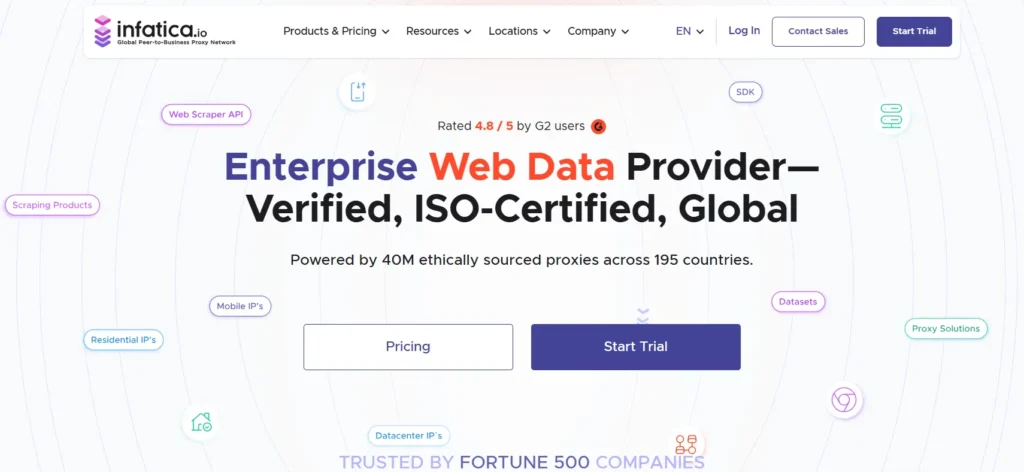
Infatica is a practical proxy provider for users who want residential proxies, SOCKS5 support, and straightforward pricing. It does not have the same brand weight as Bright Data or Oxylabs, but it covers the core privacy browsing needs well.
The platform supports residential proxies with geo-targeting, rotation, and dashboard controls. For private browsing, that means you can route traffic through real-user-style IPs rather than obvious datacenter addresses.
Infatica also supports use cases beyond browsing, including web data collection and market research. But for privacy-focused users, the key value is simple: stable residential routing with enough control to manage identity, location, and sessions.
Pro-Tip: If you use SOCKS5, check whether your browser or tool routes DNS requests through the proxy. IP masking is not enough if DNS leaks expose your real network.
Best For
Users who want simple residential proxies, SOCKS5 support, and moderate pricing.
Downsides
Its ecosystem is not as deep as larger enterprise platforms.
How to Choose the Best Proxy for Privacy Browsing
1. Understand IP Pool Quality, Not Just IP Pool Size
A huge IP pool sounds impressive, but quality matters more. Clean residential IPs are more useful than millions of overused, blocked, or suspicious IPs.
Look for:
- Residential IPs from real networks
- Country and city targeting
- Low block rates
- Clear sourcing policies
- Stable uptime
- Session controls
For privacy browsing, residential and ISP proxies are usually better than cheap shared datacenter proxies.
2. Choose the Right Proxy Type
Residential proxies are best for natural-looking privacy browsing. They route traffic through household-style IPs.
ISP proxies are best when you need a stable IP with better speed. They look more trustworthy than datacenter IPs but behave more like fixed proxies.
Mobile proxies are useful for mobile-only platforms, app testing, and location-sensitive browsing.
Datacenter proxies are fast and cheap, but easier to detect. Use them for low-risk browsing, not sensitive privacy sessions.
3. Pick the Right Rotation Protocol
Rotation is where many users make mistakes.
Rotating proxies change your IP after every request or after a set time. They are useful for separating activity, but too much rotation can look unnatural during manual browsing.
Sticky sessions keep the same IP for a fixed period. They are better for logging in, reading pages, filling forms, and browsing like a normal person.
For privacy browsing, sticky sessions usually feel more natural. Rotating sessions are better for research at scale.
4. Check Protocol Support
The most common proxy protocols are:
- HTTP
- HTTPS
- SOCKS5
For browser privacy, HTTPS proxies are usually enough. SOCKS5 is more flexible and can handle more types of traffic, but setup matters. If DNS requests leak outside the proxy, your privacy protection weakens.
5. Avoid Free Public Proxies
Free proxies often come with hidden risks. Some inject ads, log traffic, throttle speed, or disappear without warning. For privacy browsing, free public proxies are usually the weakest option.
A cheap paid proxy from a known provider is better than a random free proxy from a list.
FAQs About Privacy Browsing Proxies
What is the best proxy type for privacy browsing?
Residential proxies are usually the best choice because they use real-user-style IP addresses. ISP proxies are also strong if you need a stable IP for longer sessions.
Are proxies better than VPNs for privacy?
Not always. VPNs are better for encrypting all device traffic. Proxies are better for routing specific browser or app traffic through different IPs. Many professionals use both depending on the task.
Can websites still track me when I use a proxy?
Yes. A proxy hides your IP, but websites can still use cookies, browser fingerprints, login behavior, and device signals. Use clean browser profiles and privacy-focused settings with your proxy.
Should I use rotating or sticky proxies?
Use sticky proxies for normal browsing and logins. Use rotating proxies for repeated research, testing, and tasks where you want fresh IPs across requests.
Are datacenter proxies good for privacy browsing?
They can hide your real IP, but they are easier to detect. Residential or ISP proxies are better when privacy and trust matter.
Is it safe to use free proxies?
Free proxies are risky for privacy. They may log traffic, run slowly, or expose your data. Use a reputable paid provider if privacy matters.
Which provider is best for beginners?
Webshare and IPRoyal are easier for beginners. Decodo is a stronger middle-ground option if you want better features without enterprise complexity.
Which provider is best for business users?
Bright Data and Oxylabs are stronger for business users because they offer better scale, controls, documentation, and compliance workflows.
Final Verdict
The best proxy for privacy browsing depends on your use case.
Choose Bright Data if you want premium control and enterprise-grade infrastructure. Pick Oxylabs if you need reliability, clean IPs, and professional support. Go with Decodo if you want the best balance of price, usability, and performance. Choose SOAX if location targeting matters.
Pick Webshare or IPRoyal if you want affordable privacy browsing without a steep learning curve.
For most users, Decodo offers the best balance. For budget users, Webshare and IPRoyal make more sense. For serious business use, Bright Data and Oxylabs are safer long-term bets.
The main rule is simple: do not buy proxies only by price. Buy based on IP quality, rotation control, session stability, and whether the provider clearly explains how its network works.
Privacy browsing is not just about hiding your IP. It is about looking consistent, avoiding messy infrastructure, and keeping your real browsing identity separated from the websites you visit.