
Best Proxies For Security Research.
Security research is not always clean, quiet, or predictable. One minute you are checking how a phishing kit behaves across regions. Next, you are verifying ad fraud patterns, testing threat intelligence feeds, monitoring brand impersonation, or collecting public web data from sources that change behavior based on IP reputation.
That is where proxies matter.
A good proxy setup helps researchers observe the web from different networks, countries, devices, and IP types. A bad proxy setup wastes budget, breaks sessions, triggers false blocks, and can even create compliance headaches. For professional security work, you need more than “cheap rotating IPs.”
You need clean sourcing, stable sessions, protocol support, strong dashboards, fair pricing, and enough control to match the research task.
This guide compares the best proxy providers for security research, with a focus on defensive, authorized, and ethical use cases.
What Makes a Proxy Good for Security Research?
For security research, the best proxy is not always the biggest pool or the cheapest per GB. You need the right mix of credibility, flexibility, and control.
Residential proxies are useful when you need to observe public websites as a normal consumer connection. ISP proxies work well when you need longer sessions with strong trust signals.
Datacenter proxies are better for speed-heavy, low-risk monitoring. Mobile proxies help when you need to understand mobile-carrier behavior, app flows, or mobile-first fraud patterns.
The real buying decision comes down to three things:
- IP pool quality: Are the IPs clean, ethically sourced, and spread across useful regions?
- Rotation control: Can you rotate per request, hold sticky sessions, or use static IPs when needed?
- Operational fit: Does the provider support your tooling, budget, compliance needs, and workflow?
Pro-Tip: For security research, avoid random free proxy lists. They may look useful for quick tests, but they often bring poor uptime, abused IPs, privacy risks, and unreliable routing. In a professional setup, the proxy layer should reduce noise, not add more of it.
Quick Comparison Table: Best Proxies For Security Research
| Provider | Best For | Proxy Types | IP Pool Strength | Rotation Options | Protocols | Main Advantage | Watch Out For |
|---|---|---|---|---|---|---|---|
| Bright Data | Enterprise-grade research | Residential, ISP, datacenter, mobile | Very large global pool | Advanced rotation and targeting | HTTP, HTTPS, SOCKS5 | Strong controls and compliance tools | Premium pricing |
| Oxylabs | Large security teams | Residential, ISP, datacenter, mobile | Large enterprise pool | Sticky and rotating sessions | HTTP, HTTPS, SOCKS5 | Reliable infrastructure and support | Best value at higher volume |
| Decodo | Balanced performance and usability | Residential, ISP, datacenter, mobile | Large global coverage | Flexible rotation and sticky sessions | HTTP, HTTPS, SOCKS5 | Easy dashboard and strong mid-market fit | Some advanced needs may cost more |
| SOAX | Geo-targeted research | Residential, mobile, ISP, datacenter | Strong location coverage | Flexible session controls | HTTP, HTTPS, SOCKS5 | Great targeting options | Entry plans may feel limited |
| NetNut | Stable high-volume workflows | Residential, ISP, mobile, datacenter | Strong ISP-connected network | Rotating and static options | HTTP, HTTPS, SOCKS5 | Stable long-session performance | Interface can feel enterprise-focused |
| IPRoyal | Budget-conscious teams | Residential, ISP, datacenter, mobile | Smaller but useful pool | Rotating and static options | HTTP, HTTPS, SOCKS5 | Affordable pricing and simple setup | Not as deep as enterprise tools |
| Rayobyte | US-heavy proxy needs | Residential, ISP, datacenter | Strong US datacenter and static IPs | Static and rotating options | HTTP, HTTPS, SOCKS5 | Good for stable infrastructure | Less polished than premium platforms |
| Webshare | Low-cost testing | Residential, datacenter, static residential | Solid affordable pool | Rotating and static plans | HTTP, HTTPS, SOCKS5 | Great entry-level pricing | Limited advanced scraping tools |
| DataImpulse | Cheap residential traffic | Residential, mobile, datacenter | Large affordable pool | Rotating options | HTTP, HTTPS, SOCKS5 | Low cost per GB | Not ideal for complex enterprise workflows |
1. Bright Data: Best Overall for Enterprise Security Research

Bright Data is one of the strongest choices when your security research needs scale, precision, and compliance controls. It offers residential, datacenter, ISP, and mobile proxies, plus web data tools that can support larger research operations.
For security teams, the strongest part is control. You can target by country, city, carrier, ASN, and other filters depending on the product. That helps when you are validating whether a suspicious campaign behaves differently across regions or whether a fake brand page only appears for certain networks.
Bright Data is best suited for mature teams that care about governance. If you are running threat intelligence, ad verification, anti-fraud checks, or brand protection across many markets, this is a serious platform.
Pro-Tip: Use Bright Data’s ISP proxies when you need stable sessions with strong trust signals. Use rotating residential proxies when you need broad observation across locations.
The catch is pricing. Bright Data is not the “cheap and cheerful” option. Smaller researchers may find it overbuilt. For enterprise workflows, though, the depth is hard to ignore.
2. Oxylabs: Best for Large-Scale Research Teams

Oxylabs is another enterprise-grade provider that fits security research well, especially when reliability matters more than squeezing every dollar. It offers residential, datacenter, ISP, and mobile proxies, with strong global coverage and professional support.
Where Oxylabs stands out is stability. Large teams often need proxies that can run repeated monitoring jobs without constant troubleshooting. Oxylabs is built for that. It also supports sticky sessions, which are useful when a research flow needs the same identity for a longer period.
For security work, Oxylabs makes sense for brand monitoring, public web intelligence, phishing visibility checks, fraud research, and localized testing. The platform feels less like a hobby proxy seller and more like infrastructure.
Pro-Tip: If your workflow involves both fast checks and harder targets, split traffic between datacenter proxies and residential proxies. Do not use expensive residential traffic for jobs where datacenter IPs work fine.
The main downside is cost. Oxylabs becomes more attractive when you have consistent volume.
3. Decodo: Best Balance of Price, Scale, and Ease of Use

Decodo, formerly Smartproxy, is a strong middle-ground choice. It is easier to use than many enterprise platforms, but still powerful enough for serious research workflows.
It offers residential, mobile, ISP, and datacenter proxies. The dashboard is clean, setup is quick, and rotation controls are friendly for teams that do not want to spend days configuring proxy logic.
For security researchers, Decodo works well for public data collection, geo-testing, suspicious content monitoring, SERP checks, app testing, and light-to-mid threat intelligence work. It is also a good choice for agencies that need dependable proxies without enterprise procurement delays.
Pro-Tip: Start with rotating residential proxies for broad discovery, then move repeated or session-sensitive checks to ISP proxies. This gives you a cleaner testing path and helps control spend.
Decodo may not offer the same deep enterprise controls as Bright Data or Oxylabs, but for many teams, that is a fair trade.
4. SOAX: Best for Geo-Targeted Security Research

SOAX is a strong option when location accuracy matters. It offers residential, mobile, ISP, and datacenter proxies with detailed geo-targeting.
This is useful for researchers checking how malicious pages, scam ads, suspicious redirects, or localized fraud flows appear in different regions. Security research is often about seeing what the average user sees. SOAX helps you get closer to that view.
The platform also gives decent session flexibility, which matters when one task needs a fresh IP every request and another needs a stable identity for 10, 30, or 60 minutes.
Pro-Tip: For localized threat monitoring, do not only test by country. Test major cities and ISPs where your users or customers are actually located. Attackers often segment campaigns by region.
SOAX is not always the cheapest, but it is practical when precise targeting saves time.
5. NetNut: Best for Stable ISP-Style Connectivity

NetNut is useful for teams that need stable, high-volume proxy performance. Its network includes residential, ISP, mobile, and datacenter proxies, with a focus on direct ISP connectivity.
For security research, this can be helpful when you need longer sessions and fewer interruptions. Think accountless public monitoring, fraud path validation, localized page checks, and repeated observations where changing IPs too often creates noisy results.
NetNut is more suitable for business users than hobby researchers. It feels built for volume, reliability, and operational consistency.
Pro-Tip: Use static ISP proxies when you need to compare behavior over time from the same network identity. Use rotating residential proxies when you need broader sampling.
The downside is that smaller users may find the platform less beginner-friendly than Webshare or IPRoyal.
6. IPRoyal: Best Affordable Proxy Provider for Smaller Teams

IPRoyal is a good pick for freelancers, small agencies, and lean security teams that need useful proxy coverage without enterprise pricing.
It offers residential, ISP, datacenter, and mobile proxies. The residential pool is smaller than top enterprise providers, but the pricing is attractive, and the setup is simple. For many practical research tasks, that is enough.
IPRoyal works well for smaller-scale brand monitoring, SERP checks, basic geo-testing, public data collection, and early-stage investigations. It is not the deepest platform, but it gives you a workable proxy stack at a fair cost.
Pro-Tip: If your tests are irregular, look for plans where unused traffic does not disappear quickly. Security research is often bursty, so rigid monthly bandwidth can waste money.
IPRoyal is best when budget control matters more than advanced enterprise features.
7. Rayobyte: Best for Datacenter and Static Proxy Workflows

Rayobyte has a long history in datacenter proxies and also offers residential and ISP options. It is especially useful when you need stable infrastructure for predictable, lower-risk research jobs.
For example, if you are monitoring public pages, checking uptime, validating redirects, or collecting open-source indicators from sites that do not require residential trust, datacenter proxies can be faster and cheaper.
Rayobyte’s static proxies can also help when consistency matters. Not every security task needs rotation. Sometimes you need the same IP to observe whether behavior changes over days or weeks.
Pro-Tip: Do not overuse residential proxies. For basic public monitoring, datacenter proxies often do the job at a lower cost.
Rayobyte is not always as slick as newer dashboards, but it is a practical option for infrastructure-heavy users.
8. Webshare: Best Budget Proxy Option for Testing

Webshare is a strong entry-level provider for users who want affordable proxies and a simple dashboard. It offers residential, datacenter, and static residential options.
For security research, Webshare is best for testing workflows, checking small datasets, validating proxy integrations, or running low-risk public monitoring jobs. It is also useful when you want to test whether a project really needs premium residential proxies before committing to a bigger provider.
The main limitation is tooling depth. Webshare is not built like a full enterprise data platform. You get proxies, controls, and affordability, but not the same advanced layers found in Bright Data or Oxylabs.
Pro-Tip: Use Webshare for proof-of-concept research. Once you know your target regions, traffic volume, and session needs, upgrade only if your workflow demands it.
9. DataImpulse: Best Low-Cost Residential Traffic
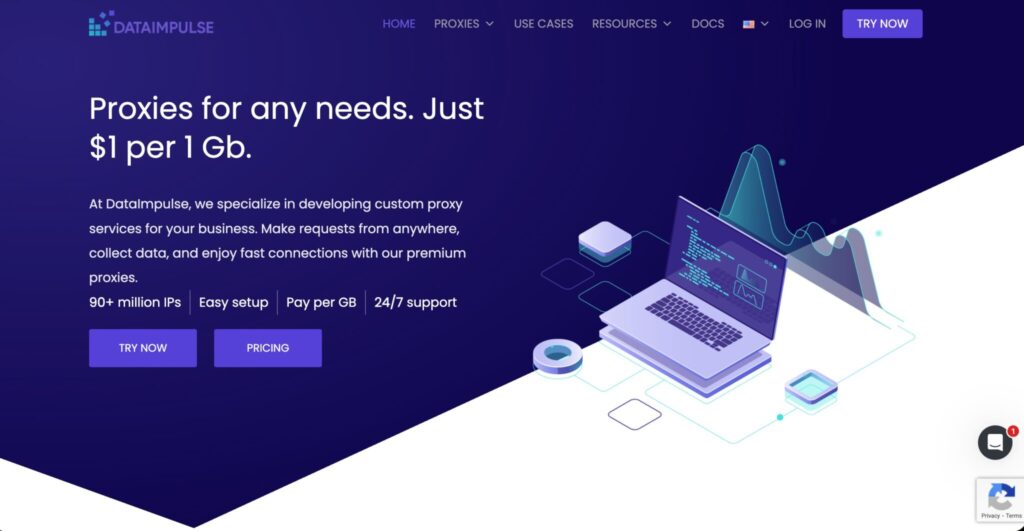
DataImpulse is attractive because of its low-cost residential traffic model. It offers residential, mobile, and datacenter proxies, making it useful for teams that need affordable scale.
For security researchers, it can work well for broad public web checks, early-stage monitoring, and price-sensitive experiments. If you are testing many low-risk sources and do not need deep enterprise controls, DataImpulse can help keep costs down.
The trade-off is maturity. It may not be the first choice for complex workflows that require advanced targeting, white-glove support, or strict procurement standards.
Pro-Tip: Cheap traffic is useful, but always test quality first. Check success rate, latency, IP reputation, and region accuracy before routing serious research through any low-cost provider.
How to Choose Proxies for Security Research
Start With the Research Use Case
Do not buy proxies by pool size alone. Match the proxy type to the job.
Use datacenter proxies for speed-heavy, low-risk checks. Use residential proxies when you need consumer-like visibility. Use ISP proxies when you need trust plus stability. Use mobile proxies when mobile-carrier behavior matters.
Check IP Pool Quality, Not Just IP Pool Size
A provider may advertise millions of IPs, but quality matters more. Ask these questions:
- Are the IPs ethically sourced?
- Can you target the countries and cities you need?
- Do sessions fail often?
- Are IPs already abused or heavily blocked?
- Does the provider offer ASN or carrier targeting?
For security research, dirty IPs create false signals. You might think a website blocks suspicious activity, when it is really blocking your proxy provider’s reputation.
Understand Rotation Protocols
Rotation decides how often your IP changes.
- Per-request rotation changes IPs frequently and works well for broad sampling.
- Sticky sessions keep the same IP for a set period and work well for multi-step flows.
- Static proxies keep the same IP and work well for repeatable observations.
For most security teams, the best setup is mixed. Use rotating residential proxies for discovery, sticky sessions for workflow testing, and ISP proxies for stable monitoring.
Confirm Protocol Support
Most professional workflows need HTTP, HTTPS, and SOCKS5 support. HTTP and HTTPS are common for browser and web data tasks. SOCKS5 is useful for broader traffic handling, app testing, and tools that do not behave like normal browsers.
Test Before Scaling
Before buying a large plan, run a small benchmark:
- Measure success rate by region.
- Check latency during your working hours.
- Test sticky sessions.
- Verify authentication and IP whitelisting.
- Compare datacenter, residential, and ISP results.
- Check billing against actual traffic use.
Pro-Tip: A provider that performs well in the US may perform poorly in Southeast Asia, Latin America, or smaller European markets. Always test the regions you actually care about.
FAQs: Best Proxies For Security Research
1. Are proxies legal for security research?
Yes, proxies are legal when used for authorized, ethical, and compliant research. The problem is not the proxy itself. The problem is how it is used. Avoid unauthorized access, abuse, credential attacks, spam, and violations of platform rules.
2. Which proxy type is best for security research?
There is no single best type. Residential proxies are best for consumer-like visibility. ISP proxies are best for stable trusted sessions. Datacenter proxies are best for speed and cost. Mobile proxies are best for mobile-specific testing.
3. Are residential proxies better than datacenter proxies?
Not always. Residential proxies usually have stronger trust signals, but they cost more. Datacenter proxies are faster and cheaper. Use residential only when the target behaves differently for datacenter traffic.
4. What is the difference between rotating and sticky proxies?
Rotating proxies change IPs often, sometimes every request. Sticky proxies hold the same IP for a set time. Rotating proxies are good for sampling. Sticky proxies are better for multi-step research flows.
5. Should I use free proxies for security research?
No, not for professional work. Free proxies are often unstable, slow, abused, or unsafe. They can corrupt your results and create privacy risks.
6. Which provider is best for beginners?
Webshare, IPRoyal, and Decodo are easier starting points. They offer simpler dashboards and lower barriers than enterprise platforms.
7. Which provider is best for enterprise teams?
Bright Data and Oxylabs are the strongest enterprise choices. They offer broader infrastructure, advanced controls, and better support for high-volume workflows.
8. How much should I spend on proxies?
Start small. Test your regions, traffic volume, and success rate first. Many teams waste money by buying large residential plans when datacenter or ISP proxies would work better.
Final Verdict
For serious security research, Bright Data and Oxylabs are the top enterprise picks. Decodo is the best balanced option for teams that want power without heavy complexity. SOAX is strong for geo-targeted work. NetNut is excellent for stable ISP-style workflows.
IPRoyal and Webshare are good budget-friendly choices. Rayobyte fits static and datacenter-heavy setups, while DataImpulse is useful when low-cost residential traffic matters.
The smartest move is not buying the biggest plan. It is building the right proxy mix. Start with your research goal, test multiple proxy types, measure quality by region, and scale only after the data proves the setup works.