
Best Proxies For Malware Research.
Malware research is not just about detonating a suspicious file in a sandbox and watching what happens. Good researchers also study the network layer.
They look at command-and-control callbacks, phishing panels, redirect chains, payload hosts, typosquatted domains, suspicious ad flows, and infrastructure that behaves differently based on IP reputation, country, ASN, or device type.
That is where proxies become useful.
A proxy helps a malware analyst observe public-facing threat infrastructure from different network perspectives without exposing a corporate IP range or contaminating production telemetry. Used properly, it gives your lab cleaner separation, better regional visibility, and more repeatable testing. Used carelessly, it becomes a compliance headache.
This guide focuses on legitimate malware research, threat intelligence collection, sandbox enrichment, phishing investigation, brand abuse monitoring, and controlled security testing.
It does not cover hiding illegal activity, attacking systems, or running malware campaigns. A good proxy stack should support research, not create more risk.
Why Malware Researchers Need Proxies
Malware operators often treat traffic differently depending on where it comes from. A phishing kit may show one page to a US residential IP and another page to a cloud-hosted IP. A malicious redirect may only trigger for mobile users. A loader URL may disappear when accessed from a known security vendor ASN.
Proxies help researchers test those differences safely.
For malware research, the most useful proxy features are:
- Residential IPs for realistic web visibility
- ISP proxies for stable, long-session investigations
- Mobile proxies for mobile-only fraud and phishing flows
- Datacenter proxies for fast bulk checking of public indicators
- SOCKS5 support for flexible tool compatibility
- Sticky sessions for login-flow observation and multi-step page behavior
- Rotation controls for large-scale URL and domain validation
- Geo-targeting for region-specific malware delivery checks
Pro-Tip: Never route live malware traffic through a proxy setup you do not fully control or monitor. Keep detonation, packet capture, DNS logging, and proxy usage inside a documented lab workflow.
Best Proxies For Malware Research: Quick Comparison
| Provider | Best For | Proxy Types | Network Strength | Rotation Control | Protocol Support | Main Research Use Case | Watch-Out |
|---|---|---|---|---|---|---|---|
| Bright Data | Enterprise malware labs | Residential, mobile, ISP, datacenter | Very large global pool | Advanced | HTTP, HTTPS, SOCKS5 options | Threat intel, phishing research, geo checks | Higher cost and stricter onboarding |
| Oxylabs | Enterprise-scale investigations | Residential, ISP, mobile, datacenter | Large premium pool | Strong | HTTP, HTTPS, SOCKS5 | Public threat data collection and C2 infrastructure checks | Best value at higher volume |
| Decodo | Balanced teams | Residential, ISP, mobile, datacenter | Large global coverage | Flexible sessions | HTTP, HTTPS, SOCKS5 | Sandbox enrichment and URL behavior testing | Some plans may need volume commitment |
| SOAX | Mobile-heavy research | Residential, mobile, ISP, datacenter | Strong mobile and residential reach | Precise rotation | HTTP, HTTPS, SOCKS5 | Mobile phishing, app fraud, regional analysis | Pricing can rise with heavy traffic |
| NetNut | Stable data collection | Residential, mobile, datacenter, ISP-style options | Strong ISP-based routing | Good | HTTP, HTTPS, SOCKS5 | Repeated checks with fewer interruptions | Less beginner-friendly than simple dashboards |
| IPRoyal | Budget-conscious labs | Residential, mobile, ISP, datacenter | Mid-sized but affordable | Custom rotation | HTTP, HTTPS, SOCKS5 | Small-team research and ad hoc investigations | Smaller pool than top enterprise options |
| Webshare | Fast bulk checks | Residential, static residential, datacenter | Strong low-cost coverage | Basic to moderate | HTTP, SOCKS5 | Indicator validation and simple scanning of public URLs | Fewer advanced research tools |
| DataImpulse | Low-cost volume testing | Residential, mobile, datacenter | Large low-cost pool | Practical rotation | HTTP, HTTPS, SOCKS5 options | Budget URL enrichment and public web checks | Less polished than premium platforms |
1. Bright Data: Best Overall for Enterprise Malware Research

Bright Data is one of the strongest choices for serious malware research teams that need scale, compliance controls, and a wide mix of proxy types. Its residential, mobile, ISP, and datacenter products give analysts the flexibility to test suspicious infrastructure from many angles.
For malware research, Bright Data works best when your team needs to compare how a suspicious domain behaves across countries, carriers, and connection types. That matters when investigating phishing kits, malvertising chains, fake update pages, or traffic distribution systems that filter visitors.
Its biggest advantage is control. You can build workflows for sticky sessions, rotating sessions, regional checks, and high-volume collection. This is useful when feeding sandbox results into a larger threat intelligence pipeline.
The downside is cost and complexity. Bright Data is not the cheapest option, and smaller teams may feel the dashboard has more features than they need. Still, for enterprise security teams, MDR vendors, and threat intel companies, it is one of the most complete proxy stacks available.
Pro-Tip: Use Bright Data when you need clean auditability and controlled research workflows, not just cheap IP rotation.
2. Oxylabs: Best for Large-Scale Threat Intelligence Collection

Oxylabs is another premium option built for teams that care about scale, reliability, and professional support. Its residential pool, ISP proxies, datacenter proxies, and scraping-focused tooling make it a strong fit for structured threat intelligence work.
Malware researchers can use Oxylabs to validate suspicious URLs, monitor public malware distribution pages, check phishing infrastructure across geographies, and study region-specific landing pages. ISP proxies are especially useful when you need stable sessions without the fragility of frequently changing residential IPs.
Oxylabs also suits teams that collect large volumes of public data around domains, IPs, certificates, search results, marketplaces, and suspicious web infrastructure. Its infrastructure feels more enterprise-oriented than hobbyist-focused.
The trade-off is pricing. You will get the most value if you are running regular research pipelines rather than occasional checks.
Pro-Tip: Choose Oxylabs if your malware research program already has repeatable collection jobs and needs dependable infrastructure behind them.
3. Decodo: Best Balance of Features, Usability, and Price

Decodo, formerly Smartproxy, is a strong middle-ground provider. It offers residential, ISP, mobile, and datacenter proxies, with a dashboard that is easier to work with than many enterprise-heavy platforms.
For malware research, Decodo is useful for teams that need enough control for serious work but do not want to spend days configuring everything. You can run region-based URL checks, rotate IPs for public indicator validation, and use sticky sessions when studying multi-step suspicious pages.
Its ISP proxies are a good fit for stable investigations, while residential proxies work well for seeing how questionable sites behave for normal consumer traffic. Mobile proxies help when investigating SMS phishing, mobile landing pages, or app install fraud.
Decodo may not have every advanced enterprise feature offered by Bright Data or Oxylabs, but for many small and mid-sized security teams, it hits the practical sweet spot.
Pro-Tip: Decodo is a strong first serious proxy provider for a malware research team graduating from basic datacenter proxies.
4. SOAX: Best for Mobile Malware and Phishing Research

SOAX is especially interesting for malware researchers who deal with mobile-first threats. Many phishing pages, fake banking flows, scam ads, and malicious app campaigns behave differently on mobile networks. Desktop datacenter IPs often do not show the full picture.
SOAX offers residential and mobile proxies with strong geo-targeting options. That makes it useful when analyzing mobile-focused social engineering, regional scam campaigns, suspicious APK landing pages, or carrier-specific behavior.
The platform gives researchers enough control over location and rotation to build repeatable tests. You can compare how a suspicious page behaves from different countries and network types without relying on a single lab IP.
The main drawback is cost when traffic grows. Mobile proxy bandwidth can get expensive, especially if your workflow captures heavy pages, media, scripts, and redirects.
Pro-Tip: Use mobile proxies sparingly. Reserve them for mobile-specific investigation paths, and use datacenter or residential proxies for broad initial triage.
5. NetNut: Best for Stable, High-Volume Research Workflows

NetNut is a good choice for teams that care about connection stability and repeatable public data collection. Its network is often positioned around direct ISP connectivity and large residential coverage, which can be useful when you need fewer session interruptions.
For malware research, NetNut fits workflows like phishing URL monitoring, suspicious domain crawling, brand abuse checks, and repeated observation of public threat infrastructure. It is also useful when you need consistent geo-based access without constantly changing exit behavior.
NetNut is not always the simplest choice for beginners, but experienced teams may appreciate the performance and scale. It is better suited to structured research operations than one-off manual investigations.
Its mobile proxy pool also helps with campaigns that target mobile users, although SOAX may feel more specialized in that area.
Pro-Tip: NetNut is worth testing if your current proxy setup produces too many failed sessions during repeat monitoring.
6. IPRoyal: Best Budget Option for Smaller Malware Research Labs

IPRoyal is attractive for smaller labs, independent researchers, and lean security teams that need usable proxy coverage without enterprise pricing. It offers residential, ISP, datacenter, and mobile proxies, which gives enough flexibility for most basic malware research tasks.
The key benefit is affordability. If you are validating suspicious URLs, checking phishing pages from different locations, or running light threat intel enrichment, IPRoyal can be a practical starting point.
Its residential proxies work well for realistic browsing perspectives. ISP proxies are useful when you need longer sessions, and datacenter proxies can handle faster bulk checks where reputation sensitivity is not the main concern.
The limitation is scale. Larger enterprise providers usually offer deeper tooling, bigger pools, and stronger compliance workflows. Still, not every team needs that on day one.
Pro-Tip: IPRoyal is a good test bench provider before you commit to a premium proxy contract.
7. Webshare: Best for Fast Indicator Validation

Webshare is a strong pick when speed, simplicity, and cost matter more than advanced research tooling. It offers datacenter, residential, and static residential proxies, making it useful for quick checks across large lists of suspicious URLs or domains.
For malware research, Webshare is best used in the early triage stage. You can check whether URLs are live, whether domains redirect, whether public pages are still active, and whether basic regional variation exists.
Datacenter proxies are cheap and fast, but they are easier for suspicious infrastructure to identify. That means they are not ideal for final behavioral conclusions. Still, they are very useful for filtering large indicator lists before spending more expensive residential or mobile bandwidth.
Webshare’s interface is straightforward, which makes it friendly for teams that do not want a heavy platform.
Pro-Tip: Use Webshare for first-pass filtering, then send high-value suspicious URLs to residential, ISP, or mobile proxies for deeper review.
8. DataImpulse: Best Low-Cost Option for Volume Testing
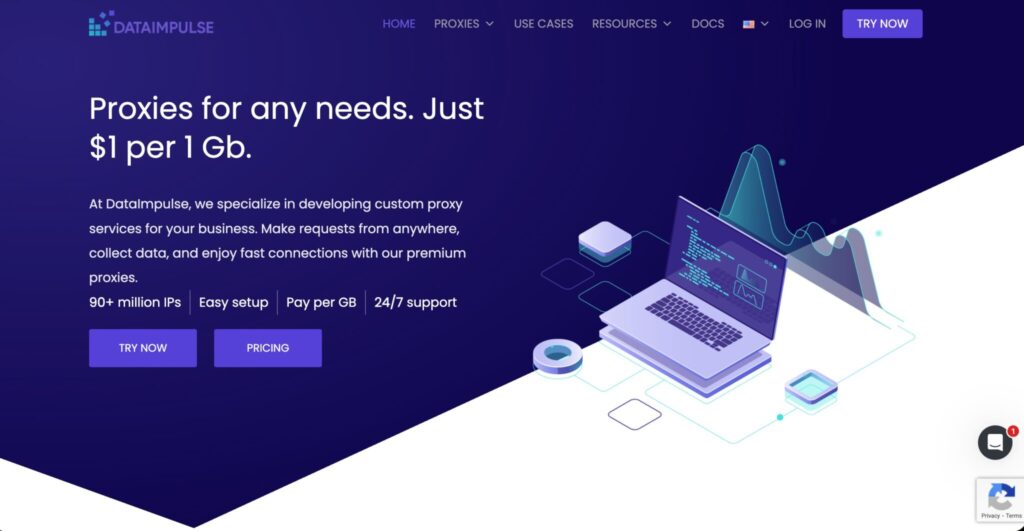
DataImpulse stands out for low-cost bandwidth and a large proxy pool. That makes it appealing for teams that need to run many public web checks without burning through a premium provider budget.
For malware research, DataImpulse can support URL enrichment, public page monitoring, phishing kit discovery, and basic regional checks. It is not the most polished platform in the market, but the pricing model makes it useful for volume-heavy workflows.
Its value is strongest when your team already knows how to build and monitor research pipelines. If you need enterprise dashboards, advanced workflow templates, and premium onboarding, Bright Data or Oxylabs will feel safer. If you need affordable proxy capacity, DataImpulse deserves a look.
Pro-Tip: Start DataImpulse with non-sensitive public checks first, then measure success rate, error rate, latency, and IP freshness before expanding usage.
How to Choose Proxies for Malware Research
1. Match Proxy Type to the Research Job
Do not buy proxies only because the IP pool sounds large. Match the proxy type to the job.
Use datacenter proxies for fast, low-cost checks. They are good for bulk indicator validation, but not always reliable for behavior analysis.
Use residential proxies when you need to see what a normal user might see. They are useful for phishing pages, fake login screens, redirect chains, and geo-filtered malicious content.
Use ISP proxies when you need long, stable sessions. They are ideal for multi-step investigations where changing IPs mid-flow would break the test.
Use mobile proxies when researching mobile phishing, smishing, fake app installs, carrier-targeted scams, or mobile-only redirects.
2. Look Beyond IP Pool Size
A large pool sounds impressive, but quality matters more. For malware research, ask:
- Are IPs ethically sourced?
- Can you target country, state, city, ASN, or carrier?
- Are sessions sticky when needed?
- Can you rotate by request, time, or manual trigger?
- Does the provider support allow security research use cases?
- Are logs, abuse handling, and compliance terms clear?
A smaller clean pool often beats a huge noisy pool.
3. Understand Rotation Protocols
Rotation control can make or break your workflow.
Per-request rotation is useful for broad URL checks and large lists.
Timed rotation works well when you need a new IP every few minutes.
Sticky sessions are best for multi-step flows, such as suspicious login pages, redirect chains, and shopping-cart-style scam pages.
Manual rotation is useful during hands-on investigation when the analyst wants to decide when to change the exit IP.
For malware research, sticky sessions and manual rotation are often more useful than aggressive random rotation.
4. Check Protocol Support
HTTP and HTTPS proxies cover most browser-based research. SOCKS5 adds more flexibility for tools that are not purely web-based. If your lab uses browsers, crawlers, sandboxes, URL scanners, and packet capture tools, SOCKS5 support is worth having.
Also check authentication methods. Username-password access is simple. IP allowlisting is cleaner for fixed lab environments. API-based control helps when proxies are part of an automated threat intel pipeline.
5. Keep Safety and Compliance First
A proxy is not a safety control by itself. Your malware lab still needs isolation, logging, egress filtering, DNS monitoring, snapshots, and clear rules for what traffic is allowed.
Never use proxies to interact with third-party systems in a harmful way. Keep research limited to observation, controlled collection, authorized testing, and public threat intelligence workflows.
FAQs
1. What are the best proxies for malware research?
Bright Data and Oxylabs are best for enterprise malware research. Decodo is the best balanced option. SOAX is strong for mobile-heavy investigations. IPRoyal, Webshare, and DataImpulse are better for smaller teams or budget-sensitive workflows.
2. Are residential proxies better than datacenter proxies for malware research?
Residential proxies are better when you need realistic user visibility. Datacenter proxies are better for fast and cheap bulk checks. Most serious teams use both.
3. Do malware researchers need mobile proxies?
Yes, when investigating mobile phishing, smishing links, fake app campaigns, mobile ad fraud, or carrier-specific behavior. For normal desktop web checks, mobile proxies are usually unnecessary.
4. What is a sticky proxy session?
A sticky session keeps the same proxy IP for a set period. This helps when investigating multi-step pages where sudden IP changes could alter results or break the flow.
5. Is it legal to use proxies for malware research?
Proxy use is legal in many normal research contexts, but legality depends on what you do with them. Use proxies only for authorized, defensive, and compliant research. Do not use them to hide abuse.
6. Which proxy protocol is best for malware labs?
HTTPS is enough for many browser workflows. SOCKS5 is better when you need broader tool compatibility. The best setup usually supports both.
7. Should I use free proxies for malware research?
No. Free proxies are unreliable, risky, and often poorly controlled. Malware research already carries enough risk. Use reputable paid providers with clear terms and support.
8. How many proxies does a research team need?
A small team can start with one residential plan, one datacenter plan, and a few ISP or mobile sessions. Larger teams should build separate pools for triage, deep analysis, mobile checks, and long-session investigations.
Add this section near the end, right before the FAQs:
Final Verdict: Which Proxy Is Best for Malware Research?
The best proxy for malware research depends on how deep your investigation workflow is. If you are running an enterprise threat intelligence lab, Bright Data is the strongest overall choice because it offers residential, mobile, ISP, and datacenter proxies with serious control over targeting, rotation, and session handling.
For large-scale public threat data collection, Oxylabs is another premium pick, especially if your team needs reliability, support, and clean infrastructure for repeatable research pipelines.
If you want the best balance between features, usability, and cost, Decodo is the smartest middle-ground option. It gives security teams enough proxy diversity for real malware research without feeling too complex or overpriced.
For mobile-specific malware, smishing, fake app pages, and carrier-based testing, SOAX is the better fit. Its mobile and residential proxy coverage makes it useful when threats behave differently on phones than on desktop networks.
For smaller labs, solo researchers, or budget-conscious security teams, IPRoyal, Webshare, and DataImpulse are practical starting points. Webshare is great for fast indicator checks, while DataImpulse is useful when you need affordable bandwidth for volume testing.
My recommendation is simple: use datacenter proxies for first-pass checks, residential proxies for realistic behavior analysis, ISP proxies for stable sessions, and mobile proxies only when the threat clearly targets mobile users.
If I had to choose one provider for a serious malware research stack, I would pick Bright Data. If I wanted a more affordable but still capable setup, I would start with Decodo and add Webshare for bulk triage.