
Best Proxies for YouTube Scraping.
YouTube looks easy to scrape until you actually try to collect data at scale. A few channel pages load fine. A handful of video URLs return clean metadata.
Then the real problems start: inconsistent responses, region-specific video results, blocked requests, inflated bandwidth, stale IPs, and scrapers that work perfectly on Monday but fall apart by Wednesday.
That is why choosing proxies for YouTube scraping is not just about buying the largest IP pool.
You need clean residential or ISP traffic, smart rotation, sticky sessions for longer flows, enough geo-targeting for regional checks, and a setup that does not burn money on failed requests.
Before we get into the list, one important point: use the official YouTube Data API where it fits your project.
Proxies are usually useful when you need to collect public web data that the API does not expose well, verify regional visibility, monitor video SERPs, analyze channel pages, or run research workflows with proper rate limits.
Do not use proxies for spam, fake engagement, account abuse, comment manipulation, or anything that violates platform rules.
Quick Comparison Table: Best Proxies for YouTube Scraping
| Provider | Best For | Proxy Types | Pool / Coverage | Rotation Control | Main Strength |
|---|---|---|---|---|---|
| Bright Data | Enterprise YouTube data collection | Residential, ISP, datacenter, mobile, scraper API | 400M+ monthly residential IPs, 195 countries | Rotating and sticky sessions | Premium infrastructure and YouTube-specific scraper tools |
| Oxylabs | Large-scale research teams | Residential, ISP, datacenter, mobile, Web Unblocker | 175M+ residential IPs, 195 countries | Flexible rotation, sticky sessions | Strong enterprise controls and high success infrastructure |
| Decodo | Mid-market teams and agencies | Residential, ISP, datacenter, mobile, scraping API | 115M+ ethically sourced IPs | Rotating sessions and scraping API controls | Good balance of scale, usability, and price |
| SOAX | Geo-targeted YouTube checks | Residential, mobile, ISP, datacenter | 155M+ IPs, 195+ locations | Auto-rotation and sticky sessions | Strong targeting and clean dashboard |
| NetNut | High-volume sticky sessions | Residential, mobile, datacenter, ISP | 85M+ residential IPs | Sticky IP sessions and private pools | Stable sessions for larger pipelines |
| Webshare | Budget-friendly proxy testing | Residential and datacenter | 50+ countries, rotating endpoints | 5 minutes to monthly rotation | Affordable, simple, developer-friendly |
| IPRoyal | Small teams and budget users | Residential, datacenter, ISP, mobile | 32M+ rotating residential IPs | Custom rotation and sticky sessions | Low entry cost and easy setup |
| DataImpulse | Low-cost pay-as-you-go scraping | Residential, mobile, datacenter | 90M+ residential IPs, 195 countries | Rotating and sticky sessions | $1/GB style value and non-expiring traffic |
| Rayobyte | Hybrid scraping stacks | Residential, ISP, datacenter, mobile | Multiple proxy families | Rotating ISP and datacenter options | Good for mixed YouTube and broader web data projects |
What Makes a Proxy Good for YouTube Scraping?
A good YouTube scraping proxy should do four things well.
First, it should keep request quality high. If half your requests fail, cheap proxies become expensive fast. Second, it should let you control sessions.
Video pages, channel tabs, search results, and comment threads behave differently, so one rotation style will not fit everything.
Third, it should support the locations you care about. YouTube results can vary by country, language, device signals, and viewer context. Fourth, it should give you enough reporting to know your real cost per successful page.
Pro tip: Track cost per 1,000 successful results, not cost per GB. YouTube pages can be heavy, especially when JavaScript rendering is involved. A slightly more expensive provider with fewer retries may cost less in production.
1. Bright Data: Best Overall for Enterprise YouTube Scraping

Bright Data is the premium pick if you need a serious YouTube data pipeline rather than a few scripts running on a VPS. It offers a huge residential proxy network, advanced geo-targeting, sticky and rotating sessions, and dedicated scraper products for YouTube data.
The biggest advantage is infrastructure depth. If your project involves collecting video metadata, channel details, comments, likes, views, search results, or regional discovery data, Bright Data gives you more than plain proxies. You can use residential proxies directly, or you can reduce engineering work with its YouTube Scraper API and managed data tools.
For technical teams, the flexibility is strong. You can target countries, cities, ZIP codes, carriers, and ASN-level signals. That matters when you are checking how YouTube search results behave in different markets. It also supports HTTP(S) and SOCKS5, which makes integration easier with Python, Scrapy, Playwright, Puppeteer, and browser-based scraping stacks.
The downside is cost and compliance friction. Bright Data is not built for throwaway scraping. Expect KYC, usage checks, and a steeper learning curve. That is a good thing for serious businesses, but overkill for hobby projects.
Best for: enterprise YouTube data collection, brand monitoring, creator intelligence, regional video tracking, and teams that want managed scraping options.
Pro tip: Use Bright Data’s scraper API for large structured jobs, but keep residential proxies for custom edge cases where you need full control over browser behavior.
2. Oxylabs: Best for Large-Scale YouTube Research Workflows

Oxylabs is another top-tier provider for teams that care about reliability, account management, and clean scaling. Its residential pool is large, its geo-targeting is strong, and its product stack includes proxies, Web Unblocker, Web Scraper API, and headless browser tools.
For YouTube scraping, Oxylabs fits projects where you need predictable throughput. Think video discovery datasets, creator monitoring, search result tracking, content research, ad verification, and regional visibility studies. The provider gives you strong session controls, flexible protocols, and enterprise-grade support.
The real value is not just the number of IPs. It is the quality filtering and operational stability. When you run YouTube collection jobs over weeks, you need consistent success rates, not one good test batch. Oxylabs is built for that kind of workload.
The downside is that pricing may feel high for smaller users. Also, some advanced filters may require extra verification, which can slow down setup if you want to launch immediately.
Best for: enterprise scraping teams, data companies, AI research teams, and SEO platforms tracking YouTube visibility.
Pro tip: Test Oxylabs with two flows: one using rotating residential IPs for search/listing pages, and one using sticky sessions for paginated channel or comment workflows.
3. Decodo: Best Balance of Price, Scale, and Ease of Use

Decodo, formerly Smartproxy, is one of the easiest recommendations for agencies and growing teams. It has a large residential pool, simple onboarding, scraping APIs, browser extensions, and a dashboard that does not feel like it was designed only for network engineers.
For YouTube scraping, Decodo works well when you need a practical mix of performance and cost control. It is suitable for scraping public video metadata, checking rankings by location, monitoring channels, and testing regional SERP behavior.
Its biggest strength is usability. You can get started faster than with many enterprise-first platforms, while still having enough scale for serious work. Decodo’s rotating proxy setup is also friendly for teams using common scraping tools.
The limitation is that it may not offer the same depth of enterprise customization as Bright Data or Oxylabs. If you need highly specific ASN targeting, complex compliance reporting, or fully managed data delivery, compare carefully.
Best for: SEO agencies, affiliate research teams, YouTube analytics tools, and mid-size data projects.
Pro tip: Start with residential proxies for YouTube pages. Use datacenter only for lightweight, low-risk requests where success rate stays stable.
4. SOAX: Best for Geo-Targeted YouTube Monitoring

SOAX is a strong choice when location accuracy matters. Its residential proxy network supports automatic rotation, sticky sessions, multiple protocols, and broad targeting options. For YouTube, this is useful because search results, recommendations, trending videos, and even availability can vary by region.
If you are tracking how a video ranks in the US, UK, India, Canada, or Australia, SOAX gives you the control needed for location-sensitive checks. It also works well for brand monitoring, influencer research, content discovery, and market-specific video tracking.
The dashboard is clean, and session controls are flexible enough for most scraping stacks. Sticky sessions are helpful when you need continuity across several page requests, while rotation helps spread large stateless jobs across more IPs.
The main drawback is that very large operations may still prefer Bright Data or Oxylabs for heavier enterprise controls. But for many professional teams, SOAX hits a comfortable middle ground.
Best for: geo-targeted YouTube SERP checks, regional content research, and agencies serving multiple countries.
Pro tip: Do not rotate too aggressively when scraping multi-step YouTube flows. A sticky session of a few minutes often looks more natural than changing IPs on every asset request.
5. NetNut: Best for Sticky Sessions and Private Pool Control

NetNut is a solid pick for users who care about session stability. Its rotating residential proxies come with sticky IP sessions, dedicated private pool options, and near real-time usage stats through API access.
For YouTube scraping, NetNut works well when your pipeline needs continuity. Examples include checking channel pages, crawling video lists, collecting comments across pages, or monitoring creator data over time. A dedicated private pool can also reduce overlap and improve consistency if you are running repeated jobs against similar targets.
NetNut is not always the cheapest option, but it is strong for production workflows where random proxy quality can create messy data. If you are building a dashboard or internal data product, that stability matters.
The drawback is that beginners may need more time to tune sessions and pool settings. It rewards users who understand their scraping flow.
Best for: sticky-session workflows, recurring YouTube monitoring, and high-volume pipelines needing stable IP behavior.
Pro tip: Use NetNut’s stats API to measure success by endpoint type. Video pages, search pages, and comment requests should be tracked separately.
6. Webshare: Best Affordable Option for Developers

Webshare is a good option for developers who want a simple, affordable proxy setup without enterprise overhead. It supports HTTP and SOCKS5, rotating proxy endpoints, datacenter and residential proxy types, and customizable rotation windows from minutes to much longer periods.
For YouTube scraping, Webshare makes sense for testing, small monitoring projects, basic geo checks, and lower-volume data collection. It is especially useful if you want to validate your scraper before moving to a premium residential network.
The platform is easy to understand. You can start small, upgrade as needed, and use API access for automation. It is not the most advanced provider in this list, but that simplicity is part of the appeal.
The downside is that it may not handle difficult YouTube scraping at the same success rate as premium enterprise networks. For heavily rendered pages or high-volume scraping, you may hit limits sooner.
Best for: developers, small teams, MVPs, and budget-conscious YouTube scraping tests.
Pro tip: Use Webshare for proof-of-concept testing, then compare your success rate against one premium provider before scaling.
7. IPRoyal: Best Budget Residential Proxy for Small Teams

IPRoyal is popular with smaller teams because it offers rotating residential proxies, sticky sessions, broad location support, and a simpler buying experience. Its rotating proxy product is useful for YouTube scraping workflows that need residential IPs without enterprise pricing.
For YouTube data collection, IPRoyal is best for moderate workloads: checking video pages, collecting public metadata, testing regional availability, and running small-scale research jobs. It supports country, state, and city targeting, which is useful for local visibility checks.
The platform is not as polished as the premium enterprise players, and performance can vary depending on location and workload. Still, the value is strong if you test carefully and keep scraping rates sensible.
Best for: small agencies, freelancers, early-stage tools, and lower-budget research projects.
Pro tip: Buy a small amount of traffic first and run your exact YouTube workflow. Do not judge a proxy provider using generic speed tests alone.
8. DataImpulse: Best Low-Cost Pay-As-You-Go Choice
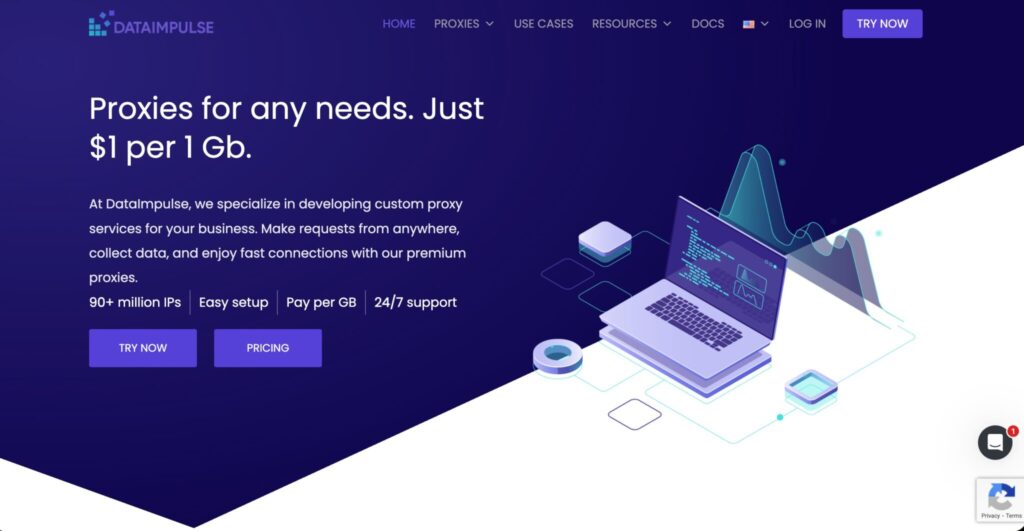
DataImpulse stands out because of its low-cost pay-as-you-go model and non-expiring traffic. That is useful if your YouTube scraping needs are irregular. You may run heavy jobs for a week, pause for a month, then restart when a campaign or research project needs fresh data.
Its residential pool supports HTTP(S), SOCKS5, rotating sessions, sticky sessions, API access, and broad country coverage. For YouTube scraping, that covers most practical use cases: public video pages, search monitoring, creator discovery, and regional checks.
The value is excellent, but low price should not be your only filter. Always test real YouTube URLs, not generic websites. Pay close attention to success rate, response size, timeout rate, and retry volume.
Best for: cost-sensitive teams, irregular scraping jobs, and users who dislike monthly traffic expiration.
Pro tip: Because YouTube pages can consume bandwidth quickly, set strict response-size limits and avoid loading unnecessary media assets.
9. Rayobyte: Best for Hybrid Proxy Stacks

Rayobyte is useful if your YouTube project sits inside a wider scraping operation. It offers residential, static ISP, static datacenter, rotating ISP, rotating datacenter, mobile proxies, and scraping tools. That makes it a good fit for teams that collect data from YouTube plus search engines, e-commerce sites, forums, and review platforms.
For YouTube scraping, Rayobyte’s rotating ISP and residential options are more relevant than basic datacenter proxies. ISP proxies can be helpful for stable sessions, while rotating residential proxies are better for distributed public data collection.
The main reason to consider Rayobyte is flexibility. You can build a mixed stack instead of forcing every request through the same expensive residential pool.
Best for: teams scraping multiple site types and developers who want residential, ISP, and datacenter options under one roof.
Pro tip: Split your scraper by request difficulty. Use cheaper proxy types for light pages and reserve residential or ISP proxies for pages that fail more often.
How to Choose Proxies for YouTube Scraping
1. Start With the Data You Actually Need
Do you need video titles, descriptions, views, comments, channels, search results, playlist data, or geo-specific ranking checks? Each data type behaves differently. Search pages and discovery pages need more care. Static video metadata is easier. Comments and dynamic pages may require browser rendering.
If the official API gives you the data reliably, use it first. Use proxies only where web collection is necessary and allowed.
2. Choose the Right Proxy Type
Residential proxies are usually the safest choice for YouTube scraping because they look closer to normal user traffic. ISP proxies are useful when you want more stability and speed. Mobile proxies are expensive and should be used only when mobile network signals matter. Datacenter proxies are cheap and fast, but they can fail more often on sensitive flows.
For most professional YouTube scraping, start with residential. Add ISP proxies for sticky, repeated monitoring. Use datacenter only after testing.
3. Understand Rotation Protocols
Rotation is not about changing IPs as often as possible. It is about matching IP behavior to the request type.
Use per-request rotation for stateless collection, such as checking many unrelated video URLs. Use sticky sessions for channel pages, paginated flows, comment threads, and regional search checks. For browser automation, keep sessions stable long enough for the page flow to complete.
Bad rotation creates bad fingerprints. If every request comes from a new IP but keeps the same headers, timing, and browser profile, your scraper still looks strange.
4. Check IP Pool Quality, Not Just Size
Large pools sound impressive, but clean sourcing, low abuse history, ASN diversity, and regional depth matter more. A 30M IP provider can outperform a 100M IP provider if the pool is cleaner in your target countries.
Ask these questions before buying: Does the provider support the countries I need? Can I use sticky sessions? Are IPs ethically sourced? Can I filter by city, ASN, or carrier? What happens when an IP fails? Do I get dashboard-level usage data?
5. Measure Cost Per Successful Result
Bandwidth pricing can be misleading. YouTube pages may load heavy scripts, thumbnails, and dynamic content. If your scraper downloads too much, your proxy bill climbs fast.
Track these metrics:
- Success rate by page type
- Average bandwidth per successful result
- Retry rate
- Timeout rate
- Cost per 1,000 successful records
- Regional success rate
- Ban or block rate
The best provider is the one that gives you clean data at the lowest successful-result cost, not always the lowest advertised price.
FAQs About YouTube Scraping Proxies
1. What are the best proxies for YouTube scraping?
Bright Data and Oxylabs are best for enterprise teams. Decodo and SOAX are strong for agencies and mid-size projects. Webshare, IPRoyal, and DataImpulse are better for smaller budgets or testing.
2. Are residential proxies better for YouTube scraping?
Yes, in most cases. Residential proxies usually provide better success rates for YouTube public pages because they use real ISP-assigned IPs. Datacenter proxies are cheaper, but they are easier to flag on sensitive workflows.
3. Should I use rotating or sticky proxies for YouTube?
Use both. Rotating proxies work well for large lists of unrelated video URLs. Sticky proxies are better for search result checks, channel crawling, comment pagination, and browser-rendered flows.
4. Can I scrape YouTube without proxies?
Yes, for small tasks or API-supported data. The YouTube Data API should be your first option when it covers your use case. Proxies become useful when you need regional checks, public web pages, or data not exposed cleanly through the API.
5. How many proxies do I need for YouTube scraping?
It depends on request volume, page weight, and rotation style. Start small, test success rates, then scale. A clean residential pool with smart throttling can outperform a huge proxy list with poor session control.
6. Are free proxies safe for YouTube scraping?
Usually no. Free proxies are slow, unstable, shared heavily, and risky for privacy. They also create unreliable data because requests fail often. Use reputable paid proxies for any serious YouTube scraping project.
7. What is the cheapest good proxy for YouTube scraping?
DataImpulse, Webshare, and IPRoyal are good starting points for lower budgets. For serious production work, Decodo, SOAX, Oxylabs, and Bright Data are stronger choices.
8. What is the biggest mistake when scraping YouTube?
The biggest mistake is rotating IPs aggressively while ignoring headers, timing, bandwidth, retries, and session logic. A good scraper behaves consistently, respects limits, and collects only the data it actually needs.
Final Verdict: Which Proxy Should You Pick?
Pick Bright Data if you want premium YouTube scraping infrastructure with managed options. Pick Oxylabs if you need enterprise-grade scale and strong controls. Pick Decodo if you want a practical balance of price, ease, and performance. Pick SOAX if geo-targeting is central to your YouTube research.
Pick NetNut if sticky sessions and private pool control matter. Pick Webshare, IPRoyal, or DataImpulse if you are testing, budget-sensitive, or running smaller jobs.
The smartest setup is rarely one provider forever. Test two or three with the same YouTube workflow, compare cost per successful record, and keep the one that gives you stable data without unnecessary retries.