
Best Proxies For Facebook Automation.
Automation:
Facebook automation is not a toy anymore. A few years ago, people used basic datacenter proxies, loaded up a browser automation tool, and hoped everything worked.
That era is gone. Facebook now looks at location consistency, account behavior, browser signals, session quality, login history, and request patterns. Weak proxy setups break fast, and careless automation can put business assets at risk.
So let’s be clear from the start: proxies should not be used for spam, fake engagement, account abuse, or scraping private data. Meta restricts automated access and data collection unless you have permission or use approved APIs.
The better use case is legitimate work: ad verification, QA testing, geo-location checks, social listening through compliant sources, moderation workflows, campaign monitoring, brand protection, and testing how your assets appear across regions.
For Facebook automation, the “best proxy” is not simply the cheapest IP. You need the right proxy type, clean IP sourcing, sticky sessions, smart rotation, reliable geotargeting, and a provider that does not disappear when you need support.
Quick Answer: Best Facebook Automation Proxies
If you want enterprise-grade Facebook automation infrastructure, Bright Data and Oxylabs are the safest premium picks. For balanced pricing and ease of use, Decodo and SOAX are strong options. For budget-conscious workflows, IPRoyal, Webshare, Rayobyte, and DataImpulse are worth testing. For stable ISP-style sessions, NetNut deserves a close look.
Facebook Automation Proxy Comparison Table
| Provider | Best For | Proxy Types | Rotation Strength | Sticky Sessions | Best Use Case | Watch-Out |
|---|---|---|---|---|---|---|
| Bright Data | Enterprise teams | Residential, mobile, ISP, datacenter | Excellent | Strong | Ad verification, large-scale QA, geo-testing | Can feel complex for beginners |
| Oxylabs | Data-heavy teams | Residential, mobile, ISP, datacenter | Excellent | Strong | Brand monitoring, public data workflows, enterprise automation | Premium pricing |
| Decodo | Agencies and mid-market users | Residential, mobile, ISP, datacenter | Very good | Up to long custom sessions | Browser automation, account-safe testing | Advanced users may want more deep controls |
| SOAX | Geo-targeted testing | Residential, mobile, ISP, datacenter | Very good | Flexible | City-level checks, social media QA | Entry plans may be limiting for heavy users |
| NetNut | Stable ISP sessions | Rotating residential, static residential, mobile | Good | Strong static sessions | Dashboards, recurring workflows | Less beginner-friendly pricing |
| IPRoyal | Budget flexibility | Residential, datacenter, mobile, sneaker, ISP | Good | Long sticky sessions | Small teams and controlled tests | Quality can vary by location |
| Webshare | Low-cost proxy testing | Datacenter, static residential, rotating residential | Good | Good for static residential | Starter campaigns and simple QA | Not as feature-rich as premium tools |
| Rayobyte | Transparent pricing | Residential, ISP, datacenter, mobile | Good | Available by product | Agencies needing predictable costs | Smaller ecosystem than top enterprise brands |
| DataImpulse | Low-cost bandwidth | Residential, mobile, datacenter | Basic to good | Available | Budget testing and lightweight monitoring | Needs more manual testing |
1. Bright Data: Best Overall for Enterprise Facebook Automation

Bright Data is the provider I would shortlist first for serious teams that care about scale, compliance, and control. It offers residential, mobile, ISP, and datacenter proxies, with deep country, city, carrier, and ASN targeting. That matters when your Facebook automation workflow depends on consistent regional testing rather than random global traffic.
For Facebook-related workflows, Bright Data is best suited for ad verification, public brand monitoring, geo-specific QA, and testing how pages or ads appear from different locations. Its proxy management tools are more advanced than most competitors, which helps when you need to separate projects, assign rules, and control rotation behavior.
Pro-Tip: Use sticky residential or ISP sessions for login-based QA. Use rotating residential proxies only for public, non-login checks where session continuity is not required.
2. Oxylabs: Best for Enterprise Data Workflows

Oxylabs is another premium provider built for teams that need reliable infrastructure, not weekend experiments. Its residential proxy network, advanced rotation controls, and enterprise support make it a strong fit for larger agencies, SaaS teams, and brand protection companies.
For Facebook automation, Oxylabs works best when your workflow involves public-facing monitoring, multi-location testing, or structured data gathering through compliant methods. It is not the cheapest option, but it is the kind of provider you choose when failed requests, unstable IPs, and poor support cost more than the proxy bill.
The platform is especially useful if your team already runs other web data projects and wants one provider for multiple targets.
3. Decodo: Best Balance of Power and Ease of Use

Decodo, formerly Smartproxy, sits in a nice middle ground. It is easier to use than many enterprise proxy platforms, yet powerful enough for serious Facebook automation workflows. The dashboard is clean, the setup is simple, and the provider offers residential, mobile, ISP, and datacenter options.
For agencies managing multiple client locations, Decodo’s sticky session control is useful. You can keep a session stable long enough for realistic browsing, testing, or moderation tasks without changing IPs every few seconds. That is important because overly aggressive rotation can look unnatural.
Decodo is a strong pick for Facebook page checks, ad preview testing, creator research, and controlled browser workflows.
4. SOAX: Best for Location-Sensitive Facebook Testing

SOAX is a good fit when geotargeting is the heart of the project. If you need to see how a Facebook ad, page, marketplace listing, or public business asset appears from specific regions, SOAX gives you strong location control and flexible proxy options.
Its residential and mobile proxies are especially relevant for Facebook-related workflows because many Facebook experiences vary by location, network, and device environment. SOAX also supports automatic rotation and sticky sessions, which lets you match the proxy behavior to the job.
Use rotating sessions for public checks. Use sticky sessions when testing workflows that need continuity, such as reviewing page access, ad previews, or moderation panels.
5. NetNut: Best for Stable ISP-Style Sessions

NetNut’s biggest strength is stability. Its static residential and ISP-style proxy approach can be useful when you do not want constant IP changes. For Facebook automation, that matters more than many beginners realize.
A login session should not jump from one network to another every minute. That can create unnecessary friction. NetNut works well for recurring workflows where you need the same environment to remain consistent, such as internal dashboard access, agency QA, or long-running monitoring.
It is not always the cheapest choice, but it is a strong option for teams that care about session persistence and predictable connectivity.
6. IPRoyal: Best Budget-Friendly Residential Proxy Option

IPRoyal is popular because it offers flexible pricing and residential traffic that does not expire. For smaller teams, that can be a real advantage. You do not always need a huge monthly commitment just to test Facebook workflows across a few regions.
IPRoyal supports rotating and sticky sessions, which makes it usable for both quick checks and longer browser sessions. The key is to test your target countries before scaling. Some locations may perform better than others, and Facebook automation usually rewards consistency over raw IP volume.
For freelancers, small agencies, and lean affiliate teams, IPRoyal can be a practical starting point.
7. Webshare: Best for Low-Cost Proxy Testing

Webshare is a smart pick when you want to test proxy concepts without spending heavily. It offers datacenter, rotating residential, and static residential proxies, with simple pricing and an easy setup.
For Facebook automation, I would avoid relying on cheap datacenter IPs for anything account-related. They are better suited for basic public checks, connection testing, or non-sensitive workflows. Static residential proxies are more relevant when you need cleaner sessions.
Webshare is not as advanced as Bright Data or Oxylabs, but it is useful for early-stage testing, simple monitoring, and teams that want a low-cost way to validate their setup before moving to premium infrastructure.
8. Rayobyte: Best for Predictable Pricing and Agency Use

Rayobyte has built a good reputation with transparent pricing and several proxy types, including residential, ISP, datacenter, and mobile options. For agencies, predictability matters. You want to know what a test will cost before you scale it across multiple clients.
For Facebook automation, Rayobyte is best for controlled workflows like public asset checks, campaign QA, regional testing, and light monitoring. Its residential and ISP proxies are more suitable than datacenter proxies for anything that requires a natural network profile.
The main reason to consider Rayobyte is simple: it gives you enough flexibility without forcing you into a huge enterprise setup.
9. DataImpulse: Best Cheap Proxy Bandwidth for Testing
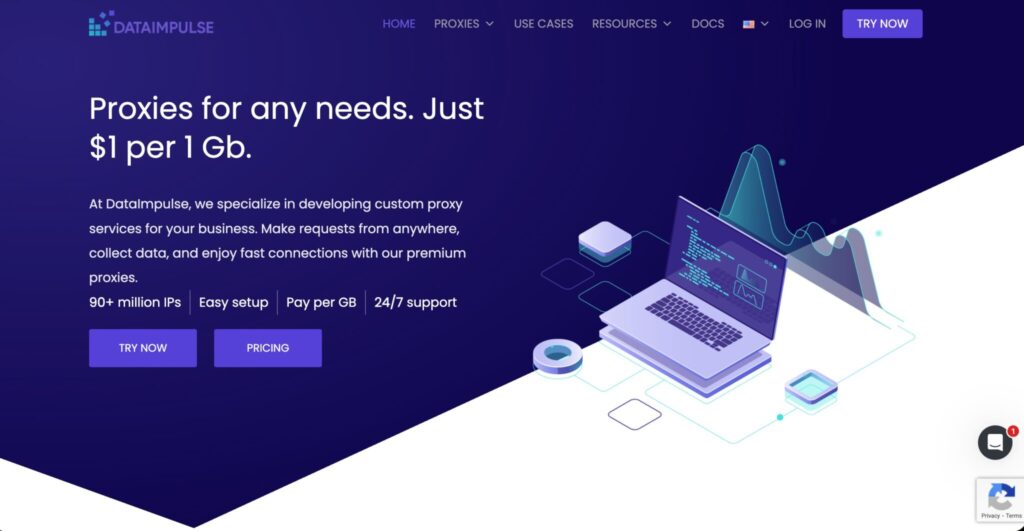
DataImpulse is one of the more budget-friendly names in the residential proxy space. Its low per-GB pricing makes it attractive for users who want to test automation workflows without committing to expensive plans.
For Facebook automation, treat DataImpulse as a testing and lightweight monitoring option. It can be useful for public checks, regional validation, and small browser experiments. I would not start with it for sensitive business assets or high-value account workflows without testing IP quality, speed, and region stability first.
The value is clear, but you need to validate performance before scaling.
How to Choose Proxies for Facebook Automation
1. Start With the Right Proxy Type
Residential proxies are usually the safest general choice for Facebook automation because they route traffic through real residential networks. Mobile proxies can be useful for mobile app testing and location-based checks. ISP proxies are great when you need stability and speed. Datacenter proxies are cheaper, but they are usually not ideal for sensitive Facebook workflows.
Pro-Tip: Do not choose a proxy type based only on price. Choose it based on the action. Login workflows need stability. Public checks need clean rotation. Geo-testing needs precise locations.
2. Match Rotation to the Task
Rotation can help, but bad rotation can hurt. If every request uses a new IP, your session may look unstable. For Facebook automation, sticky sessions are often better for browser-based workflows. A 10-minute to 60-minute sticky session is usually more natural for testing page access, ad previews, or moderation panels.
Use rotating sessions for public, stateless checks. Use sticky sessions for anything that looks like a real browsing session.
3. Check IP Pool Quality, Not Just IP Pool Size
A provider may advertise millions of IPs, but the number alone does not tell you much. You need fresh IPs, good uptime, low error rates, strong location coverage, and clean sourcing. For Facebook automation, a smaller high-quality pool can outperform a huge noisy pool.
Ask these questions before buying:
- Does the provider support your target countries and cities?
- Can you keep the same IP for a set session length?
- Are residential IPs ethically sourced?
- Can you separate projects or clients?
- Do you get usage logs, bandwidth controls, and support?
4. Keep Account, Device, and Location Consistent
If you are testing workflows tied to business accounts, keep the environment stable. Do not log in from India, switch to the United States five minutes later, then rotate through Germany. That kind of setup is messy and risky.
A cleaner setup maps one account or workflow to one region, one proxy profile, one browser profile, and one usage pattern. That is not just safer, it also makes debugging easier.
5. Respect Meta’s Rules
This is the part many guides skip. Meta restricts unauthorized automated data collection. If your workflow touches Facebook data, use official APIs, approved tools, or permission-based access where required. Proxies should support legitimate operations, not hide abusive behavior.
Best Proxy Setup for Facebook Automation
For most professional teams, the ideal setup looks like this:
- Residential proxies for general Facebook web QA
- Mobile proxies for mobile app and mobile feed testing
- ISP proxies for stable login-based workflows
- Sticky sessions for browser automation
- Rotating sessions for public checks
- Separate browser profiles for each project
- Clear rate limits to avoid unnatural behavior
- Official APIs where data access is required
This setup is more expensive than random datacenter proxies, but it is much cleaner.
FAQs About Facebook Automation Proxies
1. What are the best proxies for Facebook automation?
Residential and ISP proxies are usually the best fit. Residential proxies work well for location testing and natural browsing patterns. ISP proxies are better when you need stable sessions for longer workflows.
2. Are datacenter proxies good for Facebook automation?
Datacenter proxies are cheap and fast, but they are not the best choice for sensitive Facebook workflows. Use them only for basic public checks or testing, not for account-heavy activity.
3. Should I use rotating or sticky proxies for Facebook?
Use sticky proxies for browser sessions, logins, moderation, and QA tasks. Use rotating proxies for public, stateless checks where each request does not need the same identity.
4. Can proxies prevent Facebook account restrictions?
No. Proxies are not a magic shield. Bad behavior, spam, fake engagement, unusual device signals, and policy violations can still cause restrictions. A proxy only controls part of the network layer.
5. Are mobile proxies better for Facebook automation?
Mobile proxies can be useful for mobile-specific testing because they use carrier networks. They are usually more expensive, so use them when mobile context matters.
How many proxies do I need?
Start small. Test 5 to 10 clean sessions before scaling. The right number depends on your workflow, regions, accounts, and request volume.
Is Facebook automation allowed?
Some automation is allowed when it uses approved tools, APIs, or permission-based workflows. Unauthorized automated data collection or abusive automation can violate Meta’s rules.
Final Verdict
The best proxy for Facebook automation depends on your risk level and workflow. Bright Data and Oxylabs are the top choices for enterprise teams. Decodo and SOAX offer a strong mix of usability, quality, and control. NetNut is excellent for stable ISP-style sessions.
IPRoyal, Webshare, Rayobyte, and DataImpulse are better for budget testing and smaller projects.
My practical advice is simple: do not start with the cheapest proxy list you can find. Start with the workflow. Decide whether you need sticky sessions, mobile IPs, city targeting, ISP stability, or rotating residential traffic. Then choose the provider that fits that setup.
For Facebook automation, clean architecture beats brute force every time.