
Best Proxies For Social Account Warmup.
Social account warmup sounds simple until the account starts getting login checks, session warnings, or sudden restrictions after a few normal actions. Most teams blame the tool first, but the proxy setup is often the weak link.
A good proxy for social account warmup does not just “change your IP.” It gives each account a stable, believable network path so your activity looks consistent.
That matters for legitimate use cases like agency account management, brand profile onboarding, regional QA, creator workflows, and ad account testing. It should not be used for spam, fake engagement, impersonation, or breaking platform rules.
For warmup, the best choice is usually a residential, ISP, or mobile proxy with sticky sessions. Datacenter proxies are fast and cheap, but they can look too obvious for login-heavy social workflows.
What Makes a Proxy Good for Social Account Warmup?
Account warmup needs stability first and scale second. If one account logs in from New York at breakfast, London after lunch, and São Paulo at night, the platform may treat that as a risk signal. The better setup is slower, cleaner, and more consistent.
Look for four things:
| Factor | Why It Matters |
|---|---|
| IP type | Residential, ISP, and mobile IPs usually look more natural than datacenter IPs |
| Sticky sessions | Keeps the same IP long enough for logins, profile setup, and normal browsing |
| Geo targeting | Lets you match the account region, language, audience, and business location |
| Clean pool quality | Lower abuse history means fewer checks and smoother sessions |
Pro Tip: For account warmup, avoid aggressive rotation. Rotation is useful for public data collection, but warmup needs continuity.
Quick Comparison Table: Best Proxies For Social Account Warmup
| Provider | Best For | Proxy Types | Sticky Session Strength | Starting Price Snapshot | Best Fit |
|---|---|---|---|---|---|
| Bright Data | Enterprise teams | Residential, mobile, ISP, datacenter | Strong | Residential PAYG around $4/GB | Large agencies and compliance-focused teams |
| Oxylabs | High-quality business workflows | Residential, mobile, ISP, datacenter | Strong | Residential from around $6/GB | Teams that need reliability and support |
| Decodo | Best balance | Residential, mobile, ISP, datacenter | Up to 24 hours | Residential from around $2/GB on some plans | SMBs and agencies |
| IPRoyal | Budget-friendly warmup | Residential, mobile, ISP, datacenter | Up to 7 days | Residential around $7/GB at low volume | Smaller teams and flexible users |
| SOAX | Geo-targeted social workflows | Residential, mobile, ISP, datacenter | Good | Paid plans vary by proxy type | Teams needing city and ASN targeting |
| NetNut | Stable residential routing | Residential, mobile, ISP | Good | Custom and tiered pricing | Data-heavy teams |
| Webshare | Affordable testing | Residential, static residential, datacenter | Basic to moderate | Free and paid plans | Beginners and small testing setups |
| Rayobyte | Pay-as-you-go control | Residential, ISP, datacenter | Up to 60 minutes on residential | Around $3.50/GB starter | Flexible buyers |
| ProxyEmpire | Bandwidth rollover | Residential, mobile, ISP | Good | Trial and tiered plans | Teams that hate wasted bandwidth |
1. Bright Data

Bright Data is the premium choice for teams that care about scale, compliance, and control. It has one of the largest proxy networks in the market, with residential, mobile, ISP, and datacenter options. For social account warmup, the real value is not just the size of the IP pool. It is the depth of targeting and session controls.
You can build account environments by country, city, carrier, ASN, and proxy type. That matters when managing brand accounts across different regions. A US-based account should not constantly appear from random countries.
Bright Data is not the cheapest option, and beginners may find the dashboard more advanced than needed. But for agencies handling sensitive client accounts, the extra control can justify the cost.
Best for: Enterprise social teams, agencies, compliance-heavy workflows.
Pro Tip: Use sticky residential or ISP proxies for login sessions. Save rotating residential for public monitoring, not account warmup.
2. Oxylabs

Oxylabs is another top-tier provider built for serious business use. Its residential proxy network is large, fast, and supported by strong documentation. For social account warmup, Oxylabs makes sense when you want fewer technical surprises.
The provider supports residential, mobile, ISP, and datacenter proxies, so you can test different setups before committing. If your workflow involves logging into accounts, checking notifications, updating profiles, or verifying region-specific content, sticky residential or ISP proxies are the better match.
Oxylabs is more expensive than budget providers, but it gives you reliability, support, and predictable performance. That is useful when a failed login session can create extra verification work.
Best for: Professional teams that need stability and support.
3. Decodo

Decodo, formerly Smartproxy, is one of the best all-round choices for social account warmup. It offers a large residential pool, mobile proxies, ISP proxies, browser tools, and simple setup flows. The dashboard is cleaner than many enterprise providers, which makes it easier for agencies and freelancers.
Its sticky session options are especially useful. You can keep a residential IP active long enough for normal account activity instead of rotating every request. That is exactly what warmup needs.
Decodo also works well when you need to separate accounts by region. For example, you can assign one account to a UK residential IP and another to a US ISP proxy. That keeps account behavior cleaner.
Best for: Agencies, creators, and growing social teams.
Pro Tip: Create a proxy map. One account, one region, one browser profile, one proxy type. Do not mix randomly.
4. IPRoyal

IPRoyal is a strong pick if you want flexible pricing without heavy commitments. Its residential proxies support sticky sessions for long periods, which is useful for account warmup. It also offers mobile and ISP proxies, giving you several options depending on your budget.
The interface is simple, and the pay-as-you-go model makes it friendly for smaller teams. If you are warming a small number of legitimate client or brand accounts, you may not need an enterprise provider from day one.
The tradeoff is that IPRoyal’s network is smaller than giants like Bright Data and Oxylabs. For many users, that is not a dealbreaker. For high-volume social workflows, you may want to test pool quality by region before scaling.
Best for: Budget-conscious users who still need sticky sessions.
5. SOAX

SOAX is useful for teams that need accurate geo-targeting. It offers residential, mobile, ISP, and datacenter proxies, with strong filtering options. For social account warmup, this is helpful when location consistency matters.
If your account is meant to represent a local business, creator, or regional brand, the proxy should match that identity. SOAX gives you more control over that setup than many low-cost providers.
It is not always the cheapest choice, but it sits in a practical middle ground. You get strong targeting, decent usability, and enough flexibility for social workflows.
Best for: Local campaigns, regional account testing, and geo-sensitive workflows.
6. NetNut

NetNut focuses heavily on performance and business-grade residential routing. Its network is built around ISP partnerships and large residential coverage, which can help reduce unstable sessions.
For social account warmup, NetNut is best when you care about speed and consistent access. It may not be the first choice for a small creator managing two accounts, but it works well for teams with larger operational needs.
The main drawback is pricing transparency. You may need to speak with sales or compare plan options carefully. Still, NetNut deserves attention if you need a more stable infrastructure for long-term account management.
Best for: Larger teams that need scale and speed.
7. Webshare

Webshare is a more affordable option for beginners and small testing projects. It offers free and paid proxy plans, plus residential and static residential options. The dashboard is simple, which makes setup easy.
For serious social account warmup, choose static residential or carefully tested residential proxies rather than basic datacenter proxies. Datacenter IPs may be fine for testing dashboards or non-sensitive browsing, but they are not ideal for account trust.
Webshare is not as advanced as Bright Data, Oxylabs, or Decodo. Still, it can be useful for early-stage testing before moving to a stronger provider.
Best for: Beginners, small tests, and low-budget workflows.
8. Rayobyte

Rayobyte is a good option for buyers who like transparent, usage-based pricing. Its residential proxies include geo-targeting, concurrent sessions, and sticky session support. For warmup, the sticky session window is useful for short account sessions, profile edits, and light activity.
Rayobyte also offers ISP and datacenter proxies, but for social warmup, residential and ISP should be your first choices. The provider is especially attractive if you want to buy smaller traffic amounts without overcommitting.
The main limitation is that sticky sessions may not be as long as providers like IPRoyal. If you need multi-day session consistency, compare carefully.
Best for: Flexible buyers who want pay-as-you-go control.
9. ProxyEmpire
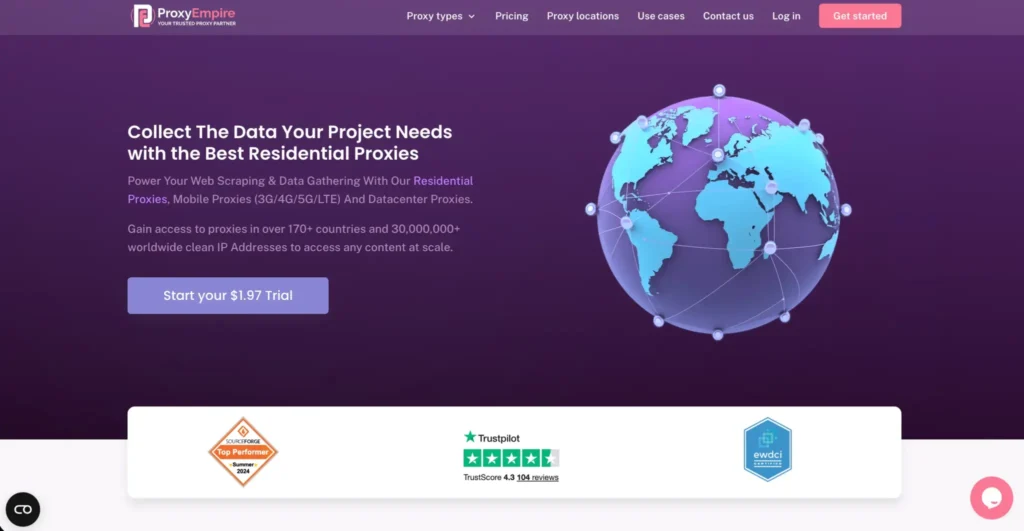
ProxyEmpire is worth considering if you want rotating and sticky residential proxies with location targeting and bandwidth rollover. The rollover model is useful because social warmup is usually not bandwidth-heavy. You may use traffic slowly over time.
It supports residential, mobile, and static options, which gives you room to test. Mobile proxies can be useful for mobile-first social platforms, but they cost more. Residential proxies are often the more practical starting point.
ProxyEmpire is not always the fastest or most polished provider, but it offers good flexibility for teams that want to avoid wasting unused data.
Best for: Teams with irregular usage and region-specific accounts.
How To Choose Proxies For Social Account Warmup
1. Start With the Right Proxy Type
Use residential proxies for most warmup workflows. They offer a good balance of trust and price. Use ISP proxies when you need a stable IP for a long time. Use mobile proxies for mobile-first platforms or high-trust testing. Avoid datacenter proxies for sensitive login-heavy work unless you are only doing internal QA.
2. Use Sticky Sessions, Not Constant Rotation
Warmup is about consistency. Your account should not appear to teleport between networks. Sticky sessions help maintain one IP for a set period, which is better for logins, profile setup, and normal account browsing.
A safe pattern is simple: one account gets one region and one stable proxy session. Keep it boring. Boring looks normal.
3. Match Location With Account Identity
If the account is for a UK brand, use a UK proxy. If it is for a local US business, use a US city or state that makes sense. Random geo changes can create avoidable friction.
4. Check IP Pool Quality
A huge IP pool sounds impressive, but quality matters more. Test for speed, blocked sessions, previous abuse signals, and login consistency. Cheap pools can cost more later if they trigger verification loops.
5. Watch Protocol Support
HTTP and HTTPS are enough for most browser-based workflows. SOCKS5 is useful when your tool requires broader traffic handling. Do not pick a provider without checking compatibility with your browser, CRM, scheduler, or account management stack.
6. Keep Activity Human and Compliant
Proxies do not make bad behavior safe. Keep activity slow, natural, and aligned with each platform’s rules. Do not use proxies for fake engagement, mass spam, impersonation, or bypassing enforcement.
Pro Tips From Real Proxy Testing
Pro Tip 1: Test five IPs before buying fifty. Small tests reveal pool quality faster than any sales page.
Pro Tip 2: Do not share one proxy across many accounts. That creates a pattern.
Pro Tip 3: Keep login location, language, timezone, and account details aligned.
Pro Tip 4: Mobile proxies are powerful, but not always needed. Start with residential or ISP unless the platform is strongly mobile-first.
Pro Tip 5: Track failed logins, checkpoint rates, and session drops. These numbers matter more than advertised pool size.
FAQs
What are the best proxies for social account warmup?
The best options are residential, ISP, and mobile proxies with sticky sessions. Decodo, Bright Data, Oxylabs, IPRoyal, SOAX, and Rayobyte are strong choices depending on your budget and scale.
Are datacenter proxies good for account warmup?
Usually, no. They are fast and cheap, but they can look less natural for login-heavy social workflows. Use them for testing, not sensitive account warmup.
Should I use rotating or sticky proxies?
Use sticky proxies for warmup. Rotating proxies are better for public data collection. Account activity needs consistency.
How long should a sticky session last?
For basic warmup, 30 minutes to a few hours is often enough. For long-term account management, ISP proxies or longer sticky residential sessions may work better.
Are mobile proxies better for social media?
Mobile proxies can be excellent for mobile-first platforms, but they cost more. Residential proxies are usually the best starting point for most teams.
Can I use one proxy for multiple accounts?
It is better not to. One account per proxy identity is cleaner and safer for legitimate account management.
What is the biggest mistake in social account warmup?
The biggest mistake is rotating too aggressively. Frequent IP changes can create more risk than using no proxy at all.
Which proxy provider is best for beginners?
IPRoyal, Decodo, and Webshare are easier starting points. Bright Data and Oxylabs are better for larger teams with bigger budgets.
Final Buying Advice
If you want the best overall balance, start with Decodo. If you need enterprise-grade controls, choose Bright Data or Oxylabs. If budget matters most, test IPRoyal or Rayobyte.
If location precision is your priority, SOAX deserves a close look. For lightweight experiments, Webshare can work, but upgrade when account reliability becomes important.
The right proxy setup for social account warmup is not the one with the biggest number on the homepage. It is the one that gives every account a stable, clean, believable network identity while keeping your workflow compliant and predictable.