
Best Proxies For Social Media Growth.
Social media growth looks simple from the outside. Post better content, reply faster, study competitors, test creatives, and keep campaigns moving.
Behind the scenes, though, serious teams deal with geo checks, account safety, platform limits, ad previews, content monitoring, scraping public engagement data, and managing client profiles across regions.
That is where proxies come in.
A good proxy setup helps growth teams work from cleaner IP environments, test how content appears in different locations, monitor public social data, run QA on ads, and separate client workflows without mixing everything through one office IP. A bad proxy setup does the opposite.
It triggers verification loops, slows your tools, burns sessions, and wastes money.
This guide focuses on proxy providers that make sense for social media growth teams, agencies, creators, analysts, and operators who need stable IPs, strong geo targeting, clean rotation, and practical pricing.
What Makes a Proxy Good For Social Media Growth?
For social media work, you usually do not want the cheapest random proxy. You want the right IP type for the job.
Residential proxies are best for public data collection, social listening, localized browsing, and campaign research because they use IPs linked to real consumer networks.
Mobile proxies are useful when you need mobile carrier level testing, especially for app based platforms. ISP proxies are a strong choice for logged in account management because they are more stable than rotating residential IPs while still looking closer to residential traffic than standard datacenter IPs.
The big rule is simple: do not rotate too aggressively for logged in sessions. If you are managing social accounts, use sticky sessions. If you are collecting public data at scale, use rotating residential proxies with sensible rate limits.
Quick Comparison Table
| Provider | Best For | Proxy Types | IP Pool | Geo Targeting | Sticky Sessions | Starting Price | Best Use Case |
|---|---|---|---|---|---|---|---|
| Bright Data | Enterprise social intelligence | Residential, mobile, ISP, datacenter | 400M+ monthly residential IPs | Country, city, ASN | Yes | From about $5.88 per GB | Large scale monitoring |
| Oxylabs | High volume teams | Residential, mobile, ISP, datacenter | 175M+ residential IPs | Country, city, coordinates | Yes | From about $6 per GB | Data heavy social research |
| Decodo | Agencies and mid sized teams | Residential, mobile, ISP, datacenter | 125M+ IPs | 195 locations | Yes | From about $2 per GB | Balanced price and scale |
| SOAX | Precise geo control | Residential, mobile, ISP, datacenter | Large global pool | Country, region, city, ISP | Yes | Trial from $1.99 | Local campaign testing |
| NetNut | Enterprise account workflows | Residential, mobile, datacenter | 85M+ IPs | Global coverage | Yes | Custom pricing | Stable large scale operations |
| IPRoyal | Budget conscious teams | Residential, mobile, ISP, datacenter | 32M+ residential IPs | Country and city options | Yes | From $7 per GB, lower at volume | Flexible small team use |
| Webshare | Affordable testing | Residential, static residential, datacenter | 80M+ residential IPs | Broad country targeting | Yes | From about $1.40 per GB | Entry level proxy testing |
| Rayobyte | Transparent pricing | Residential, ISP, datacenter | Not as large as giants | Geo targeting included | Yes | From $3.50 per GB | Agencies needing predictable cost |
| MarsProxies | Low cost growth testing | Residential, ISP, datacenter | Not publicly positioned as huge | Region targeting | Yes | From $3.49 per GB | Starter campaigns |
| DataImpulse | Cheapest bandwidth | Residential proxies | 90M+ IPs | Global locations | Yes | From $1 per GB | Budget public data collection |
1. Bright Data

Bright Data is built for serious data teams. If your social media growth workflow involves large scale monitoring, brand protection, influencer discovery, ad verification, or multi region research, it is one of the strongest options.
Its biggest strength is control. You get a huge residential pool, advanced targeting, sticky sessions, rotating sessions, mobile proxies, ISP proxies, and tools for web data collection. That makes it useful for agencies tracking public social signals across markets or brands checking how campaigns appear in different countries.
The downside is cost and complexity. Bright Data is not the smoothest choice for someone testing five accounts or running a tiny creator dashboard. It is better for teams that know what they are doing and need reliability more than the lowest price.
Pro Tip: Use Bright Data when failure is expensive. If a campaign monitoring system supports a client retainer, paying more for stability is often smarter than constantly debugging cheap proxies.
Best For
Enterprise social listening, ad verification, regional monitoring, brand intelligence, and high volume public data collection.
2. Oxylabs

Oxylabs is another premium provider that fits data heavy social media teams. It offers a large residential proxy network, mobile proxies, datacenter proxies, ISP options, and scraper focused tools.
For social growth, Oxylabs works well when you need clean infrastructure for public data research. Think competitor post monitoring, public profile discovery, hashtag analysis, pricing intelligence for social commerce, or checking localized campaign delivery.
The dashboard and documentation are strong, and the network is designed for scale. Like Bright Data, Oxylabs may feel too expensive for casual users. But for teams with real workloads, the reliability can justify the price.
Pro Tip: If your growth stack includes scraping tools, analytics scripts, or social listening software, test Oxylabs with your real workflow before committing. Proxy quality looks different in a dashboard than it does under actual campaign load.
Best For
Large teams that need scale, high success rates, and dependable public data access.
3. Decodo

Decodo, formerly Smartproxy, is one of the easiest providers to recommend for social media growth teams because it balances scale, usability, and pricing. It has a large IP pool, simple setup, multiple proxy types, and approachable plans.
For agencies, Decodo is practical. You can use residential proxies for research and monitoring, ISP proxies for stable account work, and mobile proxies when mobile environment testing matters. The dashboard is clean, which helps when non technical team members need to manage access.
It may not have the same enterprise depth as Bright Data or Oxylabs, but it is easier to start with. For many social media teams, that matters.
Pro Tip: Use Decodo’s sticky session options for logged in workflows and rotating residential IPs only for public data tasks. Mixing both without a plan can create messy signals.
Best For
Agencies, growth teams, social media managers, and mid sized businesses that want strong performance without enterprise friction.
4. SOAX

SOAX stands out for geo precision. It supports country, region, city, and ISP targeting, plus common protocols like HTTP, HTTPS, SOCKS5, UDP, and QUIC. For social media growth, that level of targeting is valuable.
Use SOAX when you need to check how ads, landing pages, profiles, or content appear in specific cities. It is also useful for teams managing campaigns across multiple countries where local SERPs, social feeds, and ad placements can vary.
SOAX also offers sticky and rotating sessions, so it can support both stable browsing and public data collection. Pricing is not always the cheapest, but the targeting controls make it attractive.
Pro Tip: For local social campaigns, match proxy location with campaign location. A New York campaign should be tested from a New York or nearby ISP style environment, not a random global IP.
Best For
Geo targeted campaign QA, regional ad checks, and localized social media research.
5. NetNut

NetNut is built for larger companies that want stable residential proxy infrastructure. It claims a large global residential network and focuses heavily on business use cases like web data collection, ad verification, and market intelligence.
For social media growth, NetNut fits teams that need uptime and scale more than a beginner friendly interface. It works well for agencies running public data workflows, reputation tracking, and brand monitoring across regions.
The main drawback is that NetNut is more sales led than some self serve providers. Smaller users may prefer providers with instant low cost plans.
Pro Tip: Consider NetNut when you are moving from experimental scraping to a real production workflow. It is less about cheap testing and more about operational stability.
Best For
Enterprise teams, larger agencies, and ongoing monitoring systems.
6. IPRoyal

IPRoyal is a strong budget friendly option for smaller social media teams. It offers residential, ISP, mobile, and datacenter proxies, with flexible buying and traffic that can be more forgiving for irregular usage.
The residential pool is smaller than the biggest players, but it is still large enough for many growth workflows. IPRoyal is useful for basic social research, manual account management environments, geo checks, and smaller automation stacks.
Its pricing can be attractive if you do not need enterprise tooling. The interface is also easier to understand than some advanced platforms.
Pro Tip: IPRoyal is a good first paid proxy for teams graduating from free proxies. Free proxies are risky, slow, crowded, and often useless for serious social media work.
Best For
Small agencies, freelancers, creators, and teams that need affordable residential or ISP proxies.
7. Webshare

Webshare is popular because it is affordable and simple. It offers residential, static residential, and datacenter proxies, with beginner friendly pricing and even free proxy options for basic testing.
For social media growth, Webshare makes sense for light research, testing tools, checking geo behavior, or running small workflows where enterprise grade features are not required. Static residential proxies can be useful for stable sessions, while rotating residential plans work better for public research.
The tradeoff is support and advanced features. Webshare is not as deep as Bright Data, Oxylabs, or Decodo. Still, for price sensitive users, it is hard to ignore.
Pro Tip: Use Webshare to test your workflow before moving to a premium provider. If your setup fails on every provider, the problem may be your tool logic, not the proxy network.
Best For
Low budget teams, testing, small campaigns, and simple proxy workflows.
8. Rayobyte

Rayobyte is known for transparent pricing and a practical product lineup. It offers residential, ISP, and datacenter proxies, with residential pricing that starts at a clear per GB rate.
For social media growth teams, Rayobyte fits agencies that want predictable costs and decent support without jumping straight into enterprise contracts. It is especially useful when you need a mix of residential and ISP proxies for different tasks.
Rayobyte may not have the biggest residential pool, but many teams care more about stability, support, and billing clarity than raw IP count.
Pro Tip: If you manage client social accounts, separate each client environment. Do not run every client through the same proxy group, browser profile, and device fingerprint.
Best For
Agencies that want simple pricing, support, and mixed proxy types.
9. MarsProxies
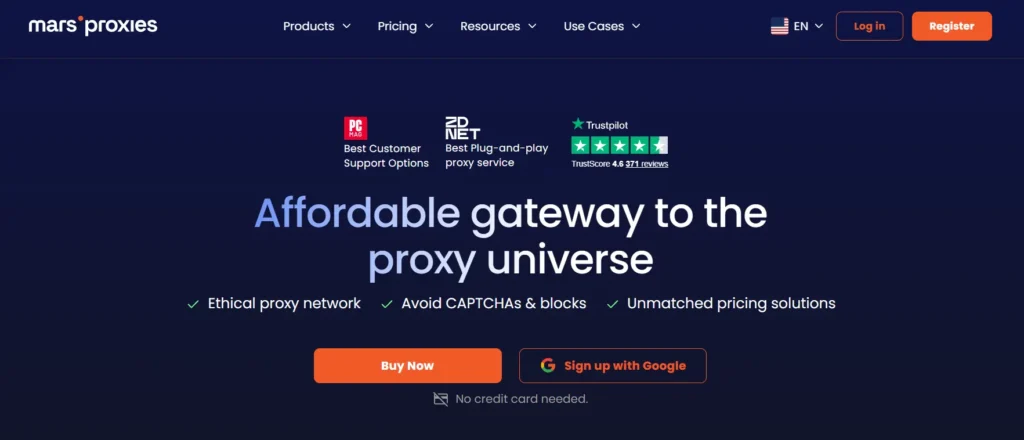
MarsProxies is a cost conscious provider with residential, ISP, and datacenter proxy options. Its pricing is competitive, which makes it attractive for social media teams that want to test workflows without high upfront spend.
It is not the first provider I would choose for enterprise social intelligence, but it can work well for smaller research tasks, ad preview checks, basic account separation, and lightweight public data gathering.
The key is to test quality before scaling. Low prices are useful only if the IPs are clean enough for your target platform and region.
Pro Tip: Run a small paid test before buying a large package. Check login stability, speed, location accuracy, and failure rate across your actual tools.
Best For
Budget testing, small agencies, and starter social growth workflows.
10. Dataimpulse
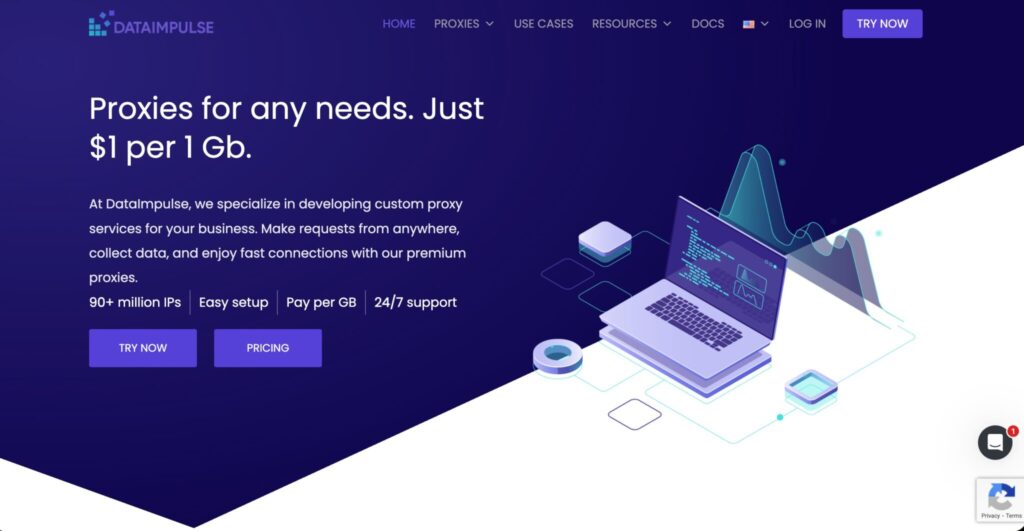
DataImpulse is one of the most affordable residential proxy providers, with pricing that starts around $1 per GB and a large stated IP pool. That makes it interesting for teams focused on low cost public data collection.
For social media growth, DataImpulse is better for research than sensitive logged in account management. Use it for scraping public data, checking content availability, monitoring public pages, or testing lightweight workflows.
At this price level, you should pay close attention to performance consistency. Cheap bandwidth can be useful, but only when success rates remain acceptable.
Pro Tip: Track cost per successful request, not just cost per GB. A $1 per GB proxy can become expensive if half your requests fail.
Best For
Budget public data collection and low cost testing.
How To Choose Proxies For Social Media Growth
Match Proxy Type To The Task
For logged in account work, use ISP or sticky residential proxies. For public monitoring, use rotating residential proxies. For mobile app checks, use mobile proxies. For simple internal testing, datacenter proxies may work, but they are usually easier for platforms to identify.
Check IP Pool Quality, Not Just Size
A provider may advertise millions of IPs, but what matters is usable inventory in your target countries. If you need US, UK, Canada, India, or Australia, test those locations directly.
A smaller clean pool can beat a giant noisy pool.
Use Sticky Sessions Carefully
Sticky sessions keep the same IP for a set period. This is important for account consistency. If your account logs in from a new city every few minutes, you are asking for trouble.
For social account management, keep the same region, same proxy type, and same browser profile.
Understand Rotation Protocols
Rotating proxies change IPs automatically. This helps with public data collection because it spreads requests across multiple IPs.
But rotation is not magic. Fast rotation can create suspicious patterns. Session based rotation is usually better than random nonstop switching. Look for providers that let you control refresh time, sticky duration, and country targeting.
Look At Protocol Support
HTTP and HTTPS are enough for many browser based tools. SOCKS5 is useful when you need broader app compatibility. Some providers now support additional protocols, but your tool must support them too.
Do not pay extra for protocol support you will never use.
Test Speed Under Real Conditions
Proxy speed depends on target platform, location, time, traffic volume, and session type. Do not judge by provider claims only.
Run a small test with your actual social media tools. Measure login time, page load time, failed requests, checkpoint frequency, and cost per completed action.
FAQs
What are the best proxies for social media growth?
The best overall options are Decodo, Bright Data, Oxylabs, SOAX, and IPRoyal. Decodo is the easiest balanced pick, Bright Data and Oxylabs are best for enterprise scale, SOAX is strong for geo targeting, and IPRoyal works well for smaller budgets.
Are residential proxies better for social media?
Yes, residential proxies are usually better for social media research and browsing because they use real consumer network IPs. For logged in account management, ISP proxies or sticky residential sessions are often more stable.
Should I use rotating proxies for social media accounts?
Use rotating proxies for public data collection, not for sensitive logged in account sessions. For accounts, use sticky sessions with consistent location and device settings.
Are free proxies safe for social media growth?
No. Free proxies are often slow, overloaded, blocked, or risky. They can expose data, break sessions, and trigger security checks. Serious social media work needs paid, reputable proxies.
Which proxy type is best for agencies?
Agencies should use a mix. ISP proxies are good for client account environments, residential proxies are good for research, and mobile proxies are useful for mobile first platform testing.
How many proxies do I need?
It depends on your workflow. A small team may only need a few stable ISP proxies. A data collection team may need bandwidth based rotating residential proxies. Start small, measure failure rates, then scale.
Can proxies guarantee account safety?
No proxy can guarantee account safety. Account trust also depends on device fingerprint, login behavior, content activity, platform rules, and user actions. Proxies are only one part of the setup.
Final Buying Advice
If you want the safest balanced choice, start with Decodo. If you run enterprise level data collection, compare Bright Data and Oxylabs. If geo precision matters most, test SOAX. If budget matters, try IPRoyal, Webshare, MarsProxies, or DataImpulse. If you want transparent pricing with support, Rayobyte deserves a look.
The best proxy is not the one with the biggest pool or lowest price. It is the one that keeps your real workflow stable, affordable, and clean.