
Best Proxies For PUBG.
PUBG is unforgiving when your network starts acting up. One bad route, random packet loss, or an unstable ISP path can turn a clean spray into a painful spectator screen.
That is why some players, streamers, QA teams, and gaming infrastructure testers look at proxies for PUBG.
Let’s be clear first. A proxy will not magically turn a weak connection into esports-grade fiber. It will not fix bad aim, overloaded Wi-Fi, or a faraway game server. What it can do is help route traffic through a different IP path, protect your real IP during community sessions, support regional testing, and help gaming businesses test access from different locations.
Also, do not use proxies for cheating, botting, ban evasion, account farming, or match manipulation. PUBG is strict about unfair play and abnormal usage patterns. A good proxy setup should support clean connectivity, not suspicious behavior.
What Makes a Good PUBG Proxy?
The best PUBG proxy is not always the biggest proxy network. For gaming, you need low latency, stable sessions, clean IP reputation, and support for the right protocol.
For most PUBG use cases, ISP proxies and static residential proxies make more sense than random rotating residential IPs.
They stay stable longer, look more natural than datacenter IPs, and are less likely to break your login session. Datacenter proxies can be fast, but they are easier to flag on strict platforms.
Mobile proxies are useful for PUBG Mobile or app testing, but they can be expensive and sometimes inconsistent.
Rotation also matters. Fast rotation is useful for web scraping, but bad for gaming. If your IP changes during login, matchmaking, or gameplay, you can trigger security checks or connection drops. For PUBG, sticky sessions are usually better than aggressive rotation.
Quick Comparison Table: Best Proxies For PUBG
| Proxy Provider | Best For PUBG Use Case | Proxy Types | IP Pool | Protocol Support | Starting Price | Best Rotation Style |
|---|---|---|---|---|---|---|
| Bright Data | Enterprise-grade regional testing | Residential, ISP, mobile, datacenter | 150M+ | HTTP(S), SOCKS5 | From about $5.88/GB residential | Sticky sessions |
| Oxylabs | Large teams and advanced targeting | Residential, mobile, ISP, datacenter | 175M+ rotating proxies | HTTP(S), SOCKS5 | From about $6/GB residential | Long sticky sessions |
| Decodo | Best balance of price and usability | Residential, mobile, ISP, datacenter | 125M+ | HTTP(S), SOCKS5 | From about $3.75/GB residential | Sticky residential |
| IPRoyal | Budget-friendly static and ISP use | Residential, ISP, mobile, datacenter | 32M+ residential | HTTP(S), SOCKS5 | From about $1.75/GB residential | Static or long session |
| SOAX | Mobile and location testing | Residential, mobile, ISP, datacenter | 155M+ | HTTP(S), SOCKS5, UDP, QUIC | From about $3.60/GB on starter plan | Custom refresh rate |
| Webshare | Cheap datacenter and static residential | Datacenter, static residential, rotating residential | 80M+ residential | HTTP(S), SOCKS5 | From about $2.99/month proxy servers | Static |
| NetNut | Stable business-grade proxy network | Residential, static residential, mobile, datacenter | 85M+ residential | HTTP(S), SOCKS5 | Quote-based in many cases | Static or rotating |
| Rayobyte | US-focused static proxy needs | Residential, static, datacenter | 40M+ residential | HTTP(S), SOCKS5 on many plans | Custom pricing | Static |
| MarsProxies | Affordable ISP and datacenter proxies | Residential, ISP, mobile, datacenter | 34M+ claimed network | HTTP(S), SOCKS5 | From about $3.49/GB residential | Static ISP |
| DataImpulse | Low-cost residential testing | Residential and mobile-style proxy plans | 90M+ IPs | HTTP(S), SOCKS5 | From about $1/GB | Sticky sessions |
1. Bright Data

Bright Data is the serious option for teams that need broad coverage, compliance checks, and dependable targeting. For PUBG, it is not the cheapest choice, but it makes sense if you are testing regional access, monitoring latency paths, or running QA across multiple countries.
Its strongest advantage is control. You can choose residential, ISP, mobile, or datacenter proxies depending on your need. ISP proxies are usually the cleanest fit for PUBG-style sessions because they offer more stability than rotating residential IPs while still coming from ISP-grade networks.
The downside is cost and setup. Bright Data is built more for businesses than casual players. The dashboard, compliance flow, and configuration depth can feel heavy if you only want one simple proxy endpoint.
Pro-Tip: Use sticky ISP or static residential sessions for PUBG-related login testing. Avoid short rotation windows because they can break game sessions.
2. Oxylabs

Oxylabs is another premium provider with a massive proxy network and strong geo-targeting. It is a good fit for larger gaming businesses, research teams, or QA teams that need to test PUBG access from several markets.
For PUBG, Oxylabs works best when you need dependable routing, not constant IP switching. Its residential and ISP-style products can help with market testing, device testing, and account security checks. The network is large enough to give you plenty of region options, which matters if you are testing routing from Asia, Europe, or North America.
The main drawback is that it may be overbuilt for a single player. If your only goal is to reduce ping, a gaming VPN or ISP upgrade may be simpler.
Pro-Tip: Before buying a large plan, run a small latency test from your city to your target PUBG server region. A premium proxy only helps if the route is actually cleaner.
3. Decodo

Decodo, formerly Smartproxy, is one of the easiest providers to recommend for users who want a strong mix of scale, pricing, and usability. It offers residential, mobile, datacenter, and rotating proxy options, which makes it flexible for PUBG testing.
The dashboard is beginner-friendly, and the pricing is easier to swallow than many enterprise-first providers. For PUBG, Decodo works well for regional connection testing, app QA, and stable sessions when configured properly.
The key is choosing the right product. Do not use high-frequency rotating residential IPs for active gameplay. Pick sticky sessions or ISP-style proxies where available. Mobile proxies can be useful for PUBG Mobile testing, but they are not always the best choice for long desktop gaming sessions.
Pro-Tip: If your aim is smoother gameplay, test ISP or datacenter endpoints first. If your aim is regional app testing, test residential and mobile endpoints.
4. IPRoyal

IPRoyal is a strong budget pick because it offers residential, ISP, datacenter, and mobile proxies at lower entry prices. It is especially interesting for users who want static ISP proxies without paying enterprise rates.
For PUBG, IPRoyal’s ISP proxies are the part to look at. Static IPs are better for consistent login behavior and session stability. Residential traffic can work, but it needs sticky sessions. Mobile proxies are useful for app testing or mobile network simulation, not always for everyday gameplay.
IPRoyal also offers browser extensions and proxy testing tools, which can help beginners check whether their proxy is active. That said, gaming performance will still depend heavily on proxy location and network routing.
Pro-Tip: Choose a proxy location close to your real region or the game server region. A faraway IP may increase ping instead of reducing it.
5. SOAX

SOAX stands out because it supports several proxy types under one plan and includes advanced protocol support like HTTP(S), SOCKS5, UDP, and QUIC. That makes it attractive for technical users who want more control over routing tests.
For PUBG and PUBG Mobile testing, SOAX is most useful when you need city-level or ISP-level targeting. Mobile proxies are helpful for mobile app QA, ad verification around gaming campaigns, and checking regional app behavior.
Its pricing starts higher than some budget providers, so it may not be the first pick for casual players. But for professionals, the custom IP refresh rate and sticky session support are valuable.
Pro-Tip: Use SOAX when you care about location accuracy. For basic gaming privacy, it may be more than you need.
6. Webshare

Webshare is one of the most practical options for users who want affordable proxies without a complicated buying process. It offers datacenter, static residential, and rotating residential proxies.
For PUBG, Webshare’s static residential and datacenter proxies are the most relevant. Datacenter proxies can be fast and cheap, but they may not look as natural as ISP or residential IPs. Static residential proxies are better for stable identity and long sessions.
Webshare is not as feature-heavy as Bright Data or Oxylabs, but that is part of the appeal. You can get started quickly, test routes, and avoid paying enterprise prices.
Pro-Tip: Start with a small Webshare plan and test ping, packet loss, and login stability before scaling. Cheap proxies are only valuable if the route works for your server.
7. NetNut

NetNut is built for businesses that need stable residential and static residential access. It offers residential, rotating residential, static residential, mobile, and datacenter proxies.
For PUBG, NetNut is best suited for companies or teams doing larger-scale testing. Its static residential proxies are the most interesting for stable sessions, while rotating residential proxies are better for research and QA tasks outside active gameplay.
The downside is that pricing can be less beginner-friendly, and you may need to speak with sales for the best setup. Still, if stability is more important than saving a few dollars, NetNut deserves a look.
Pro-Tip: Ask support for the best product for long gaming sessions or app testing. Do not assume the default rotating pool is the right choice.
8. Rayobyte

Rayobyte is a good fit for users who want a more business-focused provider with strong static IP options. It is known for residential and static proxy infrastructure and may work well for QA teams, gaming research teams, or users who need clean, dedicated IPs.
For PUBG, Rayobyte is less about huge consumer-style rotation and more about stable access. That is a good thing. You generally want fewer IP changes, not more, when dealing with game logins and matchmaking.
The limitation is that Rayobyte may not be the cheapest or simplest option for casual users. It fits better when you know exactly what region, IP type, and session behavior you need.
Pro-Tip: Prioritize static residential or ISP-style plans over rotating pools for PUBG-related use.
9. MarsProxies
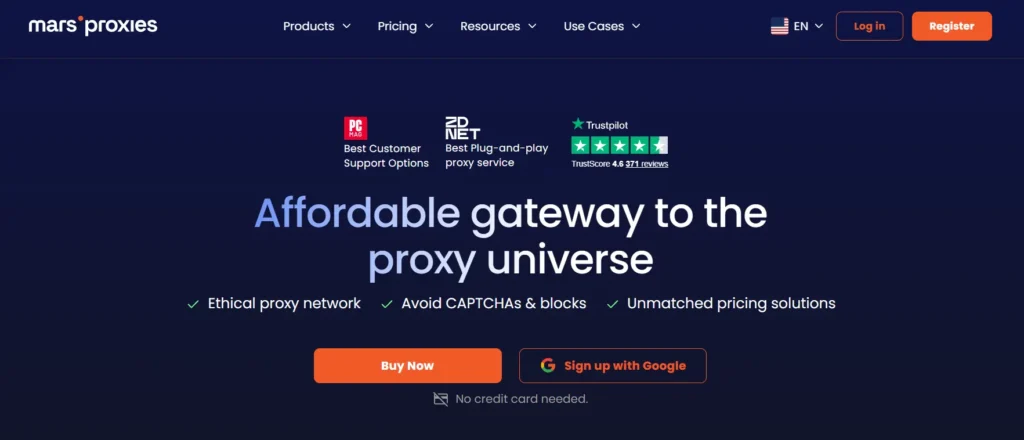
MarsProxies is a budget-friendly option with residential, datacenter, ISP, and mobile proxy plans. It is useful if you want to test different proxy types without spending heavily upfront.
For PUBG, the ISP proxies are the most attractive because they offer a better mix of speed and trust than many cheap datacenter IPs. Datacenter proxies may still work for basic routing tests, but they are not always the safest choice for account-heavy platforms.
MarsProxies is best for users who want affordable experimentation. It may not match the compliance depth or enterprise support of bigger names, but the price point is appealing.
Pro-Tip: Buy a small plan first. Test latency during peak gaming hours, not just during the afternoon when networks are quiet.
10. DataImpulse
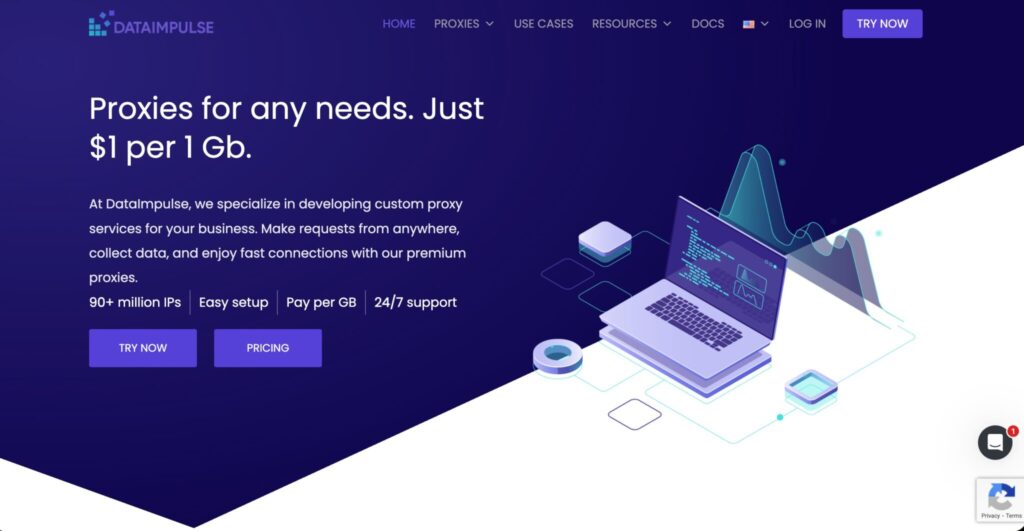
DataImpulse is the low-cost pick for users who want residential proxy bandwidth at a very affordable rate. It is not the most premium provider in this list, but the price makes it attractive for testing.
For PUBG, DataImpulse is better for research, regional page checks, and basic connectivity testing than serious competitive gameplay. If you need clean, predictable sessions, make sure sticky session control is available for your chosen location.
The biggest advantage is cost. The biggest risk is inconsistency. Low-cost residential networks can vary by region, so performance testing matters.
Pro-Tip: Track three numbers before judging any proxy: ping, jitter, and packet loss. Ping alone does not tell the full story.
How to Choose the Best PUBG Proxy
Choose the Right Proxy Type
For PUBG PC or console routing tests, ISP proxies and static residential proxies are usually the best fit. They are more stable than rotating residential proxies and more natural than datacenter proxies.
For PUBG Mobile testing, mobile proxies can be useful because they simulate mobile carrier traffic. But they cost more and may have higher latency.
For budget testing, datacenter proxies can work, but avoid using them with important accounts unless you trust the provider and have tested stability.
Look for Sticky Sessions
A sticky session keeps the same IP for a set period. This matters because PUBG sessions do not like sudden identity changes. If your IP rotates every few minutes, you may face disconnects, login checks, or suspicious behavior signals.
For gameplay, choose the longest stable session available. For QA testing, use controlled rotation only when you intentionally need to test different regions.
Check IP Pool Quality
A huge IP pool sounds impressive, but quality matters more. Clean IPs, reliable ASNs, low abuse history, and good region coverage are more useful than a giant pool filled with weak endpoints.
If possible, ask the provider whether the proxy supports your target use case. Good providers will guide you toward the right product instead of pushing the biggest plan.
Test Latency Before Scaling
Always test before buying more traffic. Use a small plan and check ping, jitter, packet loss, and connection stability during the hours you actually play. If you play at night, test at night.
A proxy in Singapore may help one Indian player reach Asian routes better, while another player may get worse performance because their ISP already has a cleaner route.
Avoid Aggressive Rotation
For web scraping, rotation is useful. For PUBG, it can be a problem. Stick to static or long-session proxies unless you are doing regional QA.
Match Location to Server Region
Do not pick a random country because it sounds fast. Choose a proxy near your target PUBG server or near a clean network route between you and the server.
FAQs About PUBG Proxies
1. Can proxies reduce PUBG ping?
Sometimes, yes. If your ISP uses a poor route to the game server, a proxy may create a cleaner path. But it can also increase ping if the proxy is far away or overloaded.
2. Are proxies allowed for PUBG?
Proxies are not automatically bad, but using them for cheating, botting, ban evasion, account abuse, or abnormal gameplay can create serious account risk. Always follow PUBG’s rules.
3. Which proxy type is best for PUBG?
ISP proxies and static residential proxies are usually best for stable sessions. Mobile proxies are better for PUBG Mobile testing. Datacenter proxies are cheaper but riskier for account-heavy use.
4. Is SOCKS5 better than HTTP for PUBG?
SOCKS5 is often preferred for gaming-style traffic because it is more flexible. Still, actual support depends on your device, router, emulator, or proxy app.
5. Can I use free proxies for PUBG?
You should avoid free proxies for gaming accounts. They are often slow, crowded, unstable, and risky for privacy.
6. What is the best proxy for PUBG Mobile?
For PUBG Mobile testing, mobile proxies from SOAX, Bright Data, Oxylabs, IPRoyal, or MarsProxies can work. For regular play, test carefully because mobile proxies can have higher latency.
7. Why does my PUBG disconnect when using a proxy?
Common reasons include IP rotation, high packet loss, blocked ports, unstable endpoints, or a proxy that does not support the traffic type properly.
8. Should I use a VPN or proxy for PUBG?
A VPN is easier for normal players. A proxy gives more control for testing, routing, and business use. If you only want simple privacy, a gaming VPN may be easier.
Final Buying Advice
The best proxy for PUBG depends on your goal. For enterprise testing, Bright Data and Oxylabs are the strongest. For balanced pricing and usability, Decodo is a smart pick. For budget users, IPRoyal, Webshare, MarsProxies, and DataImpulse are worth testing. For business-grade stable residential access, NetNut and Rayobyte fit better.
My practical advice is simple: do not buy based on IP pool size alone. Buy based on route quality, sticky session control, IP cleanliness, and protocol support. PUBG is sensitive to unstable connections, so a smaller clean static pool often beats a massive rotating pool.
Start small, test during real gaming hours, and keep your setup clean. A proxy should improve routing and privacy, not create account risk.