
Best Hyperlocal Proxies.
Hyperlocal proxy buying gets messy fast. Every provider says it has “global coverage,” but global coverage is not the same as hitting a grocery listing from Phoenix, a mobile ad from Queens, a search result from Manchester, or a ZIP-specific checkout flow without leaking the wrong location.
That is the real test.
A strong hyperlocal proxy provider should let you filter by country, state, city, ZIP, ASN, ISP, or carrier, then hold that location long enough to complete the job. For public data collection, price monitoring, SEO rank tracking, localized QA, ad verification, fraud checks, and marketplace intelligence, that difference matters.
Below are the best hyperlocal proxies worth shortlisting, based on targeting depth, pool quality, rotation control, protocols, pricing structure, and production practicality.
Quick Verdict: Best Hyperlocal Proxy Providers
If you need the deepest location controls, start with Bright Data or Oxylabs. If you want strong targeting without enterprise friction, Decodo and SOAX are easier to run. If budget matters, DataImpulse and IPRoyal give you useful geo control without forcing a big monthly commitment. NetNut is better for teams that value stability. Rayobyte and ProxyEmpire are solid alternatives for city-level workflows.
For buyers, the practical rule is simple: do not judge proxies by advertised pool size alone. Judge them by live availability in your exact target locations and by how often sessions survive the full workflow before you scale.
What Are Hyperlocal Proxies?
Hyperlocal proxies are proxies that let you choose a very specific exit location instead of only selecting a country. Basic residential proxies may let you pick “United States.” Hyperlocal proxies go tighter: California, Los Angeles, a ZIP code, a specific ISP, or an ASN.
That matters because websites often personalize content locally. Search results, delivery fees, hotel prices, marketplace stock, streaming availability, ads, and app experiences can change from one neighborhood to another.
A normal proxy shows you the broad market. A hyperlocal proxy shows what the user in that location actually sees.
Best Hyperlocal Proxies Reviewed
1. Bright Data: Best Overall for Enterprise Hyperlocal Targeting

Bright Data is the heavyweight choice when precision matters more than simplicity. Its residential network supports country, city, state, ZIP code, carrier, and ASN-level targeting, which makes it one of the strongest options for ad verification, SERP tracking, localized pricing, and compliance-heavy data teams.
Best for: enterprise SEO, ad verification, marketplace intelligence, compliance teams.
Pro-Tip: Use Bright Data when you need ZIP or ASN targeting across many regions, not when you only need cheap city-level browsing.
2. Oxylabs: Best for Large-Scale Scraping With Strong Geo Filters

Oxylabs is another premium pick, especially for teams collecting public web data at scale. Its residential proxies offer city-level targeting, sticky sessions, SOCKS5 support, and advanced filtering options. Its sticky sessions can run long enough for workflows that require continuity, such as cart checks, app QA, or multi-page browsing.
The downside is price. It is not the cheapest route for experiments. It makes more sense once bad data, blocks, and failed sessions are already costing you money.
Best for: enterprise scraping, price monitoring, review intelligence, travel data, ecommerce data.
Pro-Tip: Test Oxylabs with your hardest target first. If it works there, cheaper pools can be used for easier sources.\
3. Decodo: Best Balance of Power, Usability, and Price

Decodo, formerly Smartproxy, is one of the most practical choices for teams that want serious hyperlocal controls without feeling buried inside an enterprise dashboard. It offers country, state, city, ASN, and ZIP-level targeting on residential proxies, plus rotating and sticky sessions.
Decodo is especially useful when you need to scale many local checks but still want fast setup, browser extensions, API access, and clean documentation.
Best for: agencies, local SEO tracking, app testing, ecommerce monitoring, mid-market scraping.
Pro-Tip: Use sticky sessions for login-style flows and rotation per request for SERP or listing checks.
4. SOAX: Best for Session Control and ISP-Level Targeting

SOAX has become a favorite among users who care about control. Its residential proxies support country, region, city, and ISP targeting, with rotating and sticky sessions. It also supports HTTP(S), SOCKS5, UDP, and QUIC, which gives it flexibility for more technical use cases.
SOAX is strong when you want to tune refresh rates instead of accepting a basic rotation rule. That matters for social listening, QA, ad checks, and data collection projects where the same IP needs to stay alive for a controlled window.
Best for: ad verification, mobile-style testing, QA, city and ISP targeting.
Pro-Tip: Do not over-rotate. If a site expects normal user behavior, switching IPs every request can look less natural than holding a clean sticky session.
5. DataImpulse: Best Value for Hyperlocal Pay-As-You-Go
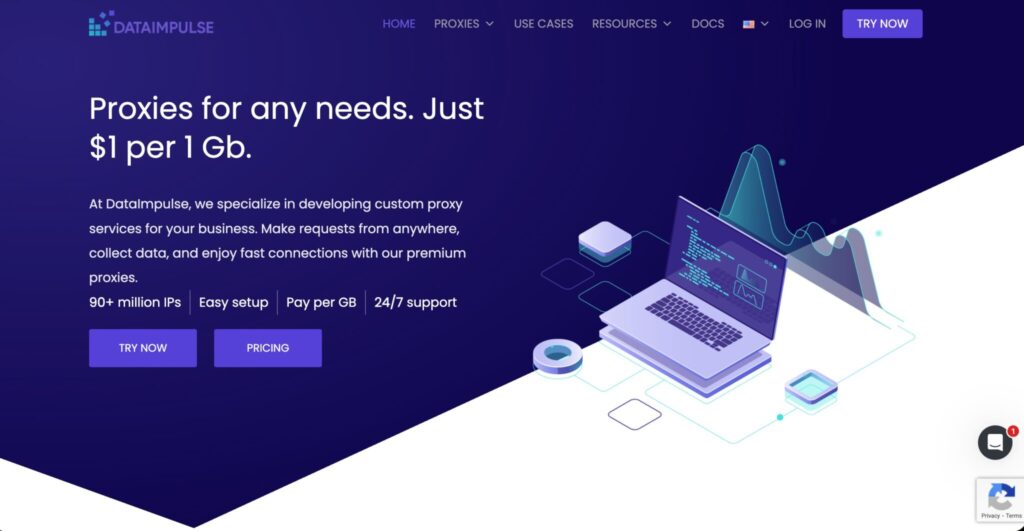
DataImpulse is the value pick here. It offers residential proxies with state, city, ZIP, and ASN targeting, rotating and sticky sessions, and pay-per-traffic pricing. The biggest appeal is flexibility: you can start small, avoid expiring bandwidth pressure, and test many locations without a large contract.
Do not expect the same depth of managed support or tooling you get from Bright Data or Oxylabs. You are buying affordable access and useful controls, not a full data collection platform.
Best for: budget testing, local SEO, small scraping projects, startup data workflows.
Pro-Tip: Always test your target cities before buying bulk traffic. Cheap GBs are only cheap if the specific location pool is healthy.
6. IPRoyal: Best Budget Option for Simple City and State Targeting

IPRoyal is a good fit when you need affordable residential proxies with country, state, and city-level targeting. It supports rotating and sticky sessions, HTTP(S), and SOCKS5, and it is easy to understand from a pricing perspective.
The trade-off is depth. IPRoyal is not the most advanced provider for ZIP or ASN-heavy enterprise workflows. But for many local SERP checks, marketplace browsing, travel checks, and account warmup scenarios, it gives enough control at a lower starting cost.
Best for: freelancers, small agencies, affiliate teams, light automation, budget geo checks.
Pro-Tip: Use IPRoyal for broad local coverage, then move the hardest locations to a premium provider if success rates drop.
7. NetNut: Best for Stable Sessions and ISP-Sourced Performance

NetNut focuses heavily on speed and stability. Its residential network covers many countries and includes city/state targeting. It also offers rotating and static residential products, which makes it useful for teams that need fewer IP resets and more predictable sessions.
It is not always the best option for the finest ZIP-level targeting, and pricing can lean premium. But for SEO monitoring, ecommerce checks, and B2B data collection where stability matters, it deserves a look.
Best for: stable scraping, SEO tools, price intelligence, business data collection.
Pro-Tip: Ask support about location availability before committing. “City targeting” only helps if your target city has enough live IPs.
8. Rayobyte: Best for Straightforward City-Level Residential Proxies

Rayobyte is a clean option for users who want residential proxies with country, city, and state targeting, sticky sessions, and a less intimidating setup. It is not as famous as Bright Data or Oxylabs, but it works well for teams that want support, analytics, and predictable access.
The platform is good for small to mid-sized scraping projects, localized QA, and ad preview work. The main limitation is that it is not the deepest hyperlocal provider if you need ZIP, ASN, or carrier-level filtering across many markets.
Best for: city-level scraping, localized testing, smaller data teams.
Pro-Tip: Rayobyte is best used when your target is city-level accuracy, not ultra-granular ISP fingerprint matching.
9. ProxyEmpire: Best for Bandwidth Rollover and City/ISP Targeting
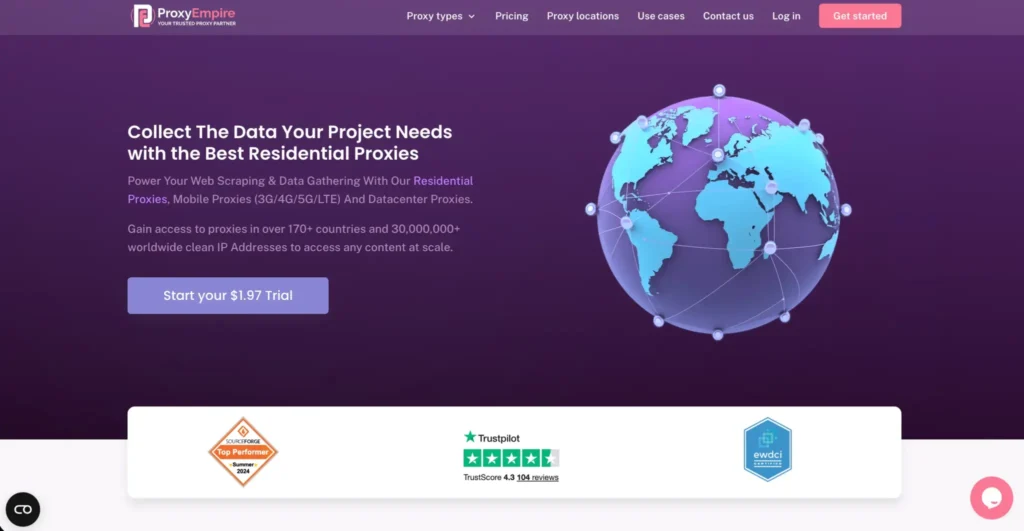
ProxyEmpire is useful for buyers who hate wasting unused bandwidth. Its rotating residential proxies support country, region, city, and ISP targeting, plus sticky sessions and SOCKS5. The bandwidth rollover model can be practical for teams with uneven monthly usage.
Best for: uneven workloads, ad checks, city/ISP targeting, small to mid-sized projects.
Pro-Tip: If your traffic spikes only during audits or campaign launches, rollover bandwidth can be more valuable than a slightly cheaper headline GB rate.
Hyperlocal Proxy Comparison Table
| Provider | Best For | Pool Size Claimed | Hyperlocal Targeting | Rotation Options | Protocols | Entry Style | Main Weakness |
|---|---|---|---|---|---|---|---|
| Bright Data | Enterprise precision | 400M+ monthly residential IPs | Country, state, city, ZIP, ASN, carrier | Rotating, sticky, long sessions | HTTP(S), SOCKS5 options | PAYG and plans | Complex for beginners |
| Oxylabs | Large-scale scraping | 175M+ IPs | Country, state, city, ZIP, ASN | Per request, sticky sessions | HTTP(S), SOCKS5 | Monthly GB plans | Premium pricing |
| Decodo | Best balance | 115M+ to 125M+ IPs | Country, state, city, ZIP, ASN | Rotating and sticky | HTTP(S), SOCKS5 | Trial and GB plans | Less enterprise tooling |
| SOAX | ISP and session control | 155M+ IPs | Country, region, city, ISP | Rotating, sticky, custom refresh | HTTP(S), SOCKS5, UDP, QUIC | Unified GB plans | Can get pricey |
| DataImpulse | Value hyperlocal | 90M+ IPs | State, city, ZIP, ASN | Rotating and sticky | HTTP(S), SOCKS5 | Pay-as-you-go | Lighter tooling |
| IPRoyal | Budget city targeting | 32M+ IPs | Country, state, city | Rotating and sticky | HTTP(S), SOCKS5 | Low-cost GB pricing | Less granular |
| NetNut | Stable sessions | 85M+ IPs | City/state targeting | Rotating and sticky | HTTP(S), SOCKS5 | Business plans | Not ZIP-heavy |
| Rayobyte | Simple city targeting | 40M+ IPs | Country, city, state | Sticky sessions | HTTP(S) | Trial and plans | Limited deep targeting |
| ProxyEmpire | Rollover bandwidth | Global pool | Country, region, city, ISP | Rotating and sticky | HTTP(S), HTTP/2, SOCKS5 | Bandwidth plans | Smaller than giants |
How to Choose the Best Hyperlocal Proxies
Match Targeting Depth to the Job
Do not overbuy. If your use case is local SERP tracking, city targeting may be enough. If you are verifying ads, checking ZIP-specific prices, or testing ISP-personalized content, you need ZIP, ASN, ISP, or carrier filters.
Check Real Pool Availability
A provider may list 195 countries, but your job may need 500 live IPs in Austin, Manchester, or Dubai. Ask for location-level availability. Run a test on your exact target locations, not random global traffic.
Understand Rotation Protocols
Per-request rotation is best for large scraping jobs where every request can be independent. Sticky sessions are better for browsing flows, carts, forms, accounts, and app testing. Static residential or ISP proxies are better when you need the same identity for days or weeks.
Choose Protocol Support Carefully
HTTP(S) is enough for most scraping and browser tasks. SOCKS5 gives more flexibility for tools and non-browser traffic. UDP and QUIC support matter only for specialized testing. Do not pay for protocol depth you will never use.
Watch the Cost Per Successful Result
The cheapest GB is not always cheaper. If a $1/GB provider gives poor success in your target city, your real cost per usable page may be higher than a $5/GB premium provider.
Common Mistakes When Buying Hyperlocal Proxies
The first mistake is trusting country-level claims. The second is using rotation when the workflow needs session persistence. The third is ignoring ASN and ISP mismatch. A “New York” IP on the wrong network may still fail if the target expects a mobile carrier or local broadband provider.
Also, avoid free proxies for professional work. They are unstable, abused, and usually weak for compliance.
FAQs About Hyperlocal Proxies
1. What is the best hyperlocal proxy provider?
Bright Data is the strongest overall for advanced targeting. Oxylabs is excellent for enterprise scraping. Decodo is the best balanced choice for most teams.
2. Are ZIP code proxies better than city proxies?
They are better when the target changes content by ZIP code. For general SERP or market checks, city targeting may be enough.
3. Do hyperlocal proxies work for SEO rank tracking?
Yes. They are useful for checking local SERPs, map packs, ads, and localized landing pages from specific areas.
4. Should I use rotating or sticky proxies?
Use rotating proxies for independent data requests. Use sticky proxies when the session needs continuity, such as login, checkout, or multi-step browsing.
5. Are residential proxies better than datacenter proxies?
For hyperlocal work, usually yes. Residential IPs look closer to real users and are more likely to reflect local content. Datacenter proxies are faster and cheaper but easier to flag.
6. What does ASN targeting mean?
ASN targeting lets you choose the network behind the IP, such as a specific ISP or carrier. It is useful when location alone is not accurate enough.
7. Can I use hyperlocal proxies for ad verification?
Yes. This is one of their strongest uses. They help verify whether ads, landing pages, offers, and redirects appear correctly in specific locations.
8. Which provider is best for small budgets?
DataImpulse and IPRoyal are the easiest starting points for budget users. Decodo is the next step up when you want better controls and support.
Final Recommendation
For serious hyperlocal work, pick based on precision, not brand size alone. Bright Data is the top choice when you need the deepest ZIP, ASN, and carrier controls. Oxylabs is the safer premium pick for large scraping programs. Decodo is the best all-rounder for most professional teams.
SOAX is excellent for session and ISP control. DataImpulse is the best value option when you need real hyperlocal features without a large contract.
Start with a small test. Check your exact cities, ZIPs, ISPs, target websites, and session behavior. Then scale only after the provider proves it can deliver usable local results, not just impressive pool numbers.