
Best Localized Residential Proxies
Localized residential proxies are not just “proxies with country targeting.” That is the cheap version of the story.
The real value comes when you need to look like a genuine user from a specific city, state, ZIP code, ISP, carrier, or ASN. That matters for SERP tracking, ad verification, price monitoring, travel aggregation, localized app testing, marketplace research, sneaker monitoring, and multi-region QA.
A New York search result does not behave like a Dallas search result. A mobile carrier IP in Mumbai can return different content than a broadband IP in Delhi. A marketplace may show different pricing, stock, shipping rules, or compliance banners based on location. That is where localized residential proxies earn their money.
The best option is not always the provider with the biggest IP pool. You want clean sourcing, stable rotation, flexible session control, strong geo filters, and enough inventory in the exact places you care about.
Quick Comparison Table
| Provider | Best For | Approx. Pool | Geo Targeting Depth | Rotation Options | Protocols | Pricing Style | Main Strength |
|---|---|---|---|---|---|---|---|
| Bright Data | Enterprise precision | 400M+ monthly IPs | Country, city, state, ZIP, carrier, ASN | Per request, sticky, custom | HTTP(S), SOCKS5, QUIC | Premium usage-based | Deepest targeting stack |
| Oxylabs | Large-scale scraping | 175M+ IPs | Country, city, state, ASN | Rotating, sticky up to long sessions | HTTP(S), SOCKS5 | Tiered per GB | Scale and reliability |
| Decodo | Best balance for teams | 115M+ residential IPs | Country, city, state, ZIP | Rotating and sticky | HTTP(S), SOCKS5 | Per GB plans | Easy setup, strong value |
| SOAX | Granular targeting | 155M+ IPs | Country, region, city, ISP/ASN | Flexible sticky and rotating | HTTP(S), SOCKS5, UDP/QUIC | Monthly and PAYG | Clean targeting dashboard |
| NetNut | Business workflows | 85M+ IPs | Country, city, state | Rotating, sticky sessions | HTTP(S), SOCKS5 | Monthly traffic plans | One-hop connectivity |
| IPRoyal | Budget localized use | 32M+ IPs | Country, state, city | Rotating, sticky up to 24h | HTTP(S), SOCKS5 | PAYG and plans | Low entry cost |
| Webshare | Affordable automation | 80M+ IPs | Mostly country-level, plan-dependent | Rotating, static options | HTTP, SOCKS5 | Low-cost per GB/IP | Simple dashboard |
| Rayobyte | US-heavy projects | 40M+ IPs | Country, city, state | Sticky sessions | HTTP(S) | Per GB | Support and US footprint |
| DataImpulse | Low-cost traffic | 90M+ IPs | Country included, advanced on premium | Rotating, sticky | HTTP(S), SOCKS5 | PAYG | Cheap non-expiring traffic |
1. Bright Data: Best for Enterprise-Grade Local Accuracy

Bright Data is the serious option when you need location control down to the smallest practical level. Country and city targeting are standard expectations here, but the real draw is ZIP code, carrier, and ASN targeting. That gives technical teams more room to test how websites behave across local networks, not just broad regions.
The network is huge, but size alone is not the reason to pick it. Bright Data is useful when your workflow needs control, logging, proxy management, compliance checks, and support for large teams. It is built for companies that care about data quality and risk management.
Rotation is highly configurable. You can rotate aggressively for scraping or keep sticky sessions when account continuity matters. The Proxy Manager is powerful, but beginners may find it heavy at first.
Pro-Tip: Use Bright Data when failed requests are more expensive than the proxy bill. If you are verifying ads, scraping local inventory, or auditing SERPs at scale, precision usually beats cheap bandwidth.
Best for: enterprise web scraping, ad verification, localized SERP tracking, price intelligence, brand protection.
2. Oxylabs: Best for Scalable Localized Scraping

Oxylabs is one of the safest picks for large data teams that need localized residential proxies without babysitting every request. Its pool is massive, the documentation is strong, and the platform is built around public web data collection.
Geo targeting supports country and city-level work, with more precise options available depending on product and setup. Sticky sessions are useful when a target site expects a user to behave like a real visitor across multiple page views.
The biggest advantage is reliability. Oxylabs works well for companies that need predictable success rates, account support, and scraping tools around the proxy layer. It is not the cheapest provider, but it is rarely the wrong choice for serious workloads.
Pro-Tip: Start with broader geo filters, then tighten to city or ASN only when the target actually requires it. Hyper-specific targeting reduces the available IP pool.
Best for: large-scale scraping, market research, ecommerce monitoring, travel pricing, SEO data.
3. Decodo: Best Balance of Price, Usability, and Targeting

Decodo, formerly Smartproxy, is a strong middle-ground provider. It gives you a large residential pool, friendly setup, country, state, city, and ZIP targeting, plus rotating and sticky sessions without making the product feel like an enterprise maze.
For SEO teams, affiliate publishers, growth agencies, and smaller data operations, Decodo is often easier to deploy than Bright Data or Oxylabs. You can get projects moving fast without giving up important features like SOCKS5 support, unlimited concurrent sessions, and flexible session handling.
Its pricing is also easier to digest. You still pay by bandwidth, but the entry point is more realistic for teams that are testing localized data collection before scaling.
Pro-Tip: Decodo is a good first premium provider if your team wants real local targeting but does not need enterprise procurement, custom contracts, or heavy compliance workflows.
Best for: agencies, SEO tools, app testing, localized scraping, mid-volume automation.
4. SOAX: Best for Clean Geo Filters and ISP-Level Control

SOAX has built a strong name around precise targeting. It is a good fit when your campaign needs region, city, ISP, or ASN-level control and you want those settings to be easy to manage.
The dashboard is one of the cleaner options for users who need to switch locations often. That matters when you are checking localized content across multiple cities or testing how a site reacts to different ISPs.
SOAX also supports modern protocols, including SOCKS5 and UDP/QUIC on some products. That makes it useful for more than basic web scraping. The downside is that narrow targeting can shrink the available pool, so planning matters.
Pro-Tip: For local SERP tracking, test the same keyword through broadband-style residential IPs and mobile-style IPs. Results can differ more than most teams expect.
Best for: ISP testing, local search monitoring, marketplace checks, social platform QA, ad verification.
5. NetNut: Best for Stable Business Workflows

NetNut’s pitch is different from standard peer-to-peer residential networks. Its one-hop connectivity model is built for speed and stability, which can help when you need predictable sessions rather than just a large rotating pool.
It works well for businesses that need localized access but also care about account management, analytics, and support. City and state selection are available on plans, and sticky sessions help with workflows that need continuity.
NetNut is less appealing for hobby users or tiny projects because plans often suit higher-volume buyers. But for business teams that want a managed proxy operation, it is a strong candidate.
Pro-Tip: NetNut makes sense when your task needs fewer surprises. Use it for structured workflows where stability is more important than chasing the lowest cost per GB.
Best for: business scraping, ad verification, brand monitoring, price comparison, review monitoring.
6. IPRoyal: Best Budget-Friendly Localized Residential Proxy

IPRoyal is popular because it keeps residential proxy buying simple. You get rotating and sticky sessions, HTTP(S) and SOCKS5 support, and location targeting by country, state, and city.
The pool is smaller than the enterprise giants, but the pricing is friendly. That makes it useful for small SEO teams, solo operators, affiliate marketers, and testers who need genuine residential IPs without a large monthly commitment.
It is not the first choice for extremely narrow ZIP-level projects or huge scraping jobs. But for common city and country-based tasks, it can be very cost-effective.
Pro-Tip: Buy a small amount of traffic first and test your exact target pages. Cheap proxies are only cheap if they complete the job without endless retries.
Best for: small teams, SEO checks, light scraping, account warmup, local content testing.
7. Webshare: Best for Simple, Affordable Proxy Management

Webshare is a practical option for users who want a clean dashboard, affordable plans, and quick access to residential or static residential proxies. It is especially attractive for automation projects that do not need the most advanced targeting controls.
The rotating residential pool is large, and pricing can be very competitive. However, localized control is not as deep as Bright Data, Oxylabs, SOAX, or Decodo. If your project only needs country-level targeting or broad regional coverage, Webshare can be enough.
Static residential proxies are useful when you need a stable IP rather than constant rotation. That can help for login-based workflows, QA testing, and long sessions.
Pro-Tip: Use Webshare when your location requirement is broad. Do not pick it for ZIP-code-sensitive projects unless you confirm inventory first.
Best for: budget automation, static residential use, basic scraping, small tools, beginner proxy setups.
8. Rayobyte: Best for Support-Driven Residential Projects

Rayobyte is a good option for teams that value customer support and want residential proxies with city, state, and country targeting. It has a strong US presence and a practical pricing ladder that becomes attractive at higher usage levels.
The provider is especially useful when you want a hands-on setup process. Not every team has a proxy engineer. Rayobyte’s support and account management can help reduce friction.
The pool is not as massive as Bright Data or Oxylabs, but it is large enough for many localized projects. Sticky sessions and unlimited threads are useful for scaling.
Pro-Tip: Ask support about inventory in your target cities before committing. “US proxies” and “enough proxies in Austin, Phoenix, and Miami” are very different things.
Best for: US local data, ecommerce checks, supported scraping projects, teams needing guidance.
9. DataImpulse: Best Low-Cost Pay-As-You-Go Option
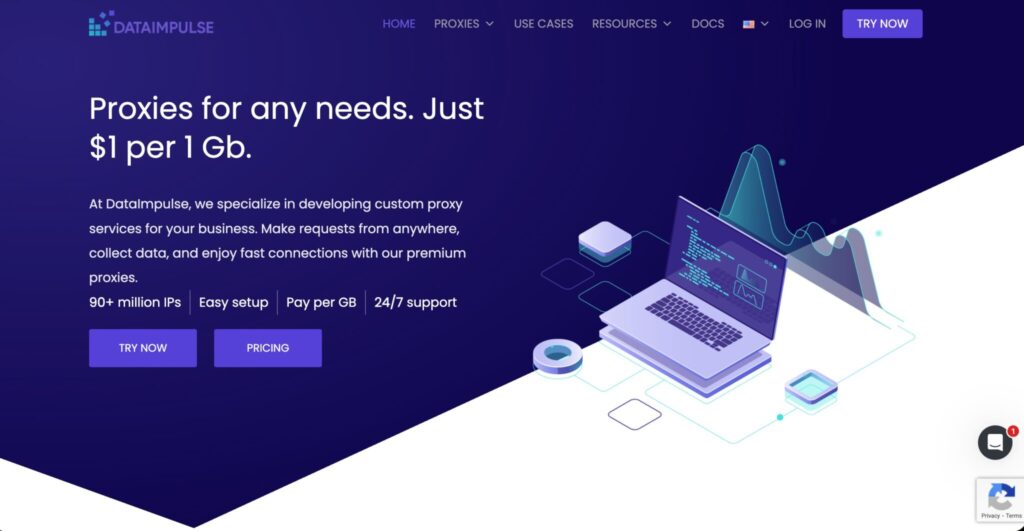
DataImpulse is attractive because of pricing. Its residential traffic can be bought on a pay-as-you-go basis, and unused traffic may not expire depending on the plan. That is useful for teams with irregular workloads.
Country targeting is usually included, while city, state, ASN, and ZIP targeting sit behind premium residential options. That means it is not always the cheapest if your project needs precise localization. Still, it gives budget-focused buyers a way to enter the residential proxy market without large subscriptions.
The best use case is broad country-level data collection or testing before moving to more advanced providers.
Pro-Tip: DataImpulse is great for validation. Use it to prove your workflow, then upgrade to a more precise provider if you need city or ZIP-level accuracy.
Best for: low-cost scraping, country-level research, test projects, bursty workloads.
How to Choose Localized Residential Proxies
1. Match Targeting Depth to the Job
Do not overbuy precision. Country-level targeting is enough for many tasks. City targeting matters for local SEO, delivery apps, classifieds, real estate, travel, and local ads. ZIP, ASN, ISP, or carrier targeting matters when platforms personalize heavily by network or neighborhood.
The more specific you go, the smaller the pool becomes. A provider may have millions of US IPs but only a small number in a specific city, ISP, or ZIP code.
2. Check Real IP Pool Availability
Ask the provider how many active IPs are available in your target area during your working hours. Residential pools are dynamic. A city may look well-covered on paper but perform poorly at 3 AM local time.
Test live inventory before annual commitments.
3. Understand Rotation Protocols
Per-request rotation changes the IP on each request. It works for scraping large public datasets.
Sticky sessions keep the same IP for a set period. Use them for carts, logins, multi-page flows, local QA, and session-based testing.
Custom rotation lets you rotate after X minutes or after a failed request. This is best for advanced scraping systems.
4. Pick the Right Protocol
HTTP(S) is enough for most browser and scraper workflows. SOCKS5 is better when you need wider application support or non-HTTP traffic. QUIC or UDP support can help in advanced performance-sensitive setups, but not every project needs it.
5. Watch Bandwidth Costs
Residential proxies are usually billed per GB. Heavy pages, images, scripts, and video can burn traffic fast. Block images, cache assets, and avoid loading unnecessary resources.
6. Confirm Ethical Sourcing
Use providers that explain how IPs are sourced. Poorly sourced residential proxies can create legal, compliance, and reliability risks. Cheap unknown pools are rarely worth it for business use.
Final Recommendation
For maximum precision, choose Bright Data. For large-scale scraping, choose Oxylabs. For the best balance of price and usability, choose Decodo. For clean ISP and city-level controls, choose SOAX. For business stability, choose NetNut.
For budget usage, choose IPRoyal or Webshare. For supported US-heavy projects, Rayobyte is strong. For low-cost testing, DataImpulse makes sense.
The smartest move is simple: shortlist two providers, test your exact target cities, measure success rate, latency, CAPTCHA rate, and cost per successful request. The winner is the one that gives clean data at the lowest real cost, not the one with the biggest marketing number.
FAQs
1. What are localized residential proxies?
Localized residential proxies route traffic through real residential IPs in specific locations, such as a country, city, state, ZIP code, ISP, carrier, or ASN. They help websites see your request as coming from a real local user.
2. Are localized residential proxies better than datacenter proxies?
For local accuracy and trust, yes. Residential IPs look more natural because they come from consumer networks. Datacenter proxies are faster and cheaper, but they are easier to detect.
3. Which provider has the best geo-targeting?
Bright Data has the deepest targeting stack overall. Oxylabs, Decodo, and SOAX are also strong for serious localized workflows.
4. Do I need ZIP code targeting?
Only for highly location-sensitive projects. Local SEO, retail availability, delivery apps, real estate, and ad verification may need it. Most scraping tasks do not.
5. What is the best rotation setting?
Use per-request rotation for scraping. Use sticky sessions for logins, carts, multi-step flows, and testing journeys that need one consistent user identity.
6. Are residential proxies legal?
Residential proxies are legal tools, but usage matters. Stick to public data, respect website terms, avoid account abuse, and choose ethically sourced providers.
7. Why do localized proxies fail?
Common reasons include narrow targeting, weak local inventory, aggressive request rates, bad headers, heavy pages, poor session handling, and target-side anti-bot systems.
8. How many GB do I need?
Small SEO checks may need only a few GB. Large scraping jobs can use hundreds of GB or more. Run a sample test and calculate cost per successful page, not just cost per GB.