
Best Local Search Proxies.
Local search is messy. Two people can search the same keyword, on the same day, and see different results because of location, device, language, search history, ISP, and even neighborhood-level intent. That is why a normal proxy setup often fails for local SEO work.
If you are tracking “best dentist near me” in Austin, checking Google Maps visibility in Manchester, auditing local ads in Delhi, or scraping store availability in Los Angeles, you need proxies that can place your requests inside the right geography without looking artificial.
The best local search proxies are usually residential or mobile proxies with accurate geo-targeting, healthy IP pools, sticky sessions, clean rotation, and solid protocol support. Datacenter proxies can work for light testing, but for serious local SERP tracking, residential and mobile IPs are the safer bet.
Below is a practical buyer’s guide built for SEO teams, agencies, data teams, affiliate publishers, and local market researchers who care about real search visibility, not vanity rankings.
Quick Comparison Table: Best Local Search Proxies
| Provider | Best For | Proxy Types | Local Targeting | Rotation Control | Protocols | Strength |
|---|---|---|---|---|---|---|
| Bright Data | Enterprise local SERP tracking | Residential, mobile, ISP, datacenter | Country, city, carrier, ASN | Rotating and sticky | HTTP, HTTPS, SOCKS5 | Huge network and SERP tools |
| Oxylabs | Large-scale scraping teams | Residential, mobile, ISP, datacenter | Country, state, city | Advanced sessions | HTTP, HTTPS, SOCKS5 | Strong infrastructure |
| Decodo | Agencies and mid-size teams | Residential, mobile, ISP, datacenter | Country, state, city, ASN | Rotating and sticky | HTTP, HTTPS, SOCKS5 | Easy setup |
| SOAX | City-level and ISP targeting | Residential, mobile, ISP, datacenter | Country, region, city, ISP/carrier | Sticky and rotating | HTTP, HTTPS, SOCKS5 | Precise filtering |
| NetNut | Stable business data collection | Residential, mobile, static residential | Country and regional targeting | Rotating and static | HTTP, HTTPS, SOCKS5 | ISP-sourced stability |
| IPRoyal | Budget local SEO projects | Residential, ISP, datacenter, mobile | Country, state, city | Rotation and session TTL | HTTP, HTTPS, SOCKS5 | Affordable entry |
| Rayobyte | Ethical residential sourcing | Residential, ISP, datacenter | Country, region, city | Sticky sessions | HTTP, HTTPS, SOCKS5 | Transparent setup |
| Webshare | Low-cost testing | Residential, static residential, datacenter | Country and city | Rotating residential | HTTP, HTTPS, SOCKS5 | Simple pricing |
| ProxyEmpire | Niche geo campaigns | Residential, mobile, static residential | Country, state, city, ISP | Rotating and sticky | HTTP, HTTPS, HTTP/2, SOCKS5 | Flexible geo filters |
What Are Local Search Proxies?
Local search proxies route your requests through IP addresses tied to a specific location. Instead of appearing as a generic user from one country, your scraper, rank tracker, browser, or audit tool can appear as a user from a selected city, state, carrier, or ISP.
That matters because local results are not fixed. Google Maps, local packs, ads, hotel listings, restaurant results, ecommerce availability, and “near me” queries all change based on location signals.
A good local proxy helps you answer questions like:
Which businesses rank in Dallas versus Houston?
Does my client show up in the map pack from mobile IPs?
Are local landing pages visible in the right regions?
Are competitors running different ads by city?
Is pricing or inventory changing by ZIP code?
For clean results, you need more than a proxy that says “United States.” You need location depth, stable sessions, low block rates, and enough IP diversity to run repeated checks without poisoning your data.
1. Bright Data: Best Overall for Enterprise Local Search

Bright Data is one of the strongest choices for companies that need deep local coverage, large proxy pools, and built-in tooling for SERP and web data collection. It is not the cheapest provider, but it is built for serious use.
The main advantage is control. You can target by country, city, carrier, and ASN depending on proxy type. For local SEO teams tracking hundreds of cities, that level of detail is useful. You can run city-level SERP checks, monitor ads, test localized landing pages, and collect market data with more confidence.
Bright Data also offers SERP-focused tools, which helps if you do not want to build your own scraping stack from scratch. The proxy network is large, and its documentation is more technical than beginner-friendly, but experienced teams will appreciate the flexibility.
Pro-Tip
Use Bright Data when local search accuracy matters more than saving a few dollars per GB. It is best for agencies, enterprise SEO teams, and data operations that need repeatable results.
2. Oxylabs: Best for Large-Scale Local Data Collection

Oxylabs is another premium provider built for high-volume scraping and structured data collection. Its residential proxy pool is large, and it supports city-level targeting, which makes it useful for local SERP tracking, ad verification, travel pricing, retail monitoring, and marketplace research.
Where Oxylabs shines is reliability. The platform is designed for teams running heavy workloads, not just occasional browser checks. You get residential, mobile, ISP, and datacenter options, so you can match the proxy type to the job.
For local search, residential proxies are usually the first choice. Mobile proxies can be useful when you want to test mobile-first search behavior or local app results. ISP proxies are better when you need a stable identity for longer sessions.
Oxylabs is not the lightest tool for small users, but for technical teams that care about uptime, scale, and support, it is one of the safest picks.
3. Decodo: Best for Agencies That Want Easy Local Targeting

Decodo, formerly Smartproxy, is a strong middle-ground option. It gives agencies and small data teams access to large proxy coverage without the complexity that often comes with enterprise providers.
For local search, Decodo offers country, state, city, and ASN-level targeting. That is enough for most SEO workflows, especially if you are tracking rankings across multiple cities or validating localized content. The dashboard is easier to work with than many enterprise tools, and session controls are simple.
The provider supports rotating and sticky sessions, which is important. Rotating sessions are useful for scaled scraping. Sticky sessions are better when you need to behave like the same local user for a short period.
Pro-Tip
For local rank tracking, do not rotate IPs on every single request by default. A sticky session of 5 to 15 minutes often gives cleaner results for multi-page checks.
4. SOAX: Best for Granular Geo and ISP Filtering

SOAX is a strong choice when precision is the priority. It supports detailed geo-targeting across residential and mobile proxy networks, including city and ISP or carrier-level options.
That makes SOAX especially useful for local search projects where the difference between providers, carriers, or mobile networks matters. For example, a mobile search result in one city may look different from a residential broadband result in the same city. If you are auditing local ads, app rankings, or mobile SERPs, this can matter.
SOAX also gives good control over rotation and sticky sessions. The platform is more flexible than basic budget proxy tools, but still approachable for agencies and marketers.
The main thing to watch is cost at scale. Highly targeted proxy usage can burn bandwidth quickly, especially if your scraper loads full pages, images, scripts, or map results.
5. NetNut: Best for Stable Local Business Data

NetNut is built around stable residential and ISP-style proxy infrastructure. It is a good fit for companies collecting business data, competitive intelligence, and localized market information.
For local search, NetNut works best when you want consistent performance rather than constantly changing IPs. Its residential and mobile networks give coverage across many countries, and its business-focused setup makes it suitable for larger teams.
It may not be the first choice for a beginner trying to test ten keywords in one city. But for organizations that need dependable access, account management, and scalable proxy delivery, NetNut deserves a place on the shortlist.
6. IPRoyal: Best Budget Pick for Local SEO Testing

IPRoyal is a practical choice for smaller SEO teams, affiliate marketers, and freelancers who want city or state-level targeting without enterprise pricing.
Its dashboard is simple, and the service supports residential, ISP, datacenter, and mobile proxies. For local search work, residential proxies are the most useful. ISP proxies can also help when you need static IPs for longer checks.
The biggest reason to consider IPRoyal is value. It may not have the same enterprise depth as Bright Data or Oxylabs, but it is often enough for local keyword checks, competitor research, ad previews, and regional content testing.
Pro-Tip
If you are starting with local search proxies, test with a smaller paid plan first. Run the same keyword across three cities, compare results manually, and check whether the data matches what you expect before scaling.
7. Rayobyte: Best for Ethical Residential Proxy Sourcing

Rayobyte is worth considering if you care about transparent sourcing and a clean operational setup. Its residential proxies include free geo-targeting by city, region, or country, plus sticky sessions.
This is a good combination for local search. City targeting helps you get region-specific results, while sticky sessions help maintain continuity when you move between search result pages, map listings, or local business profiles.
Rayobyte is also useful for agencies that want a provider with straightforward settings instead of a complicated enterprise system. The pool is smaller than the biggest names, but the usability is strong.
8. Webshare: Best for Affordable Local Proxy Testing

Webshare is popular because it keeps proxy buying simple. Its rotating residential proxies include country and city-level targeting, with low entry pricing compared with premium platforms.
For local search, Webshare is a smart testing option. If you are validating a new rank tracker, checking small local SERP samples, or building a lightweight SEO workflow, it can give you enough coverage without a big monthly commitment.
The tradeoff is advanced tooling. Webshare is not as deep as Bright Data, Oxylabs, or Decodo when it comes to managed scraping products or enterprise support. But for cost-conscious users, it is one of the easiest ways to get started.
9. ProxyEmpire: Best for Flexible Geo Campaigns
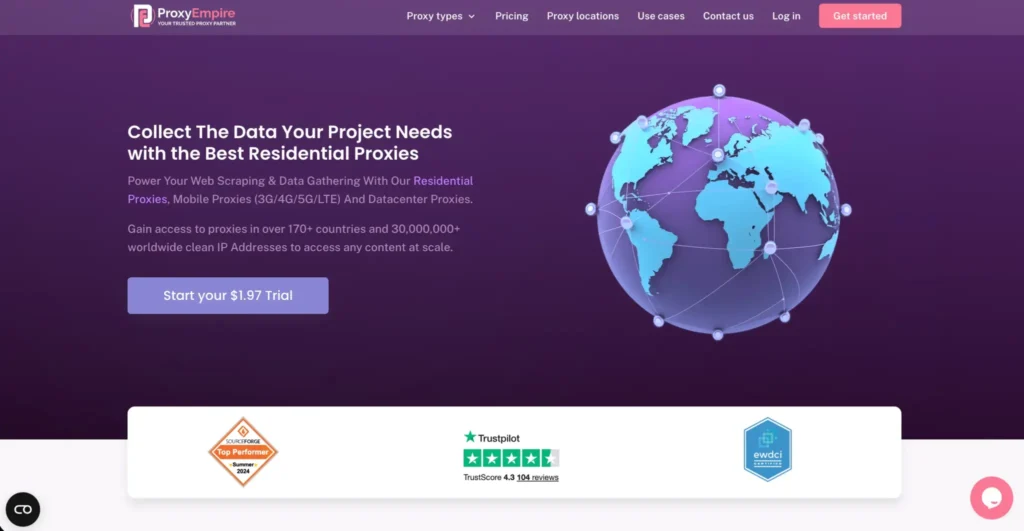
ProxyEmpire offers rotating residential and mobile proxies with country, state, city, and ISP targeting. It also supports sticky sessions and multiple protocols, including SOCKS5.
This makes it useful for niche local search projects where you need flexible targeting but do not want to jump into a full enterprise platform. SEO teams can use it for city-level checks, regional ad verification, local ecommerce research, and market monitoring.
One standout feature is flexibility around session behavior and location filters. If your project needs specific regions or ISPs, ProxyEmpire gives you the controls needed to test more carefully.
How to Choose the Best Local Search Proxy
1. Start With IP Type
Residential proxies are the safest default for local search because they use ISP-assigned addresses tied to real locations. Mobile proxies are useful for mobile SERP checks, app testing, and carrier-sensitive results. ISP proxies are better for stable sessions. Datacenter proxies are cheaper, but they are easier to detect and less reliable for sensitive local SERP work.
2. Check Location Depth
Country targeting is not enough. For local SEO, look for city, state, region, ASN, ISP, carrier, or ZIP-level targeting. The deeper the targeting, the more realistic your local results become.
3. Understand Rotation Protocols
Rotating proxies change IPs at set intervals or per request. Sticky sessions keep the same IP for a selected time. For large scraping jobs, rotation helps distribute requests. For local SERP checks, sticky sessions often produce cleaner data because the session behaves more like a normal user.
4. Look at Pool Health, Not Just Pool Size
A huge IP pool sounds impressive, but quality matters more. You want low block rates, clean IP reputation, active locations, and enough available IPs in your target cities. A provider with 100 million IPs is not automatically better if only a small slice is usable in your market.
5. Match Protocols to Your Tools
Most local SEO tools work with HTTP or HTTPS proxies. SOCKS5 is useful for more flexible routing, browser automation, and certain scraping setups. If your stack uses Puppeteer, Playwright, Selenium, or custom Python scripts, check protocol support before buying.
6. Test Real SERP Accuracy
Do not judge a proxy only by speed. Search the same keyword from the proxy, from a local manual browser session, and from a third-party rank tracker. Compare the map pack, ads, organic listings, and language settings. Accuracy beats raw speed.
FAQs About Local Search Proxies
1. What are the best proxies for local search?
Residential proxies are usually best for local search because they provide location-based IPs from real internet providers. For mobile SERP testing, mobile proxies are better.
2. Are datacenter proxies good for local SEO tracking?
They can work for light checks, but they are not ideal for sensitive local results. Residential and mobile proxies look more natural and usually produce cleaner data.
3. Do I need city-level proxy targeting?
Yes, if you are tracking local pack rankings, ads, maps, service pages, or “near me” keywords. Country-level targeting is too broad for serious local SEO.
4. What is the difference between rotating and sticky proxies?
Rotating proxies change IPs often. Sticky proxies keep the same IP for a set period. Local search tracking usually benefits from short sticky sessions.
5. Can proxies show different Google Maps results?
Yes. Location, device, IP type, language, and search context can affect map results. A local proxy helps simulate searches from the target area.
6. Are mobile proxies better for local search?
Mobile proxies are better when you need mobile-specific results or carrier-based testing. For normal desktop SERP tracking, residential proxies are usually enough.
7. How many proxies do I need for local rank tracking?
It depends on keyword volume, cities, and frequency. A small agency may need only a few GB per month. A large tracker checking thousands of city-keyword combinations will need a larger rotating residential pool.
8. Which provider is best for beginners?
Webshare, IPRoyal, and Decodo are easier starting points. Bright Data and Oxylabs are better for advanced or enterprise teams.
Final Verdict: Which Local Search Proxy Should You Pick?
Choose Bright Data or Oxylabs if you need enterprise-grade local SERP collection. Pick Decodo if you want a strong balance of usability, targeting, and scale. Go with SOAX when city, ISP, or carrier precision matters. Try IPRoyal or Webshare if you want affordable local testing. Use Rayobyte if ethical sourcing and simple geo controls matter. Consider ProxyEmpire for flexible city and ISP-based campaigns.
The best local search proxy is not always the biggest one. It is the one that gives you accurate local results, clean sessions, enough IPs in your target markets, and rotation controls that match your workflow.