
Best Geo Restricted Content Proxies
Geo-restricted content testing is harder than it looks from the outside. A page may open in the United States but redirect in Germany. A promo banner may appear in London but vanish in Manchester. A video thumbnail, price, local SERP, affiliate offer, or app landing page may change completely based on IP location.
That is where geo restricted content proxies become useful.
The right proxy lets your team view the web from a real target location, not from your office, VPN server, or cloud machine. For marketers, it helps verify ads. For SEO teams, it shows local search results. For QA teams, it exposes regional bugs. For pricing intelligence teams, it shows how public content changes across countries, states, cities, carriers, and sometimes ZIP codes.
One important line: use proxies for legal testing, localization, market research, brand protection, and compliance checks. Do not use them to break a platform’s terms, access paid content without rights, or bypass security systems.
What Are Geo Restricted Content Proxies?
Geo restricted content proxies route your internet requests through IP addresses in specific locations. Instead of a website seeing your actual IP, it sees the proxy IP.
For content testing, residential, mobile, and ISP proxies are usually better than basic datacenter proxies because they look closer to normal user traffic. Datacenter proxies are fast and cheap, but they are easier to detect on stricter sites. Residential proxies use IPs tied to real consumer networks. Mobile proxies use carrier networks. ISP proxies combine datacenter-like stability with ISP-registered IP ownership.
For most professional use cases, the best setup is a residential proxy pool with country, state, and city targeting, plus sticky session control.
Quick Comparison Table
| Provider | Best For | Proxy Types | Geo Targeting | Rotation Control | Best Fit |
|---|---|---|---|---|---|
| Bright Data | Enterprise geo verification | Residential, mobile, ISP, datacenter | Country, state, city, ZIP, ASN | Rotating and sticky | Large teams needing deep controls |
| Oxylabs | High-scale content and SERP checks | Residential, mobile, ISP, datacenter | Country, city, state, ZIP, coordinates | Automatic and session-based | Data teams and agencies |
| Decodo | Balanced price and usability | Residential, mobile, ISP, datacenter | Country, city, state, ZIP, ASN | Sticky and rotating | Mid-market teams |
| SOAX | Mobile and precise geo checks | Residential, mobile, ISP, datacenter | Country, city, ISP, carrier options | Auto-rotation and sticky | Ad verification and app testing |
| NetNut | Stable business proxy workflows | Residential, ISP, mobile | Country, state, city | Rotating and static options | High-volume users |
| Webshare | Budget-friendly testing | Residential, ISP, datacenter | Country and city | Rotating endpoint options | Smaller teams and freelancers |
| IPRoyal | Affordable residential access | Residential, ISP, datacenter, mobile | Country, state, city | Sticky and rotating | Low-cost regional checks |
| Infatica | Regional market research | Residential, mobile, datacenter | Country, city, ISP options | Rotating and sticky | Research teams |
| Rayobyte | Ethical residential proxy setup | Residential, ISP, datacenter | Country, region, city | Sticky sessions | Teams that value sourcing clarity |
1. Bright Data

Bright Data is the heavyweight option for teams that need serious geo precision. It is not the cheapest provider, but it gives you the controls that matter when geo restricted content testing becomes part of daily operations.
The strongest part is targeting depth. You can work with residential, mobile, ISP, and datacenter networks, then narrow sessions by location and network parameters. That matters when you are checking whether a localized page appears correctly in a specific metro area, or whether an ad campaign is rendering differently across regions.
Bright Data is also strong when you need repeatable workflows. Sticky sessions help when a website uses cookies, carts, login states, or multi-step browsing paths. Rotating sessions work better for broad checks across thousands of public pages.
Pro-Tip: Use Bright Data when the cost of wrong data is higher than the cost of the proxy. If you are checking compliance, ad delivery, regional pricing, or localized user experience at scale, cheaper pools can create messy results.
Best for: enterprise teams, ad verification, global QA, serious localization testing.
Watch out for: pricing and setup complexity. Beginners may find it heavier than needed.
2. Oxylabs

Oxylabs is another premium provider built for scale. It is a strong pick for teams that need stable residential proxies, reliable geo-targeting, and support for data-heavy projects.
For geo restricted content work, Oxylabs stands out because of its broad global coverage and technical targeting options. It is useful when you need to check public content across countries, cities, states, or more specific location settings. Agencies running SEO checks, travel fare comparisons, marketplace research, and ad audits will find it practical.
Its residential network is the main draw, but the full product lineup gives you flexibility. Residential proxies are better for strict sites. ISP proxies help when you need longer session stability. Mobile proxies can be useful when content changes by carrier or device-like behavior.
Pro-Tip: Do not rotate too aggressively when testing geo content. If a website expects normal user behavior, keep a sticky IP long enough to finish the page flow.
Best for: large-scale scraping, SERP localization, regional price monitoring, public data collection.
Watch out for: enterprise-grade features can feel expensive for casual use.
3. Decodo

Decodo, formerly Smartproxy, hits a good middle ground. It is easier to use than many enterprise tools, but still powerful enough for professional workflows.
Its residential proxies are useful for geo restricted content because they support rotating and sticky sessions. You can target by location parameters, then keep a session stable while you check pages, offers, or localized funnels. This makes it suitable for affiliate marketers, SEO agencies, e-commerce research teams, and app testers.
The dashboard is one of Decodo’s advantages. Some proxy platforms assume you already know every technical detail. Decodo is more approachable. You can get working faster, then fine-tune as your workflow grows.
Pro-Tip: For affiliate offer testing, create separate sticky sessions for each target region. Mixing too many countries in one browser profile can pollute cookies and make results unreliable.
Best for: agencies, affiliate teams, mid-size businesses, localization testing.
Watch out for: power users may still prefer Bright Data or Oxylabs for deeper enterprise tooling.
4. SOAX

SOAX is a strong choice when precision matters. It has residential, mobile, ISP, and datacenter options, but its appeal is strongest for teams that care about location and carrier-level testing.
For geo restricted content, mobile proxies can be especially useful. Some platforms show different pages, app banners, payment options, or verification steps based on mobile carrier behavior. A normal VPN will not reveal that. A mobile or residential proxy setup can.
SOAX is also a good fit for ad verification. If you are checking whether local ads display correctly in different cities or countries, you need clean rotation, sticky sessions, and a pool that does not collapse under repeated checks.
Pro-Tip: If the content is mobile-first, test with mobile proxies before blaming your landing page. Many regional differences only appear on mobile traffic.
Best for: mobile content testing, carrier-sensitive checks, ad verification, localized app QA.
Watch out for: advanced location needs may require careful setup and testing.
5. NetNut

NetNut is built for business users who want strong residential and ISP proxy options without overcomplicating the workflow. Its network is often positioned around stability, scale, and data collection.
For geo restricted content testing, NetNut is useful when you need repeatable access from many countries and cities. It works well for monitoring public pages that change by region, such as e-commerce catalogs, travel inventory, ads, and localized landing pages.
The provider is also worth considering if you prefer ISP-style stability. ISP proxies can be helpful when you need the same IP for longer checks but still want an IP type that looks more trustworthy than a basic datacenter address.
Pro-Tip: Use rotating residential proxies for discovery, then switch to sticky or ISP proxies for deeper testing on regions where you find differences.
Best for: high-volume monitoring, stable sessions, market research, ad checks.
Watch out for: smaller users may find some plans more business-focused than budget-friendly.
6. Webshare

Webshare is one of the better options for teams that want lower-cost access without giving up essential proxy types. It offers rotating residential, static residential, and datacenter proxies.
For geo restricted content testing, Webshare is best when your needs are practical rather than highly specialized. You can check regional pages, test local search results, verify basic content access, and run smaller data checks without committing to a heavy enterprise platform.
Its rotating residential proxies are useful for broad coverage. Static residential proxies are better when session stability matters. Datacenter proxies can still work for simple sites, but I would not rely on them for strict geo-restricted platforms.
Pro-Tip: Start with residential proxies for accuracy. Use datacenter proxies only after confirming the target site does not treat datacenter traffic differently.
Best for: freelancers, small agencies, budget testing, basic regional checks.
Watch out for: not as advanced as Bright Data or Oxylabs for complex enterprise workflows.
7. IPRoyal

IPRoyal is popular with users who want affordable residential proxies and flexible session control. It is not always the first name enterprise teams mention, but it can be very practical for smaller workflows.
For geo restricted content, IPRoyal gives you the basics that matter: residential IPs, geo-targeting, sticky sessions, and rotating sessions. That combination is enough for many use cases, including local SERP checks, offer verification, competitor monitoring, and regional page testing.
The sticky session feature is especially helpful when checking content behind multi-step flows. Some websites change content after cookies are set. A new IP on every request can break the test and make your results look inconsistent.
Pro-Tip: When testing localized checkout or signup flows, use sticky sessions. Rotation per request can make your activity look unnatural.
Best for: budget-conscious users, affiliate checks, SEO testing, smaller research projects.
Watch out for: very large teams may need stronger account management and deeper tooling.
8. Infatica
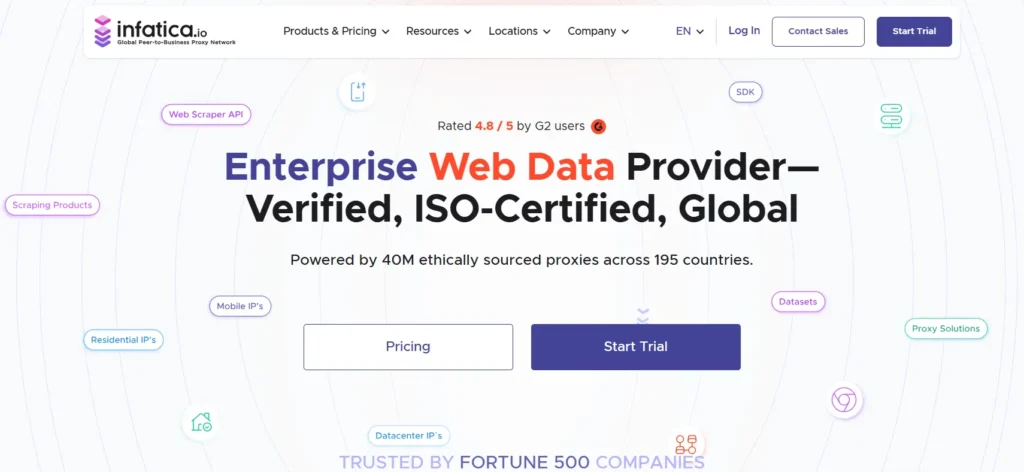
Infatica is a solid option for regional research and location-based public data collection. It offers residential proxies with geo-targeting, and it is often a good fit for teams that need practical coverage across major markets.
For geo restricted content, Infatica works well when your goal is to see how public pages behave in different regions. This includes prices, inventory, localized banners, search results, social previews, and market-specific landing pages.
It is also useful when you need a mix of sticky and rotating behavior. Rotating sessions help with scale. Sticky sessions help with realism. The right setup depends on whether you are checking thousands of URLs or manually reviewing a smaller set of pages.
Pro-Tip: Always log the proxy country, city, IP type, timestamp, and target URL. Geo testing without clean logs becomes impossible to debug later.
Best for: market research, regional content checks, e-commerce monitoring.
Watch out for: verify location availability before buying if you need niche cities or carriers.
9. Rayobyte

Rayobyte is worth considering if ethical sourcing and straightforward proxy products matter to you. It offers residential, ISP, and datacenter options, with residential geo-targeting by country, region, and city.
For geo restricted content testing, Rayobyte is a practical choice for teams that want a clean setup without too much complexity. Residential proxies are the main fit for content verification. ISP proxies can help when you need stable sessions and faster response times.
Rayobyte may not have the same enterprise reputation as Bright Data or Oxylabs, but it is strong enough for many professional QA, SEO, and research workflows.
Pro-Tip: For recurring regional audits, build a fixed test list of countries and cities. Changing locations every time makes performance and content differences harder to compare.
Best for: ethical proxy users, QA teams, regional checks, stable workflows.
Watch out for: confirm coverage in your exact target locations before scaling.
How to Choose Geo Restricted Content Proxies
1. Match Proxy Type to the Website
Use residential proxies for most geo-restricted content checks. They are better for websites that treat datacenter traffic with suspicion.
Use mobile proxies when content depends on carrier, mobile app behavior, or mobile-first targeting.
Use ISP proxies when you need a stable IP for a longer session.
Use datacenter proxies only for low-risk, simple checks where the target site does not block cloud traffic.
2. Check IP Pool Size, But Do Not Worship It
A huge IP pool sounds impressive, but quality matters more than raw numbers. You need clean IPs in the locations you actually use. Ten million IPs in irrelevant regions will not help if your target is Madrid, Toronto, Sydney, or Dubai.
Ask these questions before buying:
Can I target by country and city?
Can I keep the same IP with sticky sessions?
Can I rotate per request?
Can I choose residential, mobile, or ISP proxies?
Are the IPs ethically sourced?
3. Understand Rotation Protocols
Rotation controls how often your proxy IP changes.
Per-request rotation gives you a new IP for every request. This is useful for broad crawling and large checks.
Timed rotation changes the IP after a set period, such as 5, 10, or 30 minutes.
Sticky sessions keep the same IP for a session. This is best for login flows, checkout testing, app behavior, and cookie-based content.
Static or ISP sessions keep an IP even longer. These are best for stable testing and account-based workflows.
4. Choose the Right Protocol
HTTP and HTTPS proxies are enough for most web-based content checks. SOCKS5 is useful when you need broader traffic support, app testing, or non-browser tools.
For browser-based QA and SEO checks, HTTPS residential proxies are usually the cleanest starting point.
5. Test Before Scaling
Never buy a large plan before testing. Run a small sample across your target regions. Check speed, success rate, IP accuracy, block rate, and whether the content shown matches what a real local user would see.
The best proxy provider is not always the one with the biggest pool. It is the one that gives you the most consistent answers for your exact workflow.
FAQs
1. What are the best proxies for geo restricted content?
Residential proxies are usually the best choice because they use real consumer-style IPs. For stricter mobile-first platforms, mobile proxies can be better. For stable sessions, ISP proxies are often a smart option.
2. Are proxies better than VPNs for geo testing?
For professional testing, yes. VPNs are easier for personal browsing, but proxies offer better control over country, city, rotation, sessions, and automation.
3. Can I use free proxies for geo restricted content?
You should avoid them for serious work. Free proxies are often slow, unstable, shared by too many users, and risky from a security standpoint.
4. What is a sticky session?
A sticky session keeps the same proxy IP for a set period. This is useful when a website uses cookies, sessions, carts, or multi-page flows.
5. Do I need mobile proxies?
You need mobile proxies if the content changes by mobile carrier, mobile IP reputation, app behavior, or device-specific targeting. For normal web QA, residential proxies are usually enough.
6. What is the difference between rotating and static proxies?
Rotating proxies change IPs automatically. Static proxies keep the same IP. Rotating is better for scale. Static is better for consistency.
7. Which provider is best for beginners?
Webshare, IPRoyal, and Decodo are easier starting points. Bright Data and Oxylabs are better when you need enterprise controls and deeper scale.
8. Which provider is best overall?
Bright Data and Oxylabs are the strongest overall for enterprise geo restricted content testing. Decodo is the best balance for many agencies. Webshare and IPRoyal are better for tighter budgets.
Final Buying Advice
Pick your proxy based on the job, not the brand name.
For enterprise-grade localization, start with Bright Data or Oxylabs. For agency work, Decodo gives a strong mix of control and usability. For mobile-heavy testing, SOAX deserves a close look. For affordable regional checks, Webshare and IPRoyal are practical. For stable business workflows, NetNut, Infatica, and Rayobyte all have clear use cases.
The real winning setup is simple: residential proxies for accuracy, sticky sessions for multi-step testing, rotating sessions for scale, and clear logs for every region you check.
That is how you turn geo restricted content testing from guesswork into reliable market intelligence.