
Best Local Market Research Proxies.
Local market research looks simple until you test it from the wrong location. A price shown in Miami may not match Dallas. A Google result in Manchester can differ from London. A food delivery menu, hotel rate, job listing, retail stock page, or local ad placement can change by city, ZIP code, ISP, language, and device type.
That is where local market research proxies earn their keep. They let your research tools view public web data through IPs tied to the market you are studying. The goal is not just “more IPs.” The goal is cleaner local signals, stable sessions, and enough rotation control to collect data without turning your reports into guesswork.
What Makes a Proxy Good for Local Market Research?
A strong local research proxy must do four things well: target exact markets, keep sessions stable when needed, rotate intelligently at scale, and provide transparent sourcing.
Residential proxies usually give the most realistic local view because they route requests through consumer-grade IPs. Mobile proxies are useful when you need app-like or mobile-network results. ISP proxies work well when you need a static IP that still looks residential. Datacenter proxies are fast and cheap, but they often miss the local realism needed for sensitive SERP, retail, and ad checks.
Pro-Tip: Test proxies against your real target sites before buying a large plan. Pool size sounds impressive, but location freshness and success rate in your exact city matter more.
Best Local Market Research Proxy Providers
1. Bright Data

Bright Data is the premium pick for research teams that need wide coverage, strict controls, and enterprise-grade tooling. Its residential network is built for location-sensitive data collection, with strong country and city targeting across a very large global pool.
For local SEO, ad verification, travel pricing, and retail monitoring, Bright Data stands out because it gives you more than raw proxy access. You can pair proxies with scraping APIs, browser automation, datasets, and compliance controls. That matters when your workflow moves from “check 20 cities” to “track 2,000 locations every week.”
Beginners may find the dashboard and product lineup heavier than needed. But if your business depends on reliable market intelligence, Bright Data is one of the safest long-term choices.
Best for: enterprise market research, SERP monitoring, retail intelligence, ad verification, high-volume public data collection.
2. Oxylabs

Oxylabs is another top-tier option for teams that need scale and clean execution. Its residential proxies support city-level targeting, sticky sessions, SOCKS5, and advanced scraping infrastructure. For local research, Oxylabs works well when accuracy and uptime matter more than finding the cheapest GB.
You can compare public pricing from multiple regions, then keep sessions stable long enough to move through filters, pagination, and localized content. Oxylabs also fits teams that prefer strong documentation and account support.
It is not the lightest option for small projects, but serious data teams will appreciate its consistency.
Best for: price intelligence, enterprise scraping, travel data, marketplace tracking, research automation.
3. Decodo

Decodo, formerly Smartproxy, is one of the best middle-ground choices. It offers residential proxies with flexible targeting, rotating and sticky sessions, pay-as-you-go options, and a dashboard that does not feel overbuilt.
For local market research, Decodo is useful when you need to test many regions without committing to an enterprise contract. You can rotate per request for broad scans or use session IDs for sticky sessions when checking pages that require continuity.
It is a strong fit for agencies, affiliate teams, SEO analysts, and smaller research departments that need quality without enterprise friction.
Best for: agencies, SEO rank tracking, competitor checks, local landing page testing, mid-volume research.
4. SOAX

SOAX is a strong choice when precision targeting matters. Its network supports country, region, city, and ISP-level filtering, which makes it useful for market research where local access conditions influence the final data.
If you are checking local SERPs, app-adjacent data, review visibility, or regional ecommerce behavior, SOAX gives you useful control over location and session behavior.
The main thing to watch is availability in smaller cities. Like every provider, local pool depth varies. Always test your target markets before scaling.
Best for: city-level research, ISP-sensitive checks, local SEO, ecommerce monitoring, mobile-style workflows.
5. NetNut

NetNut is best known for performance-focused residential and ISP-style proxy infrastructure. Its rotating residential proxies cover many countries and support HTTP, HTTPS, and SOCKS5, making it practical for companies that care about speed and simple integration.
For local market research, NetNut makes sense when you need scale, low latency, and stable infrastructure.
Its pricing and enterprise positioning may not suit casual users, but it is a good candidate for repeatable research pipelines.
Best for: fast market scans, programmatic research, larger scraping operations, analytics teams.
6. IPRoyal

IPRoyal is a strong budget-friendly choice for local research teams that still need real residential coverage. It supports country, state, and city-level targeting, plus rotating and sticky sessions. The smaller pool compared with enterprise providers is the obvious limitation, but the pricing model is easier to swallow.
This is a good provider for affiliate marketers, small SEO teams, ecommerce researchers, and freelancers checking local rankings or regional pricing. It also works well when you need flexible bandwidth instead of a large monthly contract.
Expect a practical proxy service that gets many local research jobs done at a lower cost.
Best for: small teams, affiliate research, local SEO checks, occasional city-based data collection.
7. Rayobyte

Rayobyte offers residential proxies with country, city, and state targeting, plus sticky sessions. It is a solid pick for users who want a more guided provider with live support and account help.
For market researchers, Rayobyte fits projects where location accuracy is important but you also want practical onboarding.
Its pool size is not the largest on this list, so you should validate small-town and niche-location coverage first. For common markets, it can be reliable.
Best for: local ecommerce checks, regional monitoring, teams wanting support, US-focused research.
8. Webshare

Webshare is one of the more affordable providers with rotating residential proxies, country and city-level targeting, and SOCKS5 support. It is popular with users who want a self-serve setup and predictable pricing.
For local market research, Webshare is best for lightweight to moderate workloads. Think local SERP checks, basic competitor monitoring, retail page snapshots, and testing localized landing pages. It may not offer the same research ecosystem as enterprise providers, but the value is hard to ignore.
Best for: budget research, self-serve proxy users, small scraping jobs, testing multiple locations cheaply.
9. DataImpulse
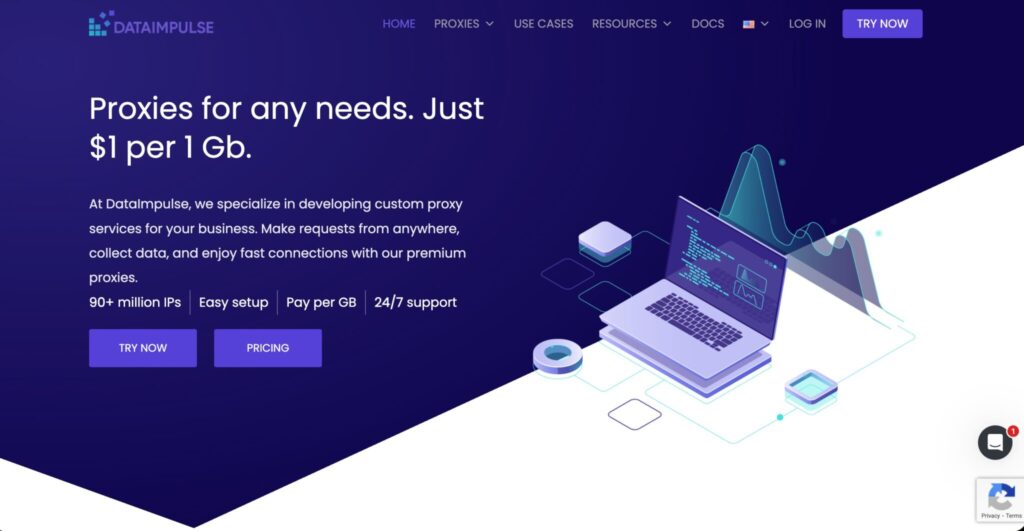
DataImpulse is attractive for teams that want pay-per-GB flexibility and low entry cost. It offers residential proxies across many countries, rotating and sticky sessions, and advanced targeting options such as state, city, ZIP, and ASN, depending on plan type.
For local market research, this is useful when you have irregular projects. Non-expiring traffic is useful if your research schedule is not predictable.
The caution is that advanced targeting may cost extra or require the right product tier. Read the plan details before assuming city or ZIP targeting is included.
Best for: pay-as-you-go users, irregular research projects, low-cost experiments, ZIP-level testing.
Massive Comparison Table
| Provider | Best Use Case | Proxy Types | Local Targeting | Rotation Control | Protocols | Strength | Watch-Out |
|---|---|---|---|---|---|---|---|
| Bright Data | Enterprise research | Residential, mobile, ISP, datacenter | Country, city, ASN, ZIP options | Rotating and sticky | HTTP(S), SOCKS5 | Huge network and tooling | Expensive for beginners |
| Oxylabs | Scalable data collection | Residential, mobile, ISP, datacenter | Country, state, city, ZIP, ASN | Rotating and sticky | HTTP(S), SOCKS5 | Strong reliability | Premium pricing |
| Decodo | Agencies and SEO teams | Residential, mobile, datacenter, ISP | Country, state, city | Rotating and sticky | HTTP(S), SOCKS5 | Easy setup | Smaller than top enterprise pools |
| SOAX | Precision geo checks | Residential, mobile, ISP, datacenter | Country, region, city, ISP | Rotating and sticky | HTTP(S), SOCKS5 | Excellent targeting | Test small-city depth |
| NetNut | Fast research pipelines | Residential, ISP, mobile, datacenter | City and state options | Rotating and sticky | HTTP(S), SOCKS5 | Speed and stability | More business-focused |
| IPRoyal | Budget local research | Residential, ISP, mobile, datacenter | Country, state, city | Rotating and sticky | HTTP(S), SOCKS5 | Flexible pricing | Smaller pool |
| Rayobyte | Supported setup | Residential, ISP, datacenter | Country, state, city | Rotating and sticky | HTTP(S) | Good support | Validate niche locations |
| Webshare | Low-cost self-serve | Residential, static residential, datacenter | Country and city | Rotating | HTTP, SOCKS5 | Affordable | Less enterprise support |
| DataImpulse | Pay-as-you-go studies | Residential, mobile, datacenter | Country, state, city, ZIP, ASN | Rotating and sticky | HTTP(S), SOCKS5 | Non-expiring traffic | Advanced targeting may vary |
How to Choose Local Market Research Proxies
For best results, separate discovery runs from verification runs. Discovery finds patterns quickly. Verification repeats the same checks slowly from cleaner sessions, then confirms whether the first result was real or just random noise in the target page on that specific run.
1. Match Proxy Type to the Research Job
Use residential proxies for most local research. They give you the most natural view of public websites because the IPs are tied to real consumer networks. Use mobile proxies when mobile carrier behavior matters, such as app-like content, mobile ads, or location-sensitive mobile pages. Use ISP proxies when you need the same IP for long-term tracking.
2. Check the Real IP Pool, Not Just the Advertised Pool
A provider may advertise millions of IPs, but your target city may only have a small active pool at the moment you run your test. Ask for pool depth by country, city, ASN, and carrier when possible.
Pro-Tip: For local SERP or pricing studies, run a pilot across your top 10 target locations. Measure success rate, response time, CAPTCHA frequency, and whether the page actually reflects the selected location.
3. Understand Rotation Protocols
Rotation decides how often your IP changes. For broad data collection, rotate every request or every few requests. For workflows that need continuity, such as browsing filters, checking carts, moving through pagination, or maintaining a local session, use sticky sessions.
A good setup usually uses both. Rotate aggressively for discovery. Use sticky sessions for verification.
4. Use Sticky Sessions Carefully
Sticky sessions keep the same IP for a set period. They are useful for local price checks, maps, store availability, and multi-step research flows. But holding one IP too long can create repeated patterns.
Pro-Tip: Keep one control location in every test. If New York, London, or Sydney suddenly returns strange data, you can spot provider issues before blaming the target website or your scraper.
5. Verify Location Accuracy
Never rely only on the provider dashboard. Test IP location through multiple signals, then confirm the target website is showing the correct city, currency, language, store, or local inventory. Local research fails quietly when the proxy says “Chicago” but the website serves a generic US page.
6. Prioritize Ethical Sourcing and Compliance
Use proxies to collect public, permitted, business-relevant data. Avoid private accounts, personal data, login-gated systems, and aggressive request patterns.
7. Calculate Cost by Completed Data, Not GB Price
Cheap traffic is not cheap if half your requests fail. Track cost per successful page, cost per verified location, and cost per clean data point. The best provider is often the one that produces fewer bad rows in your spreadsheet.
FAQs
1. What are local market research proxies?
They are proxies that let you view public web content from specific countries, states, cities, ZIP codes, ISPs, or mobile carriers. Researchers use them to check local rankings, prices, ads, availability, and competitor visibility.
2. Are residential proxies better for local research?
Usually, yes. Residential IPs tend to reflect real consumer locations more naturally than datacenter IPs. That makes them better for local SERPs, ecommerce, travel, delivery, classifieds, and ad checks.
3. Do I need city-level or ZIP-level targeting?
City-level targeting is enough for many SEO and ecommerce projects. ZIP-level targeting is useful for delivery pricing, local services, real estate, store inventory, and markets where results change within the same city.
4. What is the difference between rotating and sticky proxies?
Rotating proxies change IPs regularly, often per request. Sticky proxies keep the same IP for a set time. Use rotating proxies for scale and sticky proxies for multi-step local research.
5. Which proxy provider is best for beginners?
Decodo, IPRoyal, Webshare, and DataImpulse are easier starting points. Bright Data and Oxylabs are better when you need enterprise scale, compliance controls, and advanced data tools.
6. Can proxies guarantee accurate local data?
No. Proxies help, but websites may also use GPS, cookies, account history, browser language, payment region, or device signals. For serious research, combine proxies with clean browsers, localized settings, and repeated validation.
7. Are local market research proxies legal?
Proxy use itself is legal in many places, but how you use them matters. Stick to public data, respect website terms, avoid personal data, and keep request rates reasonable.
8. What is the best proxy type for local SEO tracking?
Residential proxies are usually best for local SEO tracking. If you need stable daily tracking from the same market, ISP proxies can also work well.
9. How many proxies do I need?
Start with traffic volume and locations, not a raw IP count. A small study across 10 cities may need only a few GB. A daily nationwide tracking system may need a larger pool, automated rotation, and provider support.