
Mobile IP proxies are not cheap, and that is exactly why choosing the wrong provider hurts.
A basic datacenter proxy might work for a low-risk scraping job. A residential proxy might handle eCommerce price monitoring or local SERP checks. But when a platform heavily watches IP reputation, device behavior, session stability, location signals, and carrier traffic patterns, mobile IP proxies sit in a different league.
They route traffic through real mobile carrier networks such as 3G, 4G, LTE, and 5G. That means the IP often looks like it belongs to a real smartphone user, not a server rack. This makes mobile proxies useful for mobile app testing, ad verification, public web data collection, localized mobile content checks, and workflows where normal residential proxies get blocked too quickly.
Still, “mobile proxy” is a messy category. Some providers sell rotating shared mobile pools. Some sell dedicated SIM-based 4G/5G ports. Some charge per GB. Others charge per day, per month, or per port. Some give you country-level targeting, while others let you choose city, ASN, carrier, OS, or rotation interval.
So this guide cuts through the noise.
Below, I reviewed the best mobile IP proxy providers based on pool size, carrier coverage, rotation control, session handling, targeting depth, pricing clarity, and real-world usefulness.
Pricing and feature details were checked from current provider pages in May 2026, but proxy pricing changes often, so always confirm before buying.
Quick Verdict: Best Mobile IP Proxies by Use Case
| Use Case | Best Pick | Why |
|---|---|---|
| Enterprise scraping and ad verification | Oxylabs | Huge mobile pool, strong targeting, business-grade support |
| Premium compliance-focused proxy infrastructure | Bright Data | Strong geo controls, KYC, Proxy Manager, enterprise controls |
| Best value for teams | Decodo | Flexible mobile plans starting from low per-GB pricing |
| Clean mobile pool with strong filtering | SOAX | Large 3G/4G/5G pool and granular targeting |
| Large-scale data collection | NetNut | 5M+ mobile IPs and bandwidth-based plans |
| Budget mobile proxy testing | DataImpulse | Low per-GB pricing and non-expiring credit model |
| Dedicated mobile sessions | IPRoyal | Good for account workflows and stable mobile sessions |
| Dedicated/shared 4G/5G ports | Proxy-Seller | Timer and link-based rotation, unlimited bandwidth model |
| High-volume mobile scraping | Rayobyte | Very low per-GB pricing at large traffic tiers |
What Are Mobile IP Proxies?
Mobile IP proxies route your internet requests through IP addresses assigned by mobile carriers. These are not the same as datacenter IPs, and they are not always the same as home residential IPs.
A mobile proxy usually works through:
- A real mobile device
- A SIM card connected to a carrier network
- A mobile gateway
- A rotating mobile IP pool
- Carrier-grade NAT, also called CGNAT
CGNAT matters because many real mobile users can share the same public-facing mobile IP. Blocking one mobile IP can accidentally block a large number of legitimate users. That is one reason mobile proxies often have stronger trust signals than cheap datacenter proxies.
SOAX explains that mobile proxies use IP addresses assigned by mobile ISPs and route traffic through networks such as 3G, 4G, and 5G, which helps them look like real mobile users rather than automated server traffic.
Best Mobile IP Proxy Providers: Full Reviews
1. Bright Data: Best for Enterprise-Grade Mobile Proxy Infrastructure

Bright Data is one of the most established names in proxy infrastructure. It is not the cheapest option, but it is built for teams that care about compliance, targeting, account controls, logs, documentation, and support.
Bright Data lists 7M+ mobile IPs, city, ASN, and ZIP-code level targeting, SOCKS5 support through Proxy Manager, real-time network status, and a compliance process for mobile and residential network access.
What makes Bright Data strong is control. You can build more structured workflows instead of simply buying a random rotating endpoint and hoping it works. For ad verification, mobile content checks, market research, and location-sensitive testing, that level of control matters.
Bright Data also has a pay-as-you-go option for proxy networks, with pricing shown from $4.00/GB under its current promotional display, plus larger monthly plans with lower per-GB pricing.
Best for: Enterprise teams, agencies, ad verification, mobile web intelligence, compliance-heavy scraping.
Pros
- 7M+ mobile IPs
- City, ASN, and ZIP targeting
- Strong dashboard and Proxy Manager
- Good fit for professional teams
- KYC and compliance processes help reduce network abuse
Cons
- Can feel heavy for beginners
- Pricing may be higher than small teams expect
- Some users may not want a KYC process
Pro Tip: Use Bright Data when you need repeatable workflows, not just cheap IPs. If your project requires reports, audit trails, or consistent geo controls, the higher cost can make sense.
2. Oxylabs: Best Premium Mobile Proxy Network for Scale

Oxylabs is another premium provider built for large-scale data teams. Its mobile proxy page lists 20M+ mobile IPs, 140+ countries, 99.9% uptime, and filtering by continent, country, state, city, coordinates, and ASN.
That combination makes Oxylabs one of the strongest options for public data collection, brand protection, ad verification, and mobile-first market research. It is especially useful when you need broader global coverage and do not want to manage fragile infrastructure yourself.
Oxylabs is not the “quick cheap proxy” option. It is better suited for teams that need stable performance, account management, and scalable proxy access.
Best for: Enterprise scraping, market intelligence, brand monitoring, ad verification, high-volume public data extraction.
Pros
- 20M+ mobile IP pool
- 140+ countries
- Advanced geo and ASN targeting
- Strong uptime claim
- Business-grade support
Cons
- Pricing may be above beginner level
- More suited to teams than hobby users
- Some features may require sales contact or account setup
Pro Tip: Oxylabs is a smart pick when your mobile proxy budget is tied to revenue, not experimentation. For example, ad verification, competitive intelligence, or mission-critical crawling.
3. Decodo: Best Value Mobile Proxies for Growing Teams

Decodo, formerly Smartproxy, has become one of the most practical options for teams that want good mobile proxies without jumping straight into enterprise-level spend.
Its mobile proxy pricing page shows plans starting from $2.25/GB at higher volume, with pay-as-you-go shown at $4.00/GB under the current discounted display. Smaller plans include 2GB, 8GB, 25GB, 50GB, 100GB, 250GB, and 500GB tiers.
That pricing structure makes Decodo attractive for SEO teams, growth agencies, developers, QA testers, and data teams that need real mobile IPs but want more flexibility than quote-only enterprise plans.
The biggest benefit is the balance. Decodo gives you a polished interface, useful targeting, and mobile IP access at prices that are easier to test.
Best for: Agencies, SEO teams, developers, small to mid-sized scraping projects, app testing.
Pros
- Flexible per-GB pricing
- Good entry point compared with premium-only providers
- Pay-as-you-go available
- Useful for testing before scaling
- Beginner-friendly dashboard
Cons
- Discounts may vary
- Very small users may still find mobile proxies expensive
- Enterprise-grade needs may require larger plans
Pro Tip: Start with Decodo when you need clean mobile IPs but still want to control spend. It is a good middle ground between budget providers and premium enterprise networks.
4. SOAX: Best for Flexible Targeting and Clean Mobile Traffic

SOAX is a strong mobile proxy provider for users who care about filtering and targeting. Its mobile proxy page lists 33M+ mobile proxies across 195 locations, supporting 3G, 4G, 5G, and LTE mobile proxy traffic.
SOAX also explains that its mobile proxies are useful for web scraping, social media management, ad verification, avoiding geo-restrictions, cybersecurity, and price comparison. It mentions country and city-level selection for mobile proxies.
Where SOAX stands out is control. It is a good option when you need to test different locations, manage mobile sessions, and avoid using the same kind of proxy for every target.
Its current pricing model uses bundled credits across proxy types, with Starter pricing displayed at $3.60/GB for 25GB included.
Best for: Geo-targeted research, mobile testing, ad checks, social media workflows, public web data collection.
Pros
- 33M+ mobile proxies
- 195 locations
- 3G/4G/5G/LTE support
- Strong location targeting
- Good for testing different proxy types under one plan
Cons
- Bundled pricing may not suit users who only want mobile traffic
- Interface and configuration may take time for beginners
- Not always the cheapest for small one-off jobs
Pro Tip: SOAX works well when targeting matters more than raw price. If you need specific countries, cities, or mobile network behavior, test SOAX early.
5. NetNut: Best for Large Mobile Proxy Pool Access

NetNut is known for residential and mobile proxies aimed at data collection and business use. Its mobile proxy page lists over 5 million rotating mobile IPs and shows mobile proxy pricing starting at $7.6/GB for the 13GB Starter plan, with larger tiers dropping the per-GB cost.
NetNut also states that its mobile IP network covers 100 countries and supports 3G, 4G, 5G, and LTE mobile proxies.
The best reason to choose NetNut is scale. It is not the lowest-cost provider in the list, but it gives teams a serious mobile proxy network with bandwidth-based plans and clear monthly packages.
Best for: Data collection teams, market research, medium to large scraping operations, ad verification.
Pros
- 5M+ mobile IPs
- 100-country coverage
- Monthly bandwidth plans
- Built for larger traffic use
- Good for structured data projects
Cons
- Starter plan begins at $99/month
- Less ideal for tiny tests
- Higher per-GB pricing than some budget options
Pro Tip: NetNut makes sense when you already know your monthly traffic needs. If your usage is random or tiny, a pay-as-you-go provider may fit better.
6. DataImpulse: Best Low-Cost Mobile Proxy Option
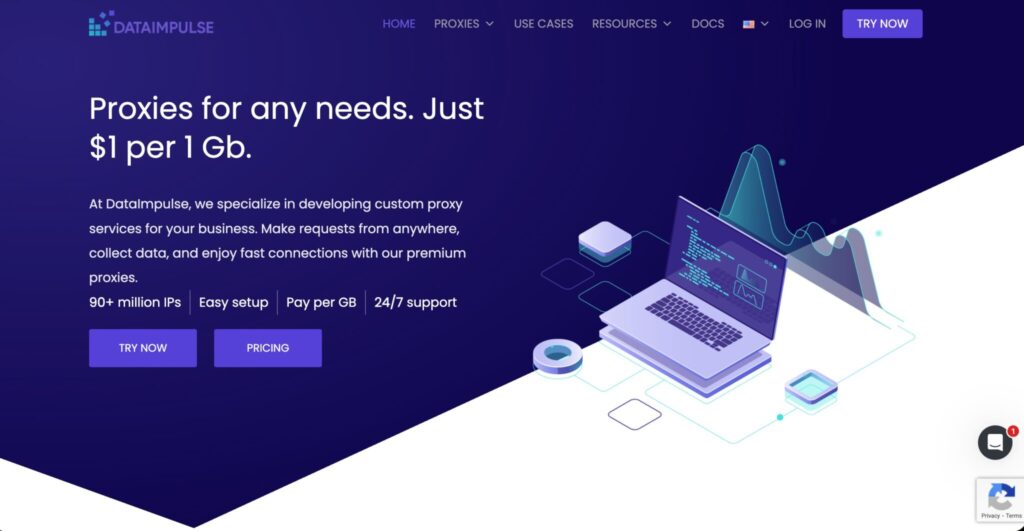
DataImpulse is worth watching because it brings mobile proxy pricing down to a very competitive level. Its mobile proxy page advertises mobile proxies at $2/GB, real carrier IPs, support across 3G, 4G, and 5G networks, coverage in 195+ countries, and credit that does not expire.
That non-expiring credit model is useful for smaller teams. Many proxy plans punish users who do not consume all traffic in a monthly cycle. If your work is irregular, rollover or non-expiring traffic can lower waste.
DataImpulse is best for budget-conscious users who still want real mobile carrier IPs. It may not offer the same enterprise controls as Bright Data or Oxylabs, but the pricing is hard to ignore.
Best for: Budget testing, small scraping projects, irregular traffic, early-stage teams.
Pros
- Low $2/GB mobile proxy pricing
- Credit does not expire
- 195+ countries
- 3G/4G/5G support
- Good for testing without big commitment
Cons
- Less enterprise polish than premium providers
- Support and advanced workflow tools may not match top-tier platforms
- Quality can vary by location and target
Pro Tip: Use DataImpulse for early validation. Once you know which targets, locations, and traffic volume you need, compare performance against a premium provider.
7. IPRoyal: Best for Dedicated Mobile Sessions and Account Workflows

IPRoyal offers both rotating and dedicated mobile proxy options. Its mobile proxy pricing page shows daily and monthly mobile proxy plans, including 24-hour access from $10.11/day and 30-day access from $130/month. It also lists traffic-based options such as 2GB at $6.80/GB and 100GB at $5.20/GB.
IPRoyal is useful when you need mobile behavior with manageable pricing and session stability. This makes it attractive for app QA, mobile account workflows, and small business use cases where premium enterprise plans feel too much.
The provider also highlights unlimited bandwidth for rotating mobile proxies and response times around 0.8s on its mobile proxy page.
Best for: Dedicated mobile proxy use, account management, app QA, small teams.
Pros
- Daily and monthly options
- Dedicated mobile proxy plans
- Traffic-based mobile options available
- Simple pricing compared with many competitors
- Good option for smaller teams
Cons
- Smaller ecosystem than Bright Data or Oxylabs
- Fewer enterprise tools
- Location coverage may not match larger providers
Pro Tip: IPRoyal is a strong fit when you need stable mobile identity more than a massive rotating pool.
8. Proxy-Seller: Best for Dedicated 4G/5G Ports and Manual Rotation
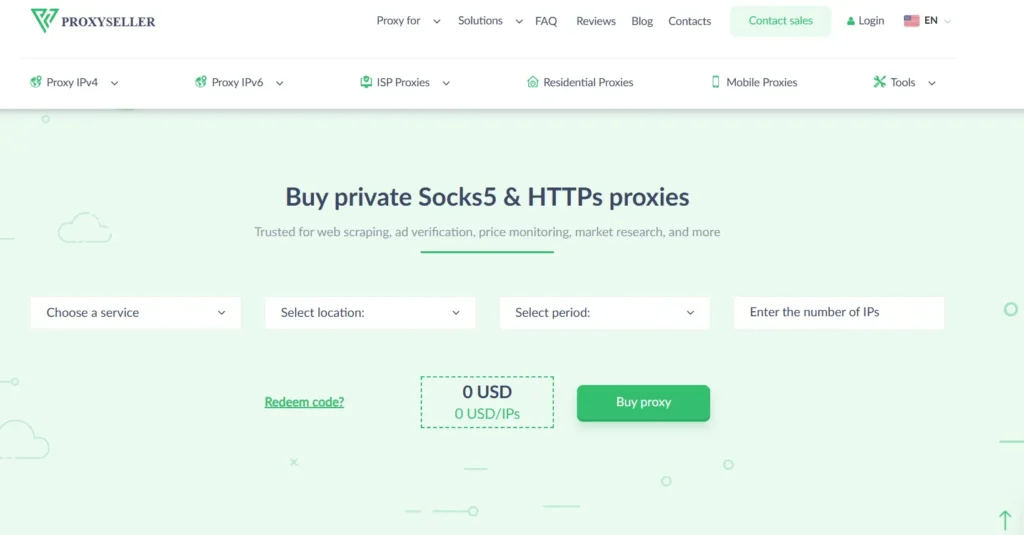
Proxy-Seller is different from providers that mainly sell per-GB rotating pools. It focuses heavily on dedicated and shared mobile proxies with 4G/5G/LTE support, timer-based rotation, manual rotation links, HTTPS/SOCKS5 support, and username/password or IP allowlist authentication.
It also mentions unlimited bandwidth, 5/30-minute rotation options, 99% uptime, and dynamic mobile proxies from carriers such as AT&T, T-Mobile, Verizon, Vodafone, Jio, and Orange.
This makes Proxy-Seller useful for workflows where you want a mobile port rather than a broad metered pool. For example, account approvals, localized testing, and controlled mobile sessions.
Best for: Dedicated mobile ports, SMM tools, ad verification, manual rotation control, account workflows.
Pros
- Dedicated and shared mobile options
- 4G/5G/LTE support
- Manual or timer-based rotation
- HTTPS and SOCKS5 support
- Unlimited bandwidth model
Cons
- Per-port pricing can get expensive
- Speeds may vary by location and carrier
- Not always ideal for high-volume scraping compared with per-GB pools
Pro Tip: Choose Proxy-Seller when you need control over a smaller number of mobile identities, not when you need millions of rotating IPs for large scraping volume.
9. Rayobyte: Best for High-Volume Mobile Scraping

Rayobyte’s mobile proxy pricing is built for heavy traffic. Its mobile proxy page lists a $250 trial for 500GB at $0.50/GB, a Professional plan at $250/month for 200GB, a Business plan at $1,000/month for 909GB, and enterprise pricing as low as $0.50/GB for 5TB+.
Rayobyte also states that its mobile proxies are rotating mobile proxies that assign a unique mobile IP to every connection, and that it currently offers 3G and 4G mobile generations.
This provider is not for someone who needs a few gigabytes. It is for users who already know they need large mobile traffic volume and want low per-GB rates.
Best for: High-volume scraping, large data teams, users needing hundreds of GBs or TBs.
Pros
- Very low per-GB pricing at scale
- Large traffic plans
- Rotating mobile proxies
- Good for scraping-heavy workflows
- Clear bandwidth tiers
Cons
- High starting commitment
- 3G/4G only listed on the page checked
- Bandwidth expires every 30 days
- Not beginner-friendly for tiny projects
Pro Tip: Rayobyte is attractive when mobile traffic volume is predictable. If you only need 5GB or 10GB, it is probably not the right starting point.
Massive Comparison Table: Best Mobile IP Proxy Providers
| Provider | Best For | Mobile Network Type | Pool / Coverage | Rotation Control | Pricing Style | Starting Price Snapshot | Main Strength | Watch Out For |
|---|---|---|---|---|---|---|---|---|
| Bright Data | Enterprise mobile data workflows | 3G/4G/5G mobile network | 7M+ mobile IPs | Advanced session and Proxy Manager control | Per-GB and plans | Pay-as-you-go shown from $4/GB promo pricing | Strong controls and compliance | Can be complex and costly |
| Oxylabs | Premium large-scale scraping | 5G/4G/LTE | 20M+ mobile IPs, 140+ countries | Advanced geo and ASN targeting | Quote / plan-based | Pricing varies by plan | Enterprise-grade stability | Better for larger teams |
| Decodo | Best value for growing teams | 3G/4G/5G | Global mobile proxy pool | Rotating sessions | Per-GB and PAYG | PAYG shown at $4/GB, larger tiers from $2.25/GB | Flexible pricing | Discounts may change |
| SOAX | Geo-targeted mobile workflows | 3G/4G/5G/LTE | 33M+ mobile proxies, 195 locations | Rotation and location filtering | Bundled proxy credits | Starter shown at $3.60/GB | Strong filtering | Bundled model may not suit everyone |
| NetNut | Large mobile IP access | 3G/4G/5G/LTE | 5M+ mobile IPs, 100 countries | Rotating mobile IPs | Monthly bandwidth | Starter $99/month, $7.6/GB | Good for scale | Higher entry cost |
| DataImpulse | Budget testing | 3G/4G/5G | 195+ countries | Rotating mobile traffic | Pay-per-GB | $2/GB | Low-cost mobile access | Less enterprise polish |
| IPRoyal | Dedicated sessions | 3G/4G/5G/LTE | Selected mobile locations | Auto/manual session options | Daily, monthly, and GB plans | From $10.11/day or $130/month | Stable mobile identity | Smaller enterprise stack |
| Proxy-Seller | Dedicated/shared ports | 4G/5G/LTE | Carrier-based mobile proxies | 5/30-minute timer or link rotation | Per mobile proxy/port | From $10/IP listed in search result | Great rotation control | Not ideal for huge scraping volume |
| Rayobyte | High-volume scraping | 3G/4G | Rotating mobile IPs | New mobile IP per connection | Monthly traffic plans | Trial $250 for 500GB | Very low per-GB at scale | High minimum spend |
How to Choose the Best Mobile IP Proxy Provider
1. Start With the Real Use Case
Do not buy mobile proxies just because they sound “stronger.” They are expensive compared with datacenter and residential proxies.
Use mobile IP proxies when you need:
- Mobile app testing
- Ad verification on mobile carrier networks
- Public data collection from stricter targets
- Mobile SERP or location checks
- Social platform QA
- Regional mobile content testing
- Account session testing where mobile identity matters
For simple crawling, datacenter or residential proxies may be cheaper.
2. Check the IP Pool Size, But Do Not Worship It
A large pool is useful, but pool quality matters more.
A 30M+ pool with poor availability in your target country may lose to a smaller pool with cleaner IPs and better carrier control. Ask these questions before buying:
- Which countries are actually available right now?
- Can I choose city, ASN, carrier, or ZIP code?
- Are IPs shared or dedicated?
- Are the IPs real mobile carrier IPs?
- What happens when a location has low availability?
3. Understand Rotation Protocols
Rotation can make or break your workflow.
There are four common rotation styles:
Per request rotation: A new IP may appear on every request. Good for scraping broad public pages. Bad for login flows.
Timed rotation: The IP changes every few minutes. Common options include 5, 10, 15, or 30 minutes. Good for controlled crawling.
Sticky sessions: The same IP stays active for a session window. Useful for account management, checkout flows, and app testing.
Manual link/API rotation: You trigger the IP change yourself. Best when you want control.
Proxy-Seller, for example, highlights link-based rotation and 5/30-minute timer rotation for its mobile proxies.
4. Match Protocol Support With Your Tools
Most users need HTTP or HTTPS. Some tools require SOCKS5. Browser automation stacks, anti-detect browsers, scraping frameworks, mobile QA tools, and SEO tools may each handle proxy authentication differently.
Check for:
- HTTP support
- HTTPS support
- SOCKS5 support
- Username/password authentication
- IP allowlisting
- API access
- Browser profile compatibility
5. Look at Session Stability, Not Just Speed
Mobile proxies can be slower than datacenter proxies. That is normal. You are routing through mobile carrier infrastructure, not a clean data center pipe.
For professional use, session stability matters more than raw speed.
Ask:
- Does the IP change mid-session?
- Can I hold a sticky session?
- Can I rotate without dropping sessions?
- Are long sessions allowed?
- Is there a dashboard to monitor usage?
NodeMaven, for example, promotes sticky sessions up to 24 hours for its 4G/5G mobile proxies.
6. Compare Pricing by Effective Cost, Not Headline Cost
A provider showing $2/GB may look cheaper than one showing $5/GB. But the real cost depends on:
- Minimum monthly spend
- Whether unused traffic expires
- Whether targeting costs extra
- Whether premium locations cost more
- Whether dedicated IPs are priced separately
- Whether support is included
- Whether failed requests still consume bandwidth
Rayobyte looks very cheap per GB, but it starts with high traffic commitments. DataImpulse is cheaper for flexible usage because it advertises $2/GB and non-expiring credit.
7. Test Before You Scale
Run a controlled test before committing.
Test:
- Login success
- Block rate
- CAPTCHA rate
- Average response time
- Session length
- Target country availability
- Cost per successful request
- Tool compatibility
Do not judge a mobile proxy by one successful request. Judge it by 1,000 to 10,000 realistic requests across your actual target workflow.
Best Mobile IP Proxies for Specific Needs
Best Overall: Oxylabs
Oxylabs has the scale, targeting depth, and stability serious teams need. It is not the cheapest, but it is one of the safest choices for business-grade mobile proxy use.
Best Premium Control: Bright Data
Bright Data is ideal if you need compliance, granular controls, Proxy Manager, and strong operational visibility.
Best Value: Decodo
Decodo gives a strong balance of price, usability, and mobile proxy access. It is one of the easiest providers to recommend for growing teams.
Best for Geo Filtering: SOAX
SOAX is a strong pick when country and city-level targeting matter. It is especially useful for mobile ad checks and local data testing.
Best Budget Option: DataImpulse
DataImpulse is a good starting point if you want affordable mobile IP access without wasting unused monthly traffic.
Best Dedicated Mobile Ports: Proxy-Seller
Proxy-Seller is useful when you want dedicated or shared mobile ports, manual rotation, and unlimited bandwidth-style packages.
FAQs About Mobile IP Proxies
1. What is the best mobile IP proxy provider?
For enterprise users, Oxylabs and Bright Data are the strongest options. For value, Decodo and SOAX are easier to start with. For budget testing, DataImpulse is attractive. The best choice depends on your traffic volume, location needs, and rotation requirements.
2. Are mobile proxies better than residential proxies?
Mobile proxies are usually harder to block because they use carrier-assigned mobile IPs and often benefit from CGNAT behavior. But they cost more. Residential proxies are better for broad scraping and general research when you do not need mobile carrier traffic.
3. Are 5G proxies better than 4G proxies?
Not always. 5G can offer lower latency and higher speed, but 4G is often stable enough for scraping, account testing, ad verification, and mobile QA. Choose 5G when speed and latency matter. Choose 4G when coverage and stability matter more.
4. What is the difference between rotating and sticky mobile proxies?
Rotating proxies change IPs often, which helps with large-scale crawling. Sticky proxies keep the same IP for a session, which helps with logins, account workflows, carts, app testing, and multi-step actions.
5. Why are mobile proxies expensive?
They rely on real mobile carrier infrastructure, SIMs, devices, mobile gateways, or carrier-grade routing. That infrastructure costs more to operate than datacenter servers.
6. Can websites detect mobile proxies?
Some platforms can detect suspicious automation through browser fingerprints, request patterns, device signals, and behavior. A mobile proxy only solves the IP layer. You still need clean headers, realistic timing, proper session handling, and compliant use.
7. Are mobile proxies legal?
Mobile proxies are legal when used for lawful purposes such as public data collection, ad verification, QA testing, and market research. They should not be used for credential attacks, spam, fraud, bypassing security controls, or violating platforms in harmful ways.
8. Should I choose shared or dedicated mobile proxies?
Choose shared mobile proxies when you need lower cost and broad rotation. Choose dedicated mobile proxies when you need stable identity, account consistency, fewer noisy neighbors, and more predictable behavior.
9. Do mobile proxies support SOCKS5?
Many premium providers support SOCKS5, but not all plans support it equally. Bright Data lists SOCKS5 support through Proxy Manager, while Proxy-Seller lists SOCKS5 and HTTPS support for its mobile proxy setup.
Final Verdict: Which Mobile IP Proxy Should You Buy?
The safest overall choices are Oxylabs, Bright Data, Decodo, and SOAX.
Pick Oxylabs if you need premium scale and strong targeting. Pick Bright Data if compliance, controls, and enterprise workflows matter. Pick Decodo if you want the best balance of price and usability. Pick SOAX if geo-targeting and flexible filtering are high priorities.
For smaller budgets, DataImpulse is worth testing. For dedicated mobile ports, Proxy-Seller and IPRoyal make more sense. For high-volume scraping where you already need hundreds of gigabytes, Rayobyte can be cost-effective.
The real answer is simple: buy based on workflow, not hype. A mobile proxy provider that works beautifully for app testing may be a poor fit for large scraping. A cheap per-GB plan may become expensive if failed requests burn your traffic. A huge IP pool may not help if it does not have clean IPs in the country you need.
Test with your real target, your real tool, and your real traffic pattern. Then scale the provider that gives you the lowest cost per successful action, not just the lowest sticker price.