
Best Proxies for Discord Automation.
Discord automation is a touchy subject because the word “automation” can mean two very different things.
On one side, you have legitimate automation: approved bot accounts, moderation tools, uptime monitoring, webhook testing, community analytics, QA checks, and region-based performance testing.
On the other side, you have self-bots, spam bots, mass DM tools, fake engagement systems, and account farming. Those are not just risky. They can get accounts, apps, servers, and infrastructure flagged fast.
So, when we talk about the best proxies for Discord automation, we are talking about compliant workflows. Think testing your Discord bot from different regions, monitoring API behavior, checking latency, managing support tools, or running controlled QA environments. A proxy will not fix bad automation.
It only helps route traffic cleanly, separate environments, improve testing accuracy, and reduce unnecessary exposure of your main server IP.
The best proxy for Discord is not always the biggest pool or the cheapest per GB. You need stable sessions, clean IP reputation, protocol support, sensible rotation, and a provider that does not look shady the moment you open the dashboard.
Quick Comparison Table: Best Discord Proxy Providers
| Provider | Best For | Proxy Types | Rotation Control | IP Pool Strength | Ease of Use | Starting Fit |
|---|---|---|---|---|---|---|
| Bright Data | Enterprise QA and compliance-heavy teams | Residential, ISP, mobile, datacenter | Advanced | Excellent | Medium | Large teams |
| Oxylabs | Scalable bot testing and data teams | Residential, mobile, ISP, datacenter | Advanced | Excellent | Medium | Enterprise |
| Decodo | Balanced price, speed, and usability | Residential, mobile, ISP, datacenter | Strong | Very strong | Easy | Agencies |
| SOAX | Geo-targeted testing and mobile-heavy workflows | Residential, mobile, ISP | Strong | Very strong | Easy | Growth teams |
| IPRoyal | Budget-conscious smaller teams | Residential, ISP, mobile, datacenter | Flexible | Good | Easy | Startups |
| NetNut | Stable ISP-style routing | Residential, ISP, datacenter | Good | Strong | Medium | B2B teams |
| Webshare | Affordable static and datacenter proxies | Residential, ISP, datacenter | Basic to good | Good | Very easy | Beginners |
| Rayobyte | Dedicated datacenter and ISP setups | Datacenter, ISP, residential | Good | Good | Medium | Technical users |
| Proxy-Seller | Low-cost private proxy use | Datacenter, ISP, mobile | Basic | Moderate | Easy | Small projects |
1. Bright Data: Best Overall for Enterprise Discord Testing

Bright Data is the provider I would shortlist first for larger teams that care about compliance, observability, and global coverage. It is not the cheapest option, and frankly, it is overkill for a hobby bot. But if you run a serious community platform, SaaS integration, moderation tool, or customer support bot, Bright Data gives you the kind of control that cheaper networks usually lack.
Its residential and ISP proxy options are useful for testing how a Discord-related workflow behaves from different regions. ISP proxies are especially useful when you need session stability without the noisy behavior of constantly rotating IPs.
Residential proxies make more sense when you need broader geographic testing, not when you want nonstop rotation.
Pro Tip: For Discord bot QA, do not rotate IPs every few seconds. Use sticky sessions during login, webhook, or API behavior testing. Fast rotation can create unnatural patterns and make debugging harder.
Best for: Enterprise QA, compliance-aware automation, global testing
Avoid if: You only need a few cheap proxies for a small bot project
2. Oxylabs: Best for Scale and Technical Teams

Oxylabs sits in the same premium category as Bright Data, but it often feels more technical and operations-focused. If your Discord automation stack is part of a larger data or monitoring operation, Oxylabs is a strong pick.
The provider offers a large residential proxy network, mobile proxies, ISP proxies, and datacenter options. For Discord workflows, I would look at ISP or datacenter proxies first for stable, predictable performance. Residential proxies are better when location diversity matters.
Where Oxylabs wins is reliability. For teams running controlled tests across multiple environments, that matters more than saving a few dollars per month. The dashboard and documentation are solid, but smaller users may find the setup more serious than they need.
Best for: Large-scale QA, uptime testing, technical teams
Avoid if: You want the cheapest starter option
3. Decodo: Best Balance for Agencies and Mid-Sized Teams

Decodo, formerly Smartproxy, is one of the most practical choices for agencies, Discord tool builders, and mid-sized teams. It hits a nice middle ground between premium performance and manageable pricing.
The interface is easier than most enterprise tools, and the provider supports residential, static residential, mobile, and datacenter proxies. For Discord-related work, this gives you flexibility. You can use static residential or ISP proxies for longer sessions, datacenter proxies for speed-heavy internal testing, and residential proxies for location checks.
Decodo is also a good option if your team does not have a full-time infrastructure person. The setup flow is clean, the documentation is approachable, and the pricing is less intimidating than the top enterprise vendors.
Pro Tip: If your Discord workflow includes browser-based testing, keep one proxy profile tied to one testing environment. Do not mix sessions randomly across tools.
Best for: Agencies, SaaS teams, QA workflows
Avoid if: You need deep enterprise compliance controls
4. SOAX: Best for Geo-Targeted Discord Testing

SOAX is a strong pick when location accuracy matters. If you need to test community onboarding, support bot response times, regional moderation flows, or localized webhooks, SOAX gives you useful targeting and flexible session control.
Its residential and mobile proxy coverage is strong, and the session customization is helpful. You can rotate on request or keep the same IP for a longer period. That flexibility matters because Discord-related workflows often break when your network identity changes too aggressively.
SOAX is also a good fit for teams that want a cleaner user experience than some old-school proxy dashboards. You do not need to be a network engineer to get started, though technical users still get enough control.
Best for: Geo-testing, mobile-heavy checks, regional QA
Avoid if: You only need basic datacenter proxies
5. IPRoyal: Best Budget Residential Proxy Option

IPRoyal is a good choice when you want residential proxies without paying enterprise prices. It is not as large or polished as Bright Data or Oxylabs, but it offers practical features that smaller Discord projects may appreciate.
Sticky sessions are the main reason to consider it. For safe Discord bot testing, keeping one stable IP for a session is usually better than rotating constantly. IPRoyal also supports flexible location selection, which helps if you are testing regional performance.
This is a good option for small teams, indie developers, or agencies that need a workable proxy setup without a big monthly commitment.
Pro Tip: Do not choose a provider only because it offers “unlimited sessions.” What matters is how clean, stable, and consistent those sessions are.
Best for: Smaller teams, budget-conscious testing, basic residential needs
Avoid if: You need enterprise-grade reporting6. NetNut: Best for Stable ISP-Style Connections
NetNut is interesting because it leans heavily into direct ISP connectivity. That makes it useful for teams that care more about stability than random peer-based routing.
For Discord automation testing, stable IPs can be more valuable than massive rotation. If you are testing long-running bot behavior, web dashboards, moderation panels, or alert workflows, you want fewer network surprises. NetNut’s ISP-style approach can help with that.
It is not always the friendliest option for beginners, and pricing can feel higher than budget providers. But for B2B users who need cleaner routing and fewer random disconnects, NetNut deserves a spot on the shortlist.
Best for: Stable long-running sessions, B2B testing, monitoring
Avoid if: You want a cheap plug-and-play option
7. Webshare: Best Affordable Proxy Provider for Beginners

Webshare is one of the easiest providers to start with. It offers residential, ISP, and datacenter proxies, with a simple dashboard and low-cost entry points. For beginners testing Discord bots in a controlled environment, this can be enough.
The main advantage is simplicity. You can get proxies quickly, test configurations, and avoid the heavy setup process common with enterprise platforms. Static residential and ISP proxies are especially useful for stable sessions.
The trade-off is depth. Webshare does not have the same advanced tooling, support depth, or compliance workflow as premium providers. But for basic QA, development environments, and small testing stacks, it is a practical option.
Best for: Beginners, small projects, low-cost testing
Avoid if: You need advanced enterprise controls
8. Rayobyte: Best for Dedicated Datacenter and ISP Proxies

Rayobyte is worth considering if your Discord automation workflow is more infrastructure-focused. For example, if you run internal bots, QA environments, or monitoring systems from dedicated servers, Rayobyte’s datacenter and ISP options can fit well.
Datacenter proxies are fast and affordable, but they are also easier to detect as non-consumer traffic. That does not make them bad. It just means you should use them for the right job: internal testing, uptime checks, dashboard access, or controlled development, not anything that tries to imitate normal user behavior.
Rayobyte works best for technical users who already understand proxy authentication, IP allocation, and routing.
Best for: Dedicated IP setups, internal tooling, technical users
Avoid if: You need huge residential rotation
9. Proxy-Seller: Best Low-Cost Private Proxy Pick
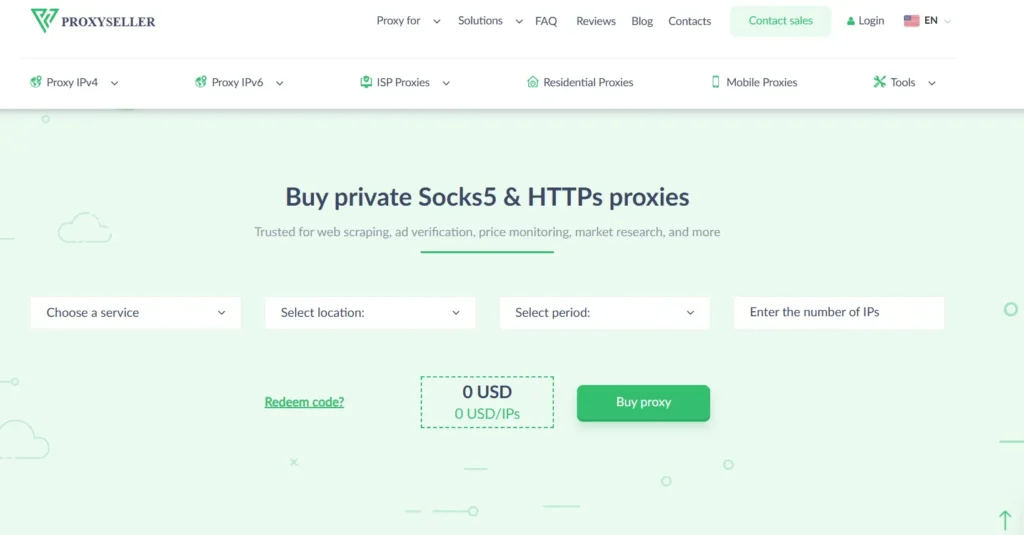
Proxy-Seller is a budget-friendly option for users who need private proxies without a complicated setup. It supports multiple proxy types, including datacenter, ISP, and mobile options depending on location and availability.
For Discord-related use, I would only recommend it for light, legitimate workflows such as environment separation, dashboard testing, or basic bot monitoring. It is not the provider I would choose for a serious enterprise setup, but it can work for smaller projects.
The biggest benefit is price. The biggest drawback is that cheaper proxy ecosystems often require more testing before you trust them in production.
Best for: Low-cost private proxies, small-scale tests
Avoid if: You need premium IP reputation or large-scale QA
How to Choose Proxies for Discord Automation
1. Start with the use case, not the provider
Before buying anything, define the job. Are you testing a Discord bot? Running uptime checks? Monitoring webhook delivery? Testing moderation tools? Checking regional latency?
If the workflow involves standard user accounts, spam, mass invites, mass DMs, fake engagement, or bypassing bans, stop. That is not a proxy problem. That is a policy problem.
For approved bot workflows, proxies can help with routing, separation, testing, and reliability.
2. Pick the right proxy type
Datacenter proxies are fast and cheap. Use them for internal QA, dashboards, and basic connectivity tests.
ISP proxies are more stable and often better for longer sessions. Use them when you need consistency.
Residential proxies are useful for location diversity and realistic network testing. Use them carefully and avoid aggressive rotation.
Mobile proxies are best for mobile-specific testing, but they are expensive and usually unnecessary for basic Discord bot work.
3. Understand IP pools
A huge IP pool sounds impressive, but quality matters more than size. For Discord-related workflows, look for clean IP reputation, region availability, ASN diversity, and low failure rates.
A smaller clean pool can beat a massive recycled pool every time.
4. Use sticky sessions for stability
Sticky sessions keep the same IP for a set period. This is useful for logins, dashboards, webhook checks, and longer QA flows.
Constant rotation can cause strange errors, broken sessions, and false test results. Rotate only when the test requires it.
5. Respect Discord rate limits
A proxy should never be used to bypass rate limits. Discord rate limits exist to protect the platform. Your bot should handle rate-limit headers properly, queue requests, retry safely, and reduce unnecessary calls.
Good automation is predictable. Bad automation is noisy.
6. Check protocol support
Most providers support HTTP and HTTPS. Some also support SOCKS5. For browser testing and most API workflows, HTTPS is usually enough. SOCKS5 can be useful for broader app-level routing, but it is not always required.
7. Test before scaling
Buy the smallest plan first. Test latency, failed requests, session behavior, support response time, and dashboard controls. Then scale.
Do not buy a large proxy package before you know your actual traffic pattern.
My Top Picks
If I had to narrow the list, I would choose:
- Best overall: Bright Data
- Best enterprise alternative: Oxylabs
- Best value for agencies: Decodo
- Best geo-targeting: SOAX
- Best budget pick: IPRoyal
- Best beginner option: Webshare
- Best stable ISP-style routing: NetNut
For most Discord bot developers, Decodo, IPRoyal, or Webshare will be enough. For larger SaaS teams or serious QA pipelines, Bright Data, Oxylabs, SOAX, and NetNut are safer long-term choices.
FAQs About Discord Proxies
1. Are proxies allowed for Discord automation?
Proxies are not automatically banned, but how you use them matters. Using proxies for approved bot testing, monitoring, QA, or infrastructure routing is different from using them for self-bots, spam, mass DMs, or ban evasion.
2. What is the best proxy type for Discord bots?
For most legitimate bot testing, ISP proxies or datacenter proxies are the best starting point. Residential proxies are useful when you need regional testing. Mobile proxies are usually only needed for mobile-specific QA.
3. Can proxies prevent Discord bans?
No. Proxies do not make unsafe automation safe. If your bot violates Discord policies or ignores rate limits, a proxy will not protect it.
4. Should I use rotating proxies for Discord?
Use rotation carefully. For most Discord workflows, sticky sessions are better than constant rotation. Rotate only when testing region behavior or separate environments.
5. Are free proxies good for Discord automation?
No. Free proxies are usually slow, abused, unstable, and risky. They can leak traffic, fail randomly, or already be flagged by platforms.
6. Which provider is best for beginners?
Webshare and IPRoyal are the easiest starting points for smaller projects. Decodo is better if you want stronger performance and more room to grow.
7. What matters more: IP pool size or IP quality?
IP quality matters more. A large pool is useful, but clean routing, low failure rates, stable sessions, and good targeting are more important for Discord-related testing.
8. Do I need SOCKS5 proxies for Discord?
Not always. HTTPS proxies are enough for many browser and API testing workflows. SOCKS5 is helpful when you need broader app-level routing.
9. What is the safest setup for Discord automation?
Use official bot accounts, respect API limits, avoid self-bots, keep logs, use sticky sessions, separate test and production environments, and choose a provider with clean IP reputation.
Final Verdict
The best proxy for Discord automation depends on what you are building. A small moderation bot does not need an enterprise proxy stack. A SaaS platform testing Discord integrations across regions probably does.
For serious teams, Bright Data and Oxylabs offer the strongest infrastructure. For agencies and growing projects, Decodo gives the best balance.
SOAX is excellent when geo-targeting matters. IPRoyal and Webshare are smart budget picks, while NetNut is strong for stable ISP-style routing.
The real rule is simple: use proxies to improve testing, routing, and reliability, not to hide abusive automation. If your bot is useful, compliant, and built with proper rate-limit handling, the right proxy setup can make your workflow cleaner and more predictable.