
Best Proxies For LinkedIn Automation.
LinkedIn is not like Instagram, TikTok, or a basic forum where cheap proxies can survive for weeks. It is a professional network with strict trust signals, login checks, device checks, and behavior monitoring.
That means proxy choice matters a lot, especially if you manage outreach tools, QA testing, regional content checks, sales workflows, or multiple client environments.
Before we go further, here is the clean truth. LinkedIn does not allow tools that scrape or automate activity on its platform. So, this guide is not about bypassing rules, mass scraping, fake engagement, or aggressive account farming.
It is for professionals who need reliable proxy infrastructure for legitimate access control, market research setups, sales operations testing, regional checks, privacy protection, and compliant workflow management.
For LinkedIn related workflows, the safest proxy types are usually residential, ISP, and mobile proxies. Datacenter proxies are fast and cheap, but they often look too synthetic for sensitive platforms.
A clean residential or static ISP proxy gives you a more stable footprint, while mobile proxies can help with location based testing and mobile first access scenarios.
Quick Comparison Table: Best LinkedIn Proxy Providers
| Provider | Best For | Proxy Types | Starting Price | IP Pool | Rotation Options | Main Strength |
|---|---|---|---|---|---|---|
| Bright Data | Enterprise teams | Residential, ISP, mobile, datacenter | From about $5.88 per GB | 400M plus residential IPs | Rotating and sticky | Huge network and compliance tools |
| Oxylabs | Large scale operations | Residential, ISP, mobile, datacenter | From about $6 per GB | 175M plus IPs | Rotating and sticky | Premium quality and support |
| Decodo | Best overall balance | Residential, static residential, mobile | From about $2 per GB | 125M plus IPs | Flexible sessions | Strong value and easy setup |
| SOAX | Geo targeted campaigns | Residential, mobile, ISP | From about $3.60 per GB | 155M plus IPs | Sticky and rotating | Precise location targeting |
| IPRoyal | Budget users | Residential, ISP, mobile, datacenter | From about $7 per GB small plan | 32M plus IPs | Random and sticky | Non expiring traffic |
| NetNut | Stable business use | Residential, static residential, mobile | From about $3.53 per GB | 85M plus IPs | Rotating and static | Direct ISP style network |
| Webshare | Low cost testing | Residential, ISP, datacenter | From about $1.40 per GB | 80M plus IPs | Rotating and static | Affordable entry point |
| DataImpulse | Cheap residential traffic | Residential, mobile, datacenter | From about $1 per GB | 90M plus IPs | Rotating | Simple pricing |
| ProxyEmpire | Flexible plans | Residential, mobile, datacenter | From about $0.75 per GB | Large global pool | Rotating and sticky | Rollover style flexibility |
| Rayobyte | US focused business users | Residential, ISP, datacenter | From about $3.50 per GB | Smaller than giants | Static and rotating | Clean dashboard and support |
1. Bright Data

Bright Data is the heavyweight option for teams that need serious infrastructure, not just a few proxy ports. Its residential network is one of the largest in the industry, and it also offers ISP, mobile, and datacenter proxies.
For LinkedIn related workflows, Bright Data makes sense when you need strict geo targeting, team controls, compliance features, and advanced session management. It is not the cheapest choice, but it feels built for businesses that care about audit trails and long term reliability.
Pro Tip: Use Bright Data when the proxy setup is part of a wider data or QA operation. For a small outreach team, it may feel too advanced.
2. Oxylabs

Oxylabs is another premium provider with a strong reputation in enterprise proxy infrastructure. It offers residential proxies, mobile proxies, dedicated datacenter proxies, and scraper related products.
The main reason to choose Oxylabs is quality. Its network is large, support is strong, and the dashboard is built for professional users. If you manage multiple clients or need stable access from specific countries, Oxylabs is easy to trust.
The downside is price. Small teams may find cheaper providers good enough. But if downtime costs money, Oxylabs deserves a serious look.
Best for: Agencies, large sales teams, market intelligence teams, and companies that need premium support.
3. Decodo

Decodo, formerly Smartproxy, is one of the best balanced proxy providers for LinkedIn related operations. It gives you a strong residential pool, static residential options, mobile proxies, clean documentation, and beginner friendly setup.
Its pricing is more approachable than Bright Data and Oxylabs, while still offering a professional grade product. For many users, this is the sweet spot. You get enough power without paying enterprise level prices from day one.
Decodo is especially useful if you need sticky sessions, city targeting, and easy integration with browsers or workflow tools.
Pro Tip: For LinkedIn access consistency, static residential or ISP style proxies are often better than aggressive rotating residential traffic.
4. SOAX

SOAX is strong when location control matters. It supports detailed targeting, including country, city, and carrier level options depending on the proxy type. That makes it useful for teams checking regional campaigns, localized search visibility, or country based account environments.
Its residential and mobile proxy plans are flexible, and the dashboard is clean enough for non technical users. SOAX also puts visible effort into compliance and usage checks, which matters for business buyers.
The main drawback is that SOAX can become expensive if you need lots of traffic. Still, for precise targeting, it is one of the better choices.
5. IPRoyal

IPRoyal is a practical choice for smaller teams that do not want a heavy monthly commitment. One of its biggest advantages is non expiring residential traffic. If you buy bandwidth and do not use it all, it stays available.
For LinkedIn related workflows, this is useful when your usage is inconsistent. Maybe you run checks a few times per week, test account access, or manage low volume outreach operations. You do not want to pay for unused monthly bandwidth.
IPRoyal has a smaller pool than the top enterprise providers, but it is affordable, easy to use, and flexible.
Best for: Freelancers, small agencies, and buyers who want simple residential proxies without large contracts.
6. NetNut

NetNut focuses on stable residential and static residential proxy access. Its network is known for direct ISP style connectivity, which can help with lower latency and fewer random disconnects.
For LinkedIn, stability is more valuable than wild rotation. If the same account keeps appearing from unrelated regions and IP types, that can create trust problems. NetNut works well for users who want a cleaner, more consistent setup.
It is not the cheapest provider, but it is a strong fit for business workflows where reliability matters more than bargain pricing.
7. Webshare

Webshare is one of the most budget friendly options on this list. It offers rotating residential, static residential, and datacenter proxies, with a very low entry price compared with premium providers.
For LinkedIn related use, Webshare is best for testing, small projects, and basic proxy experiments. It is not as advanced as Bright Data or Oxylabs, but it gives you enough control to start without a large budget.
The static residential plans are worth checking if you want stable IPs instead of constant rotation.
Pro Tip: Avoid free or public proxies for LinkedIn. They are often abused, slow, shared by too many users, and risky for account security.
8. DataImpulse
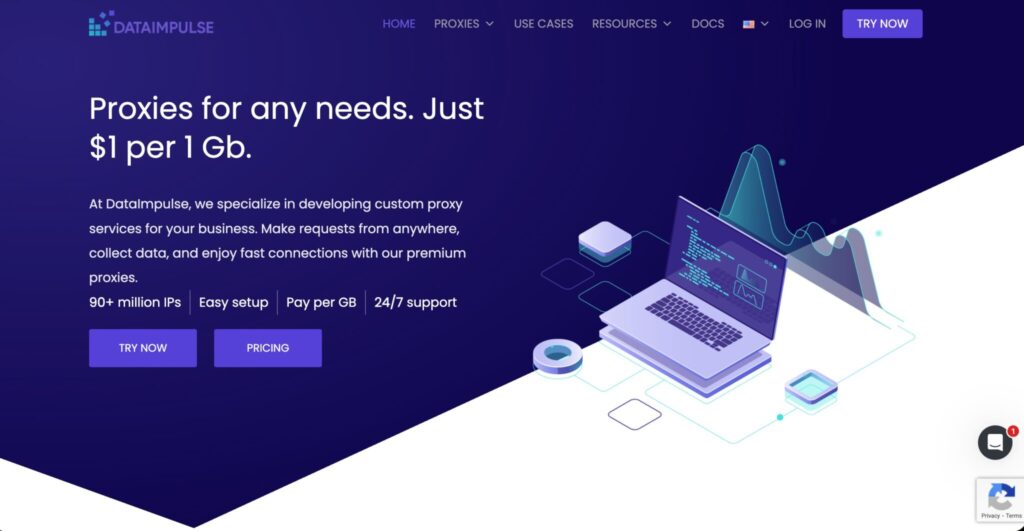
DataImpulse is a value focused residential proxy provider with simple pricing. Its main selling point is clear: low cost per GB. That makes it attractive for users who need residential traffic but do not want premium pricing.
For LinkedIn workflows, DataImpulse is better for light research, testing, and controlled operations rather than high value account access. Cheap does not always mean bad, but you should test IP quality before moving important workflows onto it.
It is a good option when budget is tight and you want to compare performance against more expensive providers.
9. ProxyEmpire
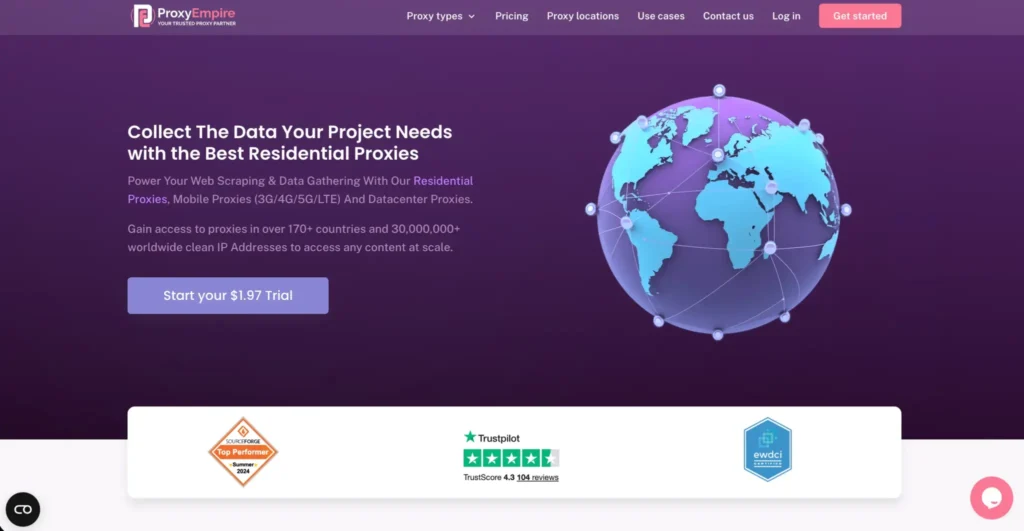
ProxyEmpire is interesting because of its flexible plan structure and traffic rollover style positioning. It offers residential, mobile, and datacenter proxies, with rotating and sticky options.
For LinkedIn related operations, ProxyEmpire can work well when you want control over session duration and location. It is also useful for teams that do not want to waste unused bandwidth.
Its interface is fairly straightforward, and pricing can be attractive at higher volumes.
10. Rayobyte

Rayobyte is best known for datacenter and ISP proxies, but it also offers residential proxies. For LinkedIn related workflows, its ISP and residential options are more relevant than ordinary datacenter IPs.
Rayobyte is a good fit for users who want a business friendly provider with support, clear pricing, and static proxy options. It may not have the biggest residential network, but it focuses on reliability and customer service.
How To Choose Proxies For LinkedIn Automation
1. Choose the right proxy type
Residential proxies are usually the safest starting point for normal browsing style workflows. ISP proxies are better when you want a stable IP that does not rotate often. Mobile proxies are useful for mobile focused testing, but they cost more.
Datacenter proxies should be used carefully. They are fast, but they are easier to identify as non residential traffic.
2. Look at IP pool quality, not just pool size
A provider may advertise 100 million IPs, but quality matters more than the headline number. You want clean IPs, stable sessions, ethical sourcing, and good location coverage.
A smaller clean pool can outperform a huge overused pool.
3. Use sticky sessions for account consistency
For LinkedIn, constant rotation can look unnatural. A sticky session keeps the same IP for a set period, which is better for login stability and normal user behavior.
For most account based workflows, sticky residential or static ISP proxies are better than fast rotating proxies.
4. Match proxy location with account context
If an account is usually accessed from the US, do not suddenly route it through five countries in one day. Keep country, city, timezone, browser language, and device profile consistent.
This is not about tricking systems. It is basic operational hygiene.
5. Check protocol support
Most users will be fine with HTTP and HTTPS proxies. SOCKS5 is useful if your workflow needs broader app level routing or more flexible traffic handling.
For browser based access, HTTPS support and stable authentication are more important than chasing every protocol.
6. Avoid shared low quality proxies
Shared proxies are cheap, but they can be messy. If another user abused the same IP, your workflow can inherit the damage.
For important accounts, use private residential, static residential, ISP, or dedicated mobile proxies.
Best Proxy Type For Each LinkedIn Use Case
| Use Case | Best Proxy Type | Why |
|---|---|---|
| Personal account privacy | Static ISP or residential | Stable and natural access |
| Agency account management | Static residential or ISP | Better consistency |
| Regional content checks | Residential with geo targeting | Easy country and city testing |
| Mobile testing | Mobile proxies | Matches mobile network access |
| Low budget experiments | Webshare or DataImpulse residential | Cheap starting point |
| Enterprise workflows | Bright Data or Oxylabs | Better compliance and support |
| Irregular usage | IPRoyal or ProxyEmpire | Better traffic flexibility |
Common Mistakes To Avoid
Do not rotate IPs too often for the same account. Do not use public proxies. Do not mix many countries for one profile. Do not buy only on price. Do not run aggressive automation that violates LinkedIn rules. Do not ignore browser fingerprint, timezone, device trust, and login history.
Most proxy failures are not only proxy failures. They are setup failures.
FAQs
What are the best proxies for LinkedIn automation?
The best options are usually residential, ISP, and mobile proxies from providers like Decodo, Bright Data, Oxylabs, SOAX, IPRoyal, NetNut, and Webshare. For stable account access, ISP or static residential proxies are often the better choice.
Are residential proxies good for LinkedIn?
Yes, residential proxies are usually better than datacenter proxies because they route traffic through real consumer ISP networks. They are useful for location testing, privacy, and consistent access when used responsibly.
Are datacenter proxies safe for LinkedIn?
Datacenter proxies are fast and cheap, but they are not ideal for sensitive LinkedIn workflows. Their IP ranges are easier to identify, and many are heavily used across automation tools.
Should I use rotating or sticky proxies for LinkedIn?
Sticky proxies are better for account consistency. Rotating proxies can be useful for general testing, but constant IP changes for the same account can create trust issues.
How many LinkedIn accounts should use one proxy?
For serious account management, one important account should have its own stable proxy. Sharing one proxy across many accounts increases risk and makes troubleshooting harder.
Are mobile proxies better than residential proxies?
Mobile proxies are stronger for mobile network testing and high trust mobile access, but they are more expensive. Residential and ISP proxies are usually enough for most business workflows.
What is the cheapest good proxy for LinkedIn testing?
Webshare, DataImpulse, and IPRoyal are good budget options. For higher quality and better support, Decodo is a strong middle ground.
Do proxies guarantee account safety?
No. Proxies only handle the network layer. Account history, behavior, device profile, content quality, login pattern, and platform rules matter just as much.
Final Buying Advice
If you want the safest all round pick, start with Decodo. If you need enterprise power, choose Bright Data or Oxylabs. If location targeting matters, look at SOAX. If you want affordable testing, use Webshare, DataImpulse, or IPRoyal. If stability is your main concern, compare NetNut, Rayobyte, and static residential plans.
For LinkedIn, the smartest proxy setup is not the fastest or cheapest one. It is the cleanest, most consistent, and easiest to control.