
Best Proxies For LinkedIn
LinkedIn is one of the hardest platforms to work with if your workflow depends on public professional data, lead research, ad verification, recruiting intelligence, or controlled outreach operations.
It is not like scraping a simple directory site. LinkedIn tracks behavior closely. It cares about login patterns, session consistency, traffic quality, automation signals, and unusual account activity. A weak proxy setup can break an otherwise solid workflow fast.
That is why “any proxy” does not work for LinkedIn.
For LinkedIn-related tasks, the proxy needs to look stable, natural, and consistent. You need clean IPs, sensible rotation control, strong geo-targeting, sticky sessions, and a provider that does not treat residential proxies like a random IP vending machine.
One more thing before we get into the list: LinkedIn has strict rules around scraping, automation, access control circumvention, and tools that place unreasonable load on the platform. LinkedIn’s own help documentation warns that using prohibited tools can lead to restricted or shut down accounts, and its crawling terms say automated crawling without express permission is prohibited. So this guide is written for legitimate, compliant use cases like market research, QA, brand monitoring, ad verification, recruiting research, and public-data workflows where you follow platform rules, privacy laws, and sensible rate limits.
What Makes a Proxy Great for LinkedIn?
A LinkedIn proxy is not just about changing an IP address. The real job is to support a stable browsing or data workflow without creating obvious technical mismatches.
The first thing to look for is IP quality. Residential and mobile proxies usually perform better than cheap datacenter proxies for LinkedIn-style environments because they come from real consumer networks. Datacenter proxies can still work for light testing, QA, or non-login use cases, but they are easier to flag when used aggressively.
The second factor is session control. LinkedIn workflows often need continuity. If your IP changes every few seconds while the browser session, cookie profile, timezone, and account behavior remain the same, that looks unnatural. Sticky residential sessions are usually a better fit for logged-in research, controlled outreach tools, and account-based workflows.
The third factor is geo-targeting. Your proxy location should match the account’s normal usage pattern. If a LinkedIn account usually logs in from New York, then routing it through random locations in five different countries is asking for trouble. Country, state, city, ASN, and ISP-level targeting matter more when you run serious campaigns.
The fourth factor is rotation logic. Rotating IPs are useful for public data collection, testing pages from different locations, checking ad delivery, or running non-authenticated research. Sticky sessions are better when session trust matters. The best LinkedIn proxy provider gives you both.
The fifth factor is provider compliance and transparency. Avoid shady free proxy lists. They are unreliable, slow, risky, and often polluted. For LinkedIn, the cost of a bad proxy is not just a failed request. It can mean locked accounts, broken campaigns, wasted sales data, and messy recovery work.
Pro Tip: For LinkedIn, do not rotate just because your proxy provider offers rotation. Match rotation to the task. Use sticky sessions for account-based workflows and controlled rotation for public-data collection or geo-testing.
7 Best Proxies For LinkedIn in 2026
#1 — Oxylabs: Best Enterprise LinkedIn Proxy

Oxylabs is the provider I would put first for enterprise-grade LinkedIn workflows, especially if the use case involves large-scale public data collection, recruiting intelligence, brand monitoring, or data operations that need strong infrastructure.
The reason is simple: Oxylabs is built for serious web data work. Its platform includes residential proxies, mobile proxies, datacenter proxies, ISP proxies, Web Unblocker, Headless Browser, scraper APIs, and dataset solutions. Oxylabs lists 175M+ residential IPs, 2M+ datacenter IPs, and 20M+ mobile IPs, along with infrastructure designed for public data retrieval and scraping workflows.
For LinkedIn, Oxylabs makes the most sense when you need a premium network with strong targeting, fast throughput, reliable uptime, and support from a provider that understands enterprise data collection. It is not the cheapest option. That is not the point. Oxylabs is for teams that would rather pay more for stability than lose time fighting bad proxy pools.
The residential proxy network is the main product to consider for LinkedIn-like workflows. You can use it for public data access, market research, QA, and testing how content appears from different locations. Mobile proxies may be useful for advanced account environment testing, but they are usually more expensive and should be used carefully.
Oxylabs also stands out because of its broader scraping stack. If your team does not want to build and maintain every scraping component internally, Oxylabs gives you more than raw IPs. Web Unblocker and Web Scraper API can reduce engineering overhead for public web data tasks. Again, keep LinkedIn’s rules in mind before applying any automated collection system.
Best for: Enterprise teams, data teams, recruiting intelligence platforms, B2B market research, and high-volume public data workflows.
Pros:
- Huge proxy infrastructure
- Strong residential, mobile, datacenter, and ISP options
- Enterprise support and documentation
- Good fit for large-scale public data projects
- Advanced scraping products beyond raw proxies
Cons:
- More expensive than budget providers
- Overkill for small LinkedIn outreach teams
- Requires proper technical setup to get full value
Pro Tip: If you are testing LinkedIn workflows at enterprise scale, separate your proxy pools by task. Do not use the same pool for QA, public data checks, and account-based sessions.
#2 — Decodo: Best Value LinkedIn Proxy

Decodo, formerly Smartproxy, is one of the strongest value picks for LinkedIn-related workflows in 2026. It offers a good balance of IP pool size, usability, pricing, and session controls without feeling as heavy as enterprise-first platforms.
Decodo’s official site says Smartproxy has rebranded to Decodo and lists 125M+ IPs, 195+ locations, 99.99% uptime, and residential proxy pricing from $2/GB. It also promotes AI-ready proxy and scraping solutions, including a Web Scraping API.
For LinkedIn, Decodo fits teams that want reliable residential proxies but do not want to jump straight into premium enterprise pricing. It is useful for lead research teams, SEO teams, ad verification workflows, recruiter research, and small data teams that need clean IPs with good control.
The provider’s biggest advantage is ease of use. Decodo has historically been friendly for marketers, operators, developers, and growth teams. You can get started without needing a full infrastructure engineer just to configure your proxy setup. That matters when the goal is to support a business workflow, not spend three weeks fighting proxy settings.
Its residential proxies are the safest starting point for LinkedIn-related tasks. You can use rotating sessions for public research and sticky sessions where continuity matters. If you are using LinkedIn accounts, keep the session location consistent with the account’s normal environment.
Best for: Growth teams, lead research teams, recruiting research, SMBs, and mid-sized data operations.
Pros:
- Strong balance of price and performance
- Large global proxy network
- Residential proxies start at accessible pricing
- Easier setup than many enterprise platforms
- Good fit for teams that need scale without heavy complexity
Cons:
- Not as enterprise-heavy as Oxylabs or Bright Data
- High-volume use can still get expensive
- Needs careful configuration for account-based workflows
Pro Tip: For LinkedIn prospecting support, use Decodo’s sticky residential sessions for browser-based work and reserve rotation for public, non-login research tasks.
#3 — Webshare: Best Free LinkedIn Proxy Tier

Webshare is the best pick if you want a low-cost starting point. It is not the most advanced provider on this list, but it gives beginners and smaller teams a practical way to test proxy workflows before committing serious budget.
Webshare offers residential proxies and says users can get 10 proxies with up to 1GB per month free for an unlimited time, with no credit card and no trial period. Its broader product lineup includes proxy servers, static residential proxies, and residential proxies.
For LinkedIn, the free tier should be treated as a testing tool, not a serious production stack. It can help you understand proxy configuration, browser routing, location testing, and basic workflow behavior. But if you are managing important LinkedIn sessions, business outreach systems, or data workflows, you should move to paid residential or static residential proxies.
Webshare’s static residential proxies can be useful when you need consistency. Static residential IPs are generally better than rotating IPs for sessions that should not keep changing identity. For example, if a team member is testing LinkedIn ad visibility from a fixed region, a static residential setup may be cleaner than a random rotation pool.
The main limitation is that Webshare does not offer the same level of managed scraping infrastructure as Oxylabs, Bright Data, or Decodo. It is more of a proxy-first platform. That is not a bad thing. It just means your team needs to handle more workflow logic on its own.
Best for: Beginners, small teams, proxy testing, budget-conscious LinkedIn research, and lightweight QA.
Pros:
- Free proxy tier available
- Simple setup
- Affordable paid plans
- Static residential and residential options
- Good for learning and small-scale testing
Cons:
- Not ideal for enterprise LinkedIn data workflows
- Limited advanced scraping tooling
- Free tier is not enough for serious use
Pro Tip: Never use free proxy capacity for critical LinkedIn accounts. Use it to test configuration only. For real campaigns, use paid residential or static residential proxies.
#4 — IPRoyal: Best LinkedIn Proxy for Flexible Budgets

IPRoyal is a strong option for users who want flexibility without committing to enterprise-level spend. It offers residential, datacenter, ISP, and mobile proxy products, and its dashboard focuses on usage control, analytics, limits, and team permissions.
For LinkedIn, IPRoyal is attractive because of its pricing flexibility and sticky session support. Its residential proxy page mentions rotating proxy plans based on traffic, starting at $7/GB with bulk discounts as low as $1.75/GB, and traffic that does not expire. It also mentions static residential proxies with no bandwidth or session limitations for the plan duration.
That makes IPRoyal useful for teams that do not have predictable traffic every month. If you run LinkedIn research in waves, non-expiring traffic can help you avoid wasting budget. This is especially useful for small agencies, solo operators, recruiters, or lead generation teams that do not run the same volume every day.
Its rotation options are another reason to consider it. IPRoyal documentation says it offers sticky and randomize rotation types, while another official page says residential proxies can use sticky sessions from one second up to seven days.
That kind of sticky range is useful when your workflow needs session continuity. For LinkedIn, longer sticky sessions are often more realistic than fast rotation, especially when browser cookies and account behavior need to stay consistent.
Best for: Small agencies, recruiters, budget-conscious teams, and users who want pay-as-you-go flexibility.
Pros:
- Flexible pricing
- Traffic does not expire on residential plans
- Sticky and rotating session options
- Good fit for irregular usage
- Useful dashboard controls
Cons:
- May need testing to find the best pool for your use case
- Not as full-stack as Oxylabs or Bright Data
- Some advanced teams may want deeper enterprise tooling
Pro Tip: If your LinkedIn workload is seasonal, pay-as-you-go residential traffic can be smarter than a monthly plan that expires before you use it.
#5 — SOAX: Best LinkedIn Proxy for Scraping at Scale

SOAX is a strong pick for teams that need clean residential proxies, large location coverage, and strong session control. It is especially useful when LinkedIn-related work overlaps with broader public web data collection.
SOAX advertises 155M+ residential IPs in 195+ locations, unlimited concurrent sessions, ethically sourced proxies, 99.9% network uptime, automatic IP rotation, sticky sessions, and multiple protocols.
The main reason SOAX works well for LinkedIn-style workflows is control. You get automatic rotation when you need it, but you can also use sticky sessions when stability matters. SOAX also has documentation around proxy rotation and geo-targeting, which matters when you want predictable behavior instead of random IP changes.
For large-scale public research, SOAX’s pool size and concurrent session support are useful. For account-related tasks, use sticky sessions and avoid aggressive automation. LinkedIn is sensitive to unusual traffic patterns, and a large proxy pool does not magically make risky behavior safe.
SOAX is also a good fit for data teams that care about geographic precision. If you need to test what a LinkedIn page, ad, or search experience looks like from a specific country or city, strong targeting can save hours.
Best for: Public data workflows, scraping teams, regional testing, ad verification, and larger research operations.
Pros:
- Large residential proxy network
- Sticky and rotating sessions
- Strong geo-targeting
- Unlimited concurrent sessions
- Good for scale-focused data teams
Cons:
- Can be more technical for beginners
- Pricing may not suit very small users
- Requires careful usage rules for LinkedIn
Pro Tip: For LinkedIn public data collection, avoid rotating on every request unless the workflow truly requires it. Rotating too fast can create its own risk signals.
#6 — DataImpulse: Best Budget LinkedIn Proxy
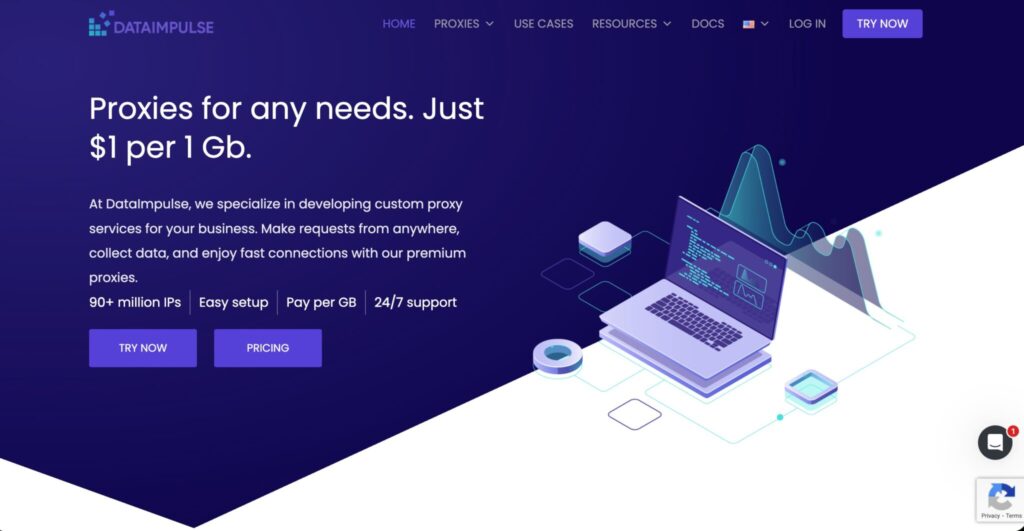
DataImpulse is one of the most interesting budget proxy providers for 2026. It keeps the pitch simple: pay per GB, low starting cost, and a large IP pool.
DataImpulse advertises residential proxies from $1 per GB, 90M+ IPs, easy setup, pay-per-GB pricing, and 24/7 support. Its location page also lists residential proxies at $1/GB, mobile proxies at $2/GB, datacenter proxies at $0.5/GB, and premium residential proxies at $5/GB as starting prices.
For LinkedIn, DataImpulse is best for budget-sensitive public research, QA testing, and early-stage experiments. If you are building a proof of concept or testing a new workflow, $1/GB pricing gives you room to learn without burning through a large proxy budget.
That said, cheap does not mean careless. LinkedIn workflows still need session stability, clean browser environments, reasonable activity levels, and compliance with platform rules. DataImpulse can lower proxy costs, but it will not fix poor automation logic.
The provider is especially useful if your traffic volume is unpredictable. Instead of committing to a big monthly plan, you can buy traffic and use it as needed. This makes it a good fit for freelancers, small agencies, and lead research teams running controlled campaigns.
Best for: Budget testing, small teams, proof-of-concept workflows, and low-cost public data collection.
Pros:
- Very affordable residential proxy pricing
- Large IP pool
- Pay-per-GB model
- Good for testing and smaller campaigns
- Simple value proposition
Cons:
- Not as premium as enterprise providers
- Less advanced tooling than Bright Data or Oxylabs
- Needs careful testing before production use
Pro Tip: Use DataImpulse for testing workflow economics. If your LinkedIn research workflow is profitable at budget proxy pricing, you can later upgrade specific tasks to premium pools.
#7 — Bright Data: Best Advanced LinkedIn Proxy Platform

Bright Data is one of the most powerful proxy and web data platforms on the market. It is not always the simplest or cheapest option, but it is hard to ignore if your LinkedIn-related work is part of a broader data operation.
Bright Data advertises over 400M residential proxy IPs with targeting by country, city, carrier, and ASN. Its residential proxy page also mentions sticky and rotating sessions, 195 countries, and geo-location targeting.
For LinkedIn, Bright Data is best suited for technical teams that want deep control. It offers a Proxy Manager that lets users manage proxies through an open-source interface with user access controls, allowlists and blocklists, country targeting, automated rules, and detailed request logs.
That request visibility is valuable. When something breaks, you need to know whether the problem is the proxy, the session, the browser, the target, or your own workflow. Bright Data gives serious operators the controls needed to debug and optimize.
The downside is complexity. Bright Data can feel like too much for someone who only wants a basic LinkedIn proxy for light browsing. It shines when your team has technical resources and cares about governance, analytics, scale, and data workflow management.
Best for: Advanced data teams, enterprise users, developers, compliance-conscious operations, and large-scale public data workflows.
Pros:
- Massive residential proxy network
- Deep targeting controls
- Proxy Manager for advanced configuration
- Strong debugging and request visibility
- Excellent for technical teams
Cons:
- Can be expensive
- More complex than beginner-friendly providers
- Better for advanced teams than casual users
Pro Tip: Bright Data is strongest when you need observability. If you want logs, rules, targeting, and control in one environment, it is worth testing.
Quick Comparison for LinkedIn Proxies
| Provider | Best For | Proxy Types | Key Strength | Starting/Notable Pricing | Best LinkedIn Use Case |
|---|---|---|---|---|---|
| Oxylabs | Enterprise LinkedIn proxy workflows | Residential, mobile, datacenter, ISP | Large premium network and scraping stack | Custom and premium plans | Public data workflows, recruiting intelligence, large-scale research |
| Decodo | Best value LinkedIn proxy | Residential, mobile, datacenter, scraping API | Strong balance of price, pool size, and usability | Residential from $2/GB | Lead research, SMB workflows, mid-scale data tasks |
| Webshare | Best free LinkedIn proxy tier | Datacenter, static residential, residential | Free proxy tier and low-cost plans | 10 free proxies up to 1GB/month | Testing, QA, small proxy experiments |
| IPRoyal | Flexible budgets | Residential, ISP, mobile, datacenter | Non-expiring traffic and sticky sessions | Residential from $7/GB, lower bulk pricing | Agencies, recruiters, irregular campaigns |
| SOAX | Scraping at scale | Residential, mobile, ISP, datacenter | Large pool, sticky sessions, geo-targeting | Paid plans and trials vary | Public research, geo-testing, ad verification |
| DataImpulse | Budget LinkedIn proxy | Residential, mobile, datacenter | Low-cost pay-per-GB pricing | Residential from $1/GB | Proof of concept, small research projects |
| Bright Data | Advanced proxy platform | Residential, ISP, mobile, datacenter | Massive network and deep controls | Premium pricing | Technical teams, enterprise data operations |
How to Choose the Best LinkedIn Proxy
1. Choose Residential or Mobile Over Cheap Datacenter for Serious Work
For LinkedIn, residential proxies are usually the safest default. They look closer to normal user traffic because they come from real residential networks.
Mobile proxies can be useful for advanced testing, but they cost more. Datacenter proxies are fine for simple QA or non-sensitive checks, but they are not ideal for serious LinkedIn account workflows.
2. Use Sticky Sessions When Identity Consistency Matters
If you are logging into an account, reviewing messages, checking campaign behavior, or using a browser profile, you usually want the same IP for a stable session.
A new IP every few requests may be fine for public page testing, but it is bad for account continuity. Sticky sessions reduce sudden identity changes.
3. Match Proxy Location to Account Behavior
Location mismatch is one of the easiest ways to create risk.
If the account usually operates from the United States, use a United States proxy. If your team works from the UK, use UK proxies. Do not bounce between unrelated countries unless you have a clear reason.
4. Avoid Over-Rotation
Fast rotation sounds powerful, but it is often misunderstood. More rotation does not always mean safer. For LinkedIn, too much rotation can look unnatural.
Use rotation for public, non-login data tasks. Use sticky IPs for account-based work.
5. Check ASN and ISP Quality
Not all residential IPs are equal. Some pools are heavily abused. Some are slow. Some have inconsistent routing.
For serious work, test success rate, response time, session stability, and how often LinkedIn triggers additional checks. Do not judge a provider only by pool size.
6. Separate Workflows by Proxy Pool
Do not mix everything into one setup.
Use one pool for public research. Use another for QA. Use a separate stable setup for account-based sessions. This keeps problems easier to diagnose.
7. Respect LinkedIn Rules and Privacy Laws
This matters more than the proxy provider. Do not use proxies for spam, credential abuse, access control circumvention, or aggressive scraping. A strong proxy setup should support legitimate workflows, not hide bad behavior.
FAQs: Best Proxies For LinkedIn 2026
What proxy type is best for LinkedIn?
Residential proxies are usually the best starting point for LinkedIn because they provide better session trust than cheap datacenter proxies. For account-based workflows, sticky residential proxies are often better than rotating proxies because they keep the session more consistent.
Will LinkedIn ban you for using proxies?
LinkedIn may restrict accounts if it detects behavior that violates its rules, especially scraping, prohibited automation, access control circumvention, spam, or unusual login patterns. A proxy alone does not make a workflow safe. Your behavior, tooling, session setup, and compliance practices matter more.
How long should a LinkedIn proxy session last?
For logged-in or account-based activity, longer sticky sessions are usually better than frequent rotation. A session can last 30 minutes, several hours, or even longer depending on the workflow. For public research tasks, shorter rotation windows may work, but avoid rotating so aggressively that traffic looks unnatural.
Are free proxies safe for LinkedIn?
Most random free proxy lists are not safe. They are often slow, abused, unstable, or risky. Webshare’s free tier is more structured than random public lists, but it should still be used mainly for testing. For important LinkedIn workflows, use paid residential or static residential proxies.
Can I use datacenter proxies for LinkedIn?
You can use datacenter proxies for light testing, QA, or non-login workflows, but they are not the best choice for sensitive LinkedIn sessions. Residential and mobile proxies are usually more reliable for workflows where trust and stability matter.
What is the difference between rotating and sticky LinkedIn proxies?
Rotating proxies change IPs automatically based on request count or time. Sticky proxies keep the same IP for a set session length. For LinkedIn, sticky proxies are better for logged-in browsing and account consistency. Rotating proxies are better for public data checks, location testing, and non-authenticated research.
Which LinkedIn proxy provider is best for beginners?
Webshare and Decodo are the easiest starting points. Webshare is better for very low-cost testing, while Decodo offers a stronger balance of usability, pool size, and performance for real workflows.
Which LinkedIn proxy provider is best for enterprise teams?
Oxylabs and Bright Data are the strongest enterprise options. Oxylabs is excellent for large-scale public data workflows and managed scraping infrastructure. Bright Data is better if your team wants deep proxy controls, request logs, and advanced configuration.
Can proxies help with LinkedIn outreach automation?
Proxies can support stable infrastructure, but they should not be used to run spammy or prohibited automation. If you use outreach tools, keep activity human-paced, permission-aware, and compliant with LinkedIn’s rules. Proxies reduce technical friction, but they do not remove platform or legal risk.
Conclusion | Best Proxies For LinkedIn 2026
The best LinkedIn proxy depends on your workflow.
Choose Oxylabs if you need enterprise-grade infrastructure and large-scale public data support. Pick Decodo if you want the best value balance between price, performance, and usability. Use Webshare if you are testing proxy setups on a tight budget. Go with IPRoyal if flexible pricing and sticky sessions matter most. Choose SOAX if you need scale, geo-targeting, and strong rotation control. Try DataImpulse if budget is your main concern. Pick Bright Data if you need advanced controls, logs, targeting, and enterprise-level proxy management.
For LinkedIn, the smartest setup is rarely the most aggressive one. Stable sessions, clean residential IPs, realistic location matching, and cautious rotation will usually outperform brute-force proxy switching.
A good proxy provider gives you the infrastructure. Your workflow determines whether that infrastructure protects your operation or creates risk.