
Nike SNKRS is not a normal shopping app. It is a high demand launch platform where limited pairs can disappear in minutes, sometimes seconds, and every user action is watched closely. That is why proxies get discussed so much in the sneaker world. People want stable access, location control, privacy, and fewer connection problems during major drops.
Here is the catch.
Nike is very clear about protecting SNKRS launches. Its own SNKRS bot protection page says the platform uses advanced analytics and machine learning to identify and remove bots, and Nike’s draw rules generally limit entries to one submission per person per launch product.
So this guide is not about bypassing Nike’s rules, running bots, creating fake accounts, or trying to game limited releases. That is risky, unfair, and can get accounts blocked or orders cancelled. This buyer’s guide focuses on proxy quality for legitimate use cases: privacy, stable access while traveling, app testing, regional availability checks, market research, and clean connection management.
A good SNKRS proxy setup should feel boring. Stable IPs. Clean residential or mobile routing. No weird latency spikes. No suspicious public proxy pools. No “too good to be true” free lists that are already abused across half the internet.
What Makes a Proxy Good for Nike SNKRS?
For SNKRS, the main proxy question is not only “Which provider is fastest?” It is “Which provider gives me a clean, stable, realistic connection profile?”
Nike’s platform is built to detect automated or abnormal activity, so the wrong proxy can hurt more than it helps. Public proxies, low quality datacenter IPs, and shared abused subnets are the first things I would avoid.
The strongest proxy types for legitimate SNKRS access are usually:
Residential proxies: These route traffic through IPs associated with normal household internet connections. They are useful when you need a more natural looking connection than a datacenter IP.
Mobile proxies: These use mobile carrier networks, often 4G, 5G, or LTE. They can be strong for mobile first apps, but they are usually more expensive.
ISP proxies: These sit between residential and datacenter proxies. They are hosted on faster infrastructure but tied to internet service provider IP ranges. They can be useful when you need longer session stability.
Datacenter proxies: Fast and cheap, but often easier to classify as server based traffic. For SNKRS related use, I would only consider them for non sensitive research, testing, or monitoring tasks, not account based activity.
A practical rule: if your goal involves logging into a real Nike account, use stable residential, mobile, or ISP proxies. If your goal is broad public page research, datacenter proxies may be enough.
Quick Comparison Table: Best Proxies For Nike SNKRS
| Provider | Best For | Proxy Types | IP Pool / Coverage | Rotation Style | Starting Price Snapshot | Main Strength | Main Limitation |
|---|---|---|---|---|---|---|---|
| Bright Data | Premium users and advanced teams | Residential, mobile, ISP, datacenter | 400M+ residential IPs across 195 countries | Flexible rotation and targeting | Residential pricing page shows plans from $5.88 per GB | Huge network and advanced controls | Expensive for casual users |
| Oxylabs | Enterprise grade reliability | Residential, mobile, datacenter, ISP | 175M+ residential and 2M datacenter IPs | Rotating and sticky options | Pricing varies by plan | Strong infrastructure and documentation | Higher cost |
| Decodo | Best balance for most users | Residential, mobile, ISP, datacenter | 125M+ IPs | Sticky and rotating sessions | Often positioned around mid market pricing | Easy dashboard and strong value | Traffic based pricing can add up |
| SOAX | Geo targeting and mobile use | Residential, mobile, US datacenter | 191M+ proxy pool claim across products | Flexible rotation | Starter plans list $3.60 per GB with 25 GB included | Strong location filtering | Entry plan may be too large for light users |
| NetNut | Larger scale business users | Residential, rotating residential, mobile, datacenter | 85M+ residential IPs across 195+ countries | Rotating residential, static options | Subscription led pricing | Good scale and global reach | Less ideal for very small users |
| IPRoyal | Budget friendly residential access | Residential, mobile, ISP, datacenter | 34M+ IPs across 195 countries | Rotating and sticky options | Pay as you go model | Affordable and simple | Smaller pool than top enterprise providers |
| Rayobyte | ISP and datacenter heavy users | Residential, ISP, datacenter | Product dependent | Static and rotating products | Residential from $3.50 per GB, ISP from $5 per IP on pricing pages | Transparent pricing | Less polished than premium platforms |
| Webshare | Affordable static residential and datacenter | Datacenter, static residential, residential | 400K+ proxy server IPs shown on site, plus residential products | Static and rotating products | Proxy servers from $2.99/month, static residential from $6/month | Cheap entry point | Fewer advanced tools |
| MarsProxies | Sneaker focused budget option | Residential, ISP, datacenter, mobile | Product dependent | Static and rotating options | Residential from $3.49 per GB, ISP from $1.35 per proxy | Sneaker focused plans | More niche than enterprise providers |
1. Bright Data: Best Premium Proxy Network for Serious Buyers

Bright Data is the provider I would put at the top for users who care about scale, targeting control, and long term reliability. It is not the cheapest choice, but it has one of the most mature proxy platforms in the market.
Its residential proxy page claims access to 400M+ residential IPs across 195 countries, with targeting options such as country, city, ZIP code, ASN, and carrier level filters. That level of targeting is useful when you need a consistent location profile for legitimate testing or market research.
For Nike SNKRS, Bright Data makes the most sense if you are not just checking drops casually. It is better suited for agencies, research teams, QA testers, and advanced users who need a clean dashboard, detailed controls, and flexible proxy types.
The biggest advantage is network depth. If one pool does not fit your use case, Bright Data gives you residential, ISP, datacenter, and mobile options under one roof. The biggest drawback is the price. Its residential pricing page shows plans starting from $5.88 per GB, which can feel expensive if you only need occasional access.
Pro Tip: Bright Data is best when you know exactly what location and proxy type you need. If you are still experimenting, start small before committing to a large plan.
2. Oxylabs: Best for Enterprise Grade Stability

Oxylabs is another premium provider with strong infrastructure, clean documentation, and a reputation for reliability. Its homepage states that it offers 175M+ residential IPs and 2M datacenter IPs, which makes it one of the larger networks available for proxy buyers.
For SNKRS related use, Oxylabs fits users who want quality over cheap volume. It is especially good for teams that care about structured workflows, account management, and support. It also has a dedicated sneaker proxy page, though I would still avoid using any proxy service for automated purchasing or rule breaking.
Oxylabs’ strength is consistency. You get a polished dashboard, solid documentation, and a network that can handle serious workloads. The downside is that Oxylabs can be overkill for casual sneaker fans. If you only want to check SNKRS from a stable connection while traveling, a cheaper residential or ISP provider may be enough.
Best fit: Businesses, high volume testers, market research teams, and users who want premium support.
3. Decodo: Best Overall Balance for Most Users

Decodo, formerly Smartproxy, is one of the better balanced options for people who want strong residential proxy performance without jumping straight into enterprise pricing. Its official site says Smartproxy has rebranded to Decodo and highlights access to 125M+ IPs.
For Nike SNKRS use cases, Decodo’s main value is simplicity. The dashboard is easier to understand than many enterprise tools, and it offers the proxy types most users actually need: residential, mobile, ISP, and datacenter.
The rotation model also matters here. Decodo explains sticky sessions as keeping the same IP for a set time, while rotating sessions switch IPs, often per request or session. For account based browsing, sticky sessions are usually more natural than aggressive per request rotation.
The downside is traffic based pricing. If you run heavy testing or leave traffic flowing for too long, costs can creep up. Still, for most serious but not enterprise level buyers, Decodo is one of the easiest recommendations.
Pro Tip: For SNKRS, stability matters more than raw IP count. A smaller number of clean, steady sessions is better than constantly rotating through random IPs.
4. SOAX: Best for Location Control and Mobile Proxies

SOAX is a strong pick if your priority is geo targeting and mobile style connectivity. Its site lists access to residential and mobile proxies, with bundled plans that start at $3.60 per GB with 25 GB included on the Starter plan.
SOAX also claims a large proxy footprint across its proxy products, with its proxy page referencing 191M+ proxy servers.
For SNKRS, SOAX is useful when you need controlled location testing, especially for checking how app behavior, product visibility, or launch availability may differ by region. Mobile proxies can also be useful for mobile first environments, although they tend to cost more than standard residential proxies.
The downside is that SOAX may not be ideal for very light users. If you only need a small amount of traffic, the bundled plan size can feel larger than necessary.
Best fit: Users who care about location accuracy, mobile testing, and clean residential traffic.
5. NetNut: Best for High Volume Residential Coverage

NetNut is built more for business users than casual proxy buyers. Its rotating residential proxy page says it offers more than 85M residential IPs across 195 countries, with HTTP, HTTPS, and SOCKS5 support.
For SNKRS related research, NetNut is a good fit if you need broad coverage, unlimited concurrency, and stable large scale proxy access. It is not the first provider I would suggest to a beginner, but it becomes more attractive when you are running serious research or QA workloads.
NetNut’s strength is scale. It is built for users who know what they are doing and need infrastructure that can support many simultaneous connections. The downside is pricing style. Subscription based plans can be less flexible than pay as you go options if you only need proxies occasionally.
Pro Tip: NetNut makes more sense when your proxy usage is predictable. If your usage is random and low volume, look at IPRoyal, Webshare, or Rayobyte first.
6. IPRoyal: Best Budget Friendly Residential Proxy Pick

IPRoyal is a strong value pick for buyers who want residential proxies without paying premium platform prices. The company’s public profiles describe residential, mobile, ISP, and datacenter proxy products, and a listed social profile mentions 34M+ IPs across 195 countries.
The main appeal is pricing flexibility. IPRoyal is often more accessible for freelancers, small teams, and individual users who do not want enterprise commitments. It also has a simpler dashboard than some advanced providers.
For Nike SNKRS use, IPRoyal works best for basic privacy, location consistency, and light research. It may not match Bright Data or Oxylabs in raw scale, but not every user needs a giant proxy pool.
The tradeoff is quality consistency. Smaller or budget friendly networks can vary by region, so testing your target location before relying on it is smart.
Best fit: Budget conscious users who still want residential proxy quality.
7. Rayobyte: Best for ISP and Transparent Pricing

Rayobyte is worth considering if you like clear pricing and want access to residential, ISP, and datacenter products. Its residential proxy page lists pay as you go residential pricing from $3.50 per GB, while its pricing page shows ISP proxies from $5 per IP depending on tier.
Rayobyte is especially interesting for users who want ISP proxies. ISP proxies can be useful when you need a stable IP that behaves more like a normal internet service provider connection but keeps better speed than many residential pools.
For SNKRS, Rayobyte is not the flashiest option, but it is practical. It gives you the proxy types that matter, the pricing is understandable, and you can scale based on need.
The limitation is that it may not feel as polished as Bright Data, Oxylabs, or Decodo. If you want a sleek enterprise dashboard and advanced built in tooling, Rayobyte may feel simpler.
Pro Tip: ISP proxies are often better for longer browsing sessions than fast rotating residential IPs, especially when account consistency matters.
8. Webshare: Best Cheap Entry Point

Webshare is one of the better known affordable proxy providers. Its homepage lists datacenter proxy servers, static residential proxies, and residential proxies, with proxy server plans starting from $2.99 per month and static residential plans from $6 per month.
For SNKRS, Webshare is best for light users who want a cheap way to test proxy workflows without spending much. Its static residential product can be useful when you need a consistent IP identity rather than constant rotation.
The main weakness is that Webshare does not offer the same advanced ecosystem as premium data platforms. You do not get the same level of enterprise tooling, large support structure, or deep targeting options.
Still, for budget buyers, it is a practical starting point. Just avoid the temptation to use the cheapest shared datacenter proxies for sensitive account based activity. Cheap IPs often come with reputation baggage.
Best fit: Beginners, light testers, and buyers who want simple pricing.
9. MarsProxies: Best Sneaker Focused Budget Provider
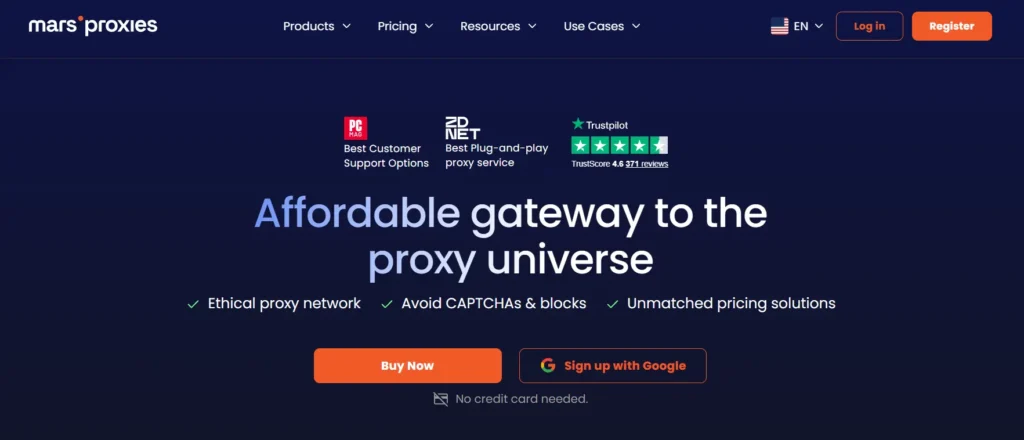
MarsProxies is one of the more sneaker focused names in the proxy market. Its homepage lists residential proxies from $3.49 per GB, datacenter proxies from $0.89 per proxy, ISP proxies from $1.35 per proxy, and mobile proxies from $2.83 per day.
The appeal is obvious: pricing is friendly, and the provider speaks directly to sneaker buyers. MarsProxies also has a sneaker proxy page that markets dedicated IPs and sneaker focused plans.
That said, I would be careful with any provider that pushes “copping results” too aggressively. For legitimate SNKRS use, focus on proxy quality, speed, ethics, and stability, not that pushes “copping results” too aggressively. For legitimate SNKRS use, focus promises around beating platform rules.
MarsProxies can be a good fit for users who want lower cost ISP or residential access, but it is not in the same enterprise class as Bright Data or Oxylabs.
Best fit: Budget sneaker researchers, light users, and people comparing ISP versus residential options.
How to Choose the Best Proxy for Nike SNKRS
Choosing a proxy for SNKRS is less about chasing the biggest IP pool and more about matching the proxy type to your actual use case.
1. Start With Proxy Type
For account based browsing, residential, mobile, and ISP proxies are better options than datacenter proxies. Residential IPs look closer to normal household connections. Mobile proxies fit mobile first environments. ISP proxies give you more stability and speed.
Datacenter proxies are fast, but they can look unnatural for consumer shopping behavior. Use them for low risk research, not sensitive account sessions.
2. Check IP Reputation Before Price
A cheap proxy with bad reputation is not cheap. It wastes time, causes login issues, and can create trust problems for your account.
Look for providers that talk clearly about ethical sourcing, abuse control, and network quality. Avoid public proxy lists. They are usually slow, abused, and risky.
3. Use Sticky Sessions for Normal Browsing
For SNKRS related account access, sticky sessions usually make more sense than constant rotation. A normal user does not change IP address every few seconds while browsing, logging in, checking a product, and completing account actions.
Rotating proxies are useful for public data gathering or broad testing, but aggressive rotation can look unnatural in account based flows.
4. Match Location to Real Usage
If your Nike account, payment method, shipping address, and usual access location are in one region, your proxy location should not jump around randomly. Consistency matters.
This is not about tricking the system. It is about avoiding unnecessary mismatch signals during legitimate use.
5. Test Latency Before a Major Drop
Proxy latency can ruin the experience. Even premium residential proxies can vary by country, city, carrier, and time of day.
Before relying on any provider, test connection speed, session stability, and app behavior. If the proxy feels unstable during normal browsing, it will not magically become reliable during a major launch.
6. Avoid Free Proxies Completely
Free proxies are a bad idea for SNKRS. They may log traffic, inject ads, fail under load, or already be blacklisted. If you are logging into an account, never route it through an unknown public proxy.
7. Read Nike’s Rules First
Nike’s SNKRS draw terms state that submissions are limited to one duct, and Nike says it may cancel winning submissions.
Residential vs Mobile vs ISP Proxies for SNKRS
Residential Proxies
Residential proxies are the safest general category for most legitimate SNKRS use cases. They are good for normal looking browsing, location testing, and reducing issues that come from datacenter IPs.
The drawback is speed variation. Since residential pools depend on real world networks, latency can be inconsistent.
Mobile Proxies
Mobile proxies are useful when you want mobile carrier style access. Since SNKRS is heavily mobile oriented, this can be useful for testing app behavior.
The drawback is price. Mobile proxies usually cost more, and not every provider gives you deep control over carrier and location.
ISP Proxies
ISP proxies are great for stability. They can hold a consistent session better than many rotating residential pools, and they are typically faster.
The drawback is that ISP proxy pools are smaller, and pricing is usually per IP rather than per GB.
Datacenter Proxies
Datacenter proxies are cheap and fast, but they are the weakest fit for account based SNKRS activity. They are better for broad research tasks where account trust is not involved.
quick links
9 Best Sneaker Proxy Providers in 2026: Cop Every Drop, Every Time
My Recommended Picks by Use Case
Best overall premium pick: Bright Data
Choose it if you need maximum control, massive coverage, and advanced features.
Best enterprise alternative: Oxylabs
Choose it if you want serious infrastructure and strong documentation.
Best balanced option: Decodo
Choose it if you want good performance, an easier dashboard, and strong value.
Best for location targeting: SOAX
Choose it if region control and mobile proxies matter.
Best budget residential pick: IPRoyal
Choose it if you want affordable residential proxies without enterprise complexity.
Best ISP focused pick: Rayobyte
Choose it if stable ISP proxies are more important than a huge rotating pool.
Best cheap beginner option: Webshare
Choose it if you want a low cost way to test proxy basics.
Best sneaker focused budget option: MarsProxies
Choose it if you want sneaker oriented plans, but still use them responsibly.
FAQs: Best Proxies For Nike SNKRS
1. What type of proxy is best for Nike SNKRS?
Residential, mobile, and ISP proxies are usually better than datacenter proxies for legitimate SNKRS access. Residential proxies look closer to normal home internet connections, mobile proxies fit mobile first testing, and ISP proxies offer stable sessions.
2. Are proxies allowed on Nike SNKRS?
Nike does not encourage behavior that manipulates launches, automates entries, or bypasses purchase limits. Nike says it uses achine learning to identify and remove bots from SNKRS. citeturn417326search3 Always follow Nike’s launch rules and avoid automation.
3. Can proxies help me win more SNKRS drops?
A proxy cannot guarantee wins. SNKRS launches are competitive, and Nike’s rules limit entries. A quality proxy can help with stable, private, and location consistent access, but it should not be treated as a way to bypass fairness controls.
4. Are datacenter proxies good for SNKRS?
Usually not for account based use. Datacenter proxies are fast and affordable, but they can look less like normal consumer traffic. They are better for low risk research or testing, not sensitive account sessions.
5. Should I use rotating or sticky proxies for SNKRS?
For normal account browsing, sticky sessions are usually better because they keep one IP for a set period. Constant IP rotation can look unnatural when logging in or using a shopping account.
6. Are free proxies safe for Nike accounts?
No. Free proxies are risky because they may be slow, abused, insecure, or monitored by unknown operators. Never log into a Nike account through a random public proxy.
7. Which provider is best for beginners?
Webshare, IPRoyal, and MarsProxies are easier entry points because they have lower starting costs. Decodo is a better step up if you want stronger overall quality without going full enterprise.
8. Which provider is best for serious users?
Bright Data and Oxylabs are the strongest premium options. They offer large proxy pools, advanced targeting, and more mature infrastructure.
9. Do mobile proxies work better for SNKRS?
Mobile proxies can be useful because SNKRS is heavily mobile oriented, but they are not magic. Quality, stability, location consistency, and responsible use matter more than proxy type alone.
Final Verdict: Which Nike SNKRS Proxy Should You Choose?
If you want the best overall premium proxy network, choose Bright Data. If you want enterprise grade infrastructure with strong reliability, choose Oxylabs. If you want the best balance of usability, scale, and price, Decodo is probably the easiest recommendation for most buyers.
For budget users, IPRoyal, Webshare, and MarsProxies are worth testing. For ISP stability, Rayobyte deserves a close look. For location control and mobile use, SOAX is one of the cleaner options.
The bigger lesson is simple: do not buy proxies based on hype. Buy based on clean IP reputation, stable sessions, realistic location matching, clear pricing, and ethical usage. Nike SNKRS is already aggressive about bot protection and launch fairness, so the smart move is not to look suspicious in the first place. Use pro
ies for privacy, research, testing, and stability, not to break platform rules.