
Best Proxies for Penetration Testing.
A penetration test without clean network planning can get messy fast. Your scanner works, your scope is approved, your client is waiting for findings, and then the test results start looking strange.
Some requests fail. Some geo-specific controls never trigger. Some security tools treat every probe as coming from one location, which gives you a flat, unrealistic picture of the target’s exposure.
That is where proxies can help, but only when they are used correctly.
For authorized penetration testing, proxies are not magic cloaks. They are infrastructure tools. They help security teams test external surfaces from different regions, validate access controls, separate test traffic, inspect rate-limit behavior, and understand how applications respond to users coming from residential, mobile, ISP, or datacenter networks.
The best proxy for penetration testing depends on what you are testing. Web app assessment? API behavior? Geo-restricted user flows? Mobile-only access? External attack surface validation? Each use case needs a different blend of speed, stability, IP reputation, session control, protocol support, and compliance.
Below is a practical buyer’s guide built for security teams, consultants, bug bounty professionals working within scope, and companies that want cleaner test data.
Quick Comparison Table: Best Proxies for Penetration Testing
| Proxy Provider | Best For | Proxy Types | Rotation Control | Protocol Support | Main Strength | Watch Out For |
|---|---|---|---|---|---|---|
| Bright Data | Enterprise-grade testing | Residential, ISP, mobile, datacenter | Advanced | HTTP, HTTPS, SOCKS5 | Huge pool and precise targeting | Higher cost |
| Oxylabs | Large security teams | Residential, ISP, mobile, datacenter | Strong | HTTP, HTTPS, SOCKS5 | Scale, speed, documentation | Better for bigger budgets |
| Decodo | Balanced testing workflows | Residential, mobile, ISP, datacenter | Flexible sessions | HTTP, HTTPS, SOCKS5 | Easy setup and wide coverage | Advanced users may want deeper controls |
| SOAX | Geo and mobile testing | Residential, mobile, ISP, datacenter | Sticky and rotating | HTTP, HTTPS, SOCKS5 | Strong targeting and clean dashboard | Pricing can rise with heavy usage |
| NetNut | High-volume external tests | Residential, mobile, ISP | Rotating and static | HTTP, HTTPS, SOCKS5 | Direct ISP-style routing and scale | Less beginner-focused pricing |
| IPRoyal | Budget-conscious teams | Residential, ISP, mobile, datacenter | Basic to moderate | HTTP, HTTPS, SOCKS5 | Affordable entry point | Smaller ecosystem than top-tier vendors |
| Rayobyte | Datacenter and ISP testing | Datacenter, ISP, residential | Static and rotating | HTTP, HTTPS, SOCKS5 | Good for stable sessions | Not as broad globally as giants |
| Webshare | Affordable proxy labs | Datacenter, static residential, rotating residential | Simple | HTTP, HTTPS, SOCKS5 | Low-cost testing and easy controls | Fewer enterprise security features |
| DataImpulse | Pay-as-you-go testing | Residential, mobile, datacenter | Rotating | HTTP, HTTPS, SOCKS5 | Cheap traffic-based pricing | Less polished than premium providers |
1. Bright Data: Best Overall for Enterprise Penetration Testing

Bright Data is the heavyweight option for security teams that need serious control over geography, IP type, session behavior, and scale. For penetration testing, that matters when you are validating how an application behaves for users in different locations or when you need to separate multiple test streams without mixing signals.
Its biggest advantage is variety. You can work with residential proxies for realistic user-path testing, ISP proxies for stable long-session checks, mobile proxies for mobile-flow validation, and datacenter proxies for fast, repeatable baseline testing.
Bright Data is not the cheapest option, but it is strong when test accuracy matters more than saving a few dollars. Enterprise teams will appreciate the targeting options, network visibility, and infrastructure maturity.
Pro Tip: Use datacenter proxies first for baseline discovery, then move to ISP or residential proxies only where reputation-sensitive behavior needs validation. This keeps costs lower and results cleaner.
2. Oxylabs: Best for Large-Scale Security and Attack Surface Testing

Oxylabs fits teams that run structured, repeatable security assessments across multiple regions or client environments. Its large residential network, datacenter pool, SOCKS5 support, and strong documentation make it practical for security teams that want fewer moving parts.
For penetration testing, Oxylabs is especially useful when you need stable infrastructure for external checks, staging validation, regional application behavior, and controlled traffic distribution. It also works well for teams that care about vendor reliability, account support, and consistent performance.
The dashboard feels more enterprise than hobbyist. That is a good thing if you run tests for clients and need predictable reporting.
Best fit: Security consultancies, enterprise red teams, and companies running regular external exposure checks.
3. Decodo: Best Balanced Choice for Most Teams

Decodo, formerly Smartproxy, is one of the easiest recommendations for teams that want a strong proxy network without jumping straight into premium enterprise pricing. It offers residential, mobile, ISP, and datacenter options, which gives penetration testers enough flexibility for most legal testing scenarios.
The main appeal is usability. You can set up rotating sessions, test different locations, and manage common workflows without feeling buried in configuration. That makes it useful for small security teams, agencies, and freelancers who want reliable proxies without needing a dedicated proxy engineer.
For penetration testing, Decodo works well for web app testing, location-based checks, login flow validation, mobile experience review, and controlled traffic separation.
Pro Tip: Use sticky sessions when testing authenticated areas. Rotating too aggressively during login-based testing can create noisy results and unnecessary session failures.
4. SOAX: Best for Geo-Targeted and Mobile Testing

SOAX is a strong pick when your penetration test includes regional behavior, mobile carrier behavior, or user-flow testing from specific locations. It supports residential, mobile, ISP, and datacenter proxies, and its targeting controls are useful when you need a cleaner view of how an application behaves across countries or cities.
Security teams can use SOAX to validate location-based access rules, test mobile-only experiences, and compare application responses from different network types. It also offers SOCKS5 support, which gives more flexibility than basic HTTP-only proxy setups.
The dashboard is clean, and the pricing model is easier to understand than many enterprise platforms.
Best fit: Mobile app testers, SaaS security teams, and consultants checking region-sensitive behavior.
5. NetNut: Best for High-Volume Proxy Workflows

NetNut is built for scale. It offers large residential coverage and also provides mobile and ISP proxy options. For penetration testing teams, the biggest value is stability during repeated external checks and high-volume authorized assessments.
NetNut can be useful when you are testing many endpoints, running repeated validation passes, or comparing how systems respond across countries. Its ISP-style routing can also help when you need more consistent performance than standard peer-based residential proxy networks.
This is not the first tool I would recommend to a beginner, but it makes sense for teams that already understand proxy workflows and need capacity.
Pro Tip: Before buying a large plan, test latency from the regions you actually need. A huge IP pool means little if your target regions perform poorly.
6. IPRoyal: Best Budget Option for Smaller Penetration Testing Teams

IPRoyal is attractive because it gives smaller teams access to residential, ISP, mobile, and datacenter proxies without the enterprise sticker shock. It is not as feature-heavy as Bright Data or Oxylabs, but it covers the basics well.
For penetration testing, IPRoyal can be useful for controlled browser testing, basic geo checks, lightweight external validation, and budget-conscious lab work. Its ISP proxies are especially interesting when you need stable IPs for longer sessions.
The tradeoff is that larger teams may outgrow the platform if they need advanced analytics, deep targeting, or complex automation.
Best fit: Freelancers, small agencies, early-stage security teams, and budget-focused testing labs.
7. Rayobyte: Best for Datacenter and ISP Proxy Testing

Rayobyte has a long history in datacenter and ISP proxy services. That makes it useful for penetration testers who care about stable, repeatable sessions more than massive residential rotation.
Datacenter proxies are often the right first layer for legal security testing because they are fast, predictable, and easier to document. ISP proxies add a more trusted network profile while keeping better stability than many rotating residential setups.
Rayobyte is a good match for teams that want to run repeatable checks, maintain static endpoints, and avoid overcomplicating their proxy stack.
Pro Tip: Static proxies are easier to whitelist in client environments. If a client wants to monitor your test traffic clearly, static ISP or datacenter proxies may be better than large rotating pools.
8. Webshare: Best Low-Cost Proxy Lab Option

Webshare is simple, affordable, and useful for building proxy-based testing labs. It offers datacenter proxies, static residential proxies, and rotating residential proxies. That gives security learners and small teams enough flexibility to compare network behavior without committing to expensive plans.
For professional penetration testing, Webshare is best used for lower-risk workflows such as browser validation, region checks, staging tests, and controlled lab experiments. It may not offer the same compliance workflows, support depth, or advanced targeting as premium providers, but the pricing is friendly.
Best fit: Testing labs, small teams, training environments, and low-volume validation work.
9. DataImpulse: Best Pay-As-You-Go Option
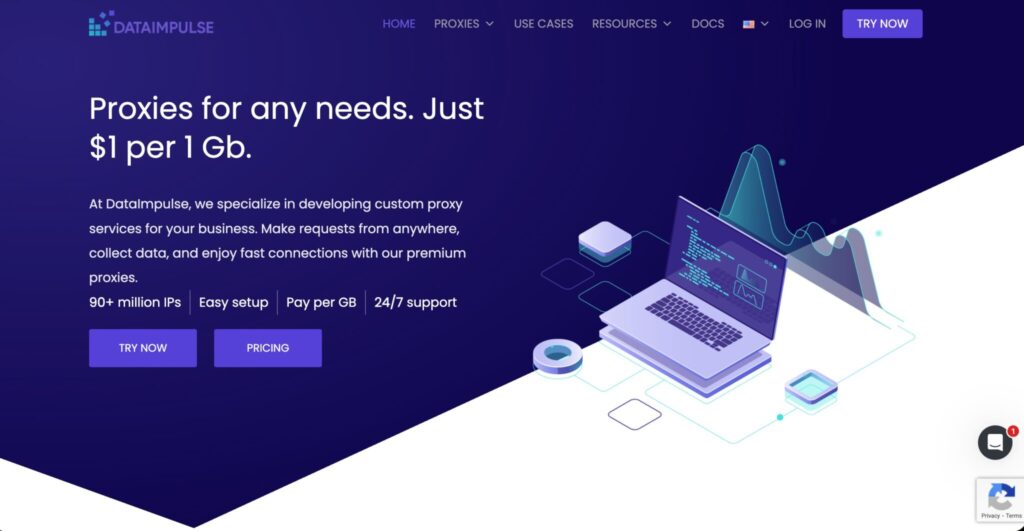
DataImpulse is a practical option when you need proxy traffic without a large monthly commitment. Its pay-per-GB model makes it useful for occasional penetration testing projects, temporary QA checks, and small security campaigns where traffic volume is predictable.
It offers a large IP pool and simple setup, which helps when you want to move fast. It is not as polished as the larger enterprise platforms, but it can be cost-effective for teams that do not need advanced account management.
Pro Tip: Use DataImpulse for controlled, low-volume validation first. For client-facing enterprise work, test reliability before depending on it for a full assessment window.
How to Choose Proxies for Penetration Testing
Start With Scope, Not Provider Names
Before buying proxies, define what your test actually needs. Are you testing a production web app, an API, a mobile app, a SaaS login flow, or geo-specific content? Are you allowed to test from multiple regions? Will the client whitelist your test traffic? Do they need logs showing where traffic came from?
A proxy plan should match the rules of engagement. Never use proxies to expand scope, hide unauthorized activity, or test systems you do not have permission to assess.
Choose the Right IP Type
Datacenter proxies are fast, cheap, and predictable. Use them for baseline checks, staging tests, and repeatable workflows.
ISP proxies are static residential-style IPs issued through internet service providers. They are useful when you need stability and a more natural network profile.
Residential proxies route through consumer-like IPs. They are useful for testing user-facing behavior, regional flows, and reputation-sensitive responses, but they cost more and can be slower.
Mobile proxies are best for mobile app testing, carrier-based behavior, and mobile-only access paths. They are usually the most expensive.
Understand Rotation Protocols
Rotation controls how often your proxy IP changes. For penetration testing, more rotation is not always better.
Use rotating proxies when you need to test distributed regional behavior or avoid overloading one test endpoint. Use sticky sessions when testing logins, carts, dashboards, authenticated apps, or session-based workflows. Use static proxies when the client wants clear attribution, whitelisting, and cleaner logs.
A good provider should let you control session duration, choose rotation intervals, and switch between static and rotating pools.
Check Protocol Support
HTTP and HTTPS proxies are enough for many web app tests. SOCKS5 is more flexible because it can handle broader traffic types. If your tools require SOCKS5, do not assume every plan supports it. Check before buying.
Also check authentication methods. Username and password authentication is common. IP allowlisting is cleaner for team environments but less flexible when testers move between networks.
Look at IP Pool Quality, Not Just Pool Size
A huge IP pool sounds great, but quality matters more. Ask these questions:
- Are the IPs ethically sourced?
- Can you target by country, city, ASN, or carrier?
- Are there enough IPs in your required region?
- Can you keep the same IP for a session?
- Does the provider publish uptime or network status?
- Can support help during a live client test?
For professional work, reliability beats raw numbers.
Final Buyer’s Verdict
If you want the strongest all-around proxy stack for serious penetration testing, Bright Data and Oxylabs are the safest premium picks. They offer scale, control, and mature infrastructure.
If you want the best balance of usability and power, Decodo is the practical middle ground. SOAX is excellent for geo and mobile-heavy testing. NetNut works well for high-volume teams. IPRoyal, Webshare, and DataImpulse are smart picks for smaller budgets, test labs, and lighter workloads. Rayobyte is a strong choice when static datacenter or ISP proxies matter more than massive residential rotation.
The real answer is simple: choose the proxy provider that matches your test scope, traffic volume, logging needs, and session behavior. A cheaper proxy can cost more if it creates noisy results. A premium proxy is wasted if you only need basic baseline checks.
FAQs About Proxies for Penetration Testing
1. Are proxies legal for penetration testing?
Yes, proxies can be legal when used inside an approved testing scope. The key is permission. Your rules of engagement should clearly define targets, regions, timing, traffic limits, and whether proxy-based testing is allowed.
2. What type of proxy is best for penetration testing?
Datacenter proxies are best for fast baseline checks. ISP proxies are better for stable long sessions. Residential proxies are useful for realistic user-path testing. Mobile proxies are best for mobile app and carrier-specific tests.
3. Should I use rotating or static proxies?
Use static proxies when the client needs clear attribution or whitelisting. Use sticky sessions for authenticated testing. Use rotating proxies for regional behavior checks and distributed validation.
4. Do proxies make penetration testing anonymous?
They can mask your direct source IP, but they do not make testing anonymous in a complete sense. Providers keep account records, clients may log behavior, and legal testing should always be documented.
5. Is SOCKS5 better than HTTP for penetration testing?
SOCKS5 is more flexible because it can carry broader traffic types. HTTP and HTTPS proxies are fine for many web app tests, but SOCKS5 is useful when your testing tools require more protocol flexibility.
6. Can I use free proxies for penetration testing?
Free proxies are a bad idea for professional work. They are unstable, risky, slow, and often poorly sourced. They can also leak traffic or corrupt results. Use reputable paid providers.
7. How many proxies do I need for a penetration test?
For a small web app test, a handful of static or sticky proxies may be enough. For regional checks, you may need IPs across several countries. For high-volume external validation, you need a larger pool with controlled rotation.
8. What is the biggest mistake teams make with proxies?
They rotate too aggressively. That breaks sessions, triggers strange behavior, and creates noisy findings. Start with stable IPs, then add rotation only where the test case requires it.
9. Should clients whitelist proxy IPs?
For controlled assessments, yes. Whitelisting static test IPs helps clients separate authorized testing from real malicious traffic. For geo-behavior testing, whitelisting may defeat the purpose, so decide based on the test goal.