
Best Proxies For Pinterest Automation.
Pinterest automation is not just about pushing more Pins through a scheduler. The real work happens behind the scenes: account safety, clean sessions, geo consistency, content testing, board research, product pin checks, and campaign QA.
If your proxy layer is weak, even a good automation stack starts acting noisy. Login challenges rise. Sessions reset. Traffic looks strange. Your workflow becomes harder to manage.
Before we talk providers, one point needs to be clear. Pinterest does not welcome spam, fake engagement, mass account creation, or unapproved automation.
The safer use case is controlled automation for approved tools, content scheduling, ad verification, brand monitoring, regional testing, and managing legitimate business profiles. Proxies should support clean operations, not hide abusive behavior.
For Pinterest, the best proxy is usually a residential or mobile proxy with reliable rotation, sticky sessions, clean ASN spread, and strong geo targeting. Datacenter proxies can work for light QA or speed testing, but they are not my first pick for account based workflows.
Quick Comparison Table
| Provider | Best For | Proxy Types | IP Pool | Rotation | Starting Price | Pinterest Automation Fit |
|---|---|---|---|---|---|---|
| Bright Data | Enterprise teams | Residential, mobile, ISP, datacenter | 400M plus | Custom, sticky, rotating | From about $5.88 per GB | Excellent for scale |
| Oxylabs | Large campaigns | Residential, mobile, datacenter, ISP | 175M plus residential | Rotating and sticky | From about $6 per GB | Excellent for agencies |
| Decodo | Best balance | Residential, ISP, mobile, datacenter | 125M plus | Flexible sessions | From about $2 per GB | Strong all round pick |
| SOAX | Geo specific tasks | Residential, mobile, ISP, datacenter | 155M plus | Timed and rotating | From about $3.60 per GB | Great for targeting |
| NetNut | Stable residential traffic | Residential, mobile, datacenter | 85M plus | Rotating sessions | From about $3.53 per GB | Good for scale |
| IPRoyal | Budget users | Residential, ISP, mobile, datacenter | 32M plus | Sticky and rotating | From about $7 per GB small plans | Good for small teams |
| Webshare | Low cost testing | Residential, static residential, datacenter | 80M plus | Rotating residential | From about $1.40 per GB promos | Good starter option |
| Rayobyte | ISP and datacenter use | Residential, ISP, datacenter | Smaller pool | Static and rotating | From about $0.90 per GB | Good for QA |
| Infatica | Mid market automation | Residential, mobile, ISP | 35M plus | Rotating sessions | PAYG around $4 per GB | Good for controlled workflows |
1. Bright Data

Bright Data is the premium option for teams that need scale, control, and clean infrastructure. Its residential network is one of the largest in the market, with deep geo targeting across countries, cities, states, ZIP codes, and ASN level options.
For Pinterest automation, Bright Data makes sense when you are managing multiple brands, checking regional visibility, testing promoted Pins, or running structured workflows with strict session logic. The dashboard gives you tight control over zones, permissions, bandwidth, and targeting.
The downside is cost and setup complexity. A beginner who only wants to schedule Pins may find it heavy. But for enterprise workflows, it is one of the safest technical choices.
Pro Tip: Use sticky sessions for account logins and rotating sessions for non account based research. Mixing both in one task can create session noise.
2. Oxylabs

Oxylabs is built for larger data and automation teams. It has a huge residential pool, strong infrastructure, and a reputation for stable performance under heavy workloads. If your Pinterest work includes ad verification, regional checks, product discovery, or competitive research, Oxylabs is a serious option.
Its residential proxies are better suited than datacenter proxies for Pinterest because they look closer to normal consumer traffic. You can also use mobile proxies for high trust mobile session testing, although costs rise quickly.
Oxylabs is not the cheapest provider, but it performs well when reliability matters more than shaving a few dollars off bandwidth.
Pro Tip: Keep one Pinterest business profile tied to a consistent city or region. Random country hopping is one of the easiest ways to create account friction.
3. Decodo

Decodo, formerly Smartproxy, is the best middle ground for many marketers. It gives you a large residential pool, simple setup, fair pricing, browser extensions, APIs, and enough targeting control for most Pinterest tasks.
For agencies, Decodo works well because it is less intimidating than Bright Data or Oxylabs but still powerful enough for serious work. You can run sticky sessions for account management, rotate IPs for public page checks, and test content visibility from different locations.
It is also a good fit for teams that need to onboard junior staff. The dashboard is clean, and the documentation is easier to follow than many enterprise platforms.
Pro Tip: For Pinterest, do not rotate IPs every few seconds during logged in activity. A sticky window of 10 to 30 minutes usually feels more natural for routine account work.
4. SOAX

SOAX is a strong pick when location accuracy matters. Its residential and mobile proxy networks support granular geo targeting, including country, city, and carrier level options in many cases. That makes it useful for Pinterest marketers checking local product feeds, regional trends, and country specific ad placements.
SOAX also offers flexible rotation settings. You can set sessions based on time or rotate with each request, depending on the task. For Pinterest, this matters because account based activity and public research should not use the same rotation rhythm.
SOAX is especially useful for mid sized teams that want more control than a budget provider offers without jumping into full enterprise pricing.
Pro Tip: Use mobile proxies only where they add value, such as mobile app QA or carrier based testing. Residential proxies are usually enough for regular Pinterest workflows.
5. NetNut

NetNut is known for stable residential routing and a large proxy network. It is a good fit for teams that care about uptime, throughput, and predictable sessions. The pricing often starts at higher monthly commitments, so it suits businesses with regular proxy usage rather than one off tests.
For Pinterest automation, NetNut is useful when you are running recurring checks across many regions or managing a content operation where downtime is expensive. Its rotating residential setup can support research, visibility testing, and approved automation workflows.
The platform feels more business focused than beginner focused. If you have a technical person managing proxies, that is not a problem.
Pro Tip: Track success rate by task type. Pinterest login, Pin publishing, search checking, and ad preview testing should each have separate proxy rules.
6. IPRoyal

IPRoyal is a practical choice for smaller teams, solo marketers, and budget conscious agencies. Its residential pool is smaller than Bright Data or Oxylabs, but it offers global coverage, flexible plans, and simple setup.
One useful point is that IPRoyal traffic can be more flexible for users who do not burn through bandwidth every month. This helps content teams with uneven workloads. If you run Pinterest tasks only during content pushes, this can be cost friendly.
Do not treat IPRoyal as an enterprise replacement. It is better for moderate automation, profile separation, market checks, and testing workflows.
Pro Tip: Buy a small amount first and test your exact Pinterest workflow. Proxy quality is use case specific, and a provider that works for scraping may not always feel smooth for logged in sessions.
7. Webshare

Webshare is one of the better low cost options for proxy testing. It offers rotating residential, static residential, and datacenter proxies with a simple dashboard. For beginners, that matters. You can set up quickly, test basic flows, and understand your traffic needs before moving to a premium vendor.
For Pinterest, Webshare is best for light QA, regional page previews, and small scale automation testing. I would not use cheap datacenter proxies for sensitive account management, but Webshare residential proxies can be useful when budgets are tight.
The tradeoff is support and advanced tooling. You get affordability, but not the same enterprise controls.
Pro Tip: Avoid free proxies for Pinterest. Free IPs are often abused, slow, unstable, and risky for any business profile you care about.
8. Rayobyte

Rayobyte is worth considering if your Pinterest workflow includes static ISP proxies, datacenter proxies, or controlled research tasks. Its residential network is not as famous as the giants, but the provider has long experience in proxy infrastructure.
For Pinterest account based automation, I would lean toward residential or ISP proxies rather than standard datacenter IPs. ISP proxies can be useful because they offer more stability than rotating residential pools while still looking cleaner than pure datacenter traffic.
Rayobyte is a good fit for teams that want predictable IPs for QA, monitoring, and browser based checks.
Pro Tip: Static ISP proxies work well when you need consistency. Use them for profile access and account QA, not for high volume public scraping.
9. Infatica
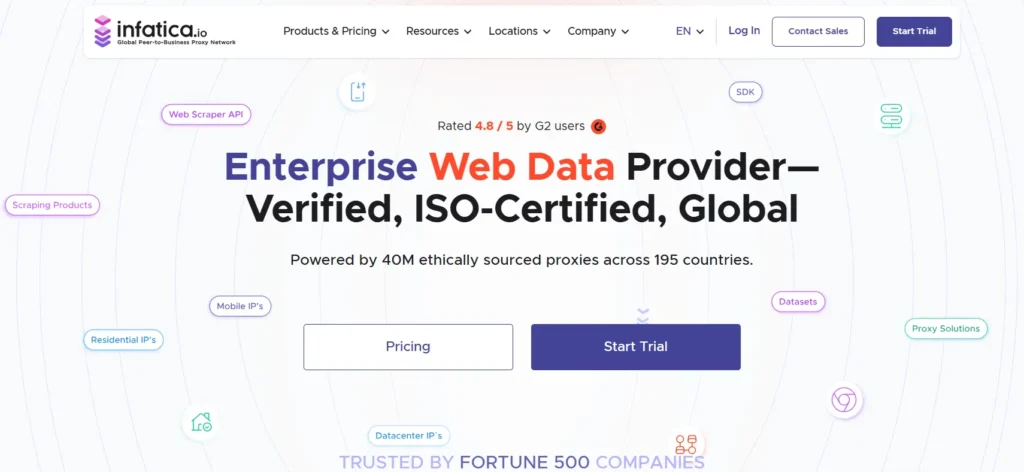
Infatica is a solid mid market provider with residential, mobile, and ISP options. Its residential pool is smaller than the biggest names, but pricing can be attractive for teams that need usable proxies without enterprise contracts.
For Pinterest automation, Infatica works best for controlled workflows: content checks, market testing, brand monitoring, and session based activity. It supports HTTP and SOCKS options, which gives technical teams enough flexibility for browser tools and automation software.
The main thing to test is location quality. If you need very specific cities, run a trial before committing.
Pro Tip: Check IP reputation before scaling. A cheap proxy plan becomes expensive if half your sessions trigger extra verification.
How To Choose Proxies For Pinterest Automation
Start With The Right Proxy Type
Residential proxies are the safest default for Pinterest because they come from real consumer networks. Mobile proxies are useful for mobile app testing and higher trust sessions, but they cost more. ISP proxies are great when you need stable identity. Datacenter proxies are fast and cheap, but they are easier to flag on account based platforms.
Check IP Pool Size And Quality
A big pool helps, but quality matters more than the headline number. Look for clean IP sourcing, country coverage, city targeting, uptime, and replacement policy. For Pinterest, you want consistency, not chaos.
Understand Rotation Protocols
Rotation controls how often your IP changes. For logged in Pinterest profiles, use sticky sessions. For public research, rotating sessions can work. For heavy workflows, separate tasks by pool, country, and session rule.
Match Geo To The Account
If a Pinterest account normally operates from the US, do not log in from Germany, Brazil, and India within an hour. Keep the account environment consistent. Your proxy, browser timezone, language, and device fingerprint should tell the same story.
Test Before Scaling
Run a small pilot. Check login success, page load speed, session stability, and verification rates. Then scale slowly. A good proxy stack is built by measurement, not guesswork.
My Shortlist By Use Case
If you are running one or two Pinterest business profiles, start with Decodo, IPRoyal, or Webshare. They keep setup simple and costs under control. If you manage client accounts across multiple markets, move toward SOAX or NetNut because targeting and session planning become more important.
If Pinterest is part of a serious paid media or ecommerce intelligence stack, Bright Data and Oxylabs are easier to justify because they offer stronger governance, bigger pools, and better support for technical teams.
The wrong choice is usually not a bad provider. It is a mismatch between task and proxy type. Do not buy mobile proxies for simple scheduling. Do not use cheap datacenter IPs for account logins. Keep each tool in its lane.
FAQs
What are the best proxies for Pinterest automation?
Bright Data, Oxylabs, Decodo, SOAX, and NetNut are the strongest options for serious Pinterest workflows. IPRoyal and Webshare are better for smaller budgets.
Are residential proxies better for Pinterest?
Yes. Residential proxies usually fit Pinterest better because they look closer to normal user traffic than datacenter IPs.
Can I use datacenter proxies for Pinterest?
You can use them for light testing, but they are not ideal for logged in account activity. Use residential or ISP proxies for safer sessions.
How many proxies do I need for Pinterest automation?
It depends on your number of accounts, locations, and tasks. As a basic rule, avoid sharing one IP across too many profiles.
Should I use rotating or sticky proxies?
Use sticky proxies for logged in activity and rotating proxies for public research. Random fast rotation during account activity can look unnatural.
Are free proxies safe for Pinterest?
No. Free proxies are usually slow, abused, and risky. They can damage account trust and expose your data.
Can proxies prevent Pinterest bans?
No proxy can guarantee safety. Good proxies only reduce technical friction. Your content quality, automation limits, account history, and compliance matter more.
What is the best budget proxy for Pinterest?
Webshare and IPRoyal are good budget picks. Decodo is better if you want a stronger balance of price, pool size, and reliability.
Final Take
For most Pinterest automation teams, Decodo is the best practical starting point. Bright Data and Oxylabs are stronger for enterprise work. SOAX is excellent for geo targeting. NetNut is reliable for recurring operations. IPRoyal and Webshare are useful when cost matters.
The real secret is not buying the biggest proxy pool. It is matching the proxy type, rotation rule, location, and session behavior to the task. Do that well, and your Pinterest workflow becomes smoother, cleaner, and easier to scale.