
Best Proxies For ScrapeBox .
ScrapeBox is powerful, but it is also brutally honest. Feed it weak proxies and it starts wasting your time fast.
You may see dead proxies, blocked requests, unstable harvesting, failed checks, slow threads, random timeouts, and messy data that needs more cleaning than the original job itself. That is why choosing proxies for ScrapeBox is not just about buying the cheapest IP list you can find. It is about matching the proxy type to the task.
For keyword harvesting, URL scraping, link checking, competitor research, footprint research, and large scale public data collection, ScrapeBox needs proxies that can handle volume without falling apart. ScrapeBox itself includes a Proxy Harvester and can fetch, test, and save working proxies from proxy sources, but paid exclusive proxies are far more reliable than free public lists for serious work.
ScrapeBox’s own proxy page also recommends exclusive proxies because they are faster and more dependable than shared or free proxies.
This guide focuses on legitimate SEO research, public web data collection, testing, and monitoring. Do not use ScrapeBox or proxies for spam, credential attacks, account abuse, or scraping private data. The best setup is the one that respects site rules, rate limits, and data laws while still giving you clean, repeatable results.
Quick Verdict: Best ScrapeBox Proxy Providers
| Rank | Proxy Provider | Best For ScrapeBox Use Case | Proxy Types | Starting Price Snapshot | IP Pool or Coverage | Rotation Support | Best Fit |
|---|---|---|---|---|---|---|---|
| 1 | Bright Data | Enterprise ScrapeBox workflows and global targeting | Residential, ISP, datacenter, mobile | Residential from around $5.88 per GB on listed plans | 400M+ monthly residential IPs across 195 countries | Sticky and rotating sessions | Agencies, data teams, serious SEO operations |
| 2 | Oxylabs | High quality residential scraping and large projects | Residential, datacenter, ISP, mobile | Residential Starter listed at $6 per GB, $30 monthly | 175M+ residential IPs, 2M datacenter IPs | Rotation and SOCKS5 support | Enterprise SEO, market data, public SERP research |
| 3 | Decodo | Best balance of price, scale, and usability | Residential, static residential, mobile, datacenter | Residential plans from $3.75 per GB, pay as you go from $4 per GB | 115M+ residential IPs | Sticky sessions and rotation | SEO teams, freelancers, growth marketers |
| 4 | Webshare | Budget ScrapeBox proxy lists and datacenter volume | Datacenter, residential, static residential | Datacenter from $2.99 monthly, residential from $1.4 per GB | 80M+ residential IPs, 400K+ proxy servers | Rotating residential and proxy list export | Beginners, bulk tasks, testing setups |
| 5 | IPRoyal | Affordable residential and ISP proxies | Residential, ISP, datacenter, mobile | Residential from $7 per GB at 1GB, lower with larger plans | 32M+ residential IPs across 195+ countries | Rotating and sticky sessions | Small SEO teams, flexible usage |
| 6 | SOAX | Clean geo targeting and managed public data collection | Residential, mobile, ISP, scraper APIs | Pricing varies by product and plan | Public data platform with ethical proxy infrastructure | Rotation and geo targeting | Teams that want clean targeting and support |
| 7 | NetNut | Direct ISP style residential performance | Residential, rotating residential, static residential, mobile | Custom and plan based pricing | 85M+ residential IPs, 5M mobile IPs | Rotating residential, HTTP, HTTPS, SOCKS5 | Higher volume scraping and brand monitoring |
| 8 | Rayobyte | Datacenter and residential mix for cost control | Datacenter, residential, ISP | Residential from $3.50 per GB, datacenter and ISP priced separately | 300K+ datacenter IPs, 29+ locations | Residential rotation and concurrent sessions | ScrapeBox users who want flexible proxy types |
| 9 | ScraperAPI | Managed proxy endpoint instead of manual proxy lists | Managed proxy API, residential pools | Request based model, plan based | 4M+ residential proxies listed for residential scraping | Automatic rotation, sessions, geo options | Users who want fewer proxy management headaches |
What Makes a Proxy Good for ScrapeBox?
ScrapeBox is different from a browser extension or a simple scraping script. It can run a lot of tasks quickly, and that puts pressure on proxies.
A good ScrapeBox proxy should do five things well.
First, it should stay alive long enough to finish the job. Dead proxies destroy speed because ScrapeBox spends more time retrying than collecting useful data.
Second, it should support the right protocol. HTTP and HTTPS proxies are usually enough for common ScrapeBox work, while SOCKS5 can be useful for more flexible routing. Oxylabs confirms SOCKS5 support for its residential and dedicated datacenter proxies, which matters if your setup needs broader protocol compatibility.
Third, it should have clean IP reputation. Free proxy lists often look tempting, but they are heavily abused, slow, and blocked on many targets. Paid private, ISP, and residential proxies usually give better success rates for public data tasks.
Fourth, it should give you rotation control. Rotation is not always about changing IPs as fast as possible. Sometimes you need sticky sessions so one IP stays active for a few minutes. Other times, you want a fresh IP on every request. The right setting depends on the job.
Fifth, the provider should make exporting and managing proxies simple. ScrapeBox users often work with IP:Port or IP:Port:User:Pass formats, so a clean dashboard and easy list export saves time.
1. Bright Data: Best Overall for Enterprise ScrapeBox Workflows

Bright Data is the premium option for users who treat Scraping, SERP research, and market intelligence like a serious operation rather than a side tool.
Its biggest strength is scale. Bright Data lists 400M+ monthly residential IPs across 195 countries, with sticky and rotating sessions, free geo targeting, and a claimed 99.95% success rate on its residential proxy page.
For ScrapeBox, this matters when you are collecting public data across multiple regions, testing footprints in different countries, or running repeated checks where random cheap IPs create messy results. The platform is not the simplest choice for beginners, but it gives advanced users a lot of control.
Bright Data also offers different proxy types, including residential, ISP, datacenter, and mobile proxies. That mix is useful because not every ScrapeBox task needs expensive residential traffic. You can use datacenter proxies for low sensitivity tasks, ISP proxies for stable sessions, and residential proxies for public data collection where IP quality matters more.
Best ScrapeBox use case: Large scale public URL harvesting, geo specific keyword research, SERP monitoring, competitor research, and agency level workflows.
Pro Tip: Do not waste residential bandwidth on simple checking jobs. Use datacenter or ISP proxies for basic checks, then reserve residential traffic for targets where success rate matters more than raw cost.
2. Oxylabs: Best for High Quality Residential Scraping

Oxylabs is another top tier provider that fits serious ScrapeBox users. It offers 175M+ residential proxies and 2M datacenter proxies, according to its official site.
Its residential pricing page lists a Starter plan at 5GB for $30, or $6 per GB, with larger plans reducing the cost per GB. For teams running public web scraping at scale, that pricing is not the cheapest, but the network quality and support can justify the cost.
For ScrapeBox, Oxylabs is strong when you need dependable residential IPs, city level targeting, and clean performance. It also supports SOCKS5 with residential proxies, which gives technical users more room to configure advanced setups.
The downside is that Oxylabs may be more than a beginner needs. If you are only running small keyword lists or basic URL checks, you can start with cheaper providers. But if your ScrapeBox work feeds client reports, internal dashboards, or SEO research pipelines, Oxylabs is one of the safer premium choices.
Best ScrapeBox use case: Enterprise SEO scraping, public data extraction, large footprint research, regional monitoring, and high volume URL collection.
Pro Tip: Start with a smaller residential plan and measure your cost per successful result, not just cost per GB. Cheap traffic is not cheaper if half the requests fail.
3. Decodo: Best Balance of Price and Usability

Decodo, formerly Smartproxy, is one of the most practical choices for ScrapeBox users who want strong residential proxies without enterprise friction.
Its residential proxy pricing currently starts at $3.75 per GB for a 3GB monthly plan, with lower per GB pricing on larger plans and a pay as you go option listed at $4 per GB. Decodo also lists residential proxies from $2 per GB on its main site, depending on volume and product selection.
For ScrapeBox, Decodo hits a sweet spot. It is easier to use than many enterprise platforms, but still has enough scale for serious work. Its 115M+ residential IP pool gives you enough coverage for country based research and repeated scraping projects.
This is a good choice if you run ScrapeBox for SEO campaigns, keyword expansion, prospecting, index checks, broken link research, or competitor footprint discovery. The dashboard is beginner friendly, yet the network is strong enough for more demanding workflows.
Best ScrapeBox use case: SEO freelancers, affiliate marketers, small agencies, and teams that want reliable residential proxies without jumping straight into premium enterprise pricing.
Pro Tip: Use sticky sessions when you need consistency during a task. Use rotating sessions when you are hitting a larger list of public pages where one IP does not need to persist.
4. Webshare: Best Budget Proxy Provider for ScrapeBox

Webshare is a strong fit for ScrapeBox users who need affordable proxy lists, especially for datacenter based workflows.
Its pricing page lists datacenter proxies starting at $0.05 per IP and residential proxies from $1.4 per GB. The company also offers 10 free proxies for testing. Webshare’s main site lists 400K+ fast proxy server IPs with 99.97% uptime, plus residential and static residential products.
For ScrapeBox, Webshare makes sense when you are testing setups, running low cost jobs, or need a clean proxy list format without overpaying. It is especially useful for datacenter proxy workflows where speed and price matter more than residential identity.
The tradeoff is simple. Webshare is affordable, but it may not give you the same enterprise tooling, managed scraping features, or support depth as Bright Data or Oxylabs. That is not a dealbreaker for ScrapeBox users who already know what they are doing.
Best ScrapeBox use case: Budget proxy lists, basic harvesting, testing, link checking, and users who want low entry pricing.
Pro Tip: For ScrapeBox, avoid loading a giant low quality list and hoping for the best. Start with a smaller clean list, test it inside ScrapeBox, remove dead IPs, then scale.
5. IPRoyal: Best Affordable Residential and ISP Option

IPRoyal is a solid choice for users who want residential proxies without premium pricing.
The company lists residential proxies from $1.75 per GB on its main site, with a 32M+ proxy pool. Its pricing page shows smaller residential plans starting at $7 per GB for 1GB, with lower rates on larger plans.
For ScrapeBox users, IPRoyal is attractive because it supports rotating and sticky residential sessions, precise geo targeting, and standard proxy configurations. Its residential quick start guide says the proxies use ethically sourced residential IPs, support geo targeting, rotating and sticky sessions, and integrate through standard proxy settings.
This makes IPRoyal useful for freelancers, bloggers, smaller SEO teams, and affiliate marketers who want more reliable proxies than free lists but do not want to commit to expensive enterprise plans.
Best ScrapeBox use case: Affordable residential scraping, geo based testing, smaller SEO projects, and flexible pay as you go work.
Pro Tip: If your ScrapeBox task is short and simple, smaller plans can be enough. For repeated campaigns, compare the 10GB or 50GB pricing because per GB cost drops as volume increases.
6. SOAX: Best for Clean Targeting and Supported Data Collection

SOAX positions itself as a data extraction platform, not just a proxy seller. Its site highlights automated scraping, public data collection, compliance procedures, and support from data experts.
For ScrapeBox users, SOAX is worth considering when targeting quality matters more than raw proxy count. It is useful for public web data collection, ecommerce monitoring, ad verification, and market research style tasks.
SOAX is not always the first choice for someone who simply wants a cheap proxy list for ScrapeBox. Its strength is cleaner infrastructure, support, and managed scraping features. That makes it better for teams that care about reliability and want help scaling responsibly.
Best ScrapeBox use case: Location focused research, public data workflows, business intelligence, and SEO teams that want support instead of guessing through proxy settings.
Pro Tip: Use SOAX when you care about clean targeting. If your job only needs raw speed and basic checks, a cheaper datacenter provider may be enough.
7. NetNut: Best for Direct ISP Style Performance

NetNut is built for users who want speed and stable access from a large residential network. Its official site lists over 85M residential proxies and 5M mobile proxies, with rotating residential proxies across 195 countries and support for HTTP, HTTPS, and SOCKS5.
For ScrapeBox, this is valuable when you need both scale and connection quality. NetNut also promotes direct ISP connectivity for static residential proxies, which can help when long session reliability matters.
NetNut is usually a better fit for businesses than hobby users. If your ScrapeBox work includes large recurring tasks, brand monitoring, price monitoring, or structured public data collection, NetNut deserves a place on your shortlist.
Best ScrapeBox use case: High volume scraping, stable residential routing, public data monitoring, and teams that want fewer blocked sessions.
Pro Tip: If you need long running tasks, test static residential or ISP style proxies instead of rotating every request. Stability can matter more than constant rotation.
8. Rayobyte: Best Mix of Datacenter, ISP, and Residential Proxies

Rayobyte is useful for ScrapeBox users who want multiple proxy types under one provider.
Its pricing page lists residential traffic tiers and ISP proxy pricing, while its datacenter page lists 300K+ available IPs across 29+ global locations and 9+ ASNs. Its residential page lists pay as you go pricing from $3.50 per GB and includes geo targeting, concurrent sessions, and support.
This flexibility makes Rayobyte practical for ScrapeBox because different tasks need different proxy economics. You can use datacenter proxies for cheaper speed, residential proxies for better trust, and ISP proxies when you need more stable identity.
Rayobyte is not always the flashiest provider, but it gives technical users enough room to build a cost controlled ScrapeBox stack.
Best ScrapeBox use case: Mixed proxy workflows, cost controlled scraping, datacenter heavy tasks, and users who want multiple proxy categories.
Pro Tip: Split your ScrapeBox tasks into tiers. Use cheaper datacenter proxies for low risk jobs and residential proxies only for targets that reject datacenter traffic.
9. ScraperAPI: Best Managed Proxy Option for ScrapeBox
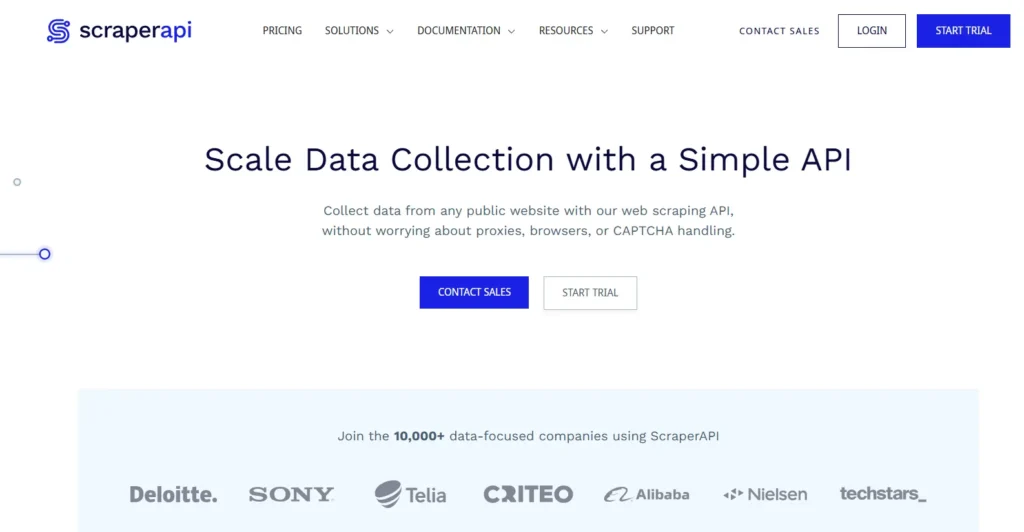
ScraperAPI is not a normal proxy list provider. It works more like a managed scraping backend with proxy rotation built in.
Its residential proxy page says it handles over 4M residential proxies and supports proxy rotation, geo targeting, CAPTCHA handling, JavaScript rendering, sticky sessions, and API mode or proxy mode. ScraperAPI also has a ScrapeBox integration guide that says ScrapeBox can be configured to use ScraperAPI as a proxy endpoint, reducing the need to manually manage many proxies inside ScrapeBox.
This is ideal if you hate cleaning proxy lists, testing dead IPs, and constantly adjusting rotation. You trade some manual control for convenience.
ScraperAPI is not the best choice if you want raw IP list ownership. But if your goal is to get ScrapeBox tasks running with fewer proxy maintenance headaches, it is a smart option.
Best ScrapeBox use case: Users who want a single managed endpoint, public page scraping, and simplified proxy rotation.
Pro Tip: Use managed proxy tools when your time costs more than bandwidth. Manual proxy management is cheaper only if you already have a reliable workflow.
How to Choose the Best Proxy for ScrapeBox
1. Match Proxy Type to the Task
Datacenter proxies are fast and cheap. They are good for basic checks, bulk testing, and low sensitivity jobs. The downside is that many sites detect datacenter ranges more easily.
Residential proxies are better for public web data collection because they come from ISP assigned residential IPs. They cost more, but they usually perform better on targets that block datacenter traffic.
ISP proxies sit between datacenter and residential. They offer datacenter like stability with ISP issued IPs. They are useful when you need long sessions, consistent identity, and faster performance.
Mobile proxies are expensive and usually unnecessary for most ScrapeBox tasks. Use them only if your target specifically behaves differently for mobile networks or mobile regions.
2. Understand Rotation Protocols
Rotation is one of the most misunderstood parts of proxy buying.
Fast rotation means the IP changes often, sometimes every request. This is useful for broad public data collection where each request can be independent.
Sticky sessions keep the same IP for a set period. This is better when a target expects a consistent user session.
Backconnect proxies use one gateway endpoint and rotate IPs behind the scenes. This is easy to use, especially with tools like ScrapeBox, because you do not need to constantly import fresh proxy lists.
Static proxies do not rotate automatically. They are useful for repeat checks, account safe workflows, or tasks that need consistent location and identity.
For ScrapeBox, rotating residential proxies usually work best for harvesting and public data collection, while private datacenter or ISP proxies can work well for checking, parsing, and speed focused jobs.
3. Check IP Pool Size, but Do Not Worship It
A huge IP pool looks impressive, but usable IP quality matters more.
A provider with 30M clean IPs can outperform a larger pool if the rotation is better, locations are cleaner, and dead IPs are filtered properly. Pool size matters most when you scrape across many countries, run many threads, or collect public data from targets with strict rate limits.
For local SEO research, check country, state, and city targeting. For broad keyword harvesting, clean rotation and uptime matter more.
4. Watch Cost Per Successful Request
Most beginners compare proxy providers by listed price. That is a mistake.
The better metric is cost per successful result.
For example, a $1.40 per GB proxy plan looks cheap. But if it fails often on your target, your real cost increases. A $5 per GB plan with higher success can be cheaper in practice because you waste less time and bandwidth.
Run a small test before scaling. Use the same ScrapeBox task, same thread settings, same target type, and same timeout values. Then compare success rate, speed, blocks, and cost.
5. Do Not Overthread Too Early
ScrapeBox gives you power, but power can backfire.
If you run too many threads through too few proxies, you will burn the list quickly. A better setup is to start conservative, watch response quality, then increase threads slowly.
A simple starting point:
| Task Type | Proxy Type | Rotation Style | Thread Strategy |
|---|---|---|---|
| Basic URL checking | Datacenter or ISP | Static or slow rotation | Medium threads |
| Keyword harvesting | Residential or ISP | Rotating or sticky | Start low, scale carefully |
| Competitor footprint research | Residential | Rotating | Moderate threads |
| Geo specific SERP checks | Residential | Sticky by location | Low to moderate threads |
| Large public data jobs | Residential or managed API | Backconnect rotation | Scale based on success rate |
Free vs Paid Proxies for ScrapeBox
Free proxies are fine for learning the interface. They are not fine for serious work.
ScrapeBox can harvest and test public proxies, which is useful for experimentation. But free proxies often die quickly, get abused heavily, leak data, fail anonymity tests, or trigger blocks. ScrapeBox’s own materials describe proxy harvesting and testing features, but its proxy recommendation page still points serious users toward exclusive paid proxies.
Paid proxies save time. They give you better uptime, cleaner IPs, support, dashboards, authentication, and predictable performance. For any client work or repeat SEO task, paid proxies are the safer route.
Best ScrapeBox Proxy Setup by User Type
For Beginners
Start with Webshare or IPRoyal. They are affordable, easy to test, and do not force you into heavy monthly commitments.
For SEO Freelancers
Use Decodo or IPRoyal residential proxies. They give you enough quality for real projects without enterprise level pricing.
For Agencies
Use Bright Data, Oxylabs, or NetNut. The higher cost makes sense when you need reliable data, geo targeting, and support.
For Heavy ScrapeBox Users
Use a hybrid setup. Keep datacenter proxies for cheap tasks, ISP proxies for stable checks, and residential proxies for public data collection where blocks are more likely.
For Users Who Hate Proxy Management
Use ScraperAPI in proxy mode. You lose some manual control, but you reduce the time spent cleaning proxy lists and testing failures.
FAQs About ScrapeBox Proxies
1. What are the best proxies for ScrapeBox?
The best proxies for ScrapeBox are paid private, ISP, and rotating residential proxies. For most users, Decodo, Webshare, IPRoyal, Bright Data, and Oxylabs are strong choices. Beginners may prefer Webshare or IPRoyal, while agencies should look at Bright Data, Oxylabs, or NetNut.
2. Can I use free proxies with ScrapeBox?
Yes, ScrapeBox can harvest and test free proxies, but free proxies are usually unstable. They die quickly, get blocked often, and slow down serious work. Use them only for testing or learning.
3. Are residential proxies better for ScrapeBox?
Residential proxies are better when you need higher trust and better success on public data targets. Datacenter proxies are cheaper and faster, but they are easier to detect. For serious harvesting and geo based research, residential proxies are usually worth the cost.
4. How many proxies do I need for ScrapeBox?
It depends on your threads, targets, and task size. For light work, 25 to 100 private proxies may be enough. For larger scraping jobs, rotating residential proxies with bandwidth based pricing usually scale better than fixed proxy lists.
5. Should I use rotating or static proxies with ScrapeBox?
Use rotating proxies for large public scraping jobs where each request can use a new IP. Use static or sticky proxies when the task needs consistency, such as session based checks or location specific monitoring.
6. Are datacenter proxies good for ScrapeBox?
Yes, datacenter proxies are good for speed focused and low sensitivity tasks. They are cheaper than residential proxies, but they may get blocked faster on strict targets. A mixed setup works best.
7. What proxy format does ScrapeBox use?
ScrapeBox commonly works with standard proxy list formats such as IP:Port and authenticated formats like IP:Port:Username:Password. Your provider should make it easy to export proxies in a clean format.
8. Is ScrapeBox still useful in 2026?
Yes, ScrapeBox is still useful for SEO research, URL harvesting, footprint discovery, proxy testing, and bulk checking. The difference is that proxy quality matters more now because many websites have stronger anti abuse systems than they did years ago.
9. Which proxy provider is best for low budget ScrapeBox users?
Webshare is the best budget friendly option for many users because it offers low cost datacenter and residential plans. IPRoyal is another good pick if you want affordable residential proxies with sticky and rotating session support.
Final Verdict: Which ScrapeBox Proxy Should You Choose?
If you want the best overall proxy provider for serious ScrapeBox work, choose Bright Data or Oxylabs. They are expensive, but they offer scale, targeting, and reliability.
If you want the best balance between price and performance, choose Decodo. It is strong enough for real SEO work and easier to manage than many enterprise platforms.
If your budget is tight, start with Webshare or IPRoyal. They are practical, affordable, and good enough for many ScrapeBox workflows.
If you want fewer proxy headaches, test ScraperAPI as a managed proxy endpoint. It is not a classic proxy list provider, but it can simplify ScrapeBox setup for users who care more about results than manual IP control.
The best ScrapeBox proxy setup is not always the biggest pool or the cheapest plan. It is the setup that gives you the cleanest results at the lowest cost per successful task. Start small, test properly, remove weak proxies, and scale only after you know what works.