
Best Proxies For Secure Web Access.
Secure web access is not just about hiding an IP address. That is the beginner version of the story. For businesses, researchers, QA teams, cybersecurity analysts, and SEO professionals, a good proxy setup helps control identity, location, session behavior, access consistency, and risk.
The wrong proxy can leak data, trigger constant blocks, burn budget, or make your workflow slower than a hotel Wi-Fi connection during checkout time.
The right one gives you clean routing, reliable sessions, strong geo-targeting, and enough control to handle sensitive web tasks without looking suspicious or unstable.
This guide breaks down the best proxies for secure web access, with a practical focus on IP quality, proxy types, rotation protocols, session control, authentication, and real-world use.
Quick Comparison: Best Secure Web Access Proxy Providers
| Provider | Best For | Proxy Types | IP Pool | Protocols | Rotation Control | Starting Price Snapshot | Best Fit |
|---|---|---|---|---|---|---|---|
| Bright Data | Enterprise-grade secure access | Residential, ISP, datacenter, mobile | 400M+ monthly proxies | HTTP(S), SOCKS5 | Advanced rotating and sticky sessions | Residential from $5.88/GB | Large teams, compliance-heavy projects |
| Oxylabs | High-trust enterprise workflows | Residential, ISP, mobile, datacenter | 175M+ residential IPs | HTTP(S), SOCKS5 | Flexible session control | Datacenter free trial, ISP from around $2.10/IP | Data-heavy teams and security research |
| Decodo | Balanced value and usability | Residential, static residential, mobile, datacenter | 125M+ IPs | HTTP(S), SOCKS5 | Rotating and sticky sessions | Residential from $2/GB | Agencies, SEO, QA, mid-market teams |
| SOAX | Precise geo-targeting | Residential, mobile, ISP, datacenter | 195+ countries | HTTP(S), SOCKS5, UDP, QUIC | Custom IP refresh rates | Starter plans around $3.60/GB | Location-sensitive access |
| NetNut | Stable business access | Residential, mobile, datacenter | 85M+ residential IPs | HTTP(S), SOCKS5 | Rotating and static options | Quote or plan-based | Teams needing speed and stability |
| IPRoyal | Affordable secure browsing | Residential, ISP, mobile, datacenter | 32M+ residential pool | HTTP(S), SOCKS5 | Sticky and rotating sessions | Residential from $1.75/GB | Small teams and budget buyers |
| Webshare | Low-cost proxy management | Residential, static residential, datacenter | 80M+ residential IPs | HTTP, SOCKS5 | Dashboard-based rotation | Residential from $1.4/GB | Developers and self-serve users |
| Proxy-Seller | Dedicated IP control | Residential, ISP, mobile, datacenter | 20M+ addresses | HTTPS, SOCKS5 | Rotation modes and targeting | Residential from $0.7/GB | Dedicated IP and smaller custom setups |
1. Bright Data: Best Overall For Enterprise Secure Access

Bright Data is the premium option for teams that care about scale, compliance controls, auditability, and flexibility. It offers residential, ISP, mobile, datacenter, and rotating proxy options, which makes it suitable for everything from secure web access to market intelligence and large-scale testing.
The main strength is control. You can choose between rotating sessions for distributed access and sticky sessions for workflows that need the same IP over a longer period.
That matters when you are logging into dashboards, testing regional experiences, checking ads, or accessing location-specific content without breaking the session.
Bright Data is not the cheapest provider, and that is not really its positioning. It is built for buyers who want strong infrastructure, cleaner IP governance, better tooling, and fewer surprises.
Pro-Tip: Use ISP proxies instead of rotating residential proxies when your secure access task needs speed and account stability. Residential rotation is useful for scale, but static ISP IPs are often better for logged-in workflows.
Best for: enterprise buyers, security teams, ad verification, brand protection, and large-scale secure access.
2. Oxylabs: Best For Enterprise Performance And IP Trust

Oxylabs is another heavyweight provider with a strong reputation in high-volume data and secure routing. Its proxy network covers residential, ISP, datacenter, and mobile proxies, which gives technical teams plenty of room to design the right setup.
For secure web access, Oxylabs stands out because of its IP quality, large residential pool, dedicated datacenter options, and strong session handling. If your work involves sensitive access patterns, geo-restricted research, or high-volume browsing, Oxylabs gives you the infrastructure to reduce friction.
The dashboard and documentation are polished, but it still feels more enterprise than casual. Smaller users may find the setup slightly heavier than Webshare or IPRoyal.
Pro-Tip: Use Oxylabs residential proxies when location trust matters, but switch to dedicated datacenter proxies for internal testing, uptime checks, and tools where speed matters more than residential identity.
Best for: enterprises, security researchers, price monitoring, data teams, and high-volume operations.
3. Decodo: Best Balance Of Price, Features, And Usability

Decodo, formerly Smartproxy, is one of the easiest providers to recommend for buyers who want serious proxy infrastructure without the heavy enterprise feel. It offers residential, static residential, mobile, and datacenter proxies with a clean dashboard and flexible pricing.
For secure web access, Decodo works well because it gives you both rotating and sticky sessions. Rotating sessions are useful when you need fresh IPs across many requests. Sticky sessions are better when you want to keep a stable browsing path for logins, form testing, checkout checks, or multi-step workflows.
Its IP pool is large enough for most business use cases, and the learning curve is friendly. You do not need to be a network engineer to get started.
Pro-Tip: For SEO tools, SERP checks, and dashboard testing, start with sticky residential sessions before using aggressive rotation. Too much rotation can look less natural than a stable IP.
Best for: SEO teams, agencies, developers, QA testers, and growing businesses.
4. SOAX: Best For Geo-Targeted Secure Access

SOAX is a strong choice when your main requirement is accurate location targeting. It supports access across 195+ countries and offers residential, mobile, ISP, and datacenter options.
The platform gives users detailed control over country, region, city, ISP, session type, and refresh behavior. That is useful for secure web access because different websites respond differently based on IP origin, ASN, device class, and location.
SOAX also supports modern protocols beyond the usual HTTP(S) and SOCKS5, which gives technical teams more flexibility. For most users, the biggest reason to choose SOAX is simple: it gives you precise routing control without making the experience too complex.
Pro-Tip: If you are testing localized websites, do not only choose the country. Match the city or ISP where possible, especially for ad checks, regional pricing, and location-sensitive login flows.
Best for: geo-testing, ad verification, localized research, and mobile-first access workflows.
5. NetNut: Best For Stable Business Proxy Access

NetNut is built around stable proxy infrastructure for business users. It offers residential, mobile, and datacenter proxies, with a focus on secure data access, strong coverage, and reliable routing.
For secure web access, NetNut is a good fit when you want stability more than flashy features. Its residential and mobile pools are large, and its datacenter pool can handle faster workflows where trust level is less sensitive.
NetNut may not feel as beginner-friendly as IPRoyal or Webshare, but it is a practical option for business users who want fewer interruptions and better performance consistency.
Pro-Tip: Use NetNut when your project depends on steady access patterns. It is especially useful when you want business-grade reliability but do not need the full enterprise stack of Bright Data.
Best for: business browsing, data access teams, cybersecurity research, and stable long-running tasks.
6. IPRoyal: Best Budget-Friendly Proxy For Secure Browsing

IPRoyal is a strong pick for buyers who want affordable proxies without giving up useful features. It offers residential, ISP, mobile, and datacenter proxies, with prices that are easier for small teams to handle.
For secure web access, IPRoyal’s residential and ISP proxies are the most relevant. Residential proxies help you appear closer to a normal user, while ISP proxies offer better stability for accounts, dashboards, and repeated access.
The platform is simple enough for beginners, but still flexible enough for marketers, researchers, and automation users.
Pro-Tip: If you are buying proxies for secure account access, avoid shared datacenter IPs unless you fully understand the risk. ISP proxies are usually a safer middle ground.
Best for: freelancers, small businesses, affiliate teams, and budget-conscious users.
7. Webshare: Best Low-Cost Self-Serve Proxy Platform

Webshare is ideal for users who want affordable proxies, quick setup, and a clean self-serve dashboard. It offers residential, static residential, and datacenter proxies, along with SOCKS5 support.
The biggest advantage is price. Webshare is often one of the lowest-cost options for teams that need proxy infrastructure but do not need enterprise services, managed onboarding, or advanced scraping APIs.
For secure web access, Webshare is best when you know what you are doing. It gives you the tools, but you need to configure your usage properly. That means choosing the right proxy type, rotating sensibly, and monitoring block rates.
Pro-Tip: Start with a smaller pool and test success rates before buying bulk IPs. Cheap proxies are useful only when they stay clean for your target websites.
Best for: developers, testers, small teams, and users who want affordable proxy control.
8. Proxy-Seller: Best For Dedicated IP And Custom Proxy Needs
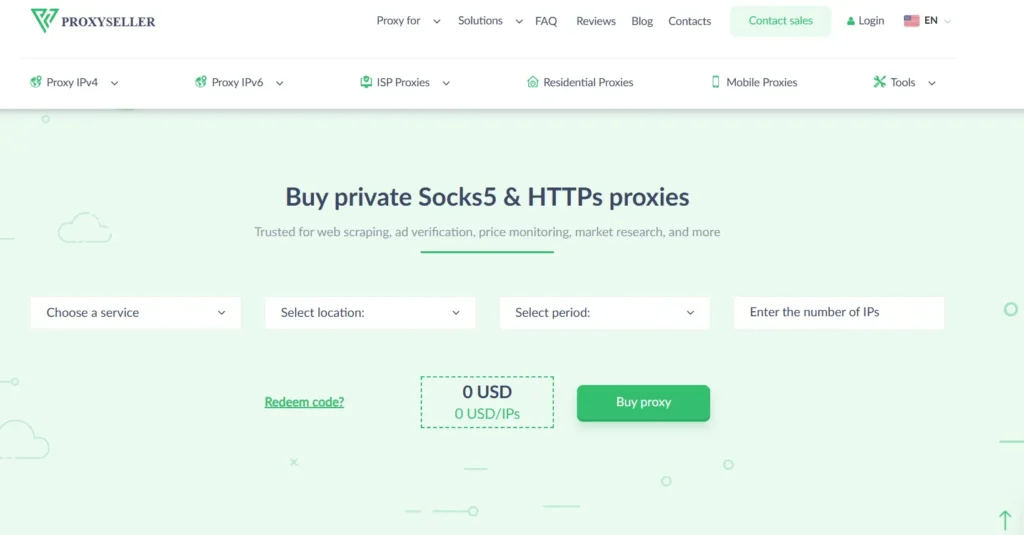
Proxy-Seller offers residential, ISP, mobile, and datacenter proxies, with a focus on dedicated access, flexible targeting, and straightforward controls. It is useful when you want more predictable IP ownership and do not need a massive enterprise platform.
For secure web access, Proxy-Seller is attractive because it supports HTTPS and SOCKS5, offers targeting options, and provides both individual and enterprise setups. Its residential plans are priced aggressively, which can be useful for testing or smaller operations.
That said, buyers should always test performance against their specific target sites. Low pricing is useful, but IP reputation matters more than the headline number.
Pro-Tip: For login-based workflows, dedicated ISP proxies are usually safer than low-cost rotating residential pools. Consistency often beats volume.
Best for: dedicated proxy buyers, small teams, custom location setups, and cost-sensitive projects.
How To Choose Proxies For Secure Web Access
1. Start With The Proxy Type
Residential proxies route traffic through real consumer IPs. They are good for trust-sensitive access, regional browsing, and websites that dislike datacenter traffic.
Datacenter proxies are fast and cheap, but easier to detect. Use them for testing, uptime monitoring, bulk access, and low-risk workflows.
ISP proxies combine residential trust with datacenter-like stability. For secure web access, they are often the best option when you need the same IP for repeated sessions.
Mobile proxies use carrier networks. They work well for mobile app testing, ad checks, and cases where mobile identity matters.
2. Check IP Pool Quality, Not Just IP Pool Size
A provider may advertise millions of IPs, but what matters is usable inventory. Ask better questions:
- How many active IPs are available in my target country?
- Can I filter by city, ISP, ASN, or carrier?
- Are IPs shared, semi-dedicated, or dedicated?
- How often are IPs recycled?
- What is the average success rate on my target websites?
A smaller clean pool can outperform a huge noisy pool.
3. Understand Rotation Protocols
Rotation controls how often your IP changes. There are three common patterns.
Per-request rotation changes IP after every request. This is useful for high-volume public data access, but it can look unnatural for account-based browsing.
Timed rotation changes IP after a set period, such as 5, 10, or 30 minutes. This works well for browsing, testing, and lighter automation.
Sticky sessions keep the same IP for a longer session. This is best for login flows, cart checks, multi-page journeys, and secure web access that needs continuity.
4. Choose The Right Protocol
- HTTP proxies are fine for regular browser and web traffic.
- HTTPS proxies add encrypted communication with the target site.
- SOCKS5 is more flexible because it can handle different traffic types and is often preferred for apps, browsers, and tools that need broader protocol support.
If your provider supports HTTP(S) and SOCKS5, you get more room to adapt.
5. Look At Authentication And Access Control
Secure proxy use should include username/password authentication, IP allowlisting, usage limits, and team-level controls. For agencies and companies, API access and usage analytics also matter.
Avoid free public proxies for anything sensitive. They can be slow, logged, overloaded, or unsafe.
FAQs: Best Proxies For Secure Web Access
1. What is the best proxy type for secure web access?
ISP proxies are usually the best balance of trust, speed, and stability. Residential proxies are better for geo-sensitive tasks, while datacenter proxies work best for fast, low-risk usage.
2. Are proxies safer than VPNs?
Not always. VPNs are simpler for personal privacy, while proxies offer more control over routing, rotation, location, and automation. For business workflows, proxies are usually more flexible.
3. Should I use rotating or sticky proxies?
Use rotating proxies for scale and sticky proxies for session-based tasks. If you are logging in, filling forms, testing checkout pages, or browsing like a real user, sticky sessions are safer.
4. Are free proxies safe?
Usually not. Free proxies can be overloaded, unreliable, or poorly controlled. Never use them for logins, business research, payments, or private data.
5. Which provider is best for beginners?
Decodo, IPRoyal, and Webshare are easier for beginners. Bright Data and Oxylabs are stronger for enterprise users but may feel heavier at first.
6. Do proxies protect personal data?
A proxy can hide your original IP from the destination website, but it does not automatically protect everything. You still need HTTPS, secure browsers, strong passwords, clean devices, and trusted providers.
7. How many proxies do I need?
For basic secure browsing, a small number of ISP or residential proxies may be enough. For SEO tracking, ad verification, QA, or large-scale research, you may need a larger rotating pool with proper geo-targeting.
8. What is the biggest mistake when buying proxies?
Buying only on price. Cheap proxies can cost more if they trigger blocks, waste time, or create account risk. Test speed, IP quality, session control, and support before scaling.
Final Verdict
If you want the strongest enterprise setup, choose Bright Data or Oxylabs. If you want the best mix of usability, features, and price, Decodo is the safest middle-ground pick.
SOAX is excellent for geo-targeting. NetNut is strong for stable business access. IPRoyal and Webshare are better for budget-conscious users, while Proxy-Seller is useful for dedicated IP and custom proxy setups.
The best proxy for secure web access is not always the largest network or cheapest plan. It is the provider that gives you clean IPs, predictable sessions, strong protocol support, and enough control to match your exact workflow.