
Best Proxies For Valorant.
Valorant is not the kind of game where you can throw any random proxy into your settings and expect clean results. It is competitive, latency-sensitive, and heavily protected by Riot Vanguard.
A weak proxy can add packet loss, break login sessions, trigger suspicious activity checks, or make your ping jump so hard that even a clean headshot feels delayed.
That is why choosing proxies for Valorant is less about “hiding your IP” and more about picking the right network type for the right job.
A good Valorant proxy setup can help with privacy, regional testing, safer account access while traveling, connection routing research, and running network checks across different markets. A bad setup can make the game unstable or put your account activity in a risky pattern.
One quick note before the list: do not use proxies for cheating, botting, account abuse, ban evasion, or anything that violates Riot’s rules.
For real gameplay, a VPN or optimized gaming tunnel may sometimes be easier than a proxy because Valorant traffic is not the same as normal browser traffic.
Still, for account access, geo-testing, research, and controlled routing, proxies can be useful if you know what to buy.
Quick Comparison Table: Best Valorant Proxy Providers
| Provider | Best For | Proxy Types | Rotation Control | Valorant Fit | Main Drawback |
|---|---|---|---|---|---|
| Bright Data | Enterprise-grade proxy control | Residential, ISP, mobile, datacenter | Strong session and location controls | Best for serious testing and geo research | Expensive for casual users |
| Oxylabs | Large IP pool and business use | Residential, mobile, ISP, datacenter | Sticky and rotating sessions | Strong for teams needing scale | Pricing can be high |
| Decodo | Balanced price and usability | Residential, ISP, mobile, datacenter | Easy sticky sessions | Best all-round pick for most users | Advanced users may want deeper controls |
| SOAX | Precise geo-targeting | Residential, mobile, ISP, datacenter | Flexible rotation windows | Great for city or ASN-level testing | Plans may feel business-focused |
| NetNut | Stable residential routing | Residential, static residential, mobile | Sticky sessions and ISP-backed routing | Good for stable sessions | Not the cheapest option |
| IPRoyal | Budget-friendly proxy users | Residential, ISP, datacenter, mobile | Sticky and rotating options | Good for small teams and individuals | Smaller pool than top enterprise brands |
| Webshare | Low-cost entry point | Datacenter, residential, static residential | Simple dashboard controls | Best for testing proxy basics | Support and advanced tools are limited |
| Rayobyte | Datacenter and ISP proxy value | Residential, ISP, datacenter | Rotating and static choices | Good for stable account-side tasks | Not a gaming-first product |
| Proxy-Seller | Private SOCKS5 and static IPs | IPv4, IPv6, ISP, mobile, residential | Mostly static private proxies | Useful when you need dedicated IPs | Less ideal for massive rotating pools |
What Makes A Proxy Good For Valorant?
Valorant is built around speed and trust signals. That means you should care about three things first: latency, IP quality, and session consistency.
Low latency matters because every extra hop between your device and Riot’s servers can affect your response time. IP quality matters because abused proxy ranges can cause login checks or blocked access. Session consistency matters because changing IPs too often during login or account management can look unnatural.
For Valorant-related use, static ISP proxies and high-quality residential proxies usually make more sense than cheap shared datacenter proxies.
SOCKS5 support is also helpful because it is more flexible than basic HTTP proxies. That said, not every part of Valorant will respect simple browser proxy settings. For full-device routing, you may need system-level proxy tools, router rules, or a VPN-style tunnel.
Pro-Tip: Do not rotate IPs during a login session. Use sticky sessions or a static IP when accessing Riot accounts. Rotation is better for research tasks, not account stability.
1. Bright Data: Best For Enterprise-Level Valorant Network Testing

Bright Data is the premium option for users who want deep control over location, proxy type, session behavior, and compliance. It offers residential, ISP, datacenter, and mobile proxies, which gives you a lot of room to build a clean setup around different Valorant-related tasks.
For Valorant, Bright Data makes the most sense if you are doing serious geo-testing, regional access checks, network research, or brand-level monitoring. You can target locations more precisely, manage sticky sessions, and avoid the messy randomness that comes with low-quality rotating proxy pools.
Its ISP proxies are especially interesting for stability. They combine residential-like trust with datacenter-like consistency, which is useful when you do not want your IP changing every few minutes.
The downside is price. Bright Data is not the first choice for someone who only wants to test one account or check a single region. It is built for teams, agencies, and technical users who need reliability more than cheap bandwidth.
Best for: Enterprise users, researchers, agencies, and technical teams.
Avoid if: You only need a basic proxy for light testing.
2. Oxylabs: Best For Large IP Pools And Professional Use

Oxylabs is another heavy-duty provider with a huge proxy network and strong infrastructure. It is a good pick when your main concern is scale, clean routing, and professional support.
For Valorant users, Oxylabs works well for location testing, account-side access checks, and large-scale network research. Its residential and ISP products are the most relevant here. Residential proxies are useful when you need real-user IP behavior, while ISP proxies are better when you want stable sessions and fewer random disconnects.
Oxylabs also gives you session control, which is important. A proxy that changes IPs too aggressively can cause more problems than it solves, especially when dealing with gaming accounts.
The only real issue is that Oxylabs may feel too advanced or too expensive for casual users. It is built for businesses that care about reliability, documentation, and support.
Best for: Professional users who need scale and premium infrastructure.
Avoid if: You want the cheapest possible Valorant proxy.
3. Decodo: Best Overall Balance For Most Valorant Proxy Users

Decodo, formerly known as Smartproxy, hits a sweet spot between usability, price, and proxy quality. It offers residential, ISP, mobile, and datacenter proxies, which makes it flexible enough for most Valorant-related use cases.
The dashboard is easier to understand than some enterprise platforms. That matters if you are not a full-time proxy engineer. You can set up sticky sessions, choose locations, and test different proxy types without feeling lost.
For Valorant, Decodo’s residential and ISP proxies are the most useful. Residential proxies help when you need natural-looking regional access, while ISP proxies are better for stable account sessions. If you are testing Riot account access from different regions, do not rotate too quickly. Choose a sticky session and keep the same IP long enough to avoid suspicious behavior.
Decodo is also a strong pick for content creators, small agencies, and affiliate marketers who test international pages, pricing, or region-based gaming content.
Best for: Most users who want quality without enterprise complexity.
Avoid if: You need the deepest custom compliance controls.
4. SOAX: Best For Precise Geo-Targeting

SOAX stands out for targeting control. If your Valorant proxy needs are tied to specific countries, cities, or local network research, SOAX deserves a close look.
Its residential and mobile proxies are useful for checking how Riot-related pages, login flows, or regional experiences behave from different locations. For direct gameplay, you still need to be careful because mobile and rotating residential proxies can add latency. But for research and controlled access, SOAX gives you clean filtering options.
SOAX also works well when you need sticky sessions. That is important because a stable session looks more natural than a new IP every few requests. For Valorant account access, that stability matters more than having millions of IPs on paper.
The pricing and product layout may feel more business-focused than beginner-friendly, but the quality is strong.
Best for: Geo-testing, regional research, and controlled proxy sessions.
Avoid if: You only need a simple cheap proxy for one device.
5. NetNut: Best For Stable Residential Routing

NetNut is a strong option for users who care about stable residential connections. Its network is often discussed around ISP-backed routing, which can reduce some of the inconsistency found in peer-based residential proxy networks.
For Valorant-related work, that stability can be useful. If your proxy keeps dropping or changing too often, your account sessions become messy. NetNut is better suited for users who want steady access, privacy, and professional-grade routing.
Its residential proxies cover many countries, and it also offers static residential options. Static residential proxies are usually better for account-side tasks because they do not rotate randomly unless you want them to.
NetNut is not the cheapest provider in this list, but it is a practical choice for users who value session reliability.
Best for: Stable residential access and long-running sessions.
Avoid if: Your main priority is the lowest entry price.
6. IPRoyal: Best Budget-Friendly Valorant Proxy Option

IPRoyal is a popular choice for users who want decent proxy flexibility without jumping into premium enterprise pricing. It offers residential, ISP, datacenter, and mobile proxies, so you can choose based on your use case.
For Valorant, IPRoyal’s ISP and residential proxies are the better picks. Datacenter proxies can be fast, but they are easier to identify and may not be ideal for account-sensitive activity. Residential proxies look more natural, while ISP proxies offer a more stable middle ground.
IPRoyal is also beginner-friendly. The dashboard is not overly complicated, and pricing is usually easier to approach for small users. If you are testing regions, managing content research, or checking account access while traveling, it can do the job without a huge budget.
The tradeoff is that it does not have the same scale or deep enterprise tooling as Bright Data or Oxylabs.
Best for: Budget users, small teams, and first-time proxy buyers.
Avoid if: You need the largest possible IP pool.
7. Webshare: Best Low-Cost Proxy Testing Option

Webshare is a good place to start if you want to understand proxies without spending much upfront. It offers free and paid plans, with datacenter, residential, and static residential options.
For Valorant, Webshare is best used for testing proxy behavior, account-side research, and basic regional checks. I would not treat cheap shared datacenter proxies as the best choice for serious account use. They can be fast, but shared ranges often carry more abuse history.
Static residential proxies are the more interesting option for Valorant-related stability. They give you a consistent IP, which is safer than rapid rotation during login or account management.
Webshare’s dashboard is simple and easy to use. The downside is that it lacks some of the advanced support and tooling you get with enterprise providers.
Best for: Beginners and low-budget testing.
Avoid if: You need premium support or complex geo controls.
8. Rayobyte: Best For Datacenter And ISP Proxy Value

Rayobyte has a long history in the proxy space and is often chosen by users who want predictable pricing and solid datacenter or ISP options.
For Valorant, Rayobyte’s ISP proxies are more useful than basic datacenter proxies. ISP proxies give you a cleaner balance of speed and trust, while datacenter proxies may work better for non-account tasks like page checks, content research, or general browsing.
Rayobyte also offers residential proxies, but its real value is the mix of static and scalable plans. If you want dedicated IPs for consistent access, it is worth testing.
This is not a gaming-first provider, so do not expect a one-click Valorant setup. You will need to configure things properly and test latency before relying on it.
Best for: Static IP needs, ISP proxies, and budget-conscious technical users.
Avoid if: You want a plug-and-play gaming proxy.
9. Proxy-Seller: Best For Private SOCKS5 And Dedicated IPs
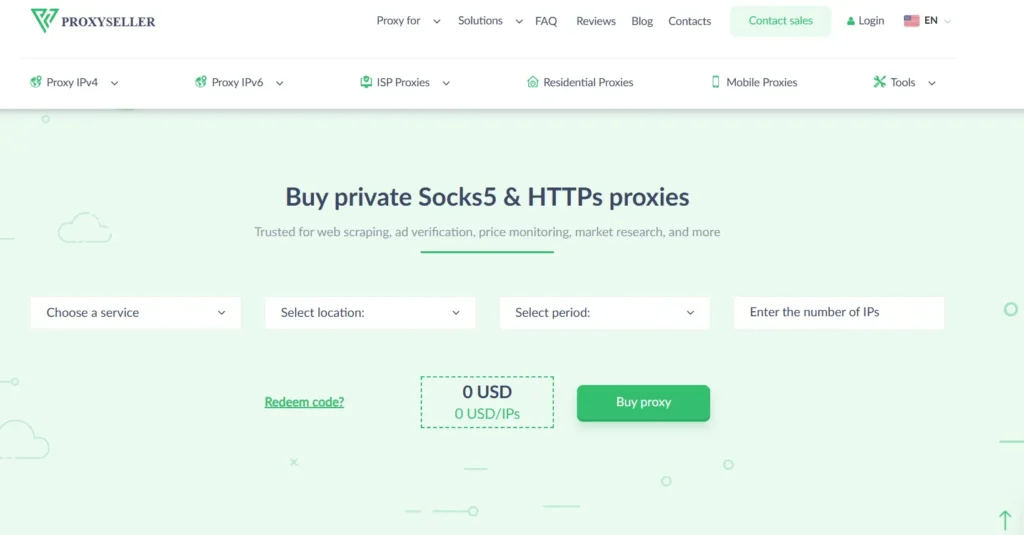
Proxy-Seller is a practical choice if you want private proxies with SOCKS5 and HTTP(S) support. For Valorant-related setups, SOCKS5 matters because it is more flexible than browser-only HTTP proxies.
The provider offers different proxy types, including IPv4, IPv6, ISP, mobile, and residential options. Its dedicated static proxies can be useful when you want one consistent IP instead of a rotating pool.
For account access, static is usually safer than aggressive rotation. For research, rotating residential proxies are better. Proxy-Seller gives you enough choice to build either setup.
The downside is that it does not feel as polished as larger enterprise platforms. It is better for users who already know what type of proxy they need.
Best for: Dedicated private IPs and SOCKS5 setups.
Avoid if: You need massive enterprise proxy analytics.
How To Choose The Best Proxy For Valorant
Choose Static ISP Proxies For Account Stability
If your goal is stable Riot account access while traveling or managing legitimate regional sessions, static ISP proxies are usually the safest proxy type. They do not rotate constantly, and they often perform better than peer-based residential IPs.
Use Residential Proxies For Regional Testing
Residential proxies are useful when you want to test how pages, offers, login flows, or regional content appear from different locations. Use sticky sessions instead of rapid rotation.
Avoid Free Public Proxies For Valorant
Free proxies are usually overloaded, slow, logged, abused, or already blocked. For a game account, that is not worth the risk. Free proxies are fine for learning how proxies work, not for serious Valorant-related activity.
Prioritize SOCKS5 Support
SOCKS5 is more flexible than HTTP proxies and can handle more types of traffic. If you are doing anything beyond browser testing, SOCKS5 should be high on your checklist.
Test Ping Before You Commit
Do not buy a large proxy plan before testing latency. A clean IP is useless if it adds 150 ms to your route. Test multiple endpoints near Riot’s servers and compare ping, jitter, and packet loss.
Do Not Rotate During Login
Rotation is great for scraping and research. It is bad for account consistency. Keep one IP per account session where possible.
Pro-Tips For Using Valorant Proxies Safely
Pro-Tip 1: Match the proxy region to your normal account behavior. Sudden jumps across countries can look suspicious.
Pro-Tip 2: Use one clean static IP for one account session. Do not share the same proxy across too many accounts.
Pro-Tip 3: Never use proxies with scripts, cheats, unlock tools, or automation software. That is where risk climbs fast.
Pro-Tip 4: Keep browser login, Riot client access, and gameplay routing consistent. Mixed routing can create strange security checks.
Pro-Tip 5: If your main goal is lower ping, test gaming VPNs or route optimizers too. A proxy is not always the best tool for live gameplay.
FAQs About Valorant Proxies
1. Can I use proxies for Valorant?
Yes, proxies can be used for privacy, account access, regional testing, and network research. For live gameplay, setup is more complex because Valorant may not follow simple browser proxy settings.
2. What type of proxy is best for Valorant?
Static ISP proxies are usually best for stable sessions. Residential proxies are better for regional testing. SOCKS5 support is useful for flexible routing.
3. Will a proxy lower my Valorant ping?
Not always. A proxy adds another network hop, so it can increase ping. It may help only if the proxy route is cleaner than your normal ISP route.
4. Are free proxies safe for Valorant?
No, not for serious use. Free proxies are often slow, unstable, and abused. They can create login issues and privacy risks.
5. Are residential proxies better than datacenter proxies?
For account-sensitive tasks, yes. Residential proxies look more natural. Datacenter proxies are faster and cheaper, but they are easier to detect and often shared.
6. Should I use rotating proxies for Valorant?
Use rotating proxies only for research tasks. For account login or stable access, use sticky sessions or static proxies.
7. Is SOCKS5 better than HTTP for Valorant?
SOCKS5 is more flexible and better suited for non-browser traffic. HTTP proxies are mainly for web browsing and simple account page testing.
8. Which proxy provider is best overall for Valorant?
Decodo is the best balanced pick for most users. Bright Data and Oxylabs are better for enterprise testing. IPRoyal and Webshare are better for budget users.
Final Verdict
The best proxy for Valorant depends on what you are trying to do. If you want premium control, choose Bright Data or Oxylabs. If you want the best balance of price and usability, Decodo is the easiest recommendation. If you need precise geo-targeting, SOAX is strong.
If you care about stable residential routing, NetNut is worth testing. If budget matters, IPRoyal and Webshare make more sense.
For most Valorant users, I would start with a static ISP proxy or a sticky residential session, test latency, and avoid fast rotation. Keep your setup clean, consistent, and rule-friendly. That is the difference between a useful proxy setup and one that creates more problems than it solves.