
Best Proxies For X Automation.
X automation is not what it used to be. A few years ago, people could throw cheap proxies into a bot, run aggressive follows, scrape timelines, blast replies, and hope the account lived long enough to make the numbers look good. That approach is dead weight now.
If you are building a serious X workflow today, your proxy setup needs to support stability, identity separation, clean geo-routing, and responsible automation.
Think social media management, QA testing, brand monitoring, public data collection, ad verification, competitor tracking, and approved API-based workflows. Not spam. Not mass engagement farms. Not shady growth hacks that burn accounts by Friday.
The best proxies for X automation are not always the cheapest. They are the ones that give you reliable IP quality, flexible sessions, good documentation, clear sourcing, and enough rotation control to match the task.
What Makes a Proxy Good for X Automation?
For X-related workflows, the proxy type matters more than the brand name.
Residential proxies are usually the safest choice for account-based work because the IPs come from consumer networks. ISP proxies are useful when you need a stable session with datacenter-like speed but better trust signals than standard datacenter IPs.
Mobile proxies can work well for mobile-app testing, geo checks, and certain social workflows, but they are more expensive and often unnecessary unless the task truly needs mobile carrier routing.
Datacenter proxies are fast and cheap, but they are not ideal for sensitive account sessions. They can still be useful for non-login tasks, uptime checks, QA, and lightweight public-page monitoring.
Pro-Tip: For X automation, do not rotate IPs randomly during logged-in sessions. Use sticky sessions for account work and rotating sessions for public data collection or non-authenticated checks.
Best Proxies For X Automation: Quick Comparison Table
| Provider | Best For | Proxy Types | IP Pool Strength | Rotation Control | Good Fit For X Automation? | Main Limitation |
|---|---|---|---|---|---|---|
| Bright Data | Enterprise compliance and scale | Residential, ISP, mobile, datacenter | Very large global pool | Advanced session controls | Excellent for large teams | Expensive for small users |
| Oxylabs | Enterprise public data collection | Residential, ISP, mobile, datacenter | Huge premium pool | Strong rotation and targeting | Excellent for data-heavy teams | Higher pricing |
| Decodo | Balanced performance and usability | Residential, ISP, mobile, datacenter | 125M+ IPs | User-friendly sticky and rotating sessions | Great all-rounder | Costs rise with volume |
| SOAX | Geo-targeted social and mobile workflows | Residential, mobile, ISP, datacenter | 191M+ claimed network | Flexible rotation and location targeting | Strong for location testing | Interface can feel technical |
| NetNut | Stable ISP-style routing | Residential, static residential, mobile | 85M+ residential IPs | Good session stability | Great for long sessions | Less beginner-friendly pricing |
| IPRoyal | Budget-conscious teams | Residential, ISP, mobile, datacenter | Smaller but flexible pool | Auto-rotate and sticky options | Good for small projects | Not as enterprise-rich |
| Webshare | Low-cost testing and simple setup | Residential, static residential, datacenter | 80M+ residential IPs | Simple rotation options | Good for entry-level workflows | Limited advanced tooling |
| Rayobyte | US-focused public data workflows | Residential, ISP, datacenter, mobile | 40M+ residential IPs | Practical session control | Good for teams needing support | Smaller global footprint |
| DataImpulse | Cheap bandwidth and testing | Residential, mobile, datacenter | 90M+ residential IPs | Rotating and sticky options | Good for low-cost experiments | Fewer premium extras |
1. Bright Data: Best Overall for Enterprise X Automation

Bright Data is the heavyweight option for teams that care about compliance, scale, and control. It offers residential, ISP, mobile, and datacenter proxies, which makes it suitable for almost every legitimate X workflow, from brand monitoring to automated QA checks.
Where Bright Data stands out is session management. You can create sticky sessions for account-based work, rotate IPs for public data pulls, and target specific countries or cities when you need regional visibility. For agencies managing multiple brands, that level of control matters.
It is not the cheapest provider, and beginners may find the dashboard slightly overwhelming at first. But for serious teams, Bright Data offers the kind of infrastructure you want when X automation is tied to reporting, compliance, or revenue.
Pro-Tip: Use Bright Data’s ISP or residential proxies for logged-in workflows, and reserve datacenter IPs for simple monitoring tasks where account trust is not involved.
2. Oxylabs: Best for Large-Scale Public Data Collection

Oxylabs is another premium proxy provider built for companies that need reliability more than bargain pricing. It offers a massive residential network, dedicated datacenter proxies, ISP proxies, mobile proxies, and scraping products.
For X automation, Oxylabs is best suited to public data workflows, such as tracking public brand mentions, monitoring competitor activity, checking regional content visibility, or powering analytics pipelines. It is also a good fit for teams that want clean documentation and enterprise support.
Oxylabs is probably overkill for someone managing a few X accounts. But if you are building a data operation around X and other public web sources, it makes sense.
Pro-Tip: Use longer sticky sessions when your workflow needs continuity, such as dashboard checks or user-consented account access. Use controlled rotation for public data tasks.
3. Decodo: Best All-Rounder for Agencies and Mid-Market Teams

Decodo, formerly Smartproxy, hits a nice middle ground between enterprise-grade providers and budget tools. It offers a large proxy pool, residential proxies, mobile proxies, ISP proxies, datacenter options, scraping APIs, and a dashboard that does not punish non-technical users.
For X automation, Decodo works well for agencies, growth teams, QA testers, and social media operations that need clean proxy management without building everything from scratch. Its sticky session options are useful for account consistency, while rotating residential proxies are handy for public monitoring and regional testing.
Decodo’s biggest advantage is usability. You can get started faster than with some enterprise-heavy platforms, but still access serious infrastructure.
Pro-Tip: If you manage multiple client brands, assign one stable proxy identity per brand or account group. Randomly mixing IP locations across sessions creates messy signals.
4. SOAX: Best for Geo-Targeted X Testing

SOAX is strong when location precision matters. Its residential and mobile proxy networks cover a wide range of regions, and the platform gives users detailed control over targeting.
For X automation, this is useful when you need to see how content, ads, search results, or public profiles appear in different countries or cities. It can also support localization checks for agencies running campaigns across multiple markets.
SOAX is not always the simplest tool for first-time proxy users, but it rewards teams that know exactly what they need. The provider also places strong emphasis on clean IP sourcing, which matters more than many buyers realize.
Pro-Tip: Do not choose mobile proxies just because they sound more “natural.” If your workflow runs from desktop browsers or server environments, residential or ISP proxies may be more practical.
5. NetNut: Best for Stable Long-Running Sessions

NetNut is a strong option for teams that need stable sessions and fast routing. Its residential and static residential proxy products are well suited to workflows where constant IP changes would cause more problems than they solve.
That makes NetNut useful for account dashboards, long monitoring sessions, and internal tools that need a consistent connection pattern. Its static residential proxies are especially attractive when you want the reliability of a fixed IP without using a typical datacenter address.
NetNut is less of a bargain provider and more of a performance-focused choice. If your automation is simple and low volume, you may not need it. If session stability is critical, it deserves a spot on your shortlist.
Pro-Tip: Use static residential or ISP proxies when consistency matters. Use rotating residential proxies only when each request can stand alone.
6. IPRoyal: Best Budget Pick for Smaller X Workflows

IPRoyal is a practical choice for smaller teams, freelancers, and agencies testing X automation without a large monthly budget. It offers residential, datacenter, ISP, and mobile proxies, with flexible pricing and traffic that does not expire on residential plans.
For X workflows, IPRoyal is best for controlled tasks like manual account management support, public monitoring, local testing, and small-scale automation where you do not need enterprise dashboards or huge custom contracts.
Its network is not as massive as Bright Data, Oxylabs, or SOAX, but it gives enough flexibility for most beginner and mid-level proxy setups.
Pro-Tip: Start with a small traffic package and test account stability, location consistency, and speed before buying bulk bandwidth.
7. Webshare: Best Low-Cost Proxy for Testing

Webshare is a strong entry-level choice for teams that want affordable proxies, quick setup, and simple controls. It offers residential, static residential, and datacenter proxies, with a clean dashboard and budget-friendly plans.
For X automation, Webshare is best for testing, QA, non-sensitive monitoring, and early-stage workflows. It is not the provider I would choose for advanced enterprise social intelligence, but it is useful when you need to validate a setup before committing to a larger vendor.
The main tradeoff is tooling depth. You do not get the same advanced scraping stack or hands-on support that premium providers offer.
Pro-Tip: Use Webshare for proof-of-concept testing, then upgrade to a premium provider once your workflow has clear volume and quality requirements.
8. Rayobyte: Best for US-Focused Proxy Operations

Rayobyte is a good fit for teams that want a US-based provider with residential, ISP, datacenter, and mobile proxy options. It has a long history in the proxy space and positions itself around ethical public web data collection.
For X automation, Rayobyte makes sense for brand monitoring, public-page checks, and workflows where US coverage is more important than having the largest global pool. The provider is also worth considering if you prefer hands-on support over a purely self-serve experience.
It may not have the same massive international footprint as the biggest enterprise vendors, but it is dependable for focused use cases.
Pro-Tip: If most of your X campaigns target the United States, do not overpay for huge global coverage you will never use.
9. DataImpulse: Best Cheap Residential Proxy for Experiments
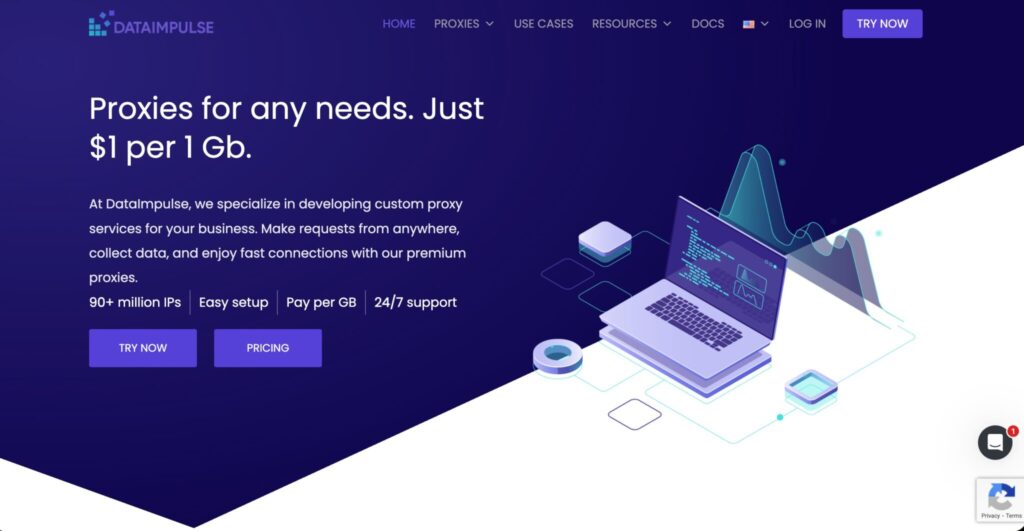
DataImpulse is attractive because of its low-cost residential bandwidth. It offers residential proxies, mobile proxies, and datacenter options, making it useful for testing automation logic before scaling.
For X automation, DataImpulse is best for developers and marketers who need affordable traffic for public checks, regional testing, or early-stage experiments. It is not the most feature-packed provider, but it gives you room to test without burning through budget.
That said, low price should not be your only buying factor. You still need to test speed, success rate, location quality, and support responsiveness.
Pro-Tip: Use DataImpulse for experiments, but do not move mission-critical X workflows to any low-cost provider until you test real-world stability for at least a few days.
How to Choose Proxies for X Automation
1. Match the Proxy Type to the Workflow
Use residential proxies for account-based workflows, public monitoring, and social media management support. Use ISP proxies when you need longer, more stable sessions. Use mobile proxies only when mobile carrier routing is relevant. Use datacenter proxies for simple checks where trust signals are less important.
2. Understand IP Pool Quality
A huge IP pool sounds impressive, but quality beats raw numbers. You want clean IPs, diverse ASNs, reliable locations, low abuse history, and proper sourcing. A smaller high-quality pool can outperform a giant messy one.
For X automation, country and city targeting can matter if you manage region-specific accounts or monitor localized conversations.
3. Use Sticky Sessions for Logged-In Work
A sticky session keeps the same IP for a defined period. This is important when your workflow involves a logged-in dashboard, approved account access, or long browser sessions.
Rotating too often during login-based activity can create unstable patterns. A human does not usually jump from Mumbai to London to Dallas in five minutes.
4. Use Rotation for Public Data Collection
Rotating proxies are better for public-page checks, analytics gathering, and non-authenticated requests. They distribute traffic across multiple IPs, which helps with load balancing and reduces overuse of a single endpoint.
The key is moderation. Rotation is not a license to hammer X or bypass rules. Respect rate limits, use official APIs where possible, and keep request patterns reasonable.
5. Check Protocol Support
Most proxy tools support HTTP and HTTPS. SOCKS5 is useful when you need broader application-level routing. For browser-based X workflows, HTTP(S) is often enough. For custom tools, SOCKS5 may give more flexibility.
6. Avoid Free Proxies
Free proxies are a trap for serious work. They are slow, unstable, often abused, and risky from a privacy standpoint. If your X accounts, client data, or campaign reporting matter, do not route them through unknown free servers.
FAQs About Proxies for X Automation
1. What are the best proxies for X automation?
The best overall options are Bright Data, Oxylabs, Decodo, SOAX, NetNut, IPRoyal, Webshare, Rayobyte, and DataImpulse. For enterprise work, choose Bright Data or Oxylabs. For agencies, Decodo and SOAX are strong. For budget testing, IPRoyal, Webshare, and DataImpulse make sense.
2. Are residential proxies better for X automation?
Residential proxies are usually better for account-related workflows because they route traffic through real consumer networks. They are not magic, though. Poor automation behavior can still trigger account problems, even with good proxies.
3. Should I use rotating or sticky proxies for X?
Use sticky proxies for logged-in sessions and account management. Use rotating proxies for public data collection, regional checks, and non-authenticated monitoring. Mixing the two carelessly is one of the fastest ways to create unstable automation.
4. Are mobile proxies worth it for X automation?
Mobile proxies are worth it if your workflow specifically needs mobile carrier IPs, app testing, or mobile geo-verification. For most standard automation, residential or ISP proxies are more cost-effective.
5. Can proxies prevent X account restrictions?
No proxy can guarantee account safety. Restrictions usually come from behavior, content quality, rate patterns, policy violations, or suspicious account activity. Proxies only help with network routing and session separation.
6. Is X automation allowed?
Some automation is allowed, especially helpful, opt-in, informational, creative, or API-based workflows. X prohibits abusive automation, spam, unsolicited bulk messages, aggressive follows, rate-limit circumvention, and non-API scripting of the website.
7. How many proxies do I need for X automation?
It depends on your workflow. For account-based work, use one stable proxy identity per account or account group. For public monitoring, calculate based on request volume, session length, and regional coverage. Start smaller, test quality, then scale.
8. What is the safest proxy setup for X account management?
Use a reputable residential or ISP proxy, keep the location consistent, avoid rapid IP switching, use official APIs where possible, and keep automation behavior conservative. The proxy is only one part of the trust equation.
Final Verdict
For most serious X automation workflows, Decodo is the best all-rounder because it balances price, usability, proxy variety, and session control. Bright Data and Oxylabs are stronger for enterprise teams that need scale, compliance, and advanced tooling.
SOAX is excellent for geo-targeted testing, while NetNut is a smart pick for stable long-running sessions.
For smaller teams, IPRoyal and Webshare are easier on the budget. Rayobyte is a strong option for US-focused operations, and DataImpulse works well for low-cost testing.
The smartest setup is not “the biggest proxy pool.” It is the cleanest match between your workflow and your session behavior.
Use stable IPs where identity matters, rotate only where rotation makes technical sense, and keep your automation aligned with X’s rules. That is how you build a proxy stack that lasts longer than the latest shortcut.